Lab: Monitoring a Storage Account
Overview
In this lab, we will generate activity on a storage account and use Azure Monitor to track how it is being used.
Steps
-
Login to Azure portal and create a storage account.
Note: I've already created a storage account prior to this lab. For more information, please see Create an Azure storage account
-
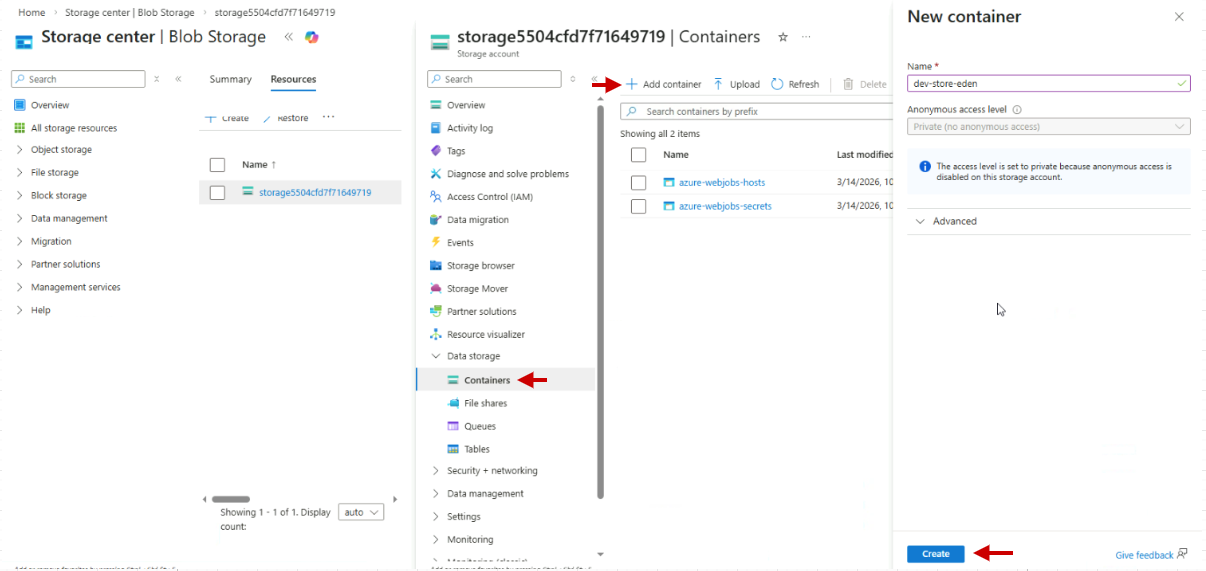
Navigate to your Storage account and create a new container.
-
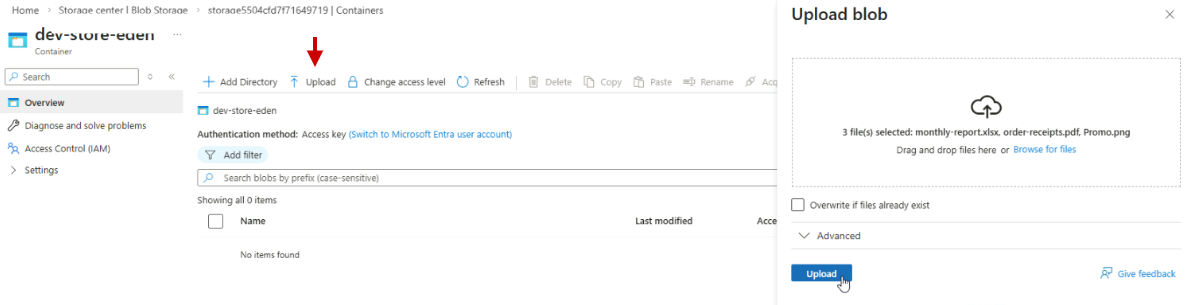
Open the container and upload at least three files.
This generates ingress metrics for the storage account.
-
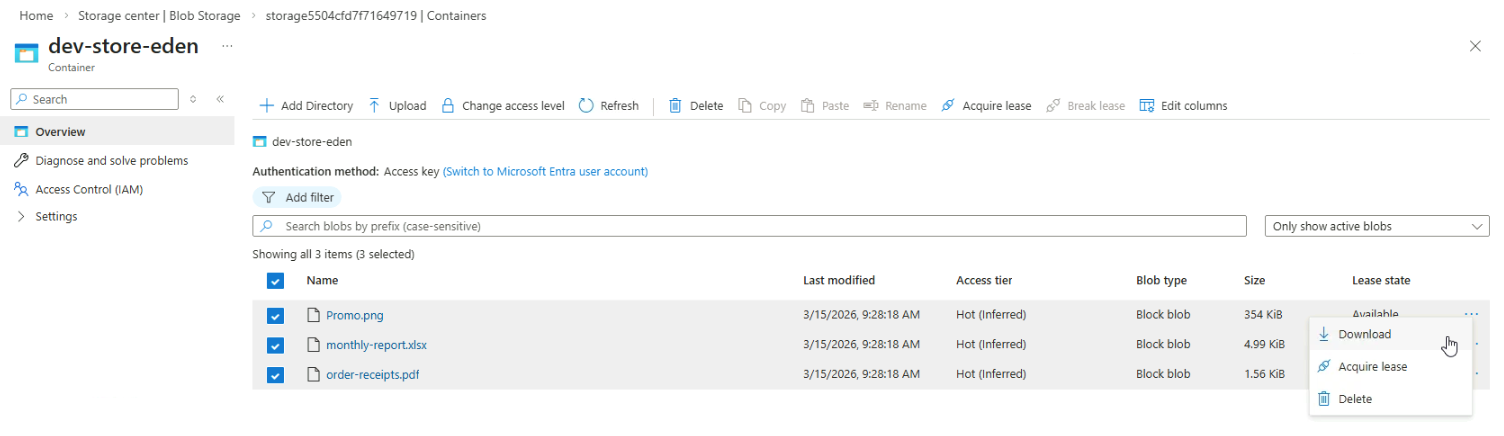
Download each uploaded file to generate egress metrics.
-
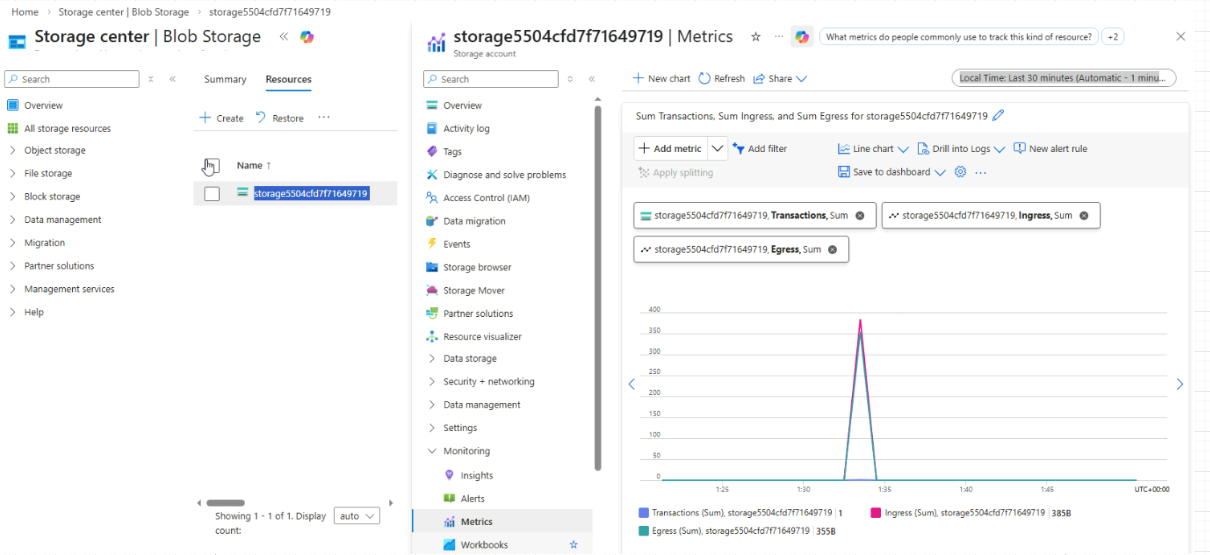
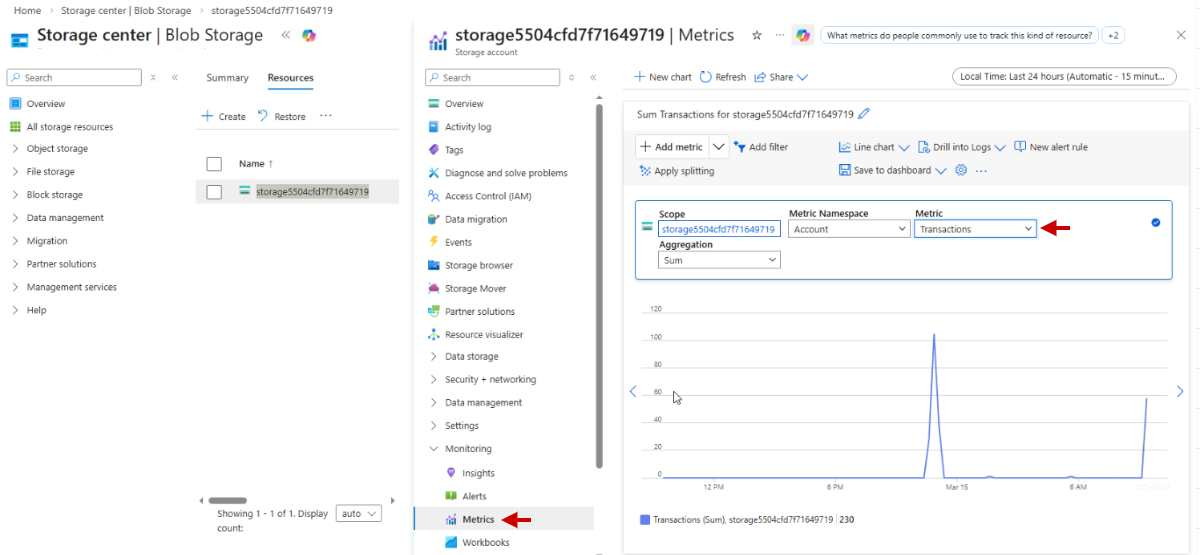
In your Storage account, go to Monitoring > Metrics.
Select "Transactions" as the metric to view recent storage activity.
-
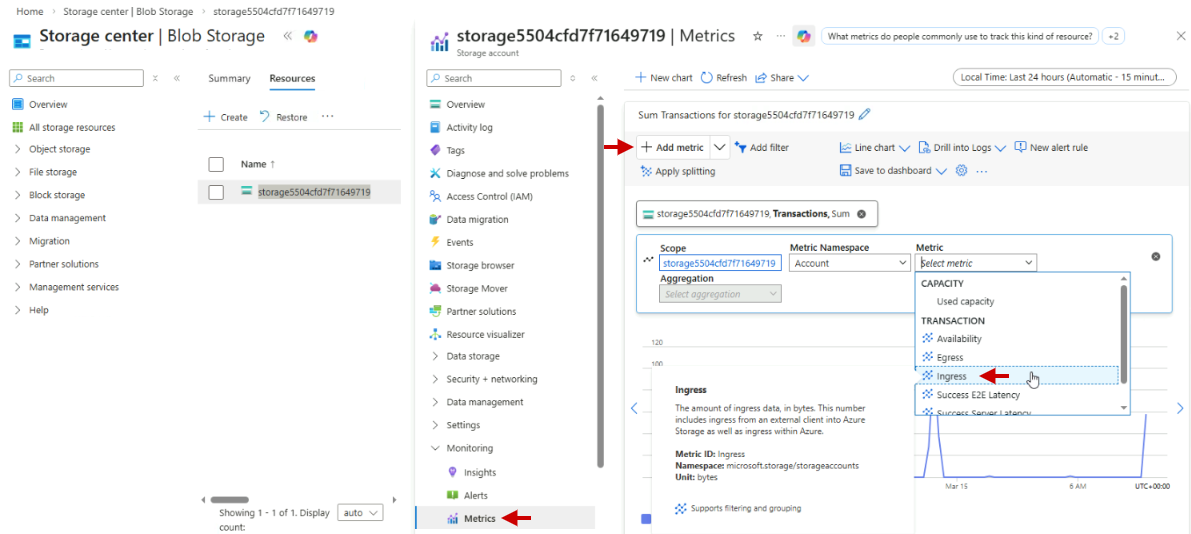
Add "Ingress" as a second metric to track uploaded data.
-
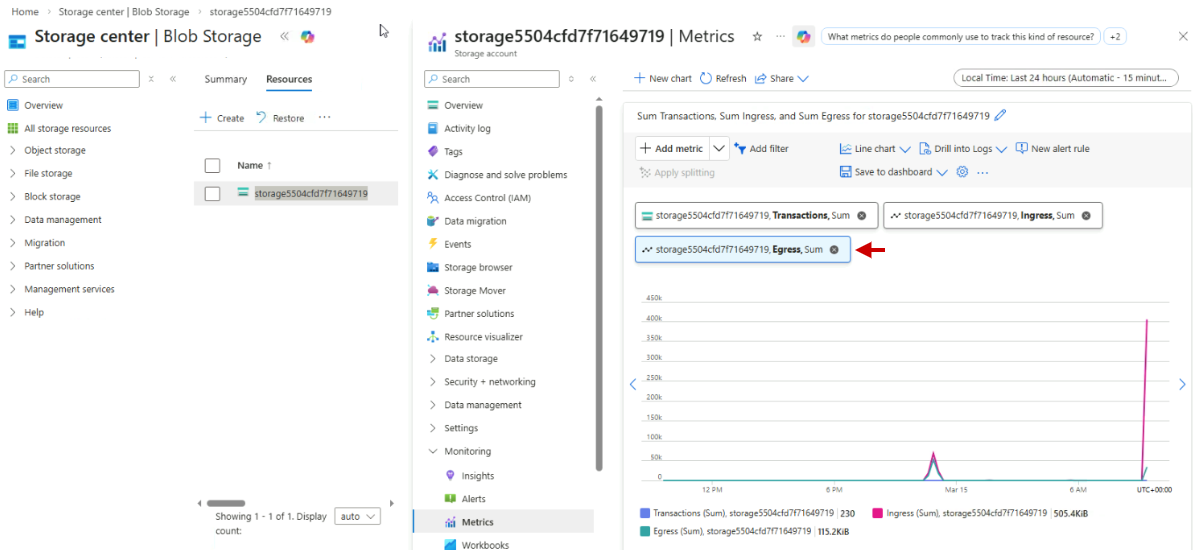
Add "Egress" as a third metric to track downloaded data.
-
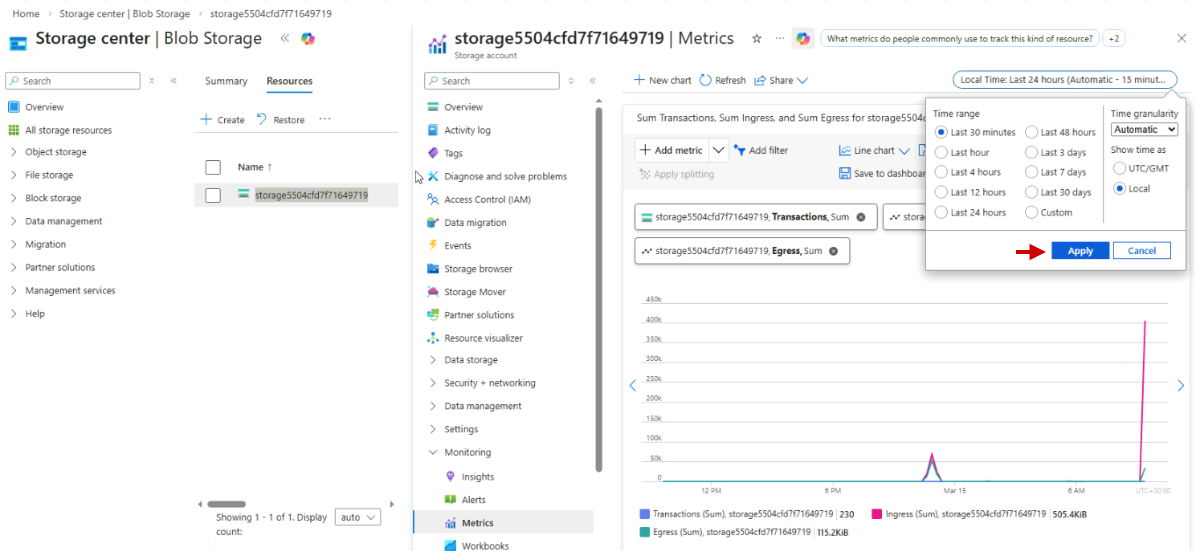
Adjust the time range to "Last 30 minutes" for clearer visibility.
Based on the metrics, you can identify trends such as high download activity, which may indicate increased user access or a potential data exfiltration risk. Monitoring these metrics regularly helps maintain storage performance and security.