Content Security Policy blocks 'eval' in JavaScript
Overview
This KB explains the error:
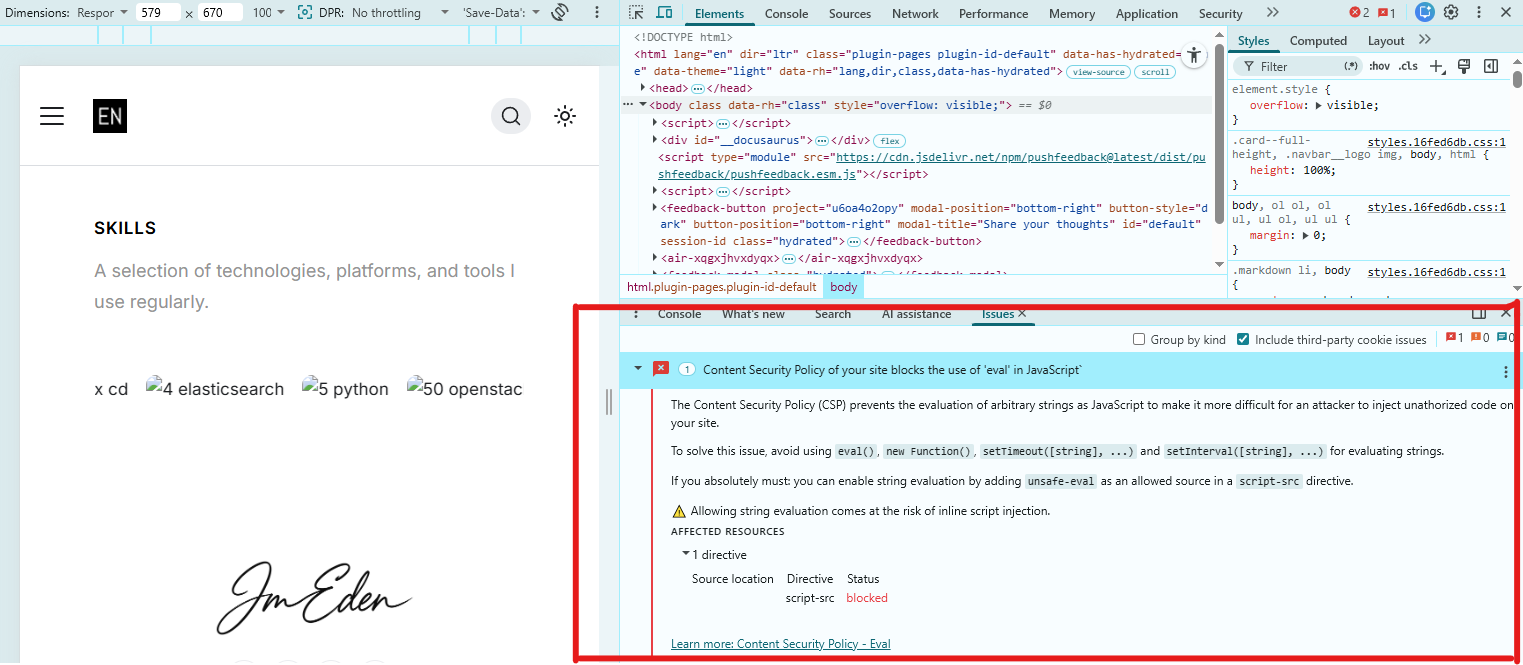
Content Security Policy of your site blocks the use of 'eval' in JavaScript**.
This is a common issue in modern web apps with strict security settings.
Below is a screenshot of the error in the browser console:
Root Cause
The error occurs when your site's Content Security Policy (CSP) does not allow the use of eval() or similar string-evaluating JavaScript functions.
- CSP is a security feature in most modern browsers.
- It helps prevent cross-site scripting (XSS) and code injection attacks.
By default, many frameworks and static site hosts set CSP to block eval for better security.
Some libraries or custom code may try to use eval, new Function(), or setTimeout/setInterval with string arguments, which triggers the error.
Solutions
Best Practice: Refactor your code and dependencies to avoid using eval, new Function(), or string-based setTimeout/setInterval.
- DO NOT add
unsafe-evalto your CSP unless absolutely necessary - This weakens your site's security.
If a third-party library requires eval, look for an alternative or updated version that does not use it. For frameworks like Docusaurus, Next.js, or Create React App, avoid plugins or code that rely on eval.
Example: Code That Triggers the CSP Warning
In my case, the warning was triggered by the following code pattern (used by some bundlers or legacy libraries):
// Example (not recommended):
setTimeout("console.log('Hello')", 1000); // Using a string as the first argument

// Or
const fn = new Function("console.log('Eval-like code')");
fn();

// Or
// Some libraries or plugins may use eval()
eval("console.log('Eval is dangerous')");
These patterns are blocked by CSP unless you allow 'unsafe-eval', which is not recommended.
No changes are needed
In my project, this warning was only a result of a development tool or a third-party library that is not used in production. The main application code does not rely on eval, new Function, or string-based setTimeout/setInterval.
No changes are needed unless you have a real functional breakage. If your app works and only shows a warning, you can safely ignore it. Only consider relaxing CSP if you have a critical, unavoidable need (rare in modern apps).