Setting up OpenAI
Updated May 03, 2026 ·
Overview
This guide provides step-by-step instructions for setting up OpenAI, a powerful platform for AI development.
Steps
To start with, make sure to have an OpenAI account.
-
Sign up here: OpenAI's website.
-
If you haven't already, setup MFA on your account.
-
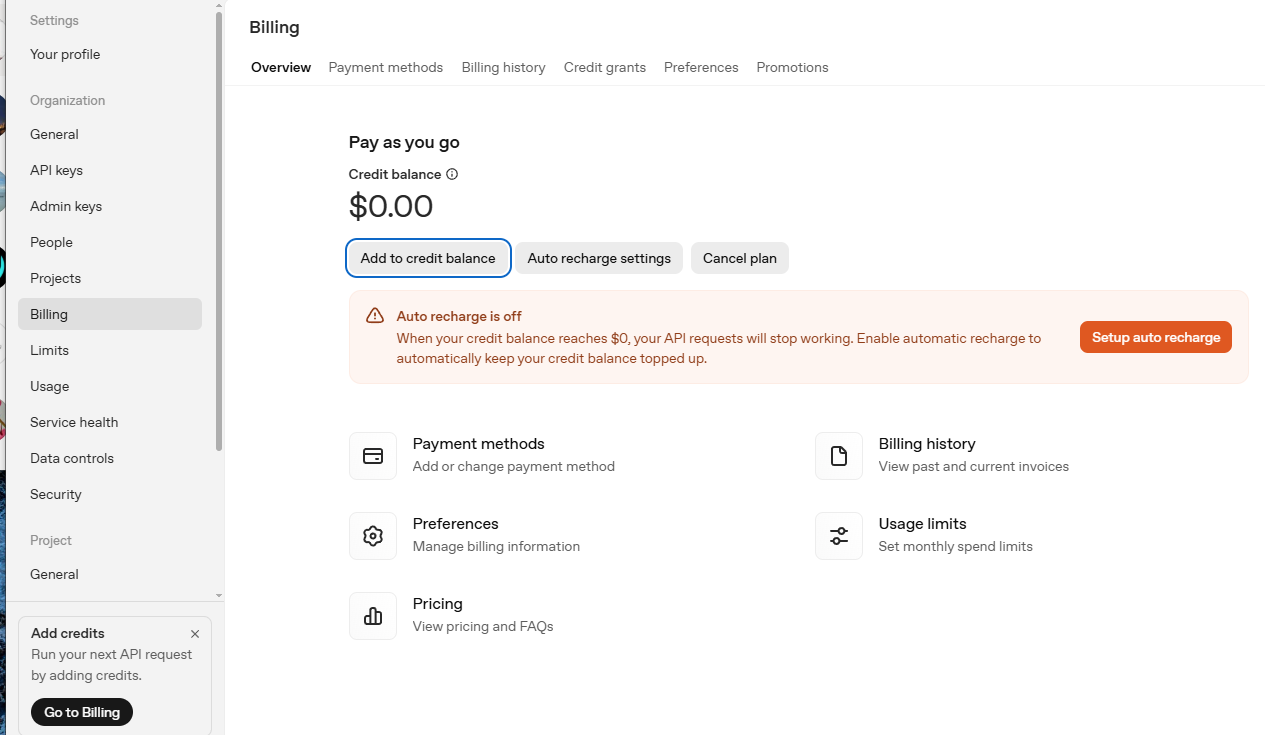
Login and go to your dashboard and click Add credits.
-
Make sure auto recharge is turned off. Click Add to credit balance.
-
Add an amount and the payment method, then Continue ➜ Confirm payment.
-
Refresh the page and you should see your new credit balance.
API Keys
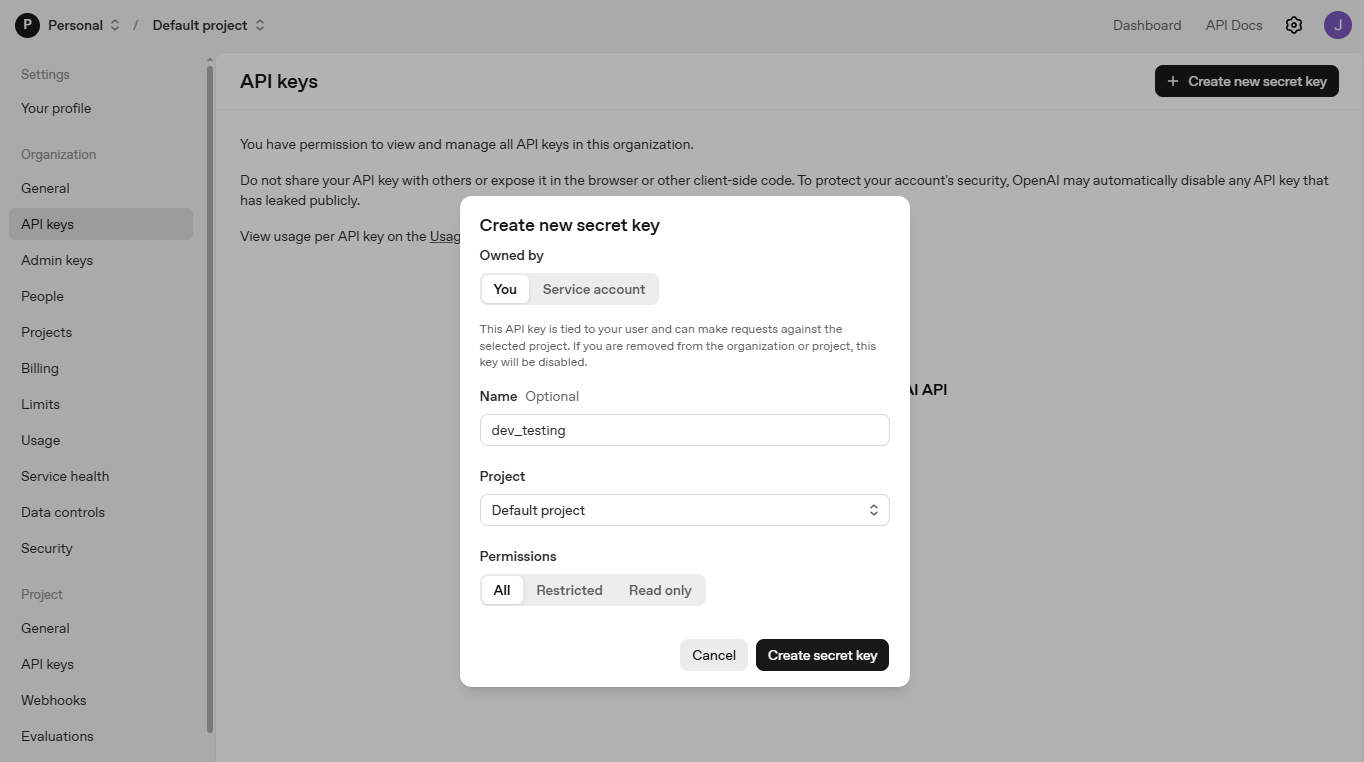
In your OpenAI dashboard, go to API Keys.
- Click Create new secret key, then provide a key name.
- Set project to default (this means API Key can be used for any project).
- Click Create secret key and copy the generated key.
- Store it securely, as you won't be able to see it again.