Github Copilot
Overview
GitHub Copilot is an AI coding assistant that helps you write, understand, and improve code using natural language.
- Suggests code while you type
- Understands comments and prompts
- Helps refactor and debug code
There are two ways to use Copilot:
- Using autocomplete
- Using it like a coding partner
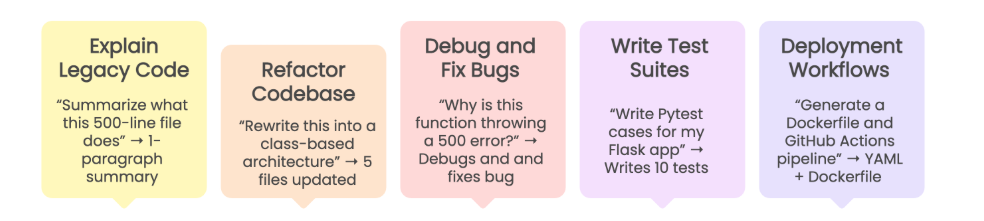
When used properly, Copilot can handle many development tasks.
- Explain complex or legacy code
- Refactor code across files
- Debug errors and suggest fixes
- Write test cases
- Assist with CI/CD and deployment
It becomes a powerful tool when you guide it with clear and structured input.
Using Copilot as Autocomplete
Some developers treat Copilot as a simple autocomplete tool.
- Write a comment
- Press tab to accept suggestions
- Repeat the process
In the example below, a simple comment is used as a prompt.
# function to calculate sum of two numbers
Expected result:
def sum(a, b):
    return a + b
This works well for simple and repetitive code, but it starts to break down for more complex tasks.
Problem with Vague Prompts
When prompts are unclear, Copilot struggles to give good results.
- It loses track of context
- It adds features that were not requested
- It produces inconsistent code
- It increases debugging time
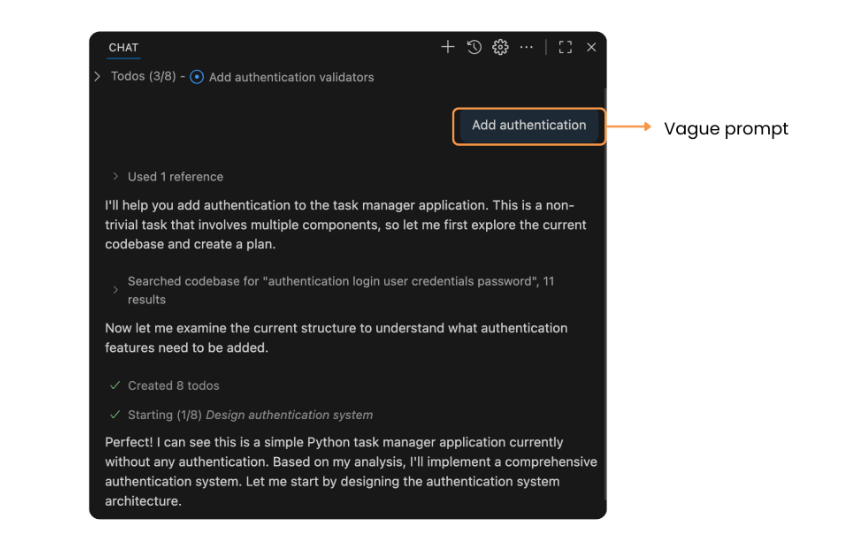
For example, a vague prompt like this:
Add authentication
Expected result may vary and often becomes messy or incomplete.
Using Copilot as a Coding Partner
A better approach is to treat Copilot like a junior developer.
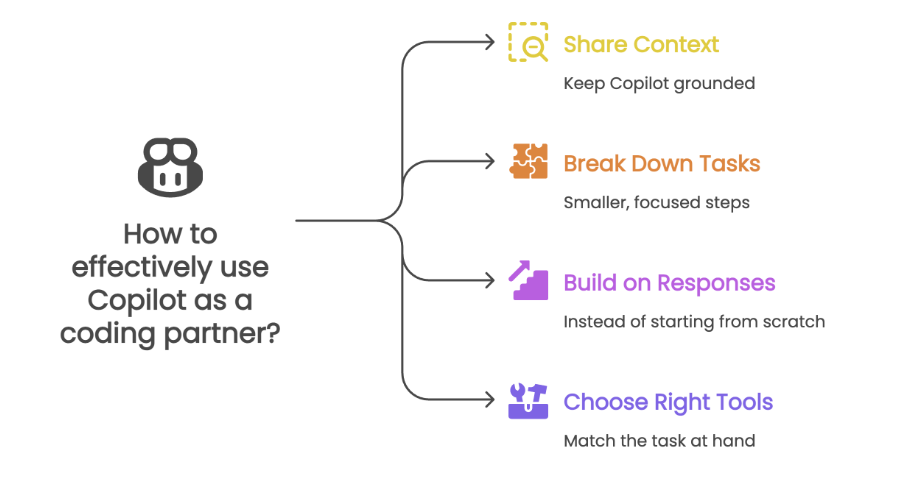
In the example below, the prompt includes clear intent and constraints.
# create a function validate_user_input that checks if age is above 18 and email contains '@'
Expected result:
def validate_user_input(age, email):
    return age > 18 and "@" in email
This approach leads to more accurate and useful code suggestions, as Copilot has a clearer understanding of the task at hand.