Templates, Plugins, Execution, and Vault
Tags
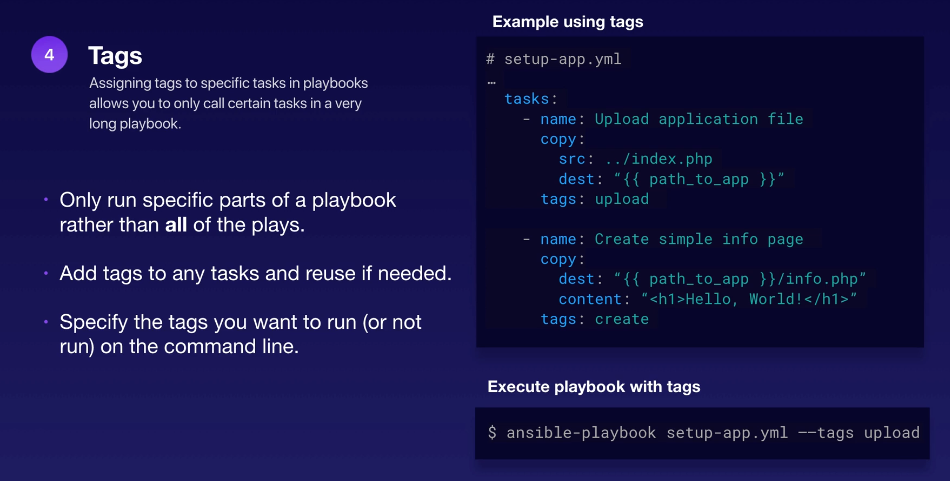
This is another way to break down our playbook and specify only the tasks that we want to run. By attaching tags to each task, we can refer to the tags when we ran the playbook.
In the example above, we can tell Ansible to run just the tasks tagged with create using the --tags.
On the other hand, we could do the opposite by using the --skip-tags. This will run everything except those that has the tags specified.
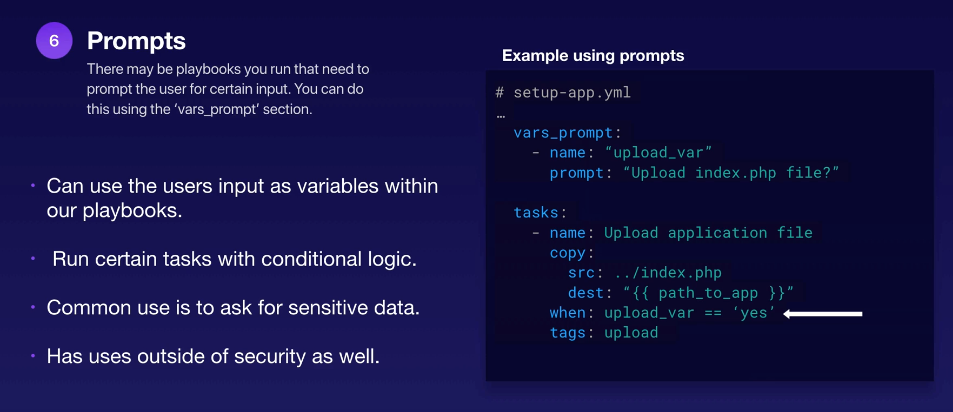
Prompts
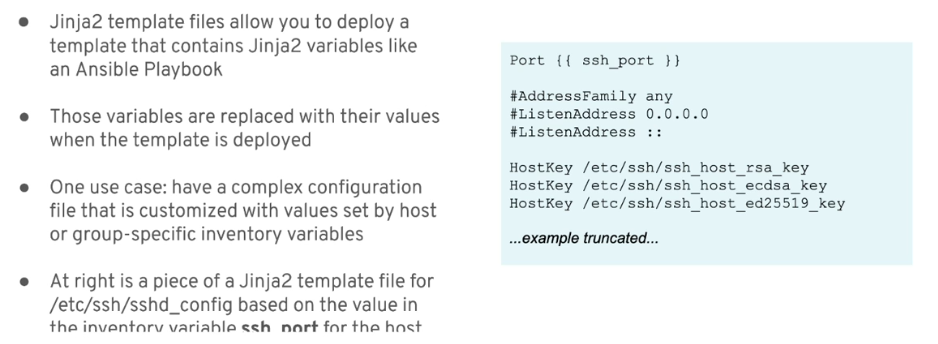
Jinja2 Templates
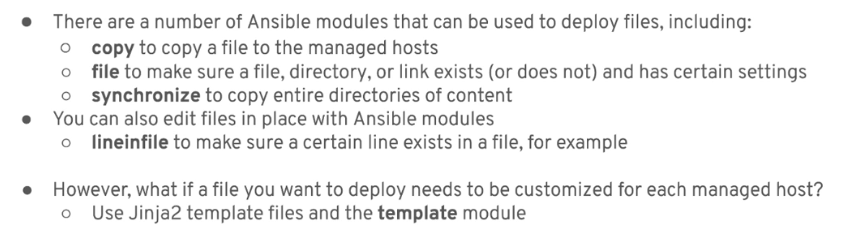
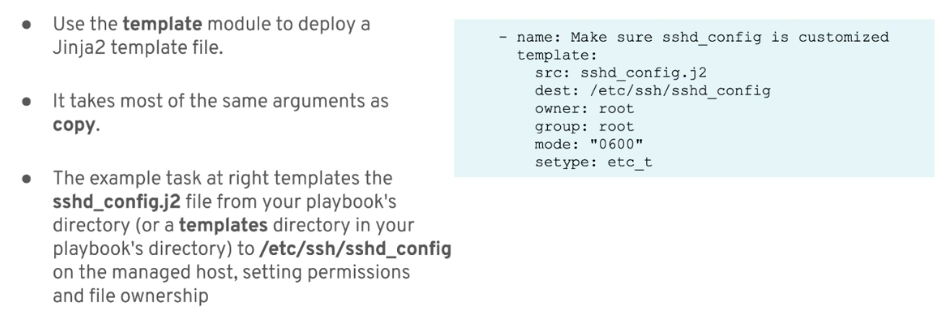
template module
ansible_facts
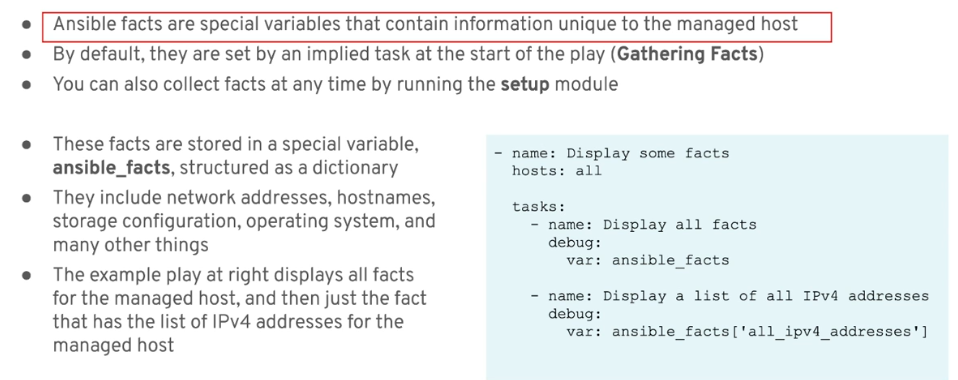
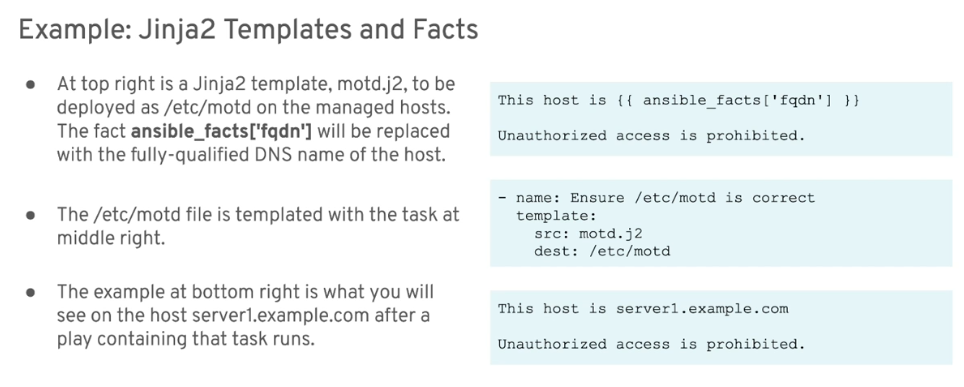
Sample Jinja2 Templates
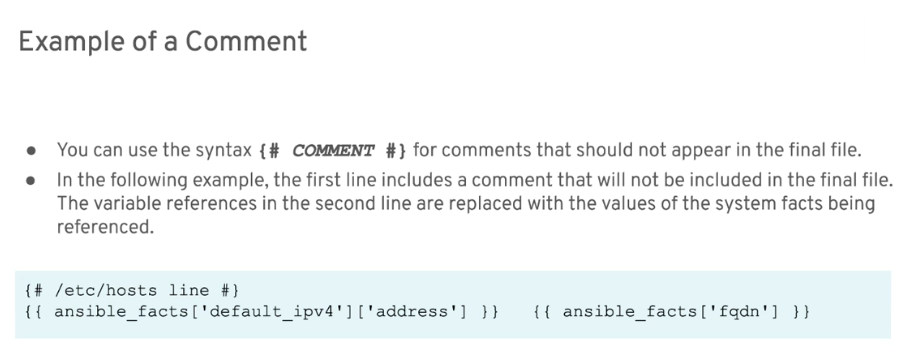
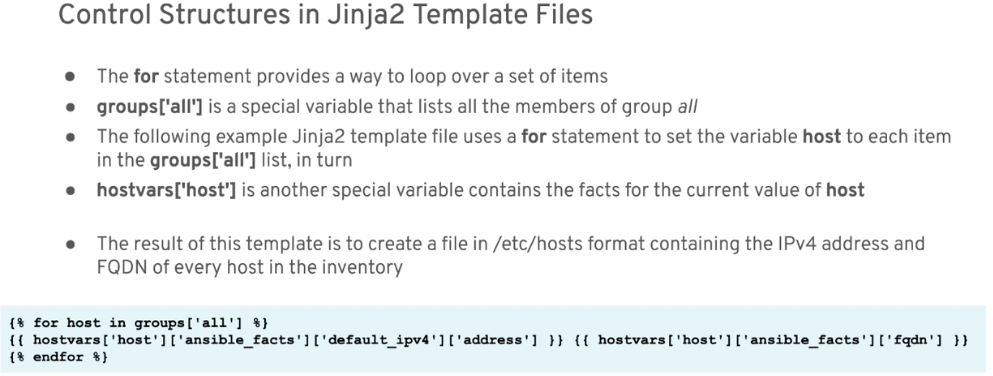
for-loop
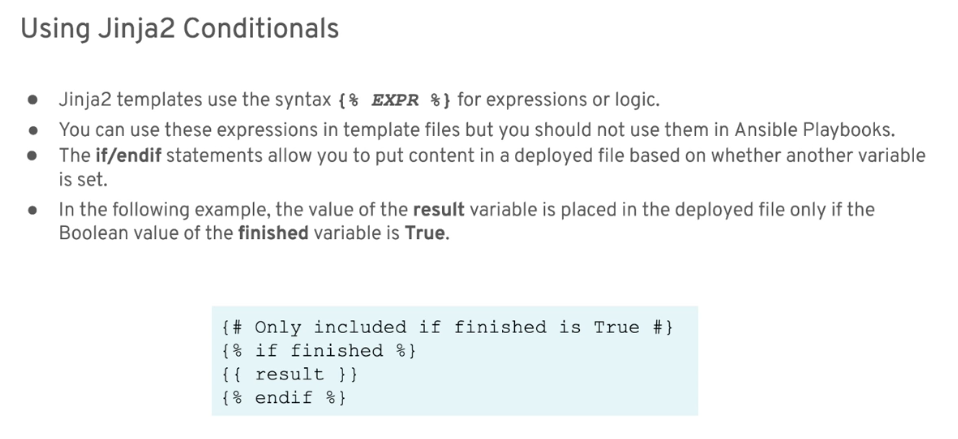
conditionals
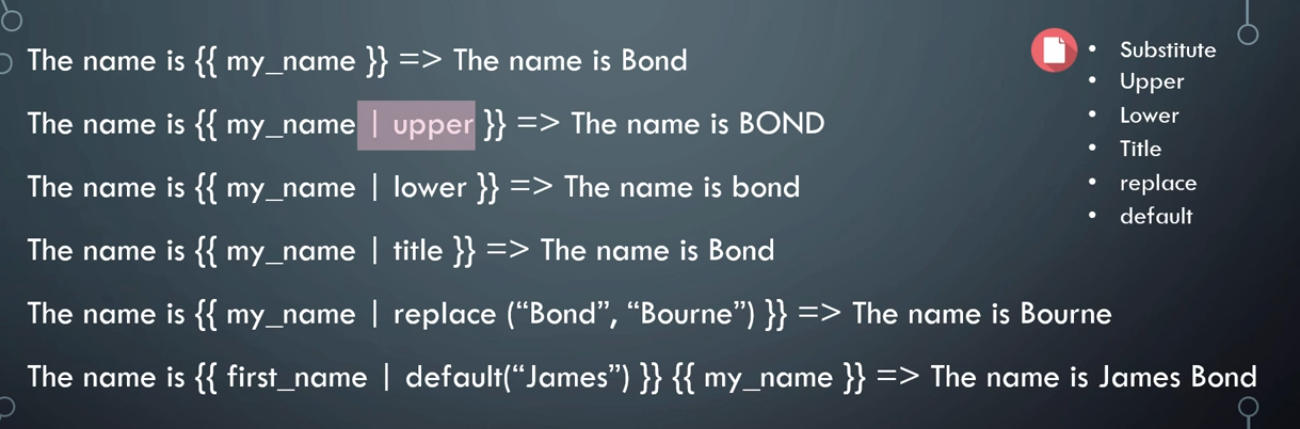
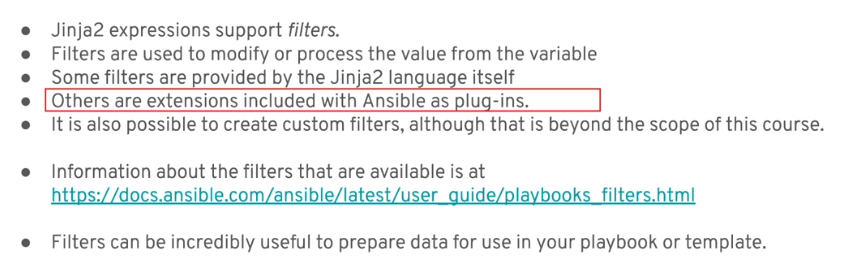
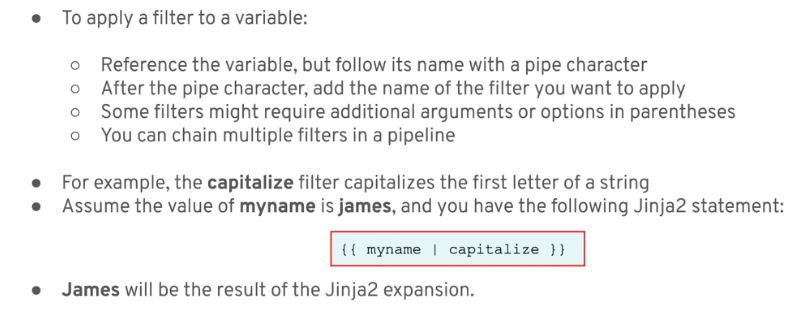
filters
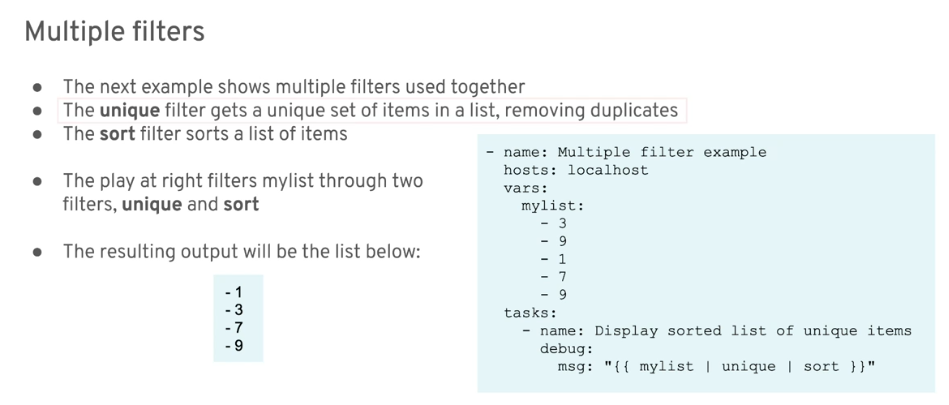
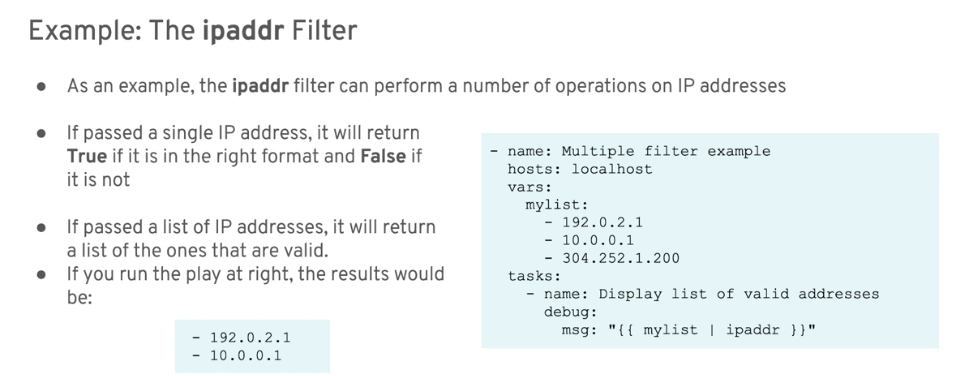
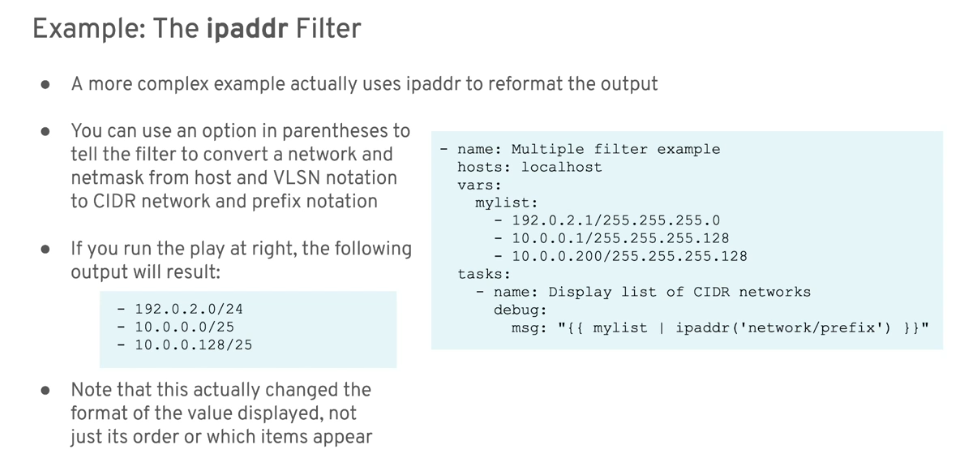
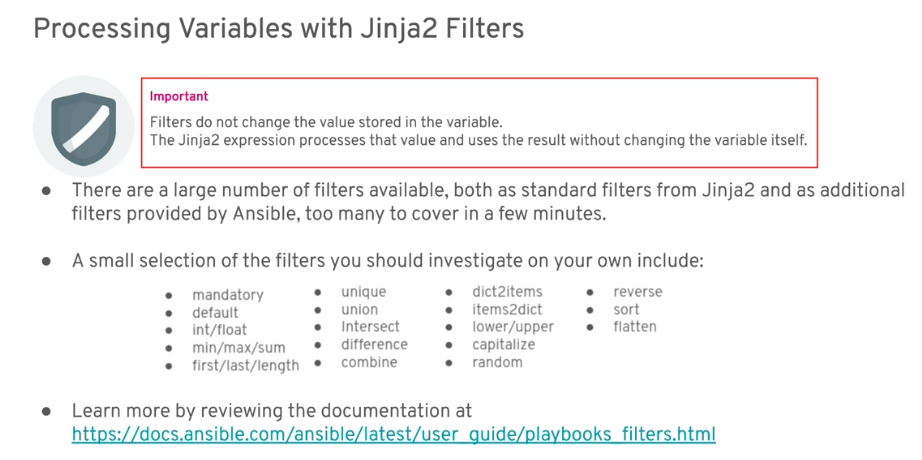
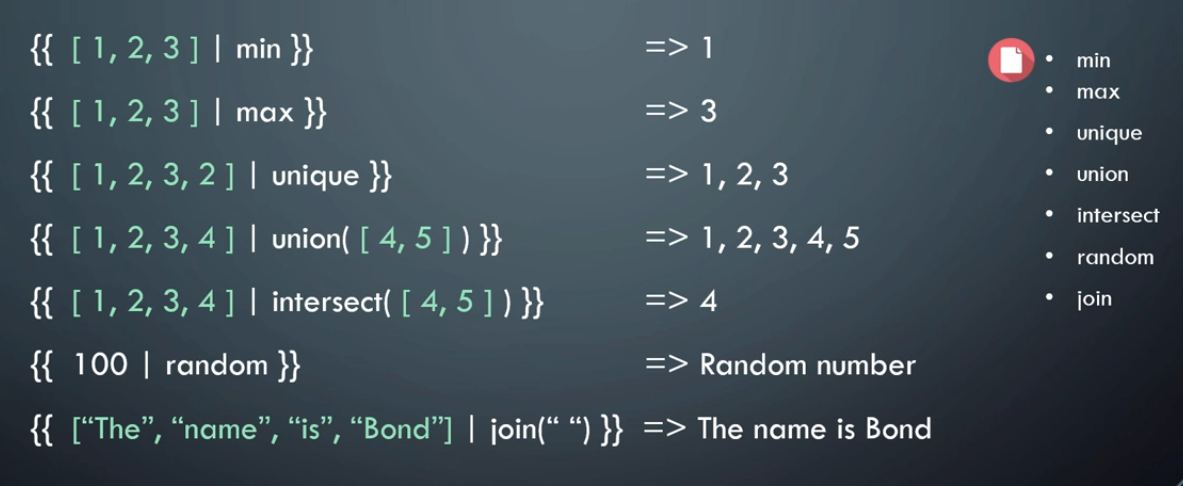
filters: list and set
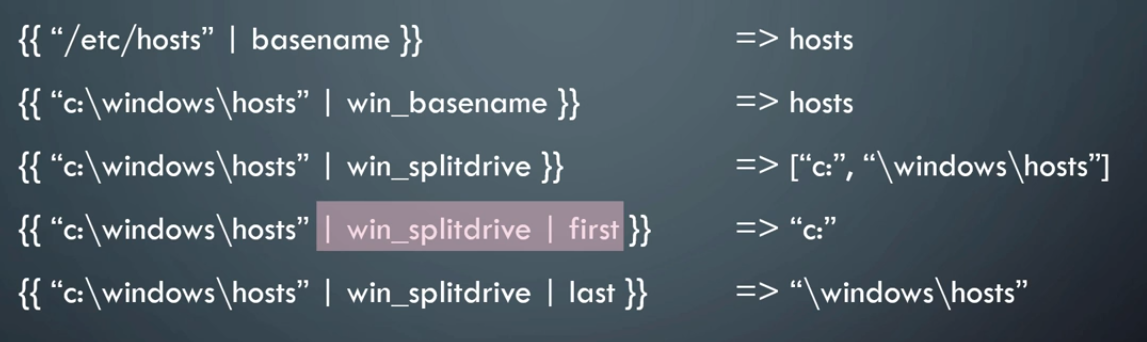
filters: file
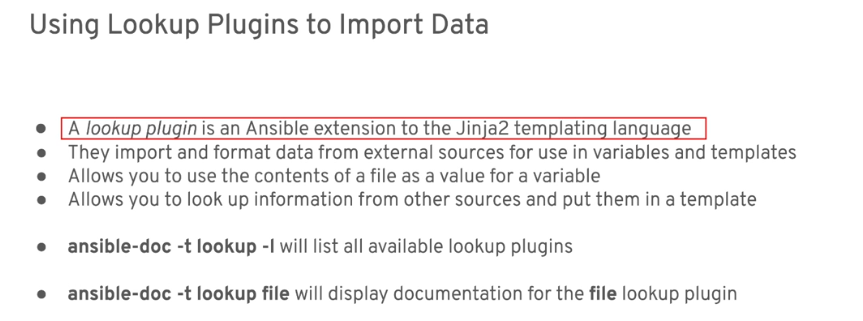
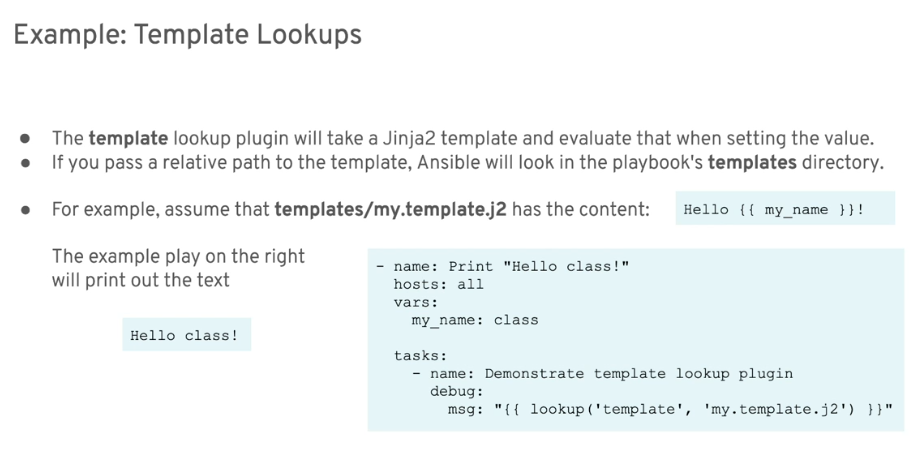
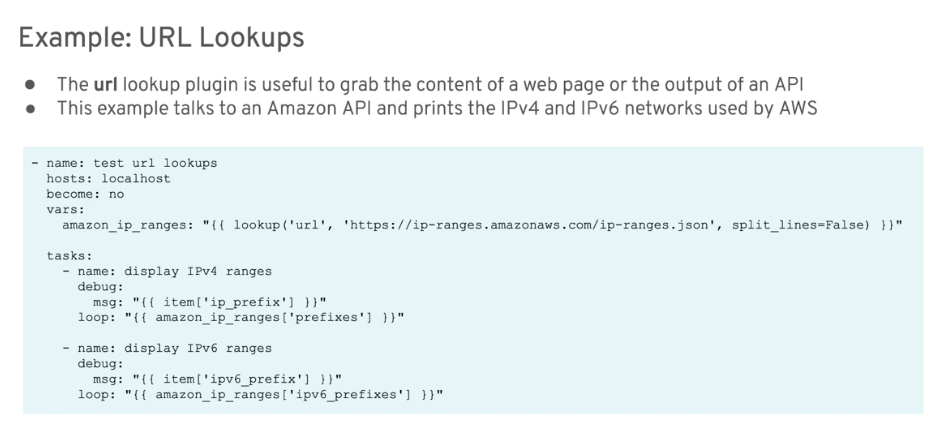
Templating External Data with Lookup Plugins
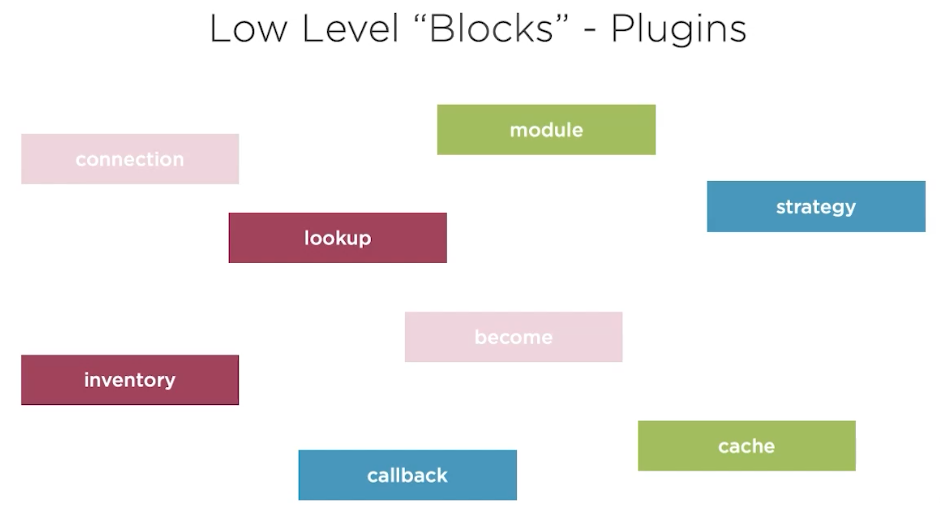
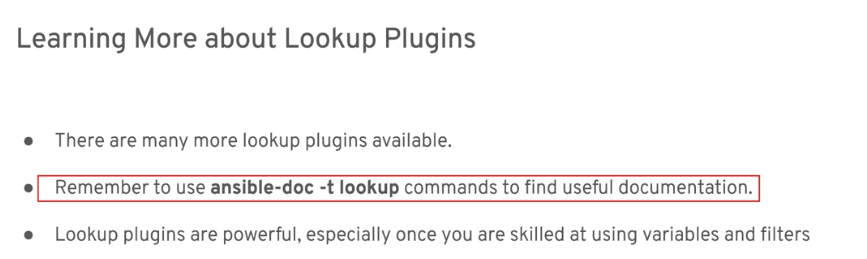
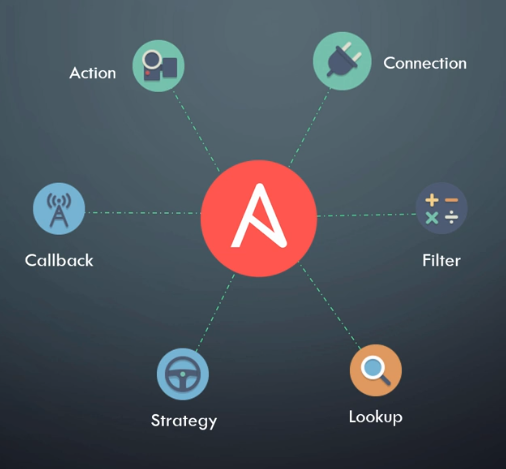
We can list out different plugins available to us. In the example below, we're listing connection-type plugins.
$ ansible-doc -t connection -l
$ ansible-doc --type connection --list
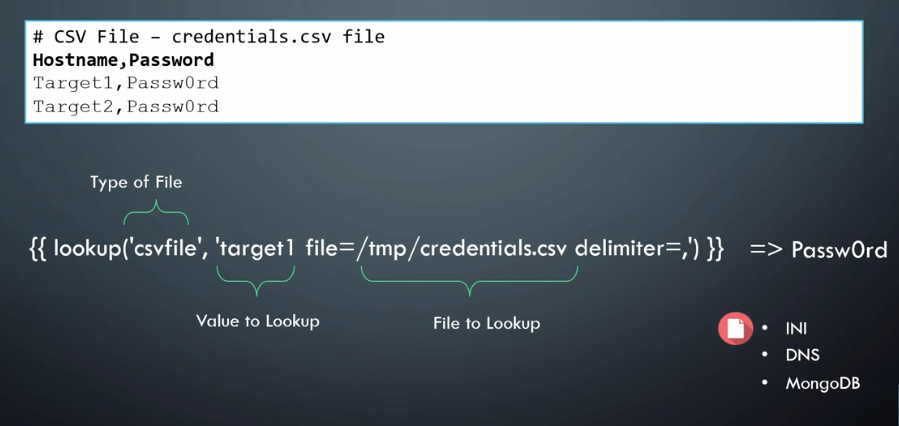
Lookup and Query
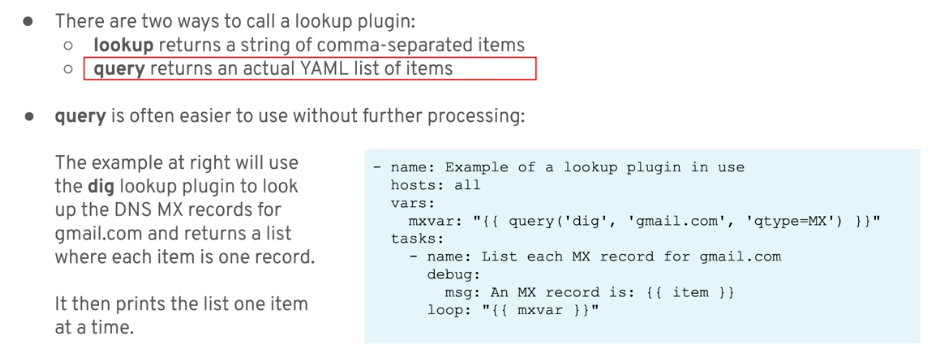
File Lookups
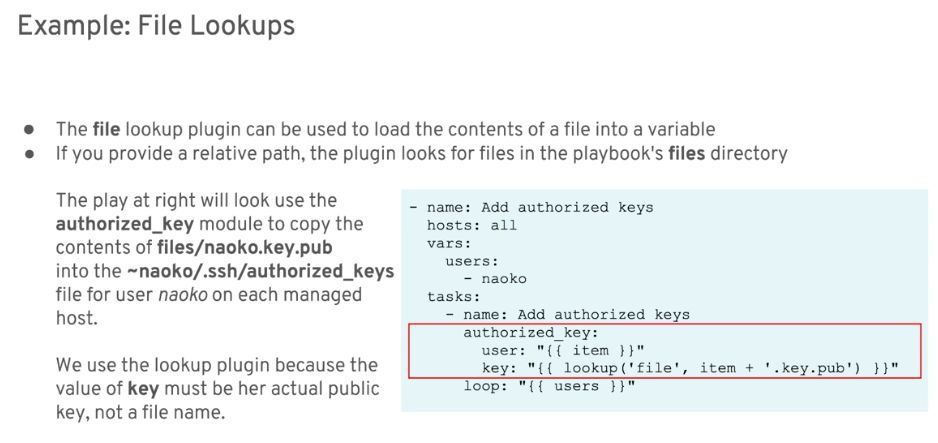
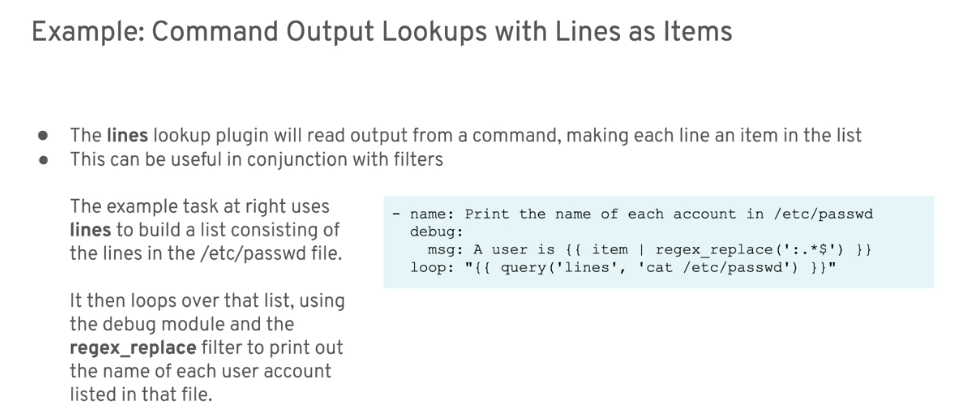
Plugins
Strategy and Forks
From the official Ansible Documentation:
Strategies are a way to control play execution. By default, plays run with a linear strategy, in which all hosts will run each task before any host starts the next task, using the number of forks (default 5) to parallelize.
Available strategies:
| Strategy | Description |
|---|---|
| linear | Connects to multiple servers in parallel |
| free | Connections are independent from each other |
| serial | Define 'x' at a time, or in a batch |
Setting the Fork
The number of forks or the number of simultaneous connections with different nodes that Ansible can establish. In layman's term, how many nodes can Ansible can talk to at a time.
This can be set in the ansible.cfg.
[defaults]
forks = 30
You can read more about strategies and forks here.
Asynchronous Actions: Async and Poll
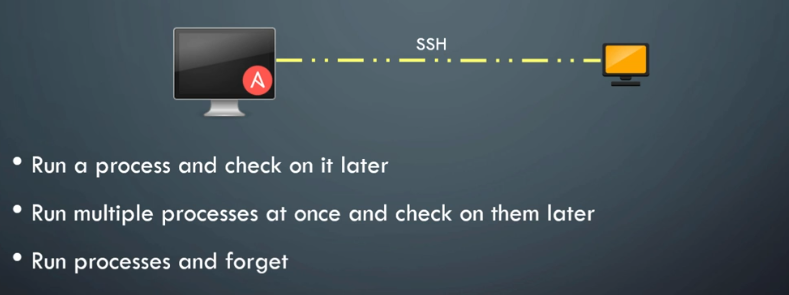
We can use async directive to tell Ansible that the task is async task, which means it can be run and then just check again later.
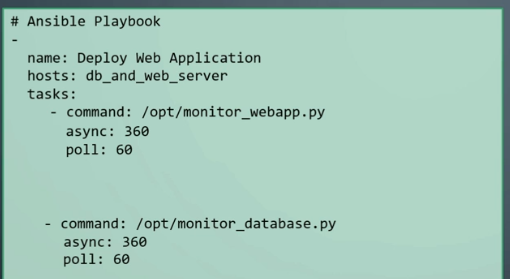
By default, Ansible checks every 10 seconods. To change how frequent Ansible checks, set the poll directive.
If we want for Ansible to proceed with the next task without waiting for the first task to finish, set poll=0.
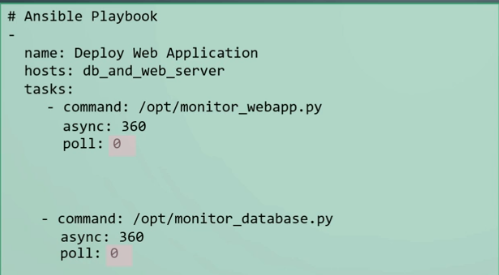
Since Ansible won't be waiting for any task to finish, we must ensure that the result of the tasks is registered to a variable so that they can be consolidated and used at the end of the play.
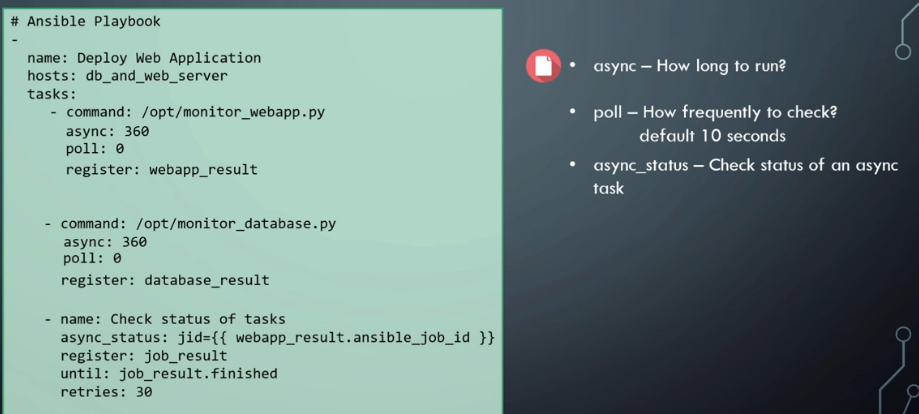
Note: Not all modules support async.
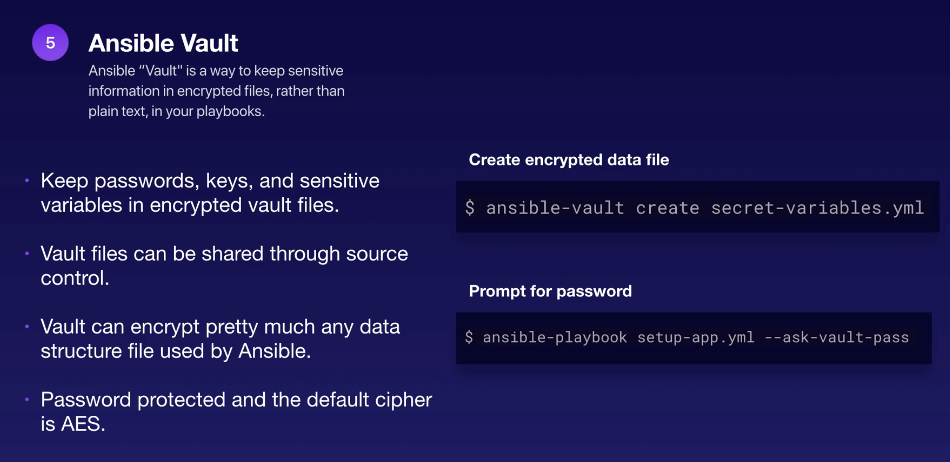
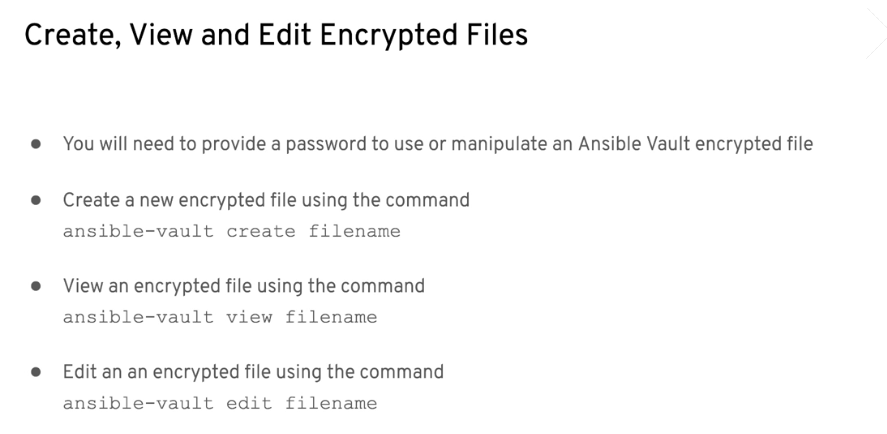
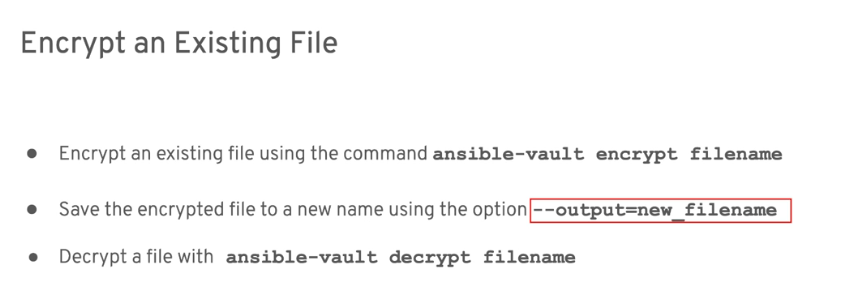
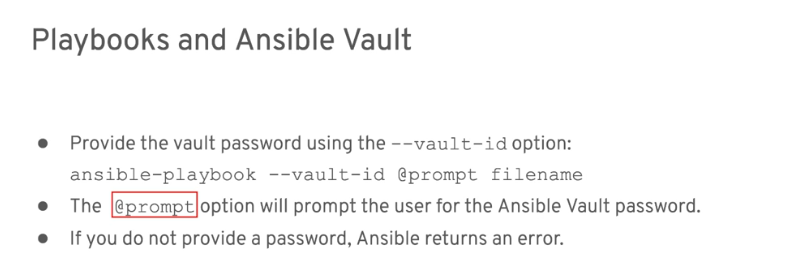
Ansible Vault