Control Flow, Roles, and Errors
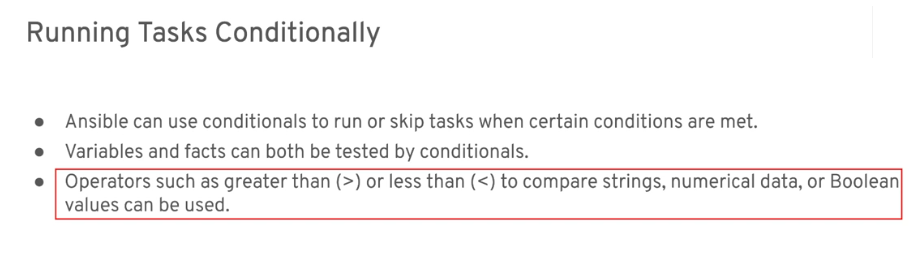
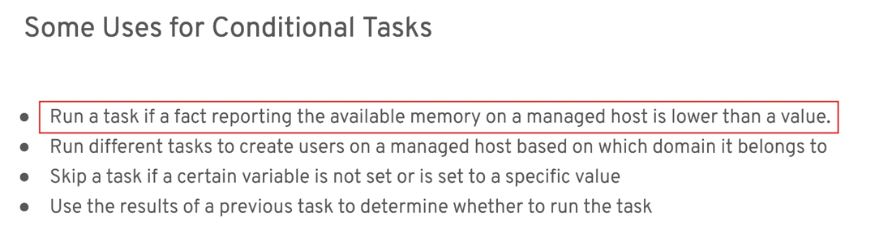
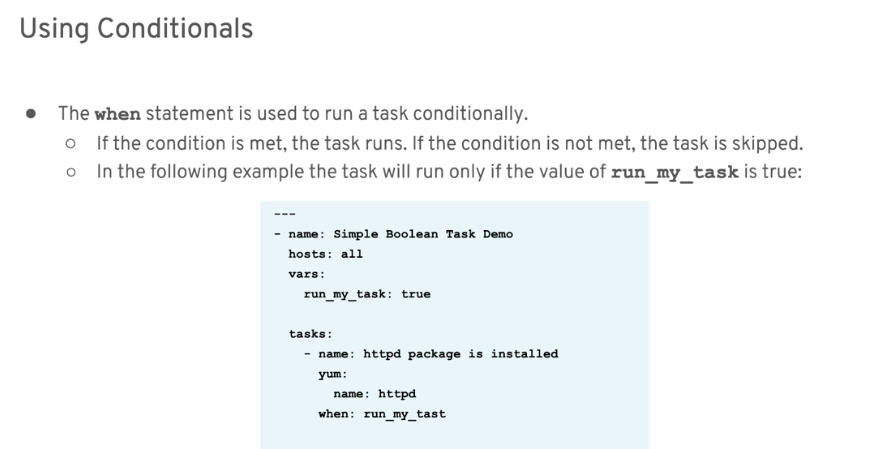
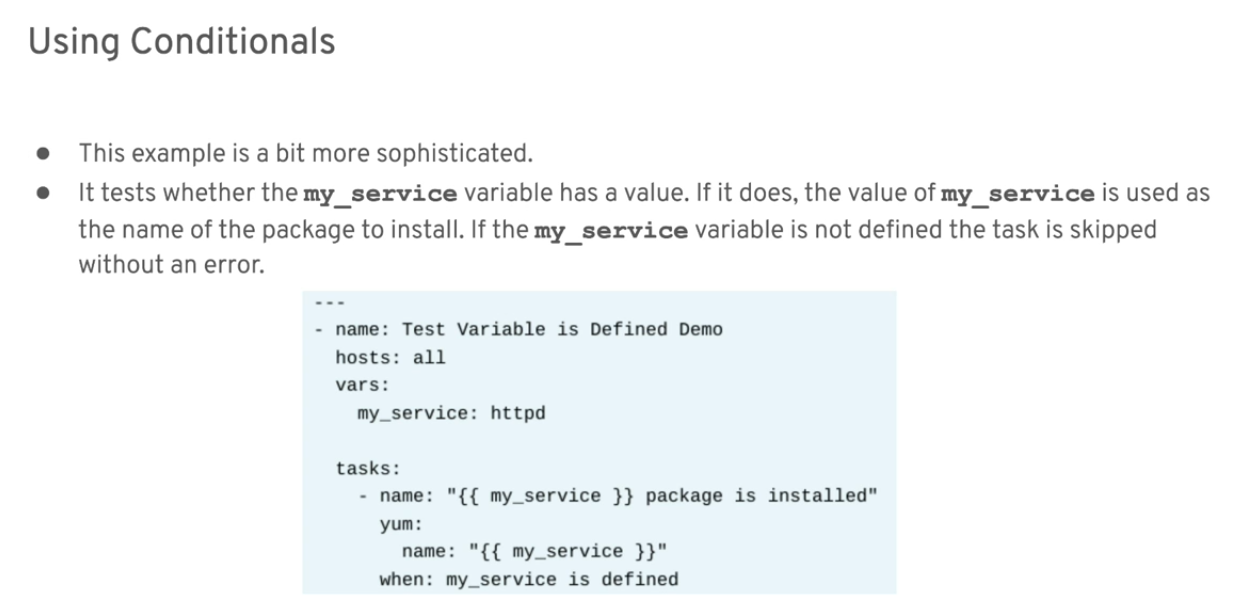
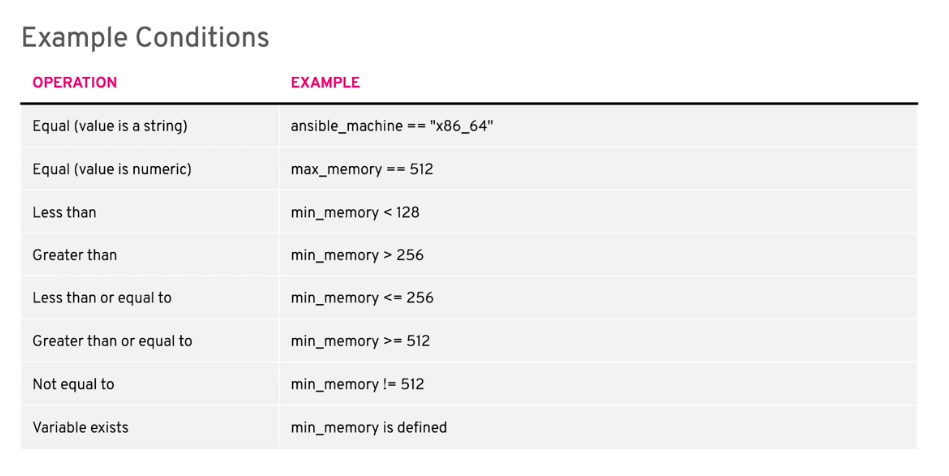
Conditionals
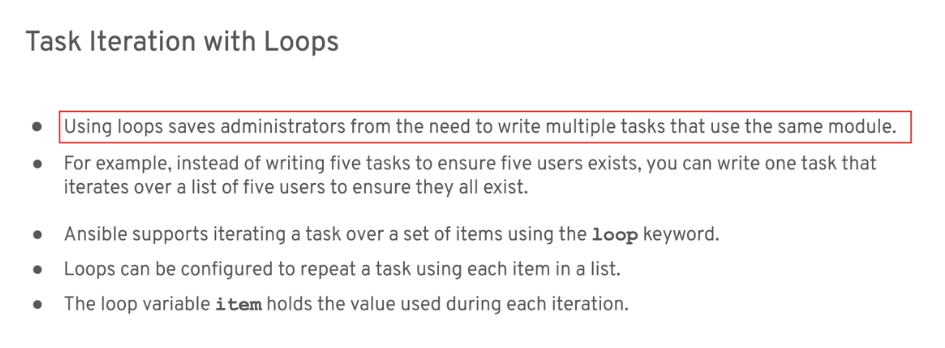
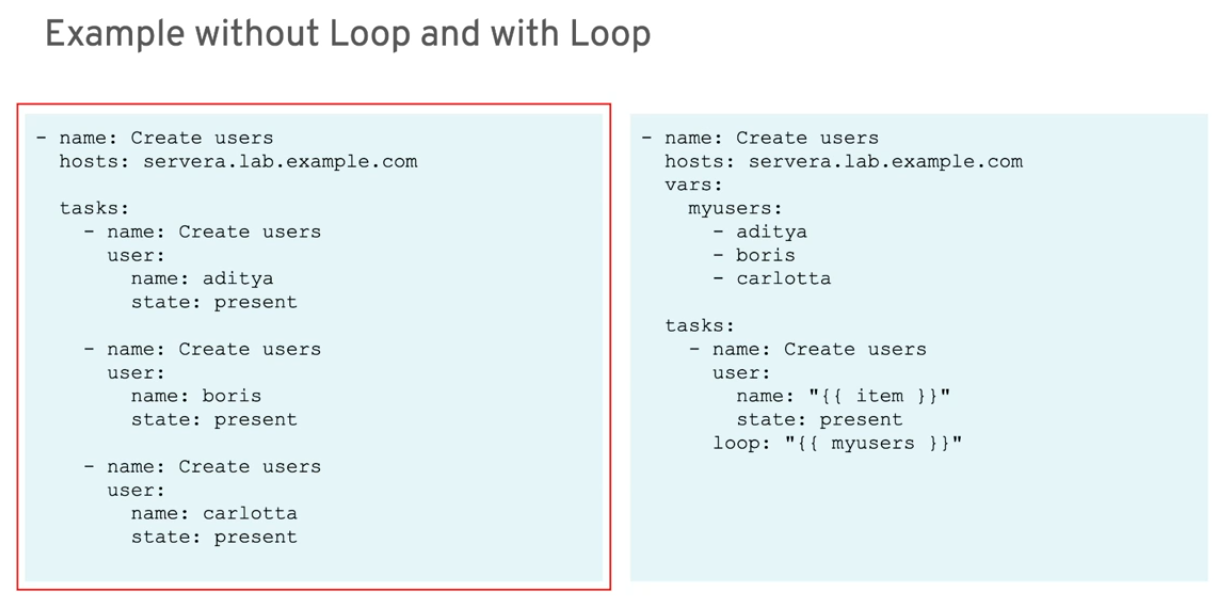
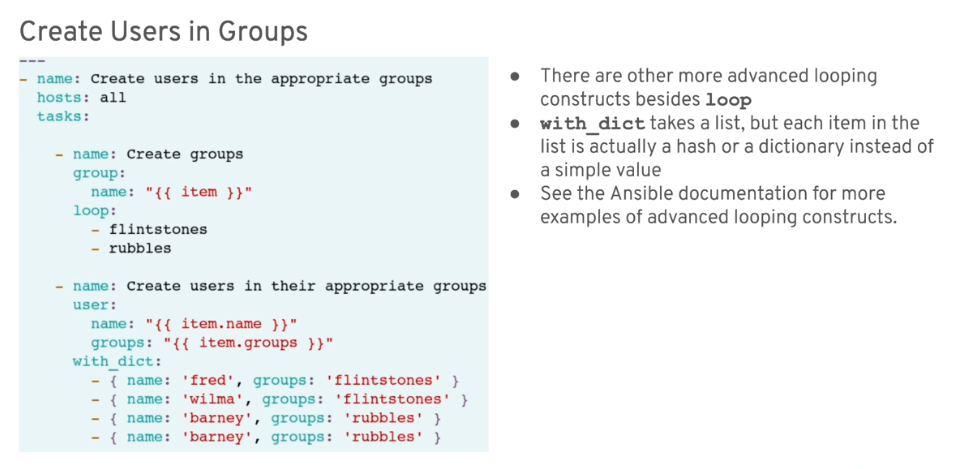
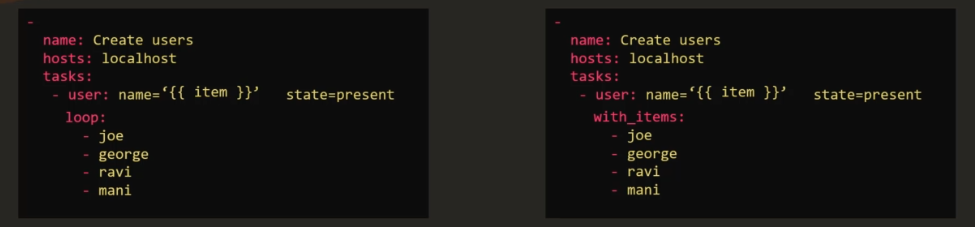
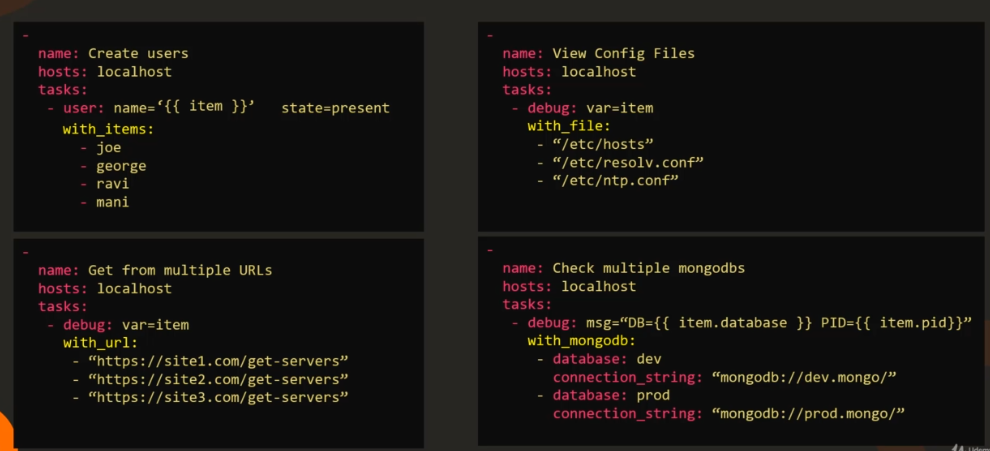
Loops
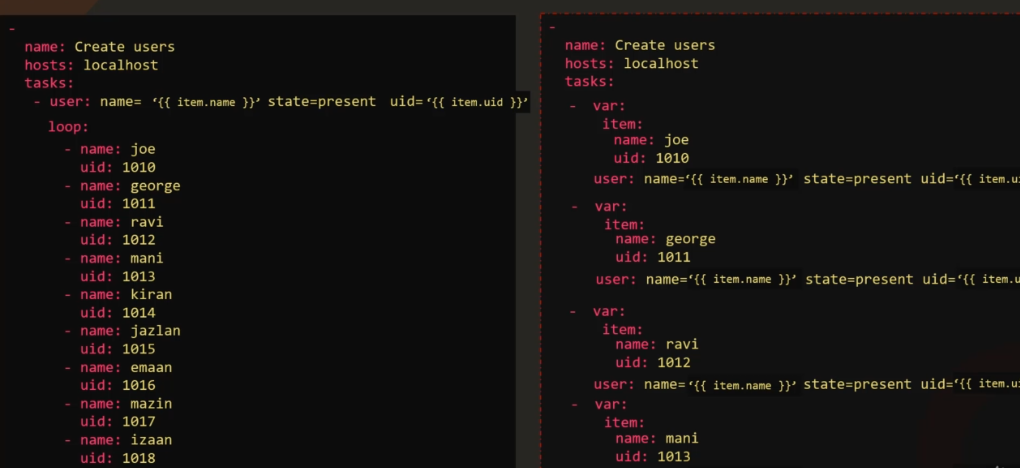
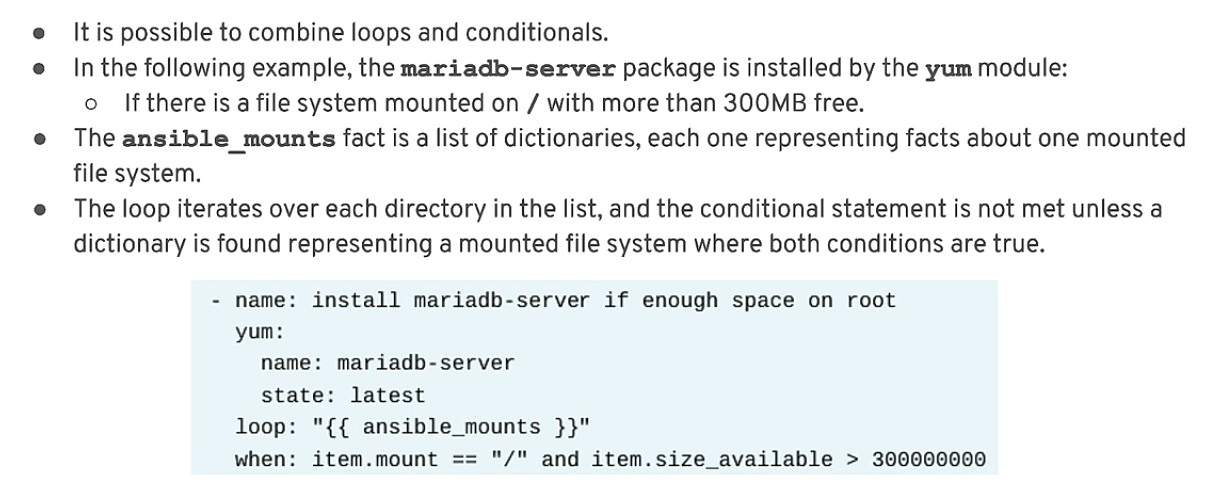
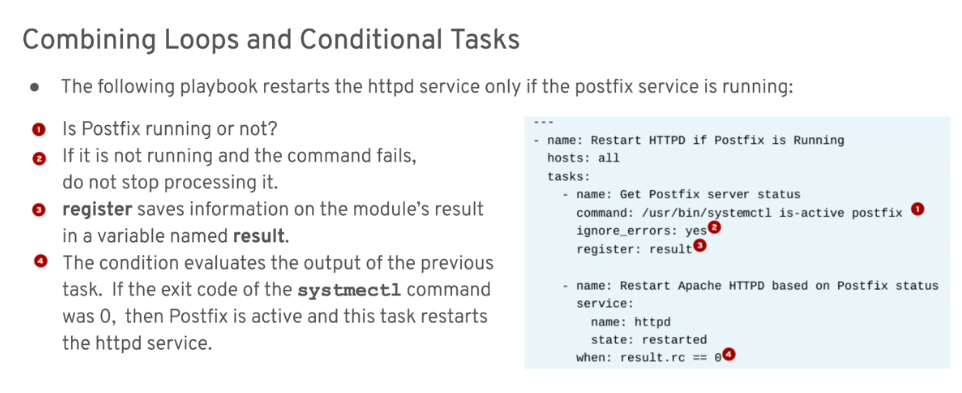
Combining Loops and Conditionals
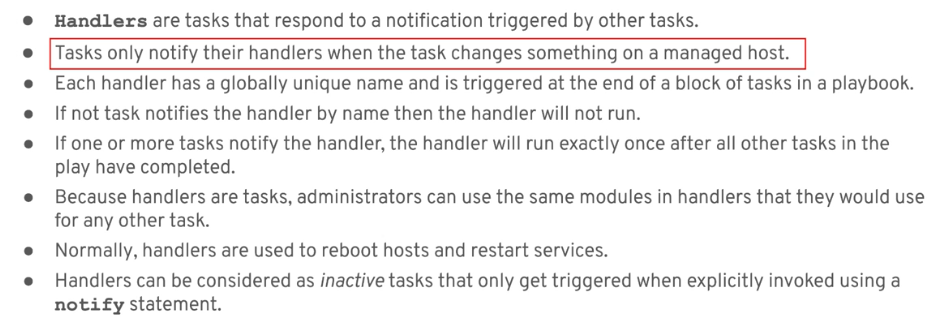
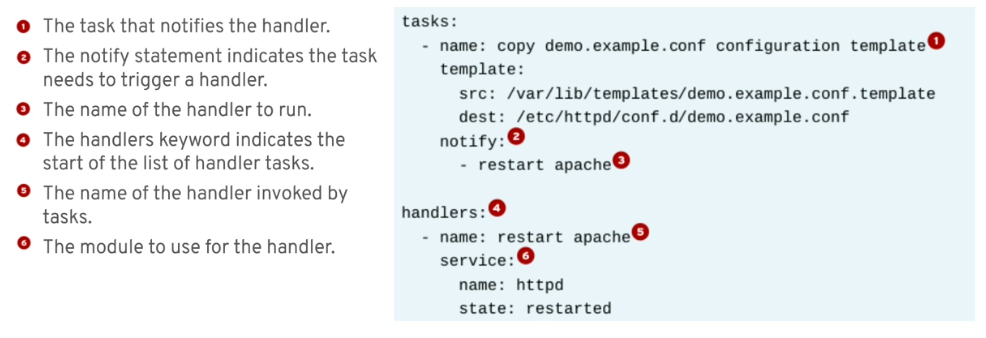
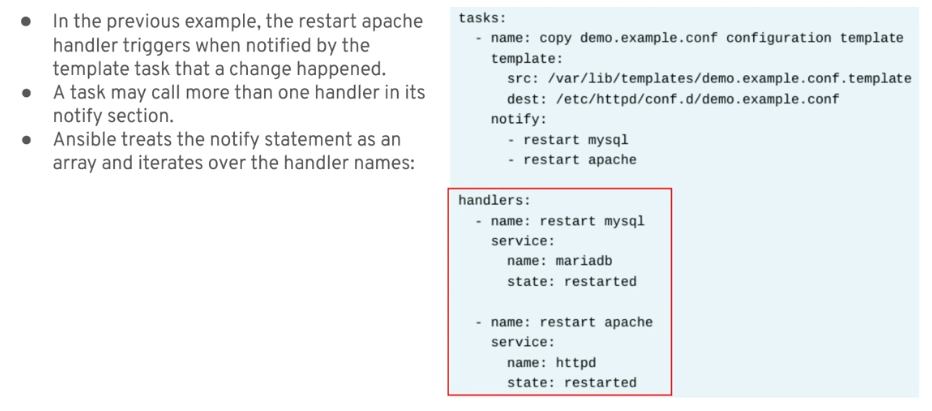
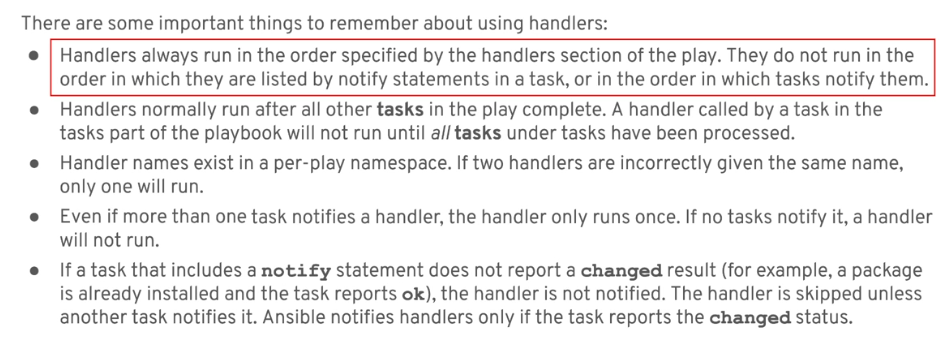
Service Handlers
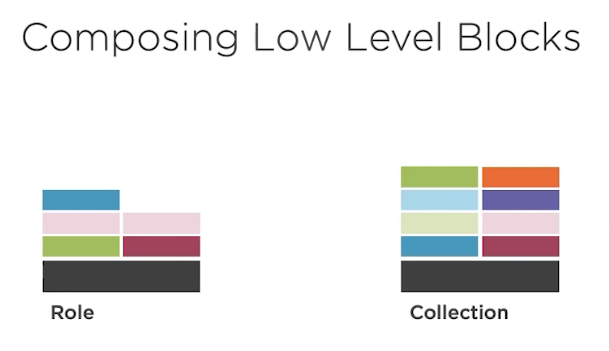
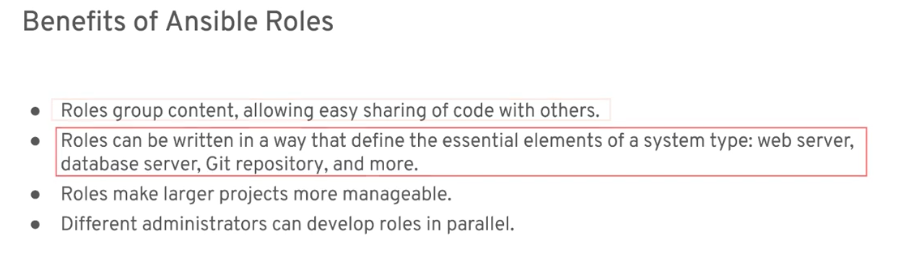
Roles and Collections
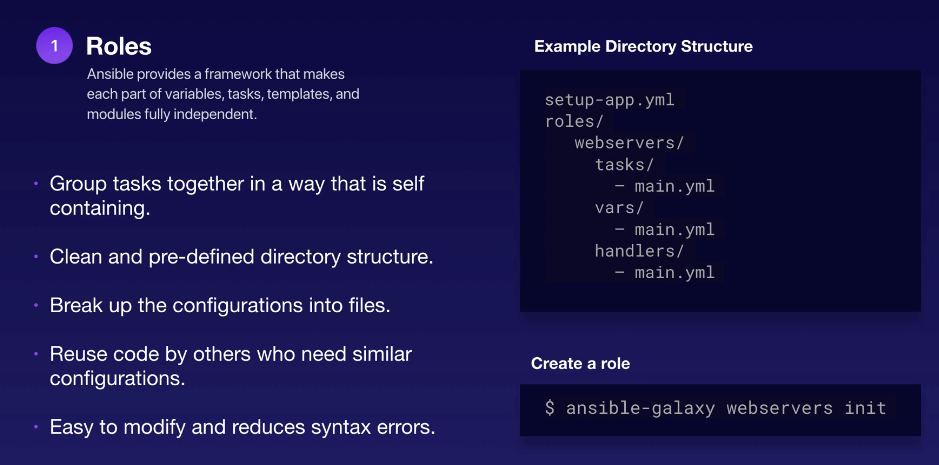
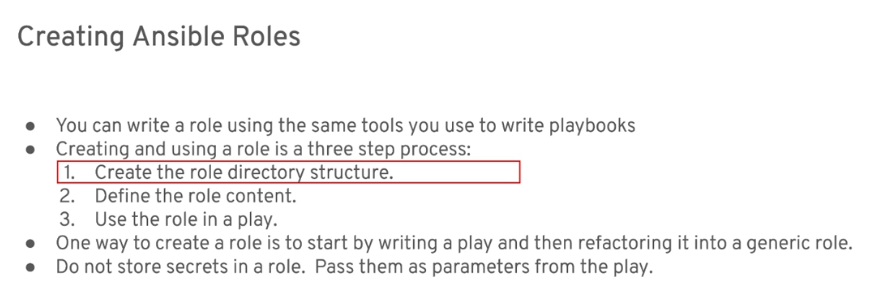
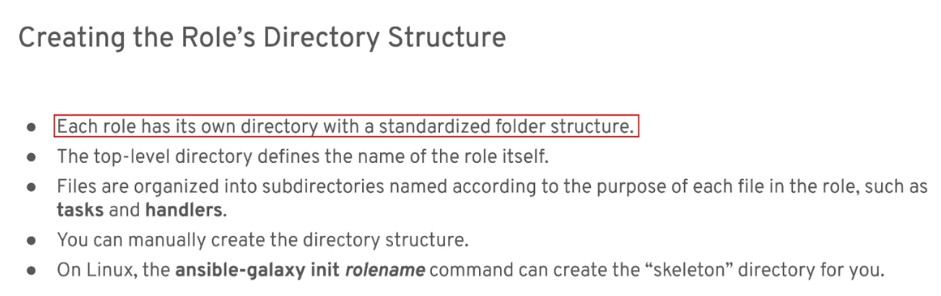
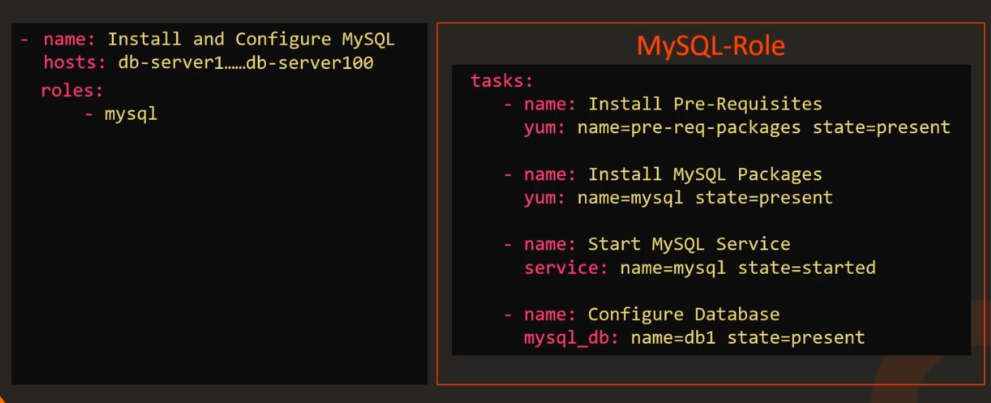
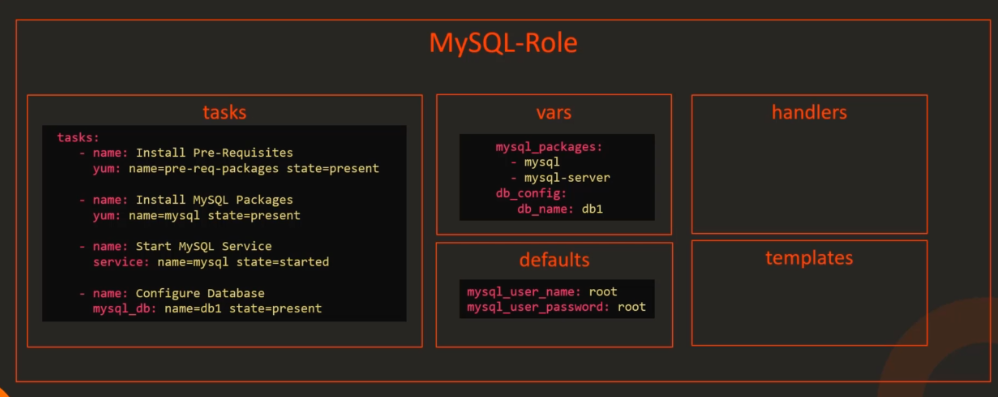
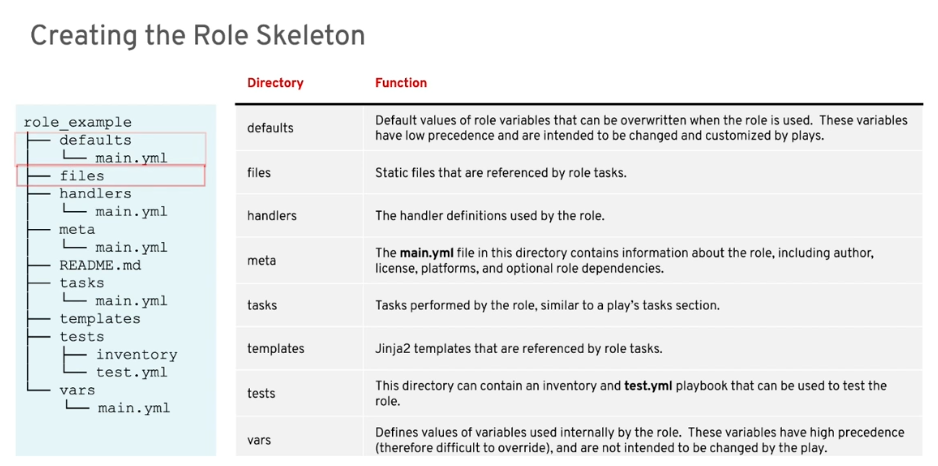
Role Directory
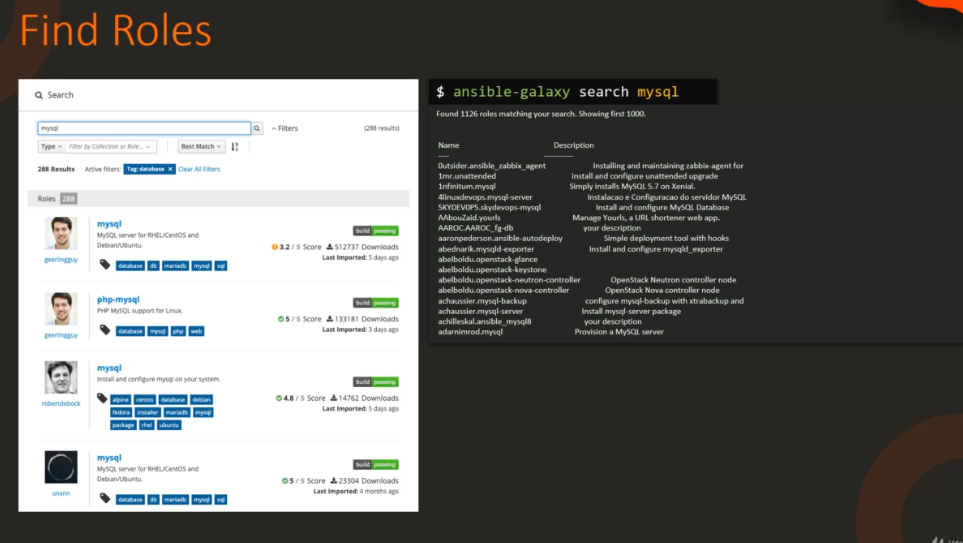
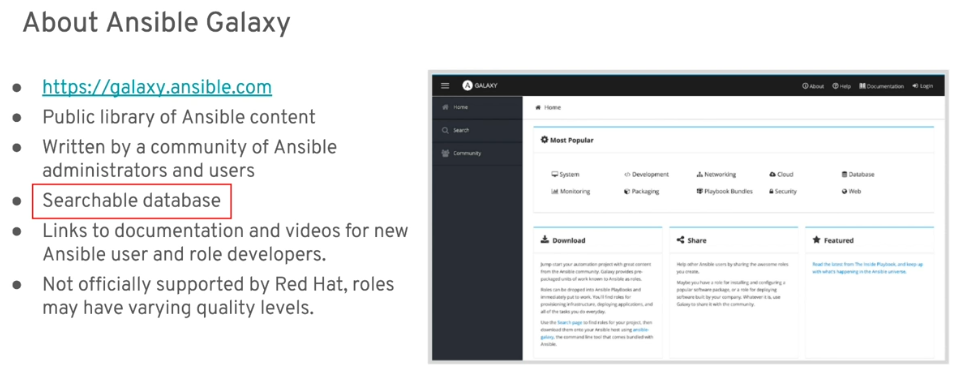
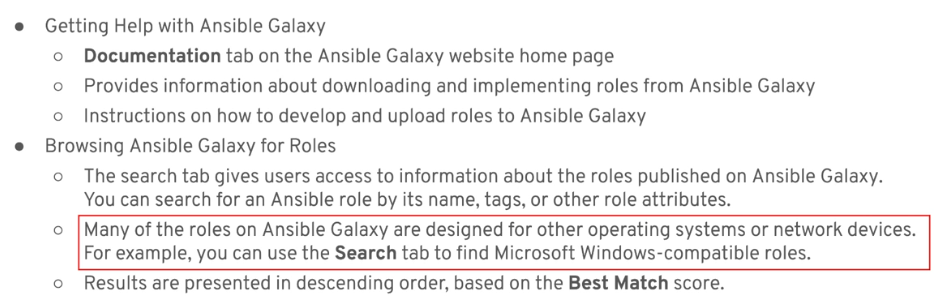
Searching Roles
Roles can be searched on the Ansible Galaxy site or through the command line.
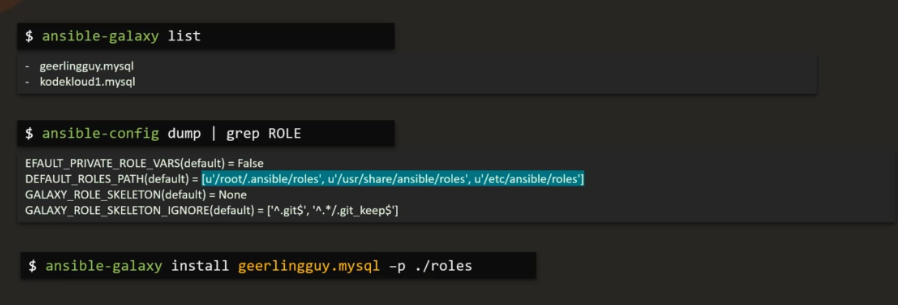
List Roles
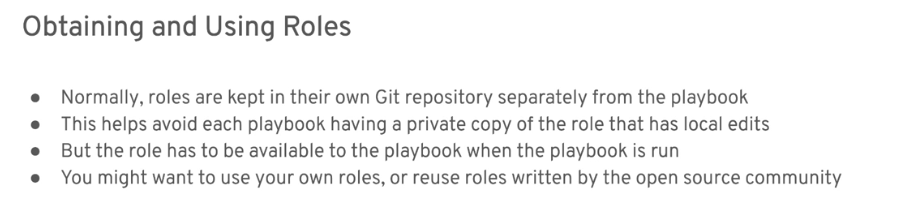
Obtaining Roles
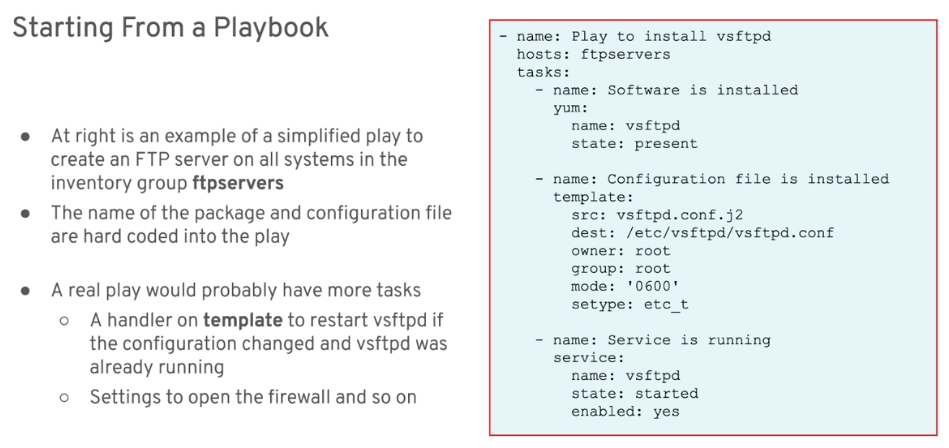
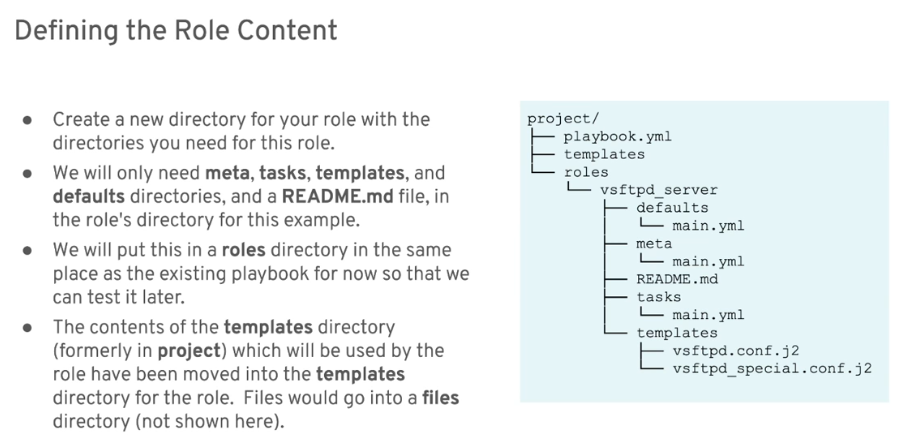
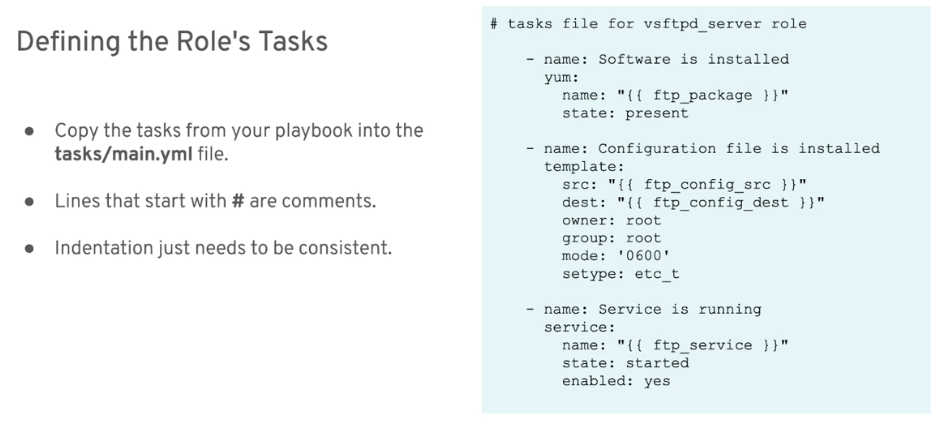
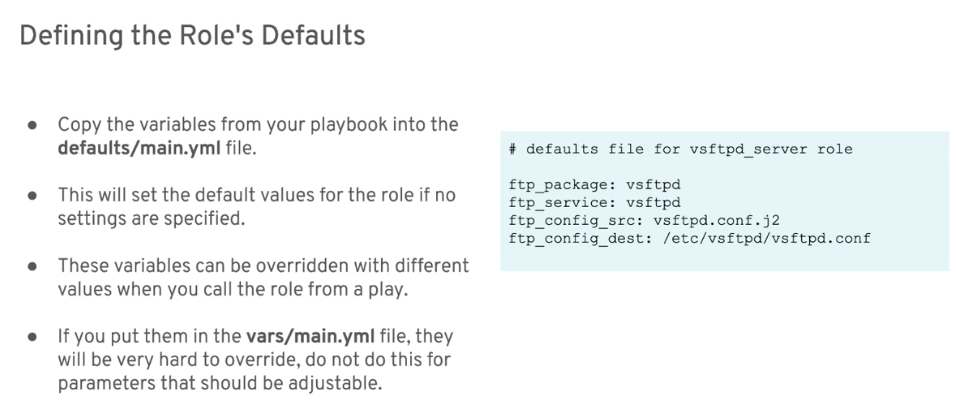
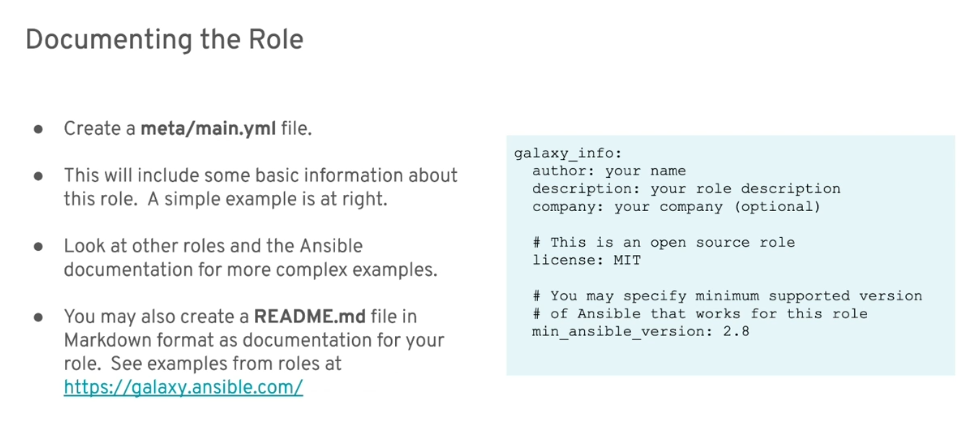
Starting from a Playbook
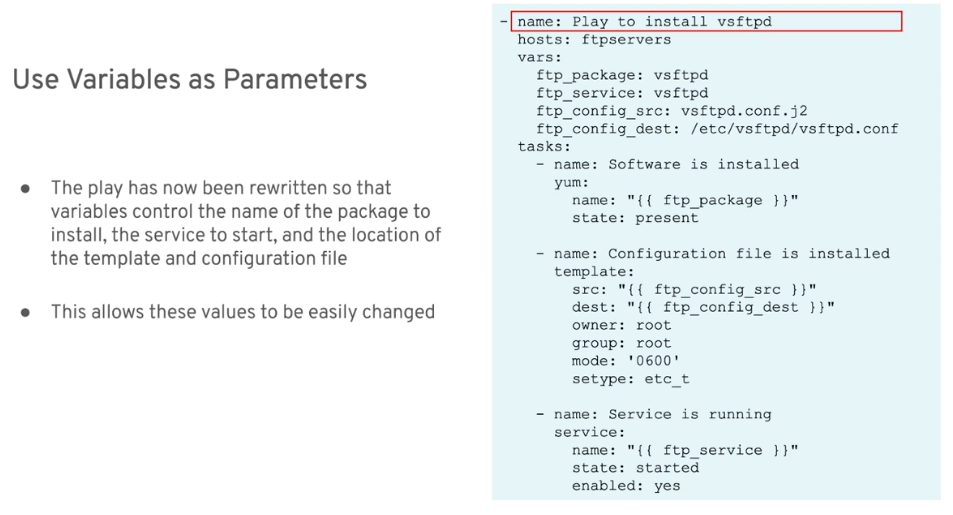
Using a Role
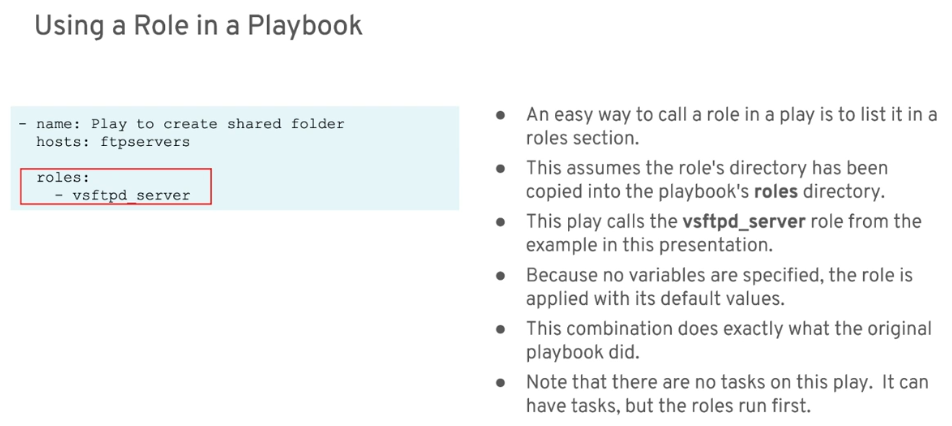
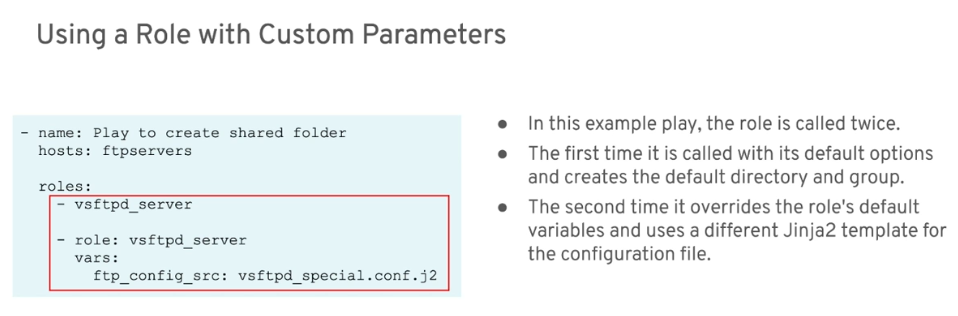
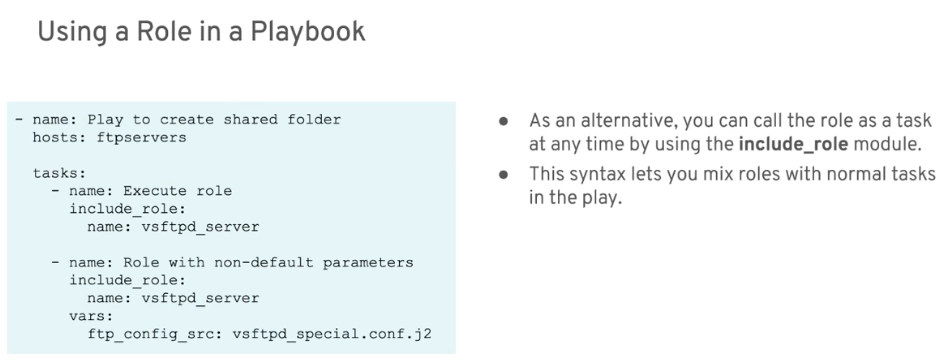
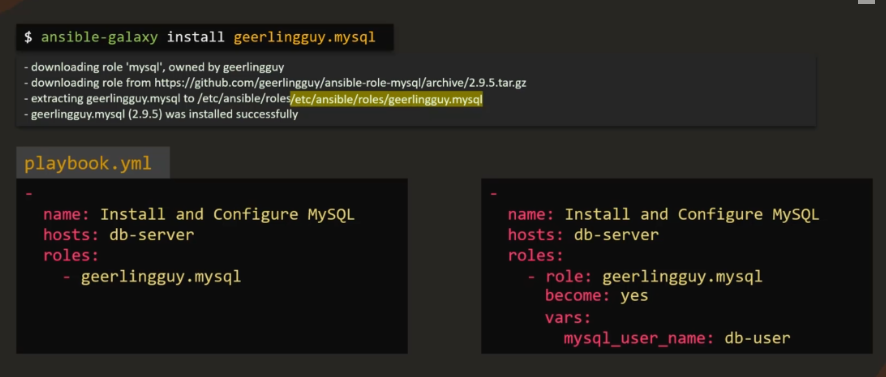
In the example below, we have an option to install two roles on a single host (on the left). On the right, we can also specify different roles on different host.
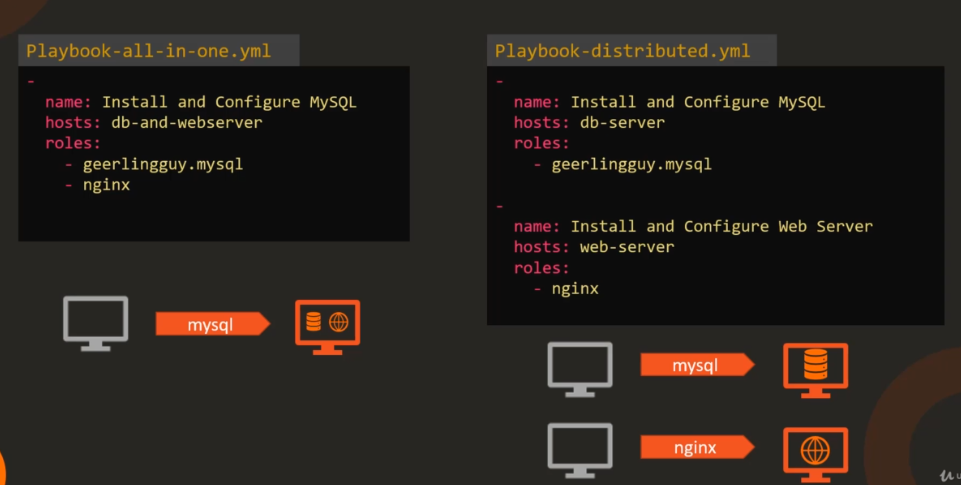
Ansible-galaxy CLI tool
ansible-galaxy
$ ansible-galaxy -h
usage: ansible-galaxy [-h] [--version] [-v] TYPE ...

Perform various Role and Collection related operations.

positional arguments:
  TYPE
    collection   Manage an Ansible Galaxy collection.
    role         Manage an Ansible Galaxy role.

optional arguments:
  --version      show program's version number, config file location, configured module search path, module location,
                 executable location and exit
  -h, --help     show this help message and exit
  -v, --verbose  verbose mode (-vvv for more, -vvvv to enable connection debugging)
ansible-galaxy role
$ ansible-galaxy role -h
usage: ansible-galaxy role [-h] ROLE_ACTION ...

positional arguments:
  ROLE_ACTION
    init       Initialize new role with the base structure of a role.
    remove     Delete roles from roles_path.
    delete     Removes the role from Galaxy. It does not remove or alter the actual GitHub repository.
    list       Show the name and version of each role installed in the roles_path.
    search     Search the Galaxy database by tags, platforms, author and multiple keywords.
    import     Import a role
    setup      Manage the integration between Galaxy and the given source.
    login      Login to api.github.com server in order to use ansible-galaxy role sub command such as 'import',
               'delete', 'publish', and 'setup'
    info       View more details about a specific role.
    install    Install role(s) from file(s), URL(s) or Ansible Galaxy

optional arguments:
  -h, --help   show this help message and exit
ansible-galaxy collection
$ ansible-galaxy collection -h
usage: ansible-galaxy collection [-h] COLLECTION_ACTION ...

positional arguments:
  COLLECTION_ACTION
    init             Initialize new collection with the base structure of a collection.
    build            Build an Ansible collection artifact that can be publish to Ansible Galaxy.
    publish          Publish a collection artifact to Ansible Galaxy.
    install          Install collection(s) from file(s), URL(s) or Ansible Galaxy

optional arguments:
  -h, --help         show this help message and exit
We can view the details of a role before we install it locally by using:
ansible-galaxy role info <role-name>
As an example, here's a role that's available in the Ansible-galaxy site
To view it in the command line:
kosssi.gitconfig
$ ansible-galaxy role info kosssi.gitconfig

Role: kosssi.gitconfig
        description: Configure gitconfig and your gitignore global.
        active: True
        commit:
        commit_message:
        commit_url:
        company:
        created: 2014-07-24T01:12:00.803808Z
        download_count: 9125
        forks_count: 0
        github_branch: master
        github_repo: ansible-role-gitconfig
        github_user: kosssi
        id: 1162
        imported: None
        is_valid: True
        issue_tracker_url: https://github.com/kosssi/ansible-role-gitconfig/issues
        license: license MIT
        min_ansible_version: 1.4
        modified: 2018-06-20T15:14:18.259009Z
        open_issues_count: 0
        path: ('/home/joseeden/.ansible/roles', '/usr/share/ansible/roles', '/etc/ansible/roles')
        role_type: ANS
        stargazers_count: 12
        travis_status_url:
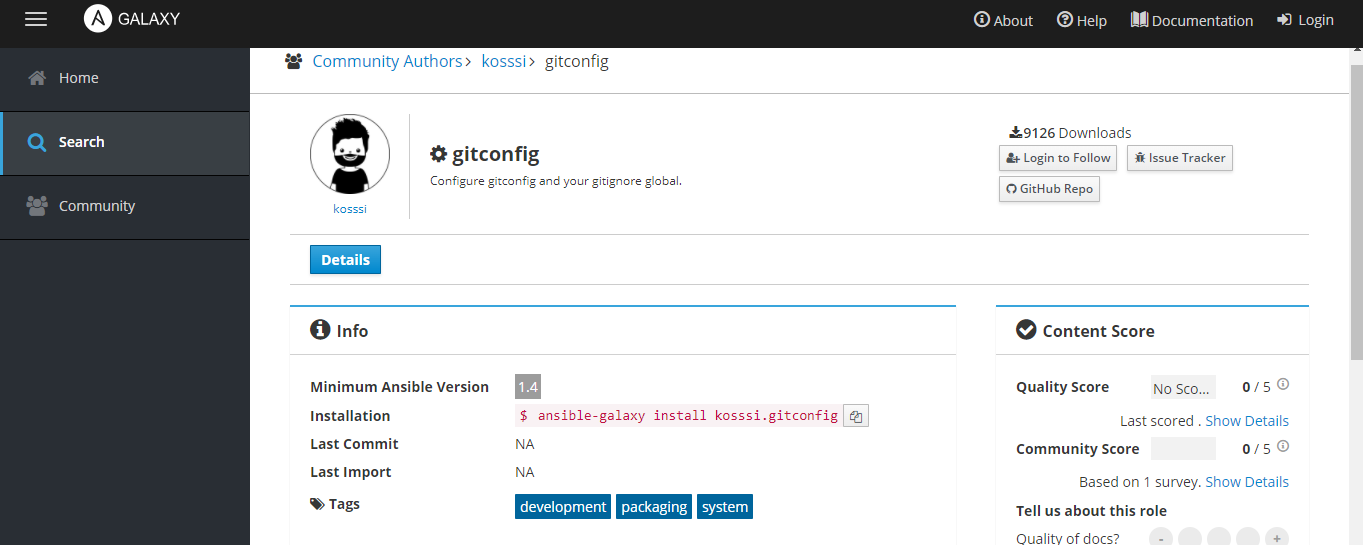
Note that you need to check the roles carefully. You need to check:
- when was it last updated
- the github repo, usually provided in the ansible-galaxy page as well/
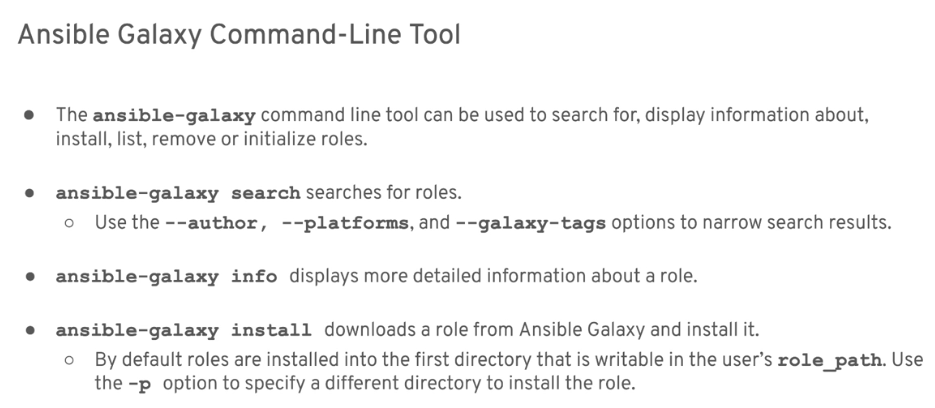
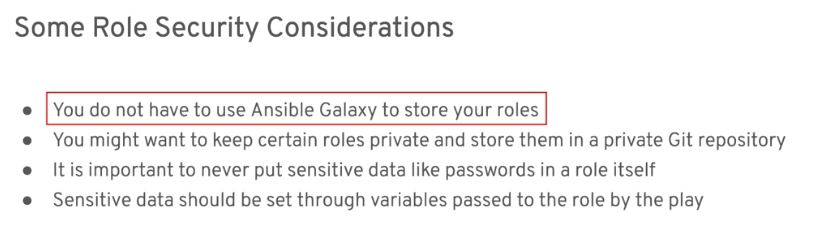
Note that when you first install a role from ansible-galaxy, it will create a roles folder in your ~/.ansible/ directory.
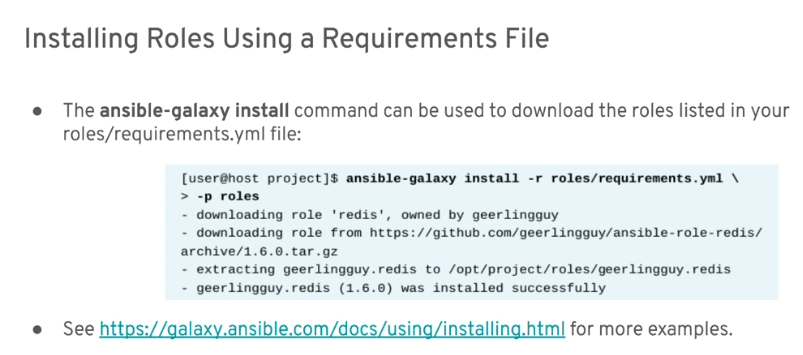
Examples
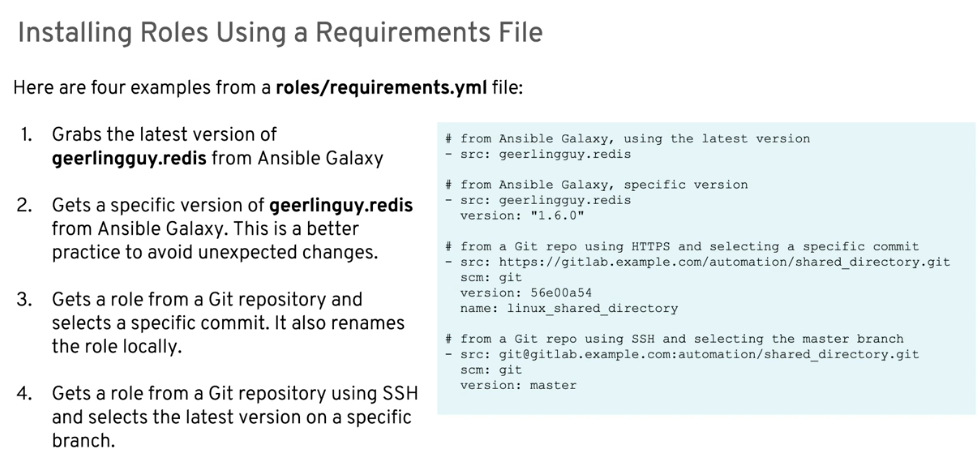
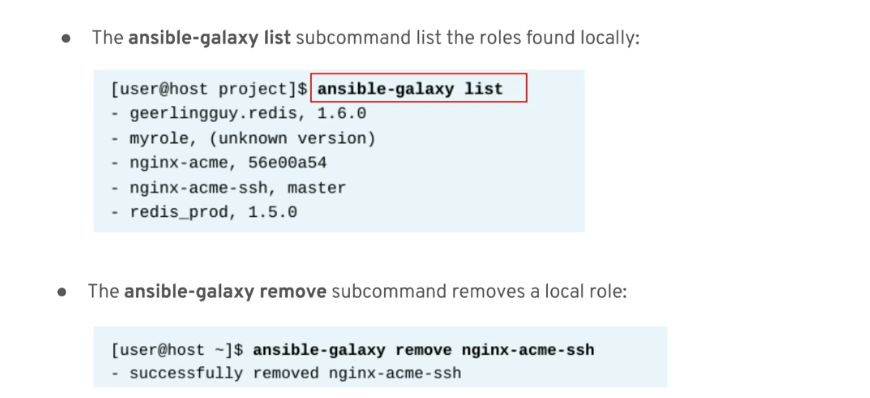
Managing Downloaded Roles
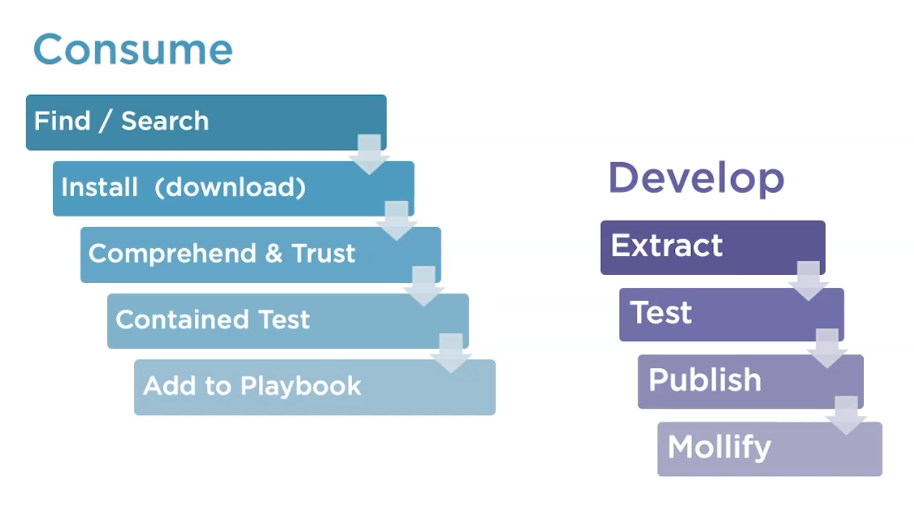
Consume and Develop: Steps
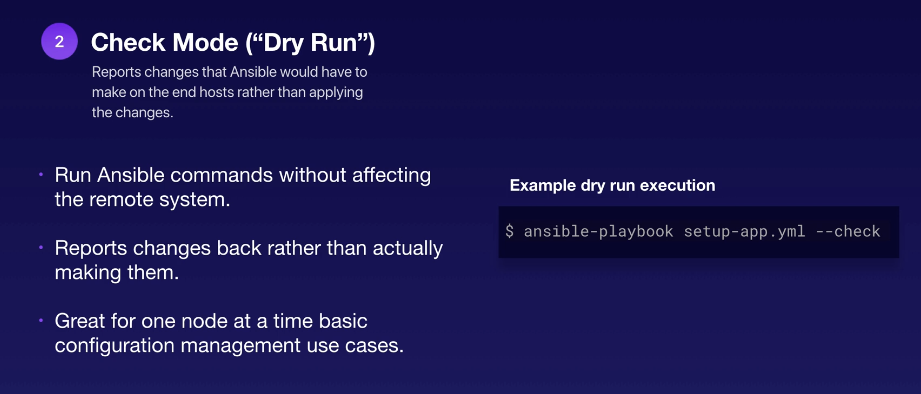
Check Mode- Dry Run
Error Handling
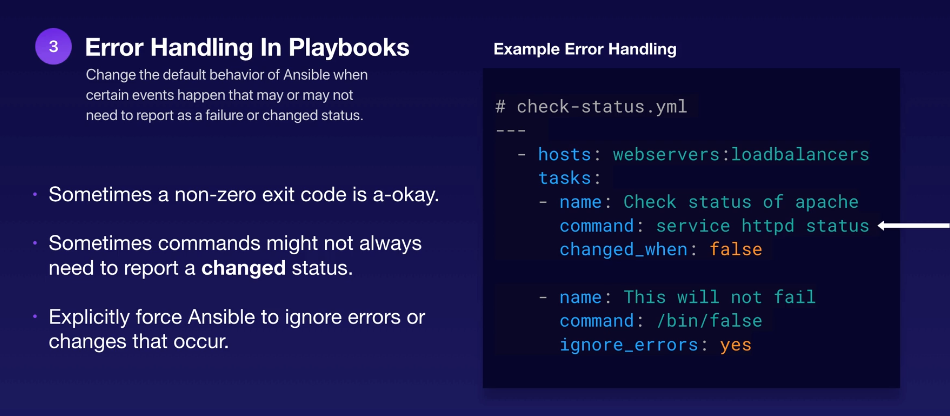
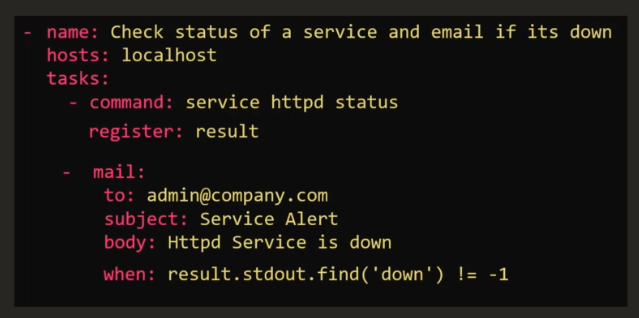
In the example playbook above, we see that the command module is used to check the status of Apache. This didn't change anything on the server but it the default behavior of the underlying command module to return a "changed" status even when there's no change done.
We can set the changed_when property to false which will ignore the "changed status" returned by the command module.
Another way to disregard errors is by setting the ignore_errors property to yes.
Finally, we can suppress warning messages like the one below by using the args parameter and its warn parameter.

To suppress the error:
tasks:
- name: Name of task 1
  args:
    warn: no
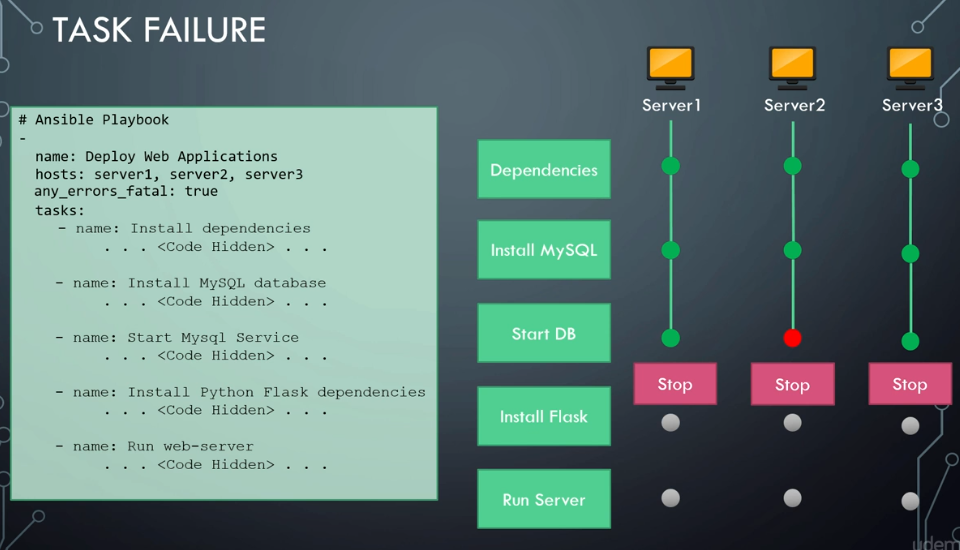
any_errors_fatal: true
If one server fail during the parallel deployment, we can tell Ansible to stop all the deployment altogether. This means that when one fails and stop, the execution on the rest of the other server also stop.
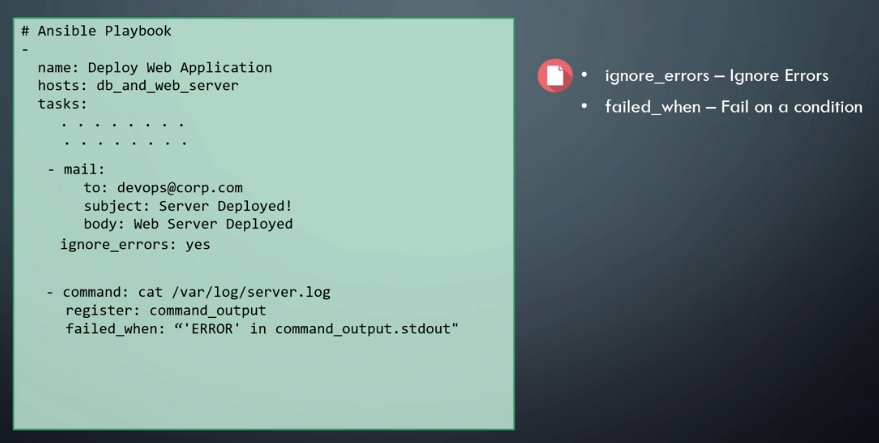
ignore_errors and failed_when
Recovering from Errors through Blocks
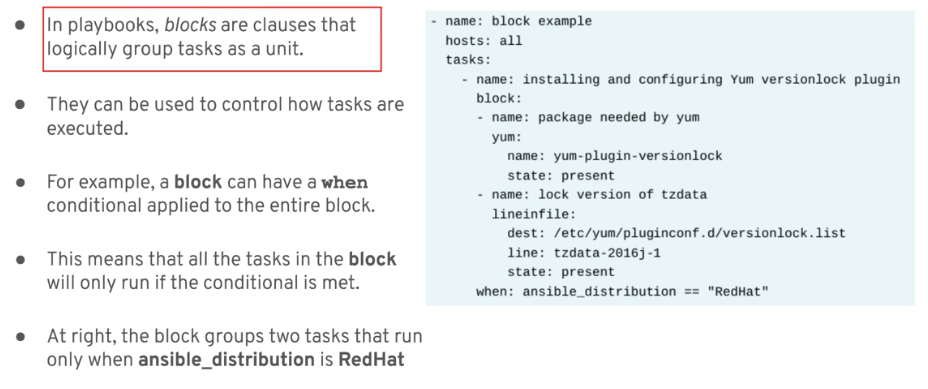
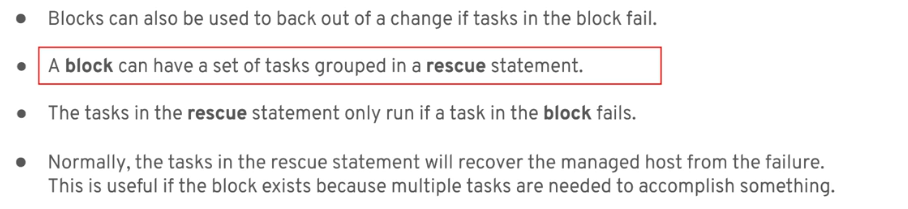
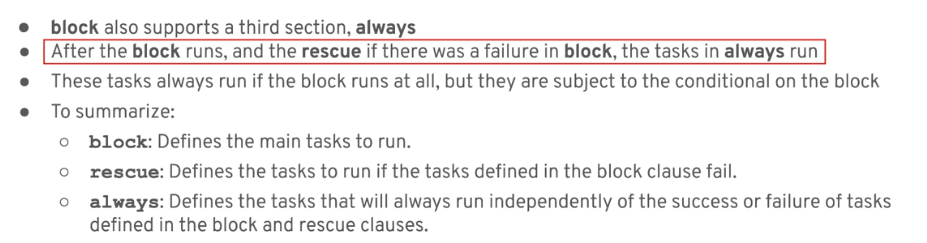
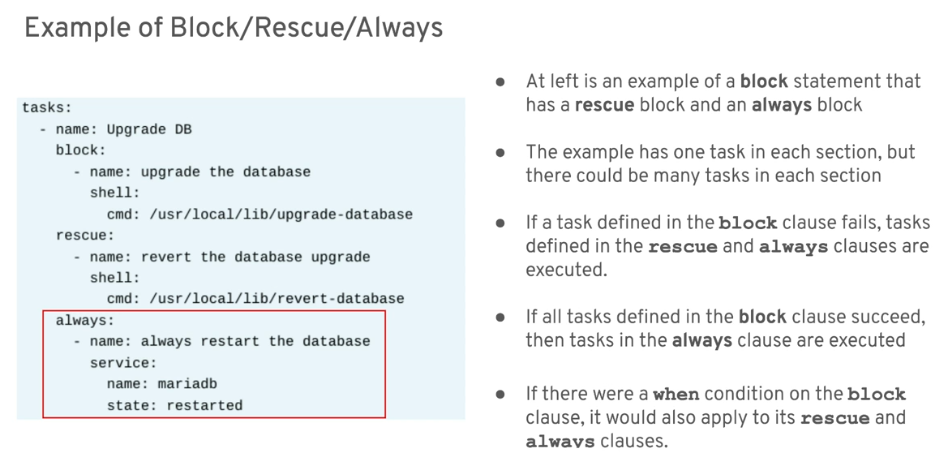
Block, Rescue, and Always