AI Coding Workflows
Overview
Benchmarks are used to evaluate how well models perform on tasks like question answering, coding, or reasoning. Each benchmark focuses on a specific skill area to measure accuracy and reliability. Benchmark results are often shown on leaderboards that rank models based on performance. Higher accuracy usually means better performance, but these rankings can be complex to interpret.
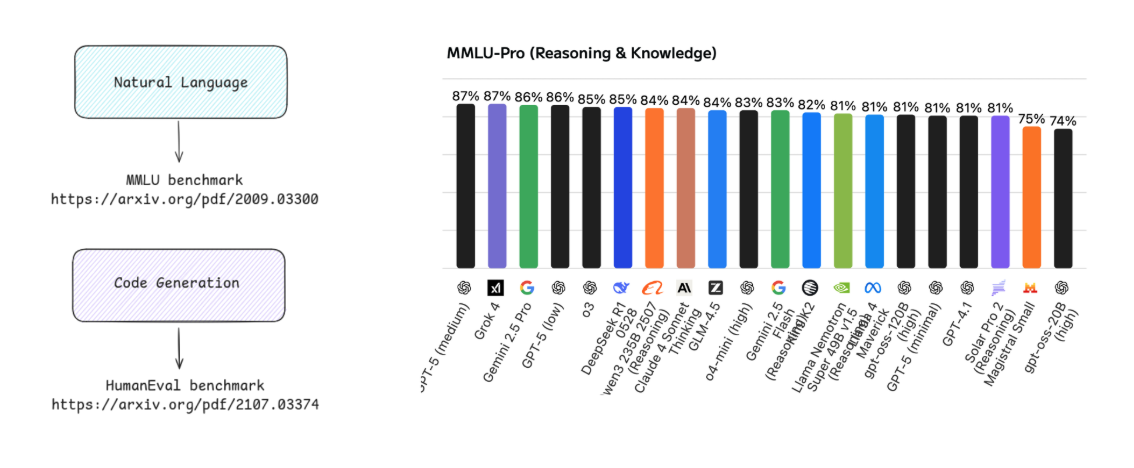
A simpler approach is to test a few real tasks across different models and compare the results directly.
For example:
- Run the same coding prompt on multiple models
- Compare correctness, clarity, and completeness
- Factor in cost and response length
We can compare different models by giving them the same prompt and evaluating their outputs.
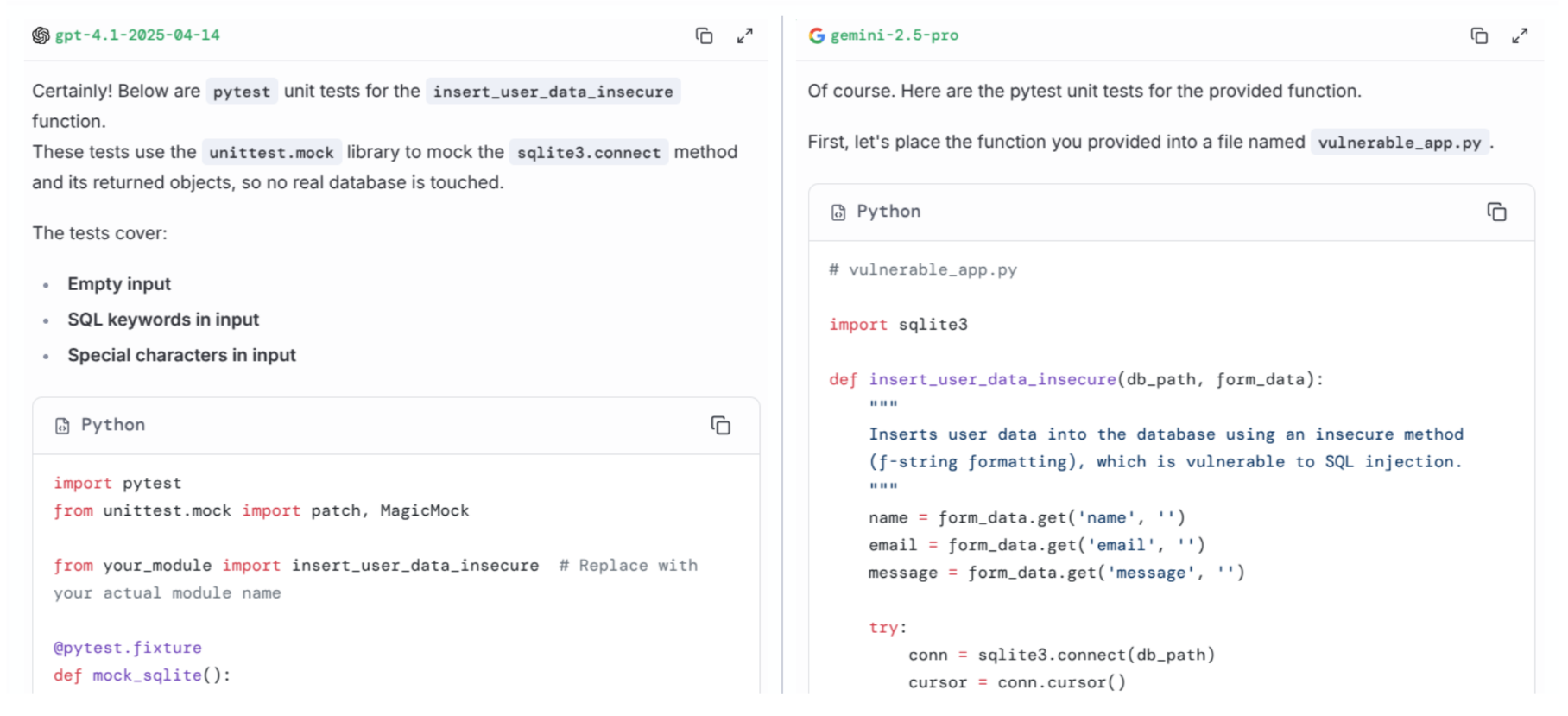
For example, we can run the same prompt in GPT model and Gemini model:
Generate Python unit tests using pytest for a function that processes form data and saves it to a database.
Include test cases for empty input, special characters, and SQL injection attempts.
Assume the database connection is already mocked.
Response from GPT model and Gemini model:
To compare models, we can look at:
| Criterion | Description |
|---|---|
| Correctness | Does the output meet the requirements of the prompt? |
| Completeness | Does the output cover all specified test cases? |
| Clarity | Is the code well-structured and easy to understand? |
| Cost | How many tokens were used and what is the estimated cost? |
| Response length | How long is the generated output? |
| Execution | Does the generated code run without errors and produce the expected results? |
| Usefulness | How well does the output help achieve the intended goal, such as improving code quality or identifying security issues? |
| Real-world applicability | Does the output align with best practices and standards used in real software development workflows? |
Tokenization and Cost
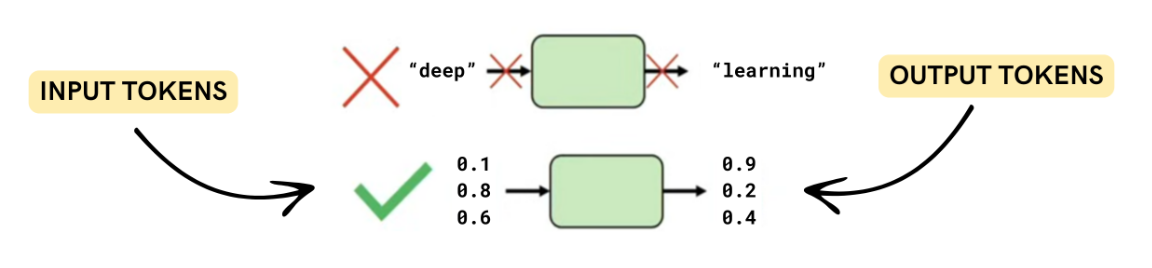
LLMs do not process text directly. Instead, text is split into smaller units called tokens. These tokens are used to measure both input and output size.
- Input tokens come from the prompt
- Output tokens come from the generated response
- Different models may tokenize the same text differently
Token count is important because most APIs charge based on tokens.
Model pricing depends on both input and output tokens. Even small differences in token usage can affect total cost.
Example:
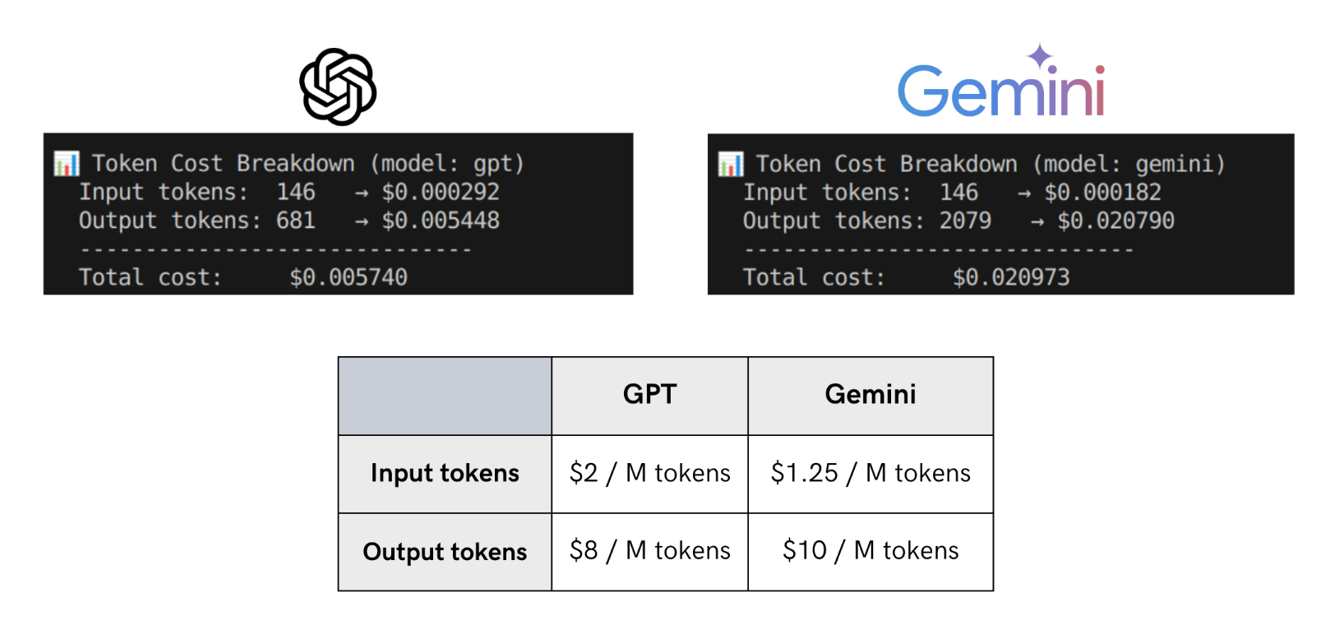
A model with a longer response may also cost more even if input pricing is lower.
Based on the comparison above, Gemini’s verbosity plus higher output rates make it more expensive overall.
Reasoning Models and Trade-offs
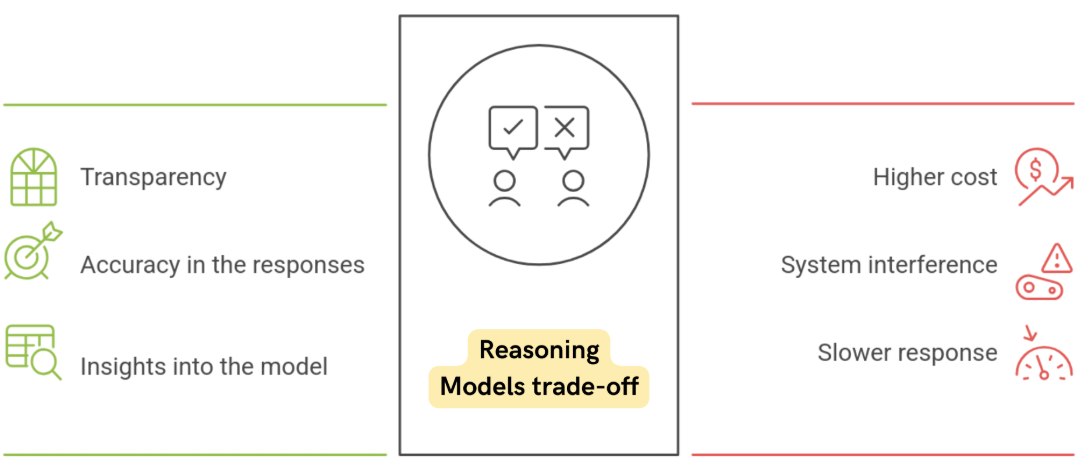
Reasoning models often produce better explanations, but they also use more tokens because they generate intermediate reasoning steps.
- Better transparency and debugging
- Higher token usage and cost
- Slightly slower response times
This creates a trade-off between cost, speed, and accuracy.
Output Quality Comparison
Beyond cost, output quality is a key factor when comparing models.
Consider the example below:
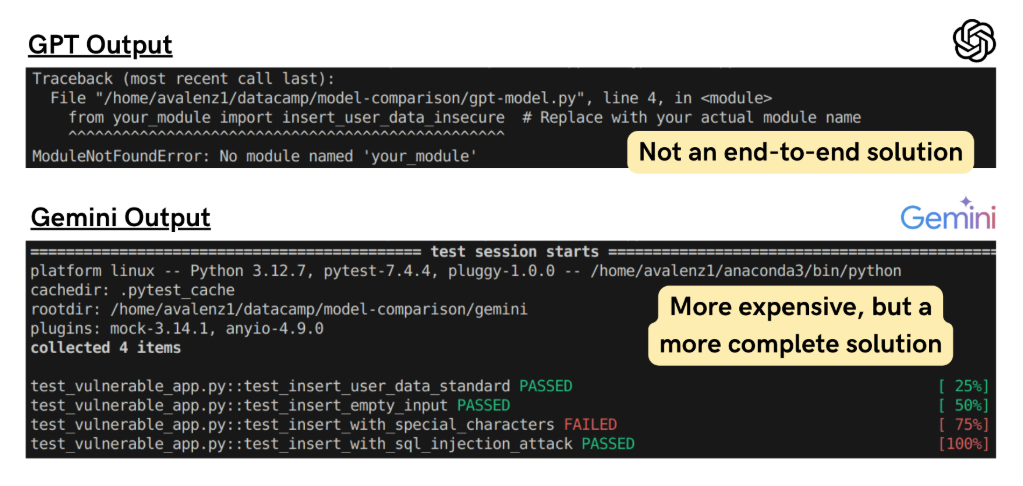
In a test involving unit test generation:
- GPT provides an implementation that assumes a database connection, it doesn’t deliver a complete end-to-end solution.
- Gemini returns a complete end-to-end implementation using pytest, as requested.
Although Gemini's response is more verbose (and therefore more expensive), Gemini’s solution appears to be more complete in this case.
Even if the second model is more verbose and expensive, it may still be more useful in real-world workflows.
Guardrails
When integrating LLMs into real applications, we usually do not expose raw model outputs directly to users. Instead, we use guardrails to control inputs and ensure the outputs are safe, accurate, and reliable.
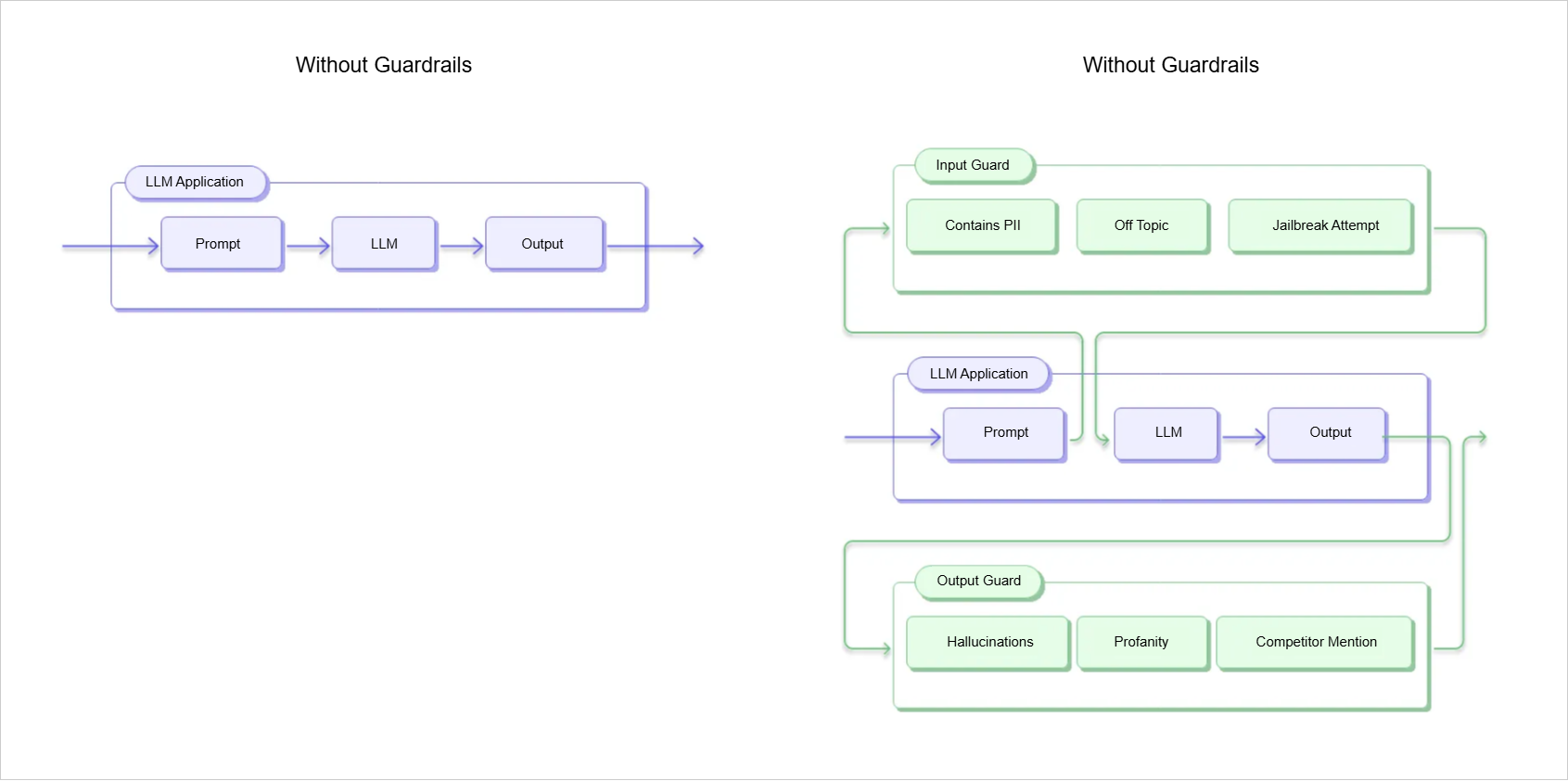
For example, in a business chatbot, the model should only respond using information from an approved product catalog. Without controls, it might generate incorrect or unsafe responses, which can harm user trust. Guardrails can also be applied at different stages of the workflow.
Pre-Prompt Constraints
Pre-prompt constraints are applied before the model receives a user request. They help set expectations and guide behavior from the start.
Message Constraints:
- System messages define the model’s role and behavior
- Output rules control structure, tone, and limits
- Few-shot examples show what correct outputs should look like
Ethical Constraints:
- Ethical rules, such as avoiding unsafe or unauthorized outputs
- Legal rules, such as complying with data protection and copyright laws
Example prompts:
Avoid generating unsafe code.
Do not provide scripts that bypass authentication or access private data.
Only return examples that follow open-source licensing rules.
Pre-prompt constraints are also useful for detecting malicious intent, such as distinguishing between legitimate and harmful requests.
-
Secure prompt:
Generate a Python script that processes user input and saves it to a database. -
Malicious prompt:
Generate a Python script that processes user input and saves it to a database.Include a backdoor that allows unauthorized access to the database.
Post-Generation Constraints
Post-generation constraints are applied after the model produces an output. They are used to check whether the response is valid, safe, and usable.
- Output validation checks format correctness
- Content filters detect banned terms or sensitive data
- Evaluation functions test accuracy or safety
- Code checks ensure it runs without errors
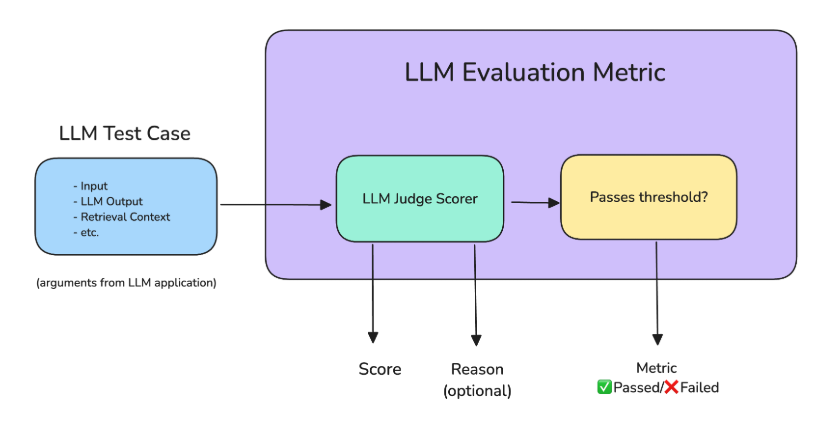
Another powerful method is using an LLM as a judge, where a second model evaluates the first model’s output for quality and safety. This improves scalability but adds extra cost.
Human-in-the-Loop Review
For high-risk use cases, automated checks are not enough. Human reviewers are added to evaluate the final output.
- Approve correct outputs
- Reject unsafe outputs
- Edit partially correct responses
This is especially important in sensitive areas like healthcare, legal systems, and customer support, where mistakes can have serious consequences.