Log Analytics
Overview
Azure services generate logs everywhere, but they are hard to use when they are scattered. A Log Analytics Workspace brings them together in one place.
- Centralizes logs from different Azure resources
- Uses KQL for querying data
- Supports large-scale log analysis
- Works across resource groups and subscriptions
When logs are stored separately, troubleshooting becomes slow and difficult. A workspace solves this by unifying everything.
- Reduces time spent switching between tools
- Helps correlate events across services
- Speeds up root cause analysis
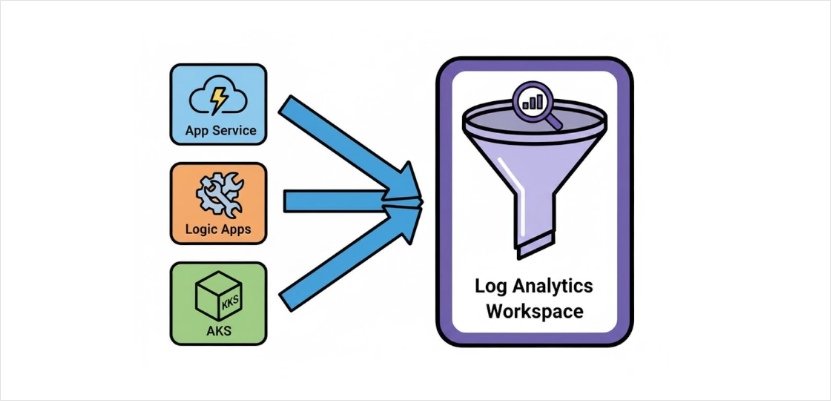
Types of Data You Can Send
A Log Analytics Workspace can collect many types of data from your environment.
- Platform logs from Azure services
- Activity logs
- Performance metrics
- Application logs and traces
- Container logs
- Network logs
- Security and audit logs
Exploring Logs
Once logs are collected, you can explore them using queries. Data is organized in tables for easy access.
- Filter by time range or resource
- Search for specific events
- Combine filters to find patterns
This helps you quickly investigate issues and understand system behavior.
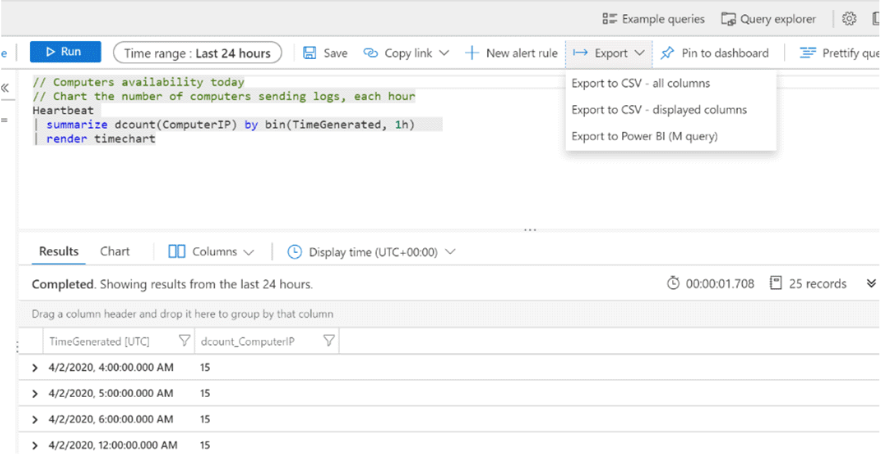
Example: Using KQL
You can use KQL to correlate logs across services and find issues quickly. In this example, the variable TimeGenerated is used to filter logs by time.
AppRequests
| where TimeGenerated > ago(1h)
| where ResultCode != "200"
| project TimeGenerated, Name, ResultCode, DurationMs
Expected result:
- List of failed requests in the last hour
- Shows request name, status code, and duration
This helps you quickly identify failing requests and investigate further.
Kusto Query Language (KQL)
KQL is the query language used in Log Analytics. It is designed for fast and safe log analysis.
- Read-only query language
- Optimized for large datasets
Main uses:
- Filter
- Correlate
- Search
- Analyze logs
- Visualize
It is the main tool for turning log data into useful insights.
