Microsoft Graph
Overview
Microsoft Graph provides a single API endpoint to access Microsoft 365 data, including emails, calendars, files, Teams, and Entra ID information.
- Simplifies authentication and development
- Works with Outlook, Teams, OneDrive, and Entra ID
- Integrate multiple services without managing separate connections
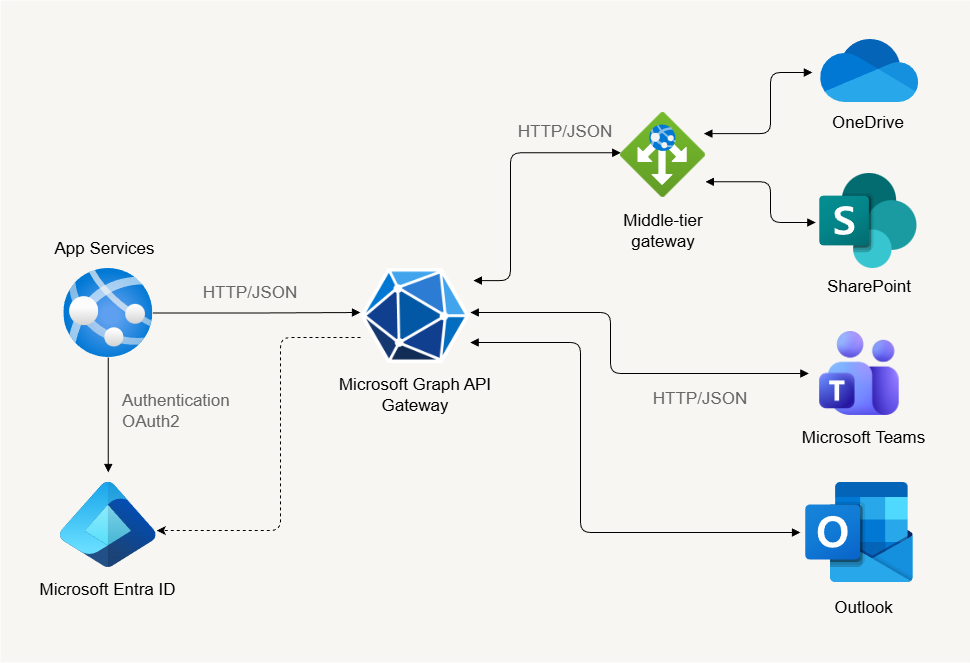
Microsoft Graph is related to IAM, but it is not an IAM service by itself. It acts as an API layer that provides access to identity and access management data and operations.
Through Microsoft Graph, applications can interact programmatically with identity data stored in Microsoft Entra ID, which is the core IAM service in Azure.
Because of this integration, Microsoft Graph is commonly used to automate IAM tasks such as managing users, groups, and roles.
Accessing Microsoft Graph
To access Microsoft Graph, open a web browser and navigate to:
https://aka.ms/ge
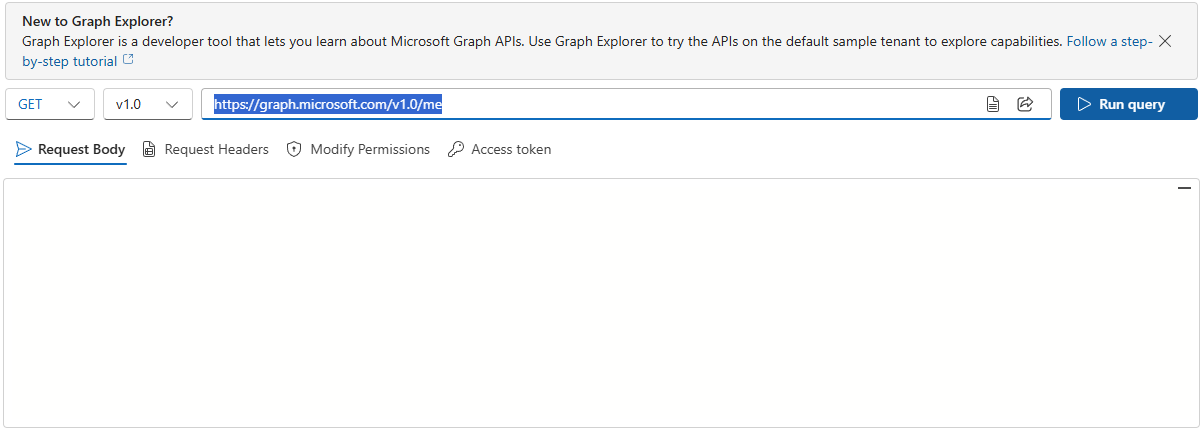
It should bring you to this page:
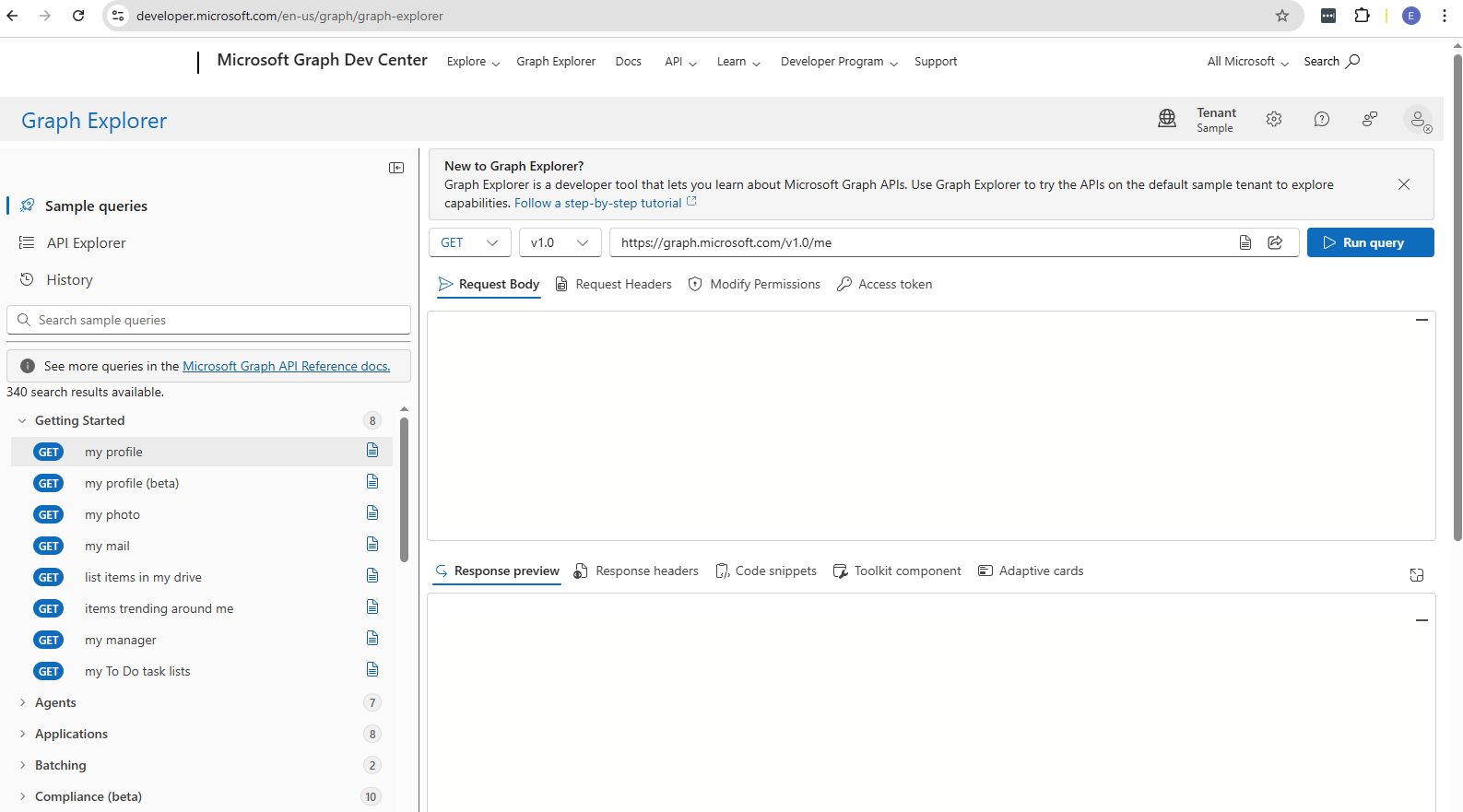
Even without signing in, you can explore a sample tenant and see mock data. When signed in, you get access to your own Microsoft 365 data, such as your profile, messages, calendar events, and more, all based on your permissions.
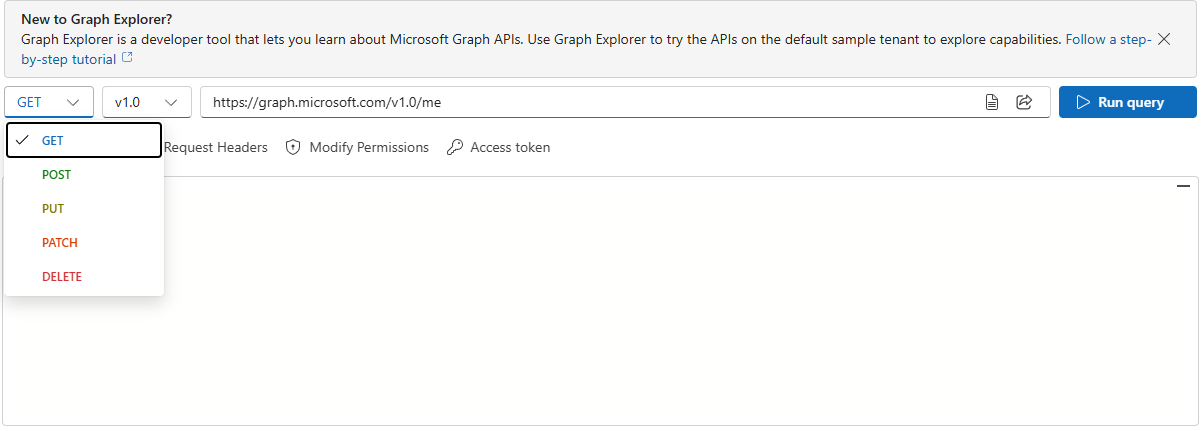
Click the dropdown menu to choose the HTTP method, such as GET, POST, PATCH, or DELETE, depending on whether you want to fetch, create, or update data.
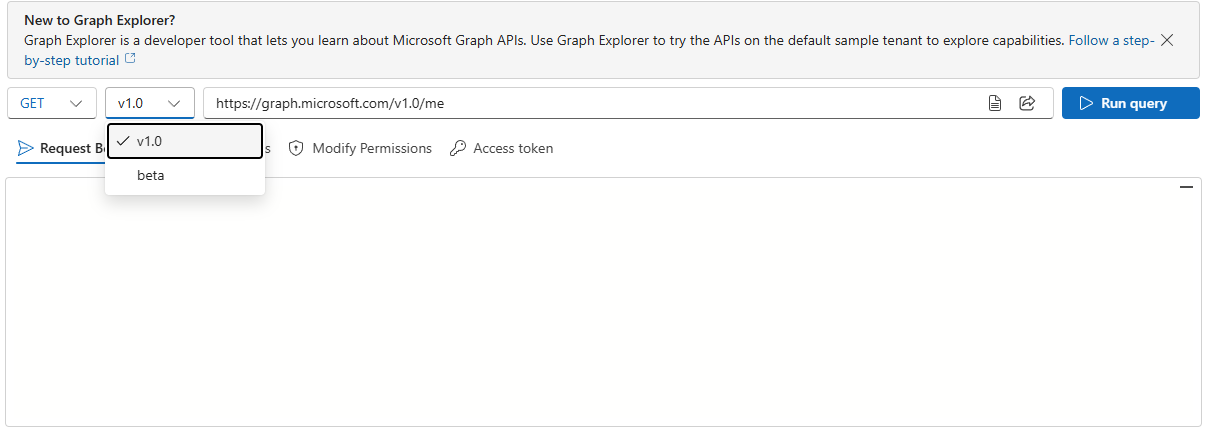
Next to it, the version dropdown is usually set to v1.0, the stable production version, but you can switch to beta to test new features.
The API URL box is where you enter the endpoint you want to query, and the Run Query button executes the request to show the response below.
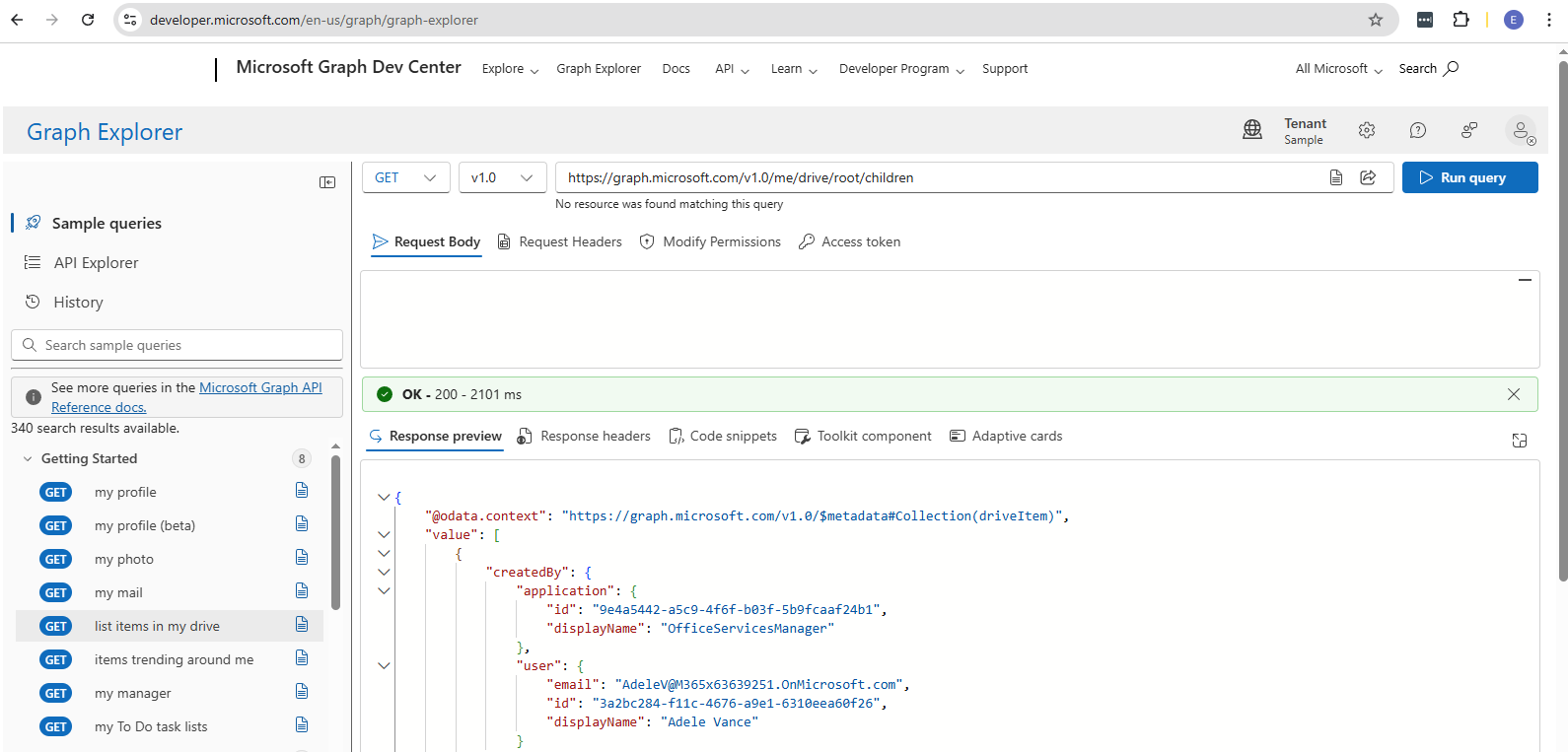
On the left-hand side, you’ll find a list of sample queries. Clicking one automatically fills in the method, URL, and request body if needed. This saves time and helps you learn common operations without starting from scratch.
Click Run query. If it's successful, you should see the OK - 200 message and the response in the Response preview field.
Anatomy of a Graph API Call
Microsoft Graph API allows you to interact with Microsoft Cloud resources using a single endpoint.
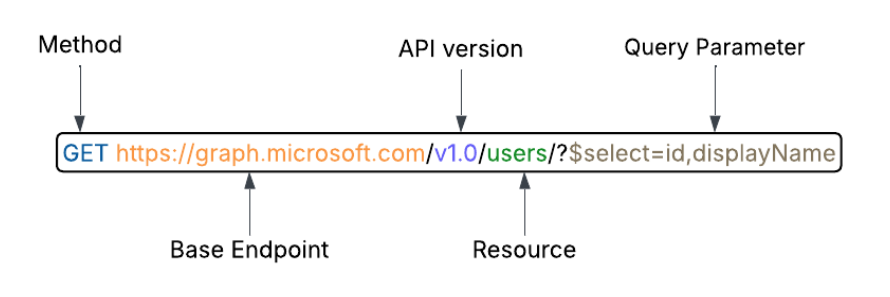
Each request consists of several components:
| Component | Description | Example |
|---|---|---|
| HTTP method | Defines the action | GET, POST, PUT, PATCH, DELETE |
| Version | Specifies the API version | v1.0, beta |
| Resource | Identifies the data | /users, /groups, /events |
| Query parameters | Filter or select specific data | ?$filter=displayName eq 'Max' |
| Headers | Carry metadata like Authorization tokens | Authorization: Bearer <token> |
HTTP Methods
HTTP methods define what action you want to perform with the API.
| HTTP Method | Description | Example |
|---|---|---|
| GET | Retrieves data | Get user information |
| POST | Creates new data | Add a calendar event |
| PUT | Replaces data entirely | Replace a document |
| PATCH | Updates specific fields | Edit a user profile |
| DELETE | Removes data | Delete a file or user |
Versioning
Microsoft Graph has two main versions:
| Version | HTTP Link | Description | Example / Use Case |
|---|---|---|---|
| v1.0 | https://graph.microsoft.com/v1.0 | Stable, production-ready APIs | Retrieve user data in production |
| Beta | https://graph.microsoft.com/beta | Preview features, may change; for testing only | Test new API features before release |
Choosing the right version ensures your app runs reliably in production while allowing testing of new features in beta.
Resources
A resource is the data you work with in Microsoft Graph.
Examples:
/usersfor user details/groupsfor group information/eventsfor calendar events
Resources define the target of your API calls and determine the data you can access.
Query Parameters
Query parameters customize your API requests.
Examples:
$selectchooses specific fields, like id$filternarrows results based on conditions$toplimits the number of results, e.g., first 5 users
Parameters help you retrieve exactly the data you need without extra overhead.
Headers
Headers provide metadata for requests and responses.
There are two types: Standard headers and API-specific headers.
| Header Type | Header Name | Description / Use Case | Example |
|---|---|---|---|
| Standard headers | Authorization | Secure access | Authorization: Bearer <token> |
| Standard headers | Content-Type | Specifies data format | Content-Type: application/json |
| API-specific | Retry-After | Indicates when to retry after throttling | Retry-After: 120 |
| API-specific | Location | Tracks long-running operations | Location: https://graph.microsoft.com/... |
Headers ensure requests and responses are secure, formatted correctly, and provide necessary control information.
Advanced Microsoft Graph
Pagination
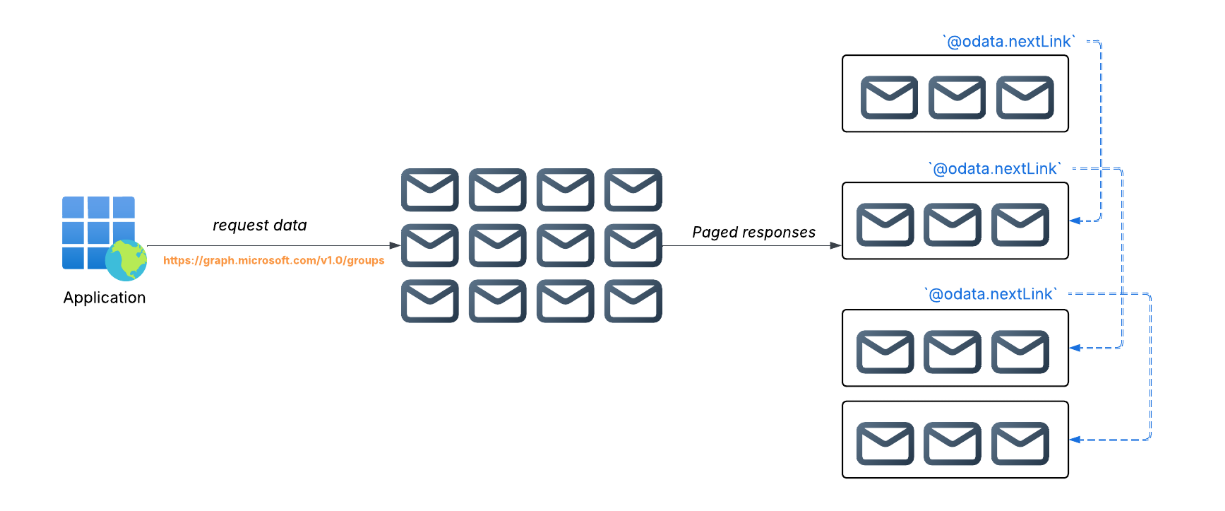
Microsoft Graph can handle large datasets efficiently by splitting results into smaller pages. Pagination makes responses faster and prevents timeouts.
| Category | Server-side Pagination | Client-side Pagination |
|---|---|---|
| Page size | Uses default page size | You can specify number of items per page |
| Control | Managed by Graph | Controlled by the client |
| Use case | Quick access without extra setup | When you need custom page sizes or offsets |
Server-side pagination returns a default number of items per page without specifying size.
For example:
GET /users
This returns 100 users per page. If more exist, Graph provides a continuation link called @odata.nextLink to fetch the next page.
Client-side pagination lets you set the number of items per page using query parameters like $top for page size and $skip to start after a certain number of items.
For example, to fetch two groups per page:
GET /groups?$top=2
Pagination ensures large datasets can be handled efficiently while keeping processing manageable.
Batching
Batching allows combining multiple API requests into a single call. This reduces network trips and improves performance.
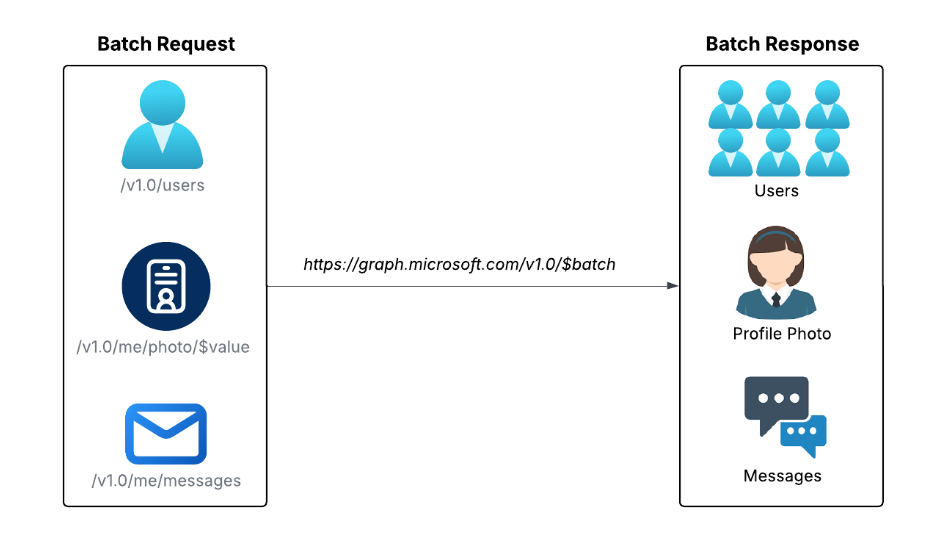
A single batch can include up to 20 requests. Each request in a batch has an:
idmethodurl- Optional headers/body
To send a batch request:
POST /$batch
Content-Type: application/json

{
  "requests": [
    {
      "id": "1",
      "method": "GET",
      "url": "/users"
    },
    {
      "id": "2",
      "method": "GET",
      "url": "/groups"
    }
  ]
}
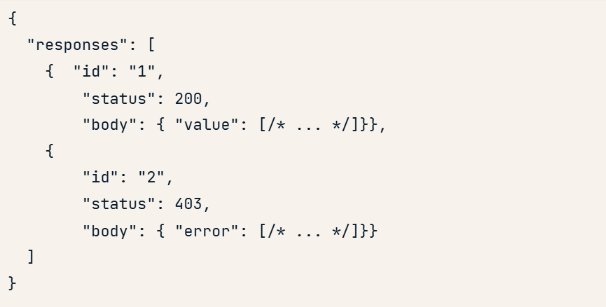
The response includes an array of responses, each with id, status, headers, and body containing data or errors.
Both pagination and batching help manage large datasets and multiple requests efficiently while keeping network traffic low and responses easy to handle.