API Management
Overview
APIs let applications talk to each other without knowing how the other works. REST APIs are one way to do this over the internet.
- API stands for Application Programming Interface
- REST stands for Representational State Transfer
- REST APIs use HTTP methods to perform actions
REST methods include:
| HTTP Method | Purpose |
|---|---|
| GET | Retrieves data |
| POST | Creates new data |
| PUT | Updates existing data |
| DELETE | Removes data |
These methods let apps perform operations like fetching weather data, saving favorites, updating locations, or removing entries. Every request is independent, and responses are usually in JSON or XML.

Using APIs in a Weather App
Imagine checking the weather in Paris. The app does not store all weather data locally. Instead, it calls a weather API.
- Apps rely on APIs to fetch external data
- APIs process requests and return structured responses
- The app then displays the result to you
In the example below, we are fetching weather data for London and Paris and combining them into a single JSON payload. The get_weather function simulates retrieving data from an API.
Note: The code below is an excerpt. To see the full, working version, please check out the Jupyter Notebook.
london_weather = get_weather('London')
paris_weather = get_weather('Paris')

payload = {'weather': [london_weather, paris_weather]}

print("Current weather report:")
respond(payload)
Output:
Current weather report:
{
  "weather": [
    {
      "city": "London",
      "temp_c": 18,
      "condition": "Cloudy",
      "humidity": 72
    },
    {
      "city": "Paris",
      "temp_c": 21,
      "condition": "Sunny",
      "humidity": 55
    }
  ]
}
The example shows how a GET request retrieves and combines data from multiple sources.
Hosting REST APIs in Azure
REST APIs can be hosted in Azure using:
- App Services for web apps
- Container Apps for containerized services
- Function Apps for serverless APIs
Azure API Management (APIM) can manage all these APIs.
Azure API Management
Azure API Management (APIM) makes managing multiple APIs easier. It helps secure APIs, monitor usage, and enforce policies like rate limits.
- It handles authentication, authorization, and request transformations
- It monitors performance and usage statistics
APIM can manage different APIs in one place and control how they are used.
- Supports different API types
- Centralizes API management
- Uses an API gateway
- Provides a developer portal
APIM helps enforce rules like authentication and rate limits across all APIs. It also helps detect performance issues.
API Gateway as Central Entry Point
The API gateway is the single entry point for all API requests and controls how traffic flows to backend services.
- Handles incoming requests
- Applies security and policies
- Transforms requests and responses
- Routes traffic to backend APIs
- Hides backend services from direct access
When a client calls an API, the request always goes through the gateway before reaching the backend.
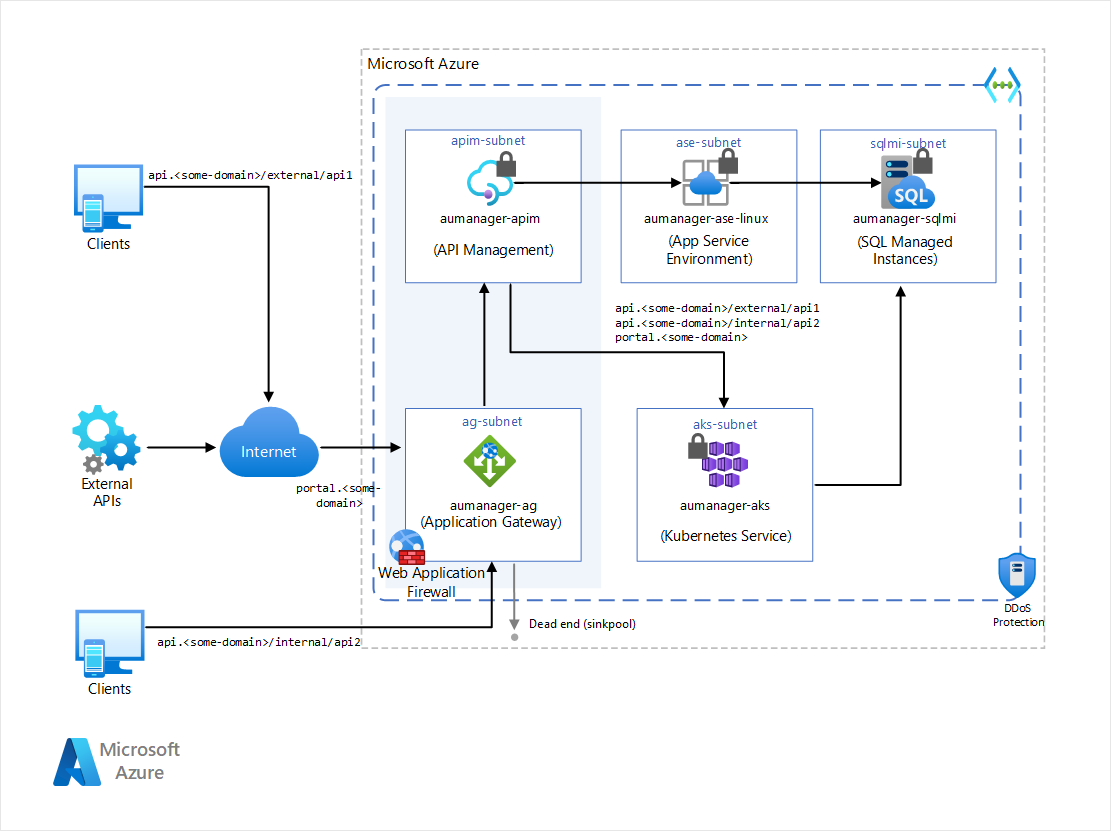
In the example below, the variable request represents the incoming call passing through the gateway to the backend API.
Client → API Gateway → Backend API
The gateway ensures every request follows the same rules, security checks, and routing logic. Backend APIs are never exposed directly, and only the API Management endpoint is public.
This makes the system more secure, consistent, and easier to manage from one central point.
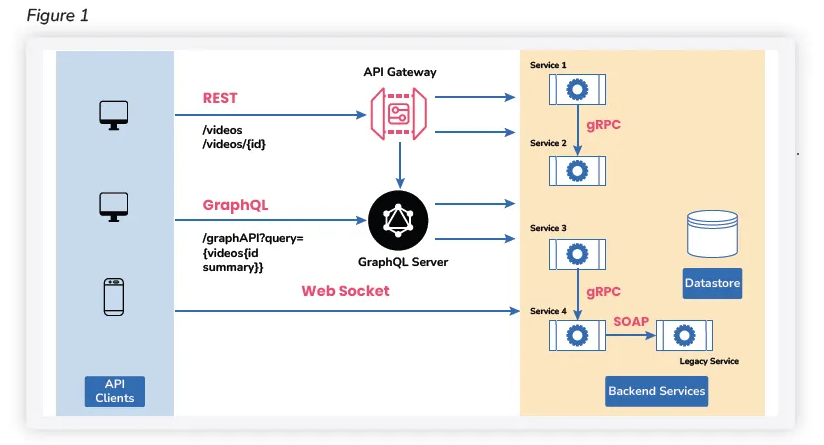
Supported API types
APIs can be built in different ways and for different purposes.
| API Type | Description |
|---|---|
| REST API | Uses HTTP and is the most common type |
| GraphQL | Allows flexible and precise data queries |
| gRPC | Uses binary format and is optimized for fast communication |
| Hosting Options | Can run on Function Apps or standard web apps |
For example, a REST API can be built using Azure Functions or a normal web server. Other types like GraphQL and gRPC still use HTTP but are designed for specific use cases.
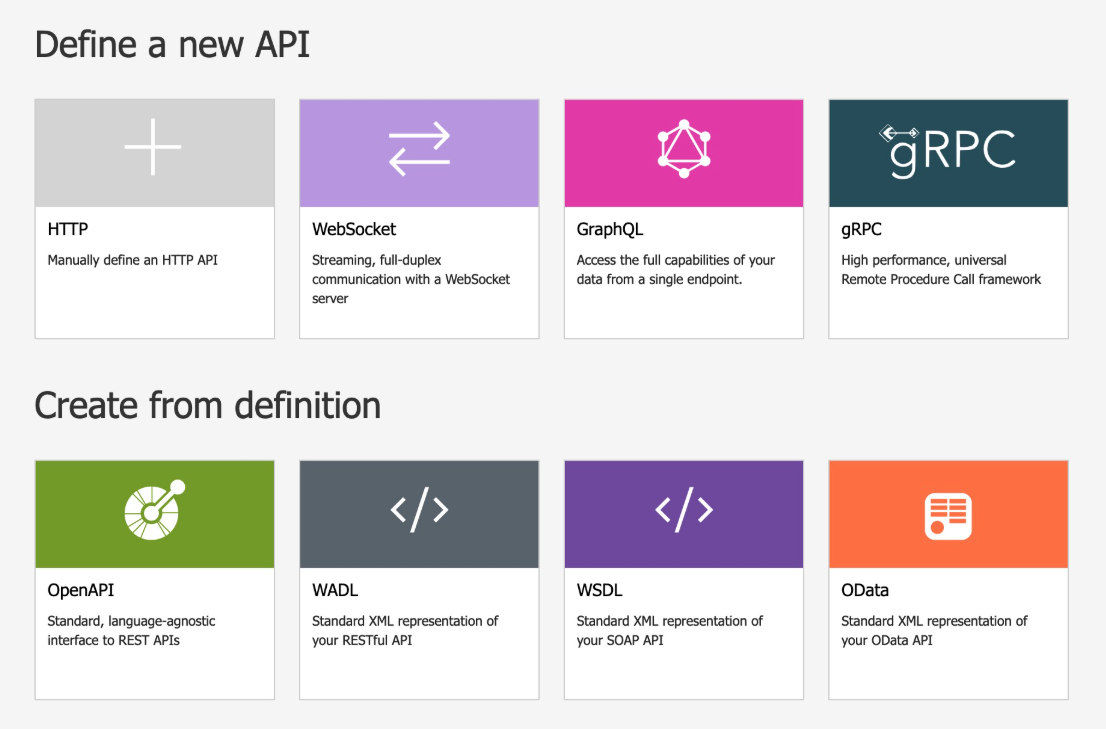
APIM can also also connect to many API formats and definitions.
- Works with OpenAPI and WSDL
- Allows multiple APIs in one instance
For example, you can import an API using an OpenAPI definition and manage it immediately inside APIM.
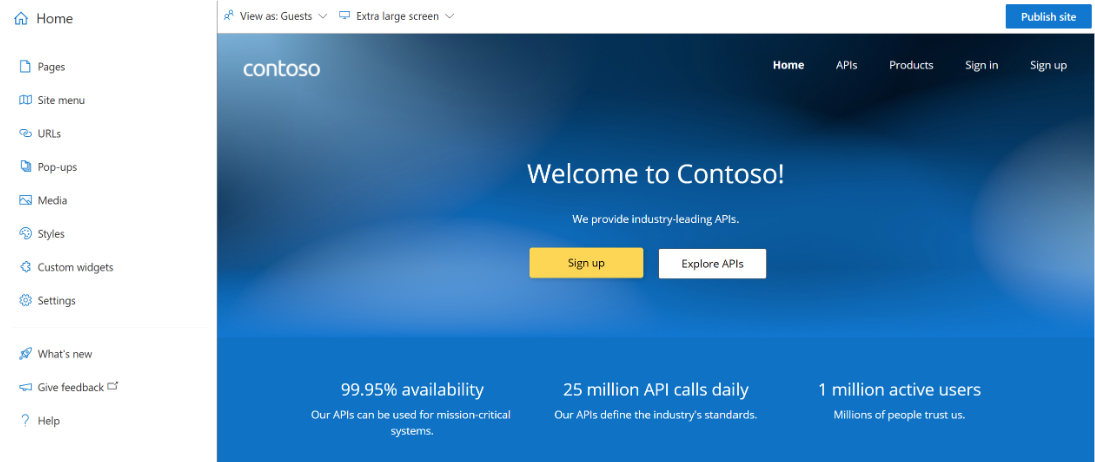
Developer Portal
The developer portal is the front-facing interface for users.
- Provides API documentation
- Allows users to explore APIs
- Displays API details and endpoints
- Uses formats like OpenAPI
It is a web-based portal where developers can learn how to use your APIs.
Setting up APIM
To set up APIM:
- Create an API Management instance in Azure
- Import your APIs, whether hosted in Azure or elsewhere
- Define policies like requiring API keys or limiting requests per minute