Identity Platform
Overview
The Microsoft Identity Platform helps applications sign in users and access resources securely. It builds on Microsoft Entra ID, which provides the core identity service, while the Identity Platform gives developers tools to manage authentication and authorization.
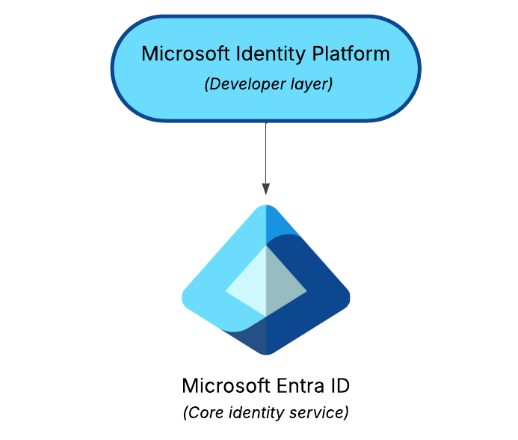
Applications use the platform to prove identity and request only the permissions they need, and keeps the access safe and controlled.
How It Works
The platform uses modern standards to manage identity and permissions.
- OAuth 2.0 controls what apps can do, like a permission slip
- OpenID Connect adds identity information, like showing an ID card
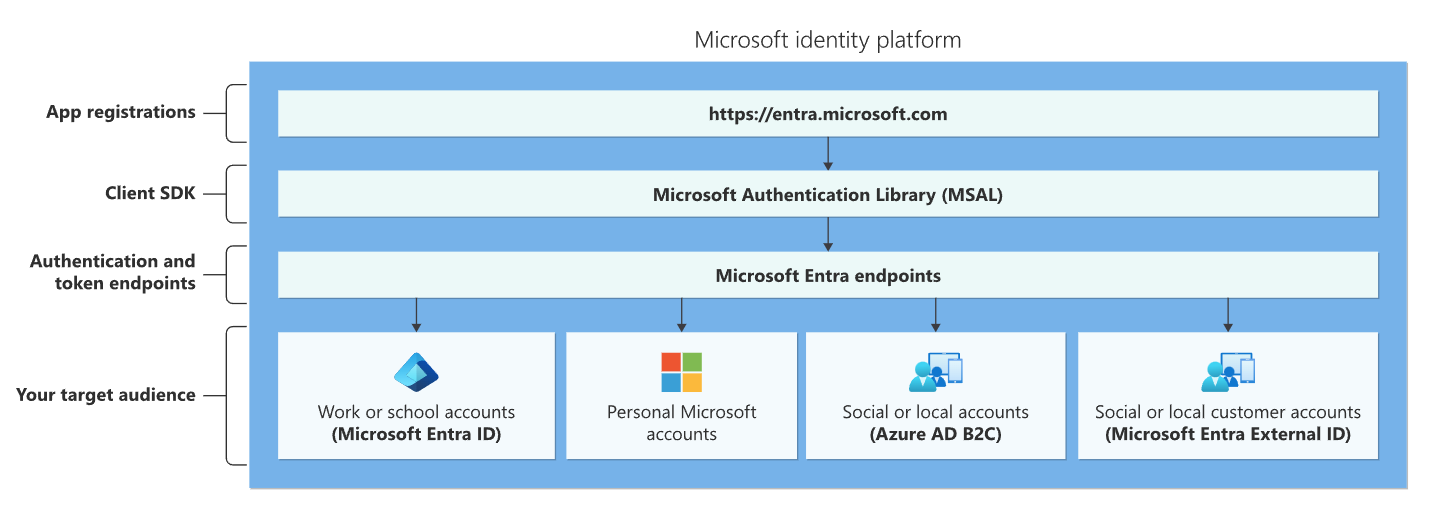
- It supports work, school, personal, and social accounts
These standards make sure apps know who a user is and what they are allowed to do, and keeps the sign-ins and access secure.
Key Tools
Microsoft Identity Platform provides essential tools for managing apps and permissions.
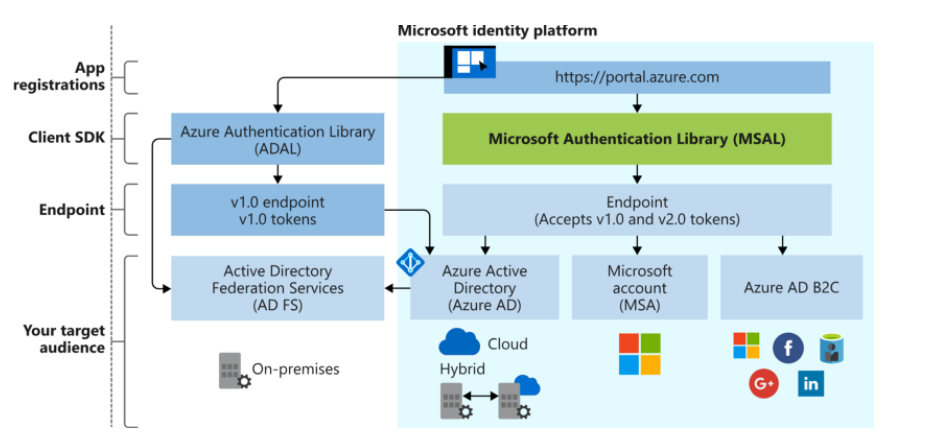
- MSAL (Microsoft Authentication Library) for requesting tokens
- App registration to set up an app in your tenant
- Microsoft Graph API to access users, groups, and resources
These tools help developers integrate their apps with Microsoft Entra ID safely and efficiently.
App Registration
Registering an app is the first step to use Entra ID for authentication.
- Single-tenant registration is for your organization only
- Multi-tenant registration works with multiple organizations
When you register an app, it creates these two behind the scenes:
- An application object
- A service principal
After registration, you can add secrets or certificates, set scopes, and configure branding. App registration is how an app becomes recognized and trusted by Microsoft Entra ID.
Application Object
The Application object is the blueprint of an app.
- Lives permanently in the home tenant
- Defines authentication rules and access policies
- Acts as the master design for the app
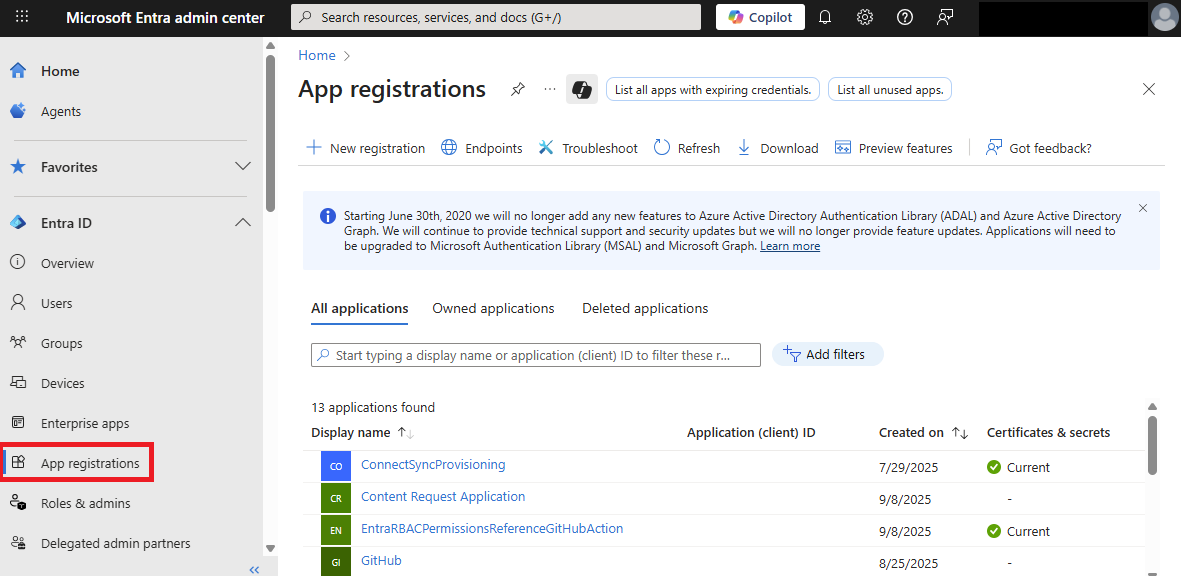
You can use the App registrations page in the Microsoft Entra admin center to list and manage the application objects in your home tenant.
Service Principal
A Service principal is the app’s instance in a specific tenant.
- Acts like a working copy of the Application object
- Has its own permissions in the tenant
- Each customer gets a separate service principal
There are three main types of service principals:
| Type | Description |
|---|---|
| Application | Created through app registration, uses secrets or certificates |
| Managed Identity | Automatically managed by Azure, no secrets needed. See Managed Identities. |
| Legacy | Used by older applications |
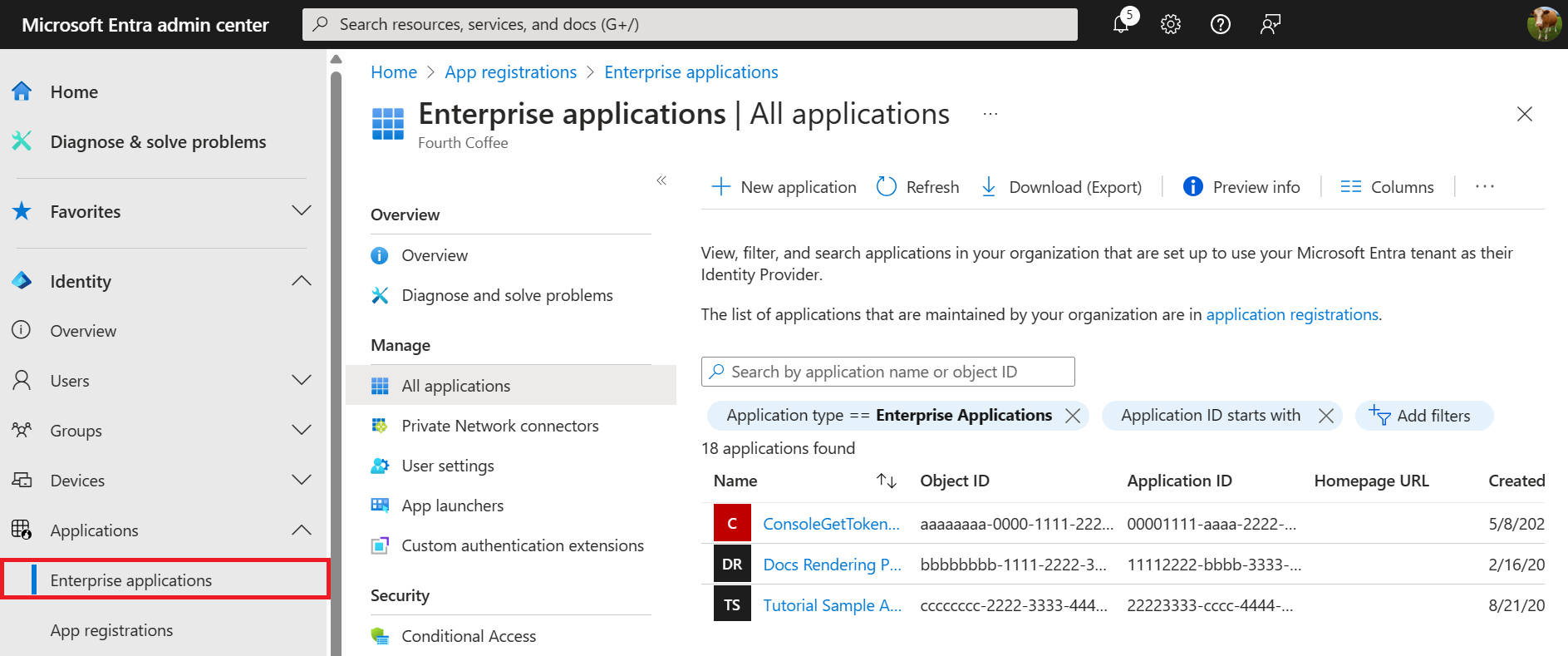
You can use the Enterprise applications page in the Microsoft Entra admin center to list and manage the service principals in a tenant.
Permissions
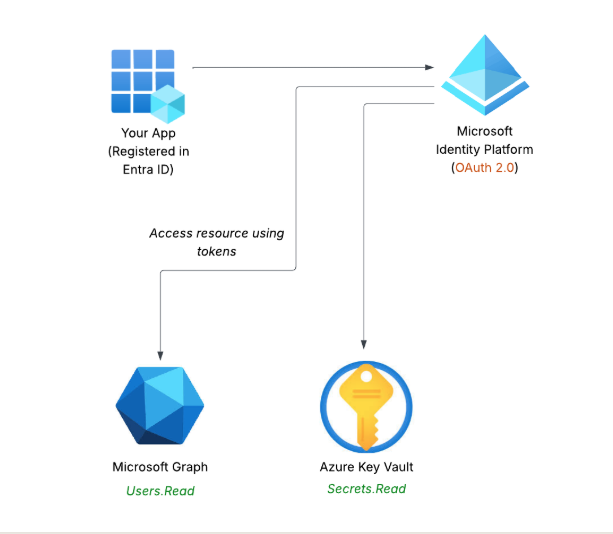
Apps need permissions to access resources like calendars or contacts. These permissions are represented as scopes in OAuth 2.0
| Permission type | Description | Example |
|---|---|---|
| Delegated permissions | App acts on behalf of a signed-in user | A scheduling app creates meetings for users |
| App-only permissions | App runs tasks independently without a user | An app automatically syncs employee records nightly |
Both types require consent to ensure apps only access what they are allowed to.
For example, a scope like Secrets.Read lets the app to read secrets from a vault.
Consent
Consent is the user's or admin's approval for an app to use specific permissions.
| Consent type | Description |
|---|---|
| Static consent | Set during app registration |
| Incremental consent | App requests additional permissions as needed |
| Admin consent | Required for high-privilege permissions affecting the organization |
Consent ensures that users or administrators control what an app can access, keeping resources safe.