Application Networking
Overview
Most deployed applications depend on network services. Firewalls, load balancers, DNS, and reverse proxies control how users reach the application and how application components reach each other.
Firewalls
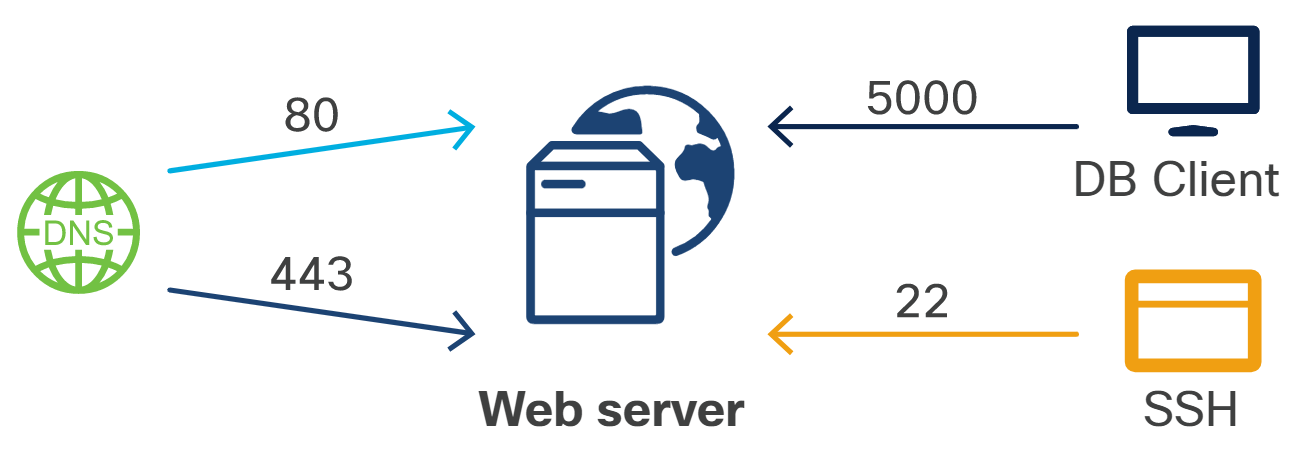
A firewall accepts or rejects traffic based on rules. Rules commonly evaluate source address, destination address, protocol, and port.
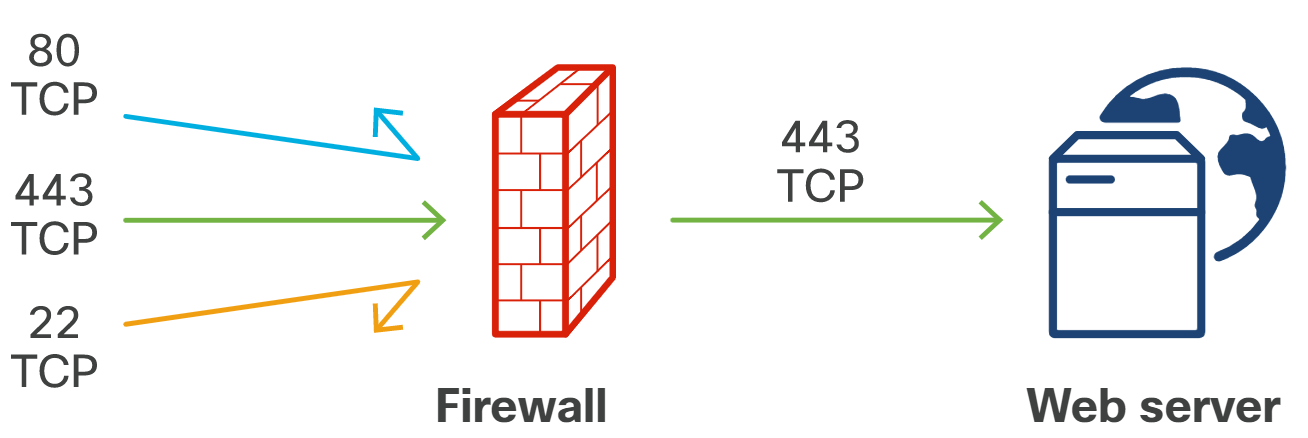
For a web application, a restrictive firewall policy might allow HTTPS and deny direct access to SSH or a database port.
Example policy:
- Deny all inbound access by default.
- Allow TCP port
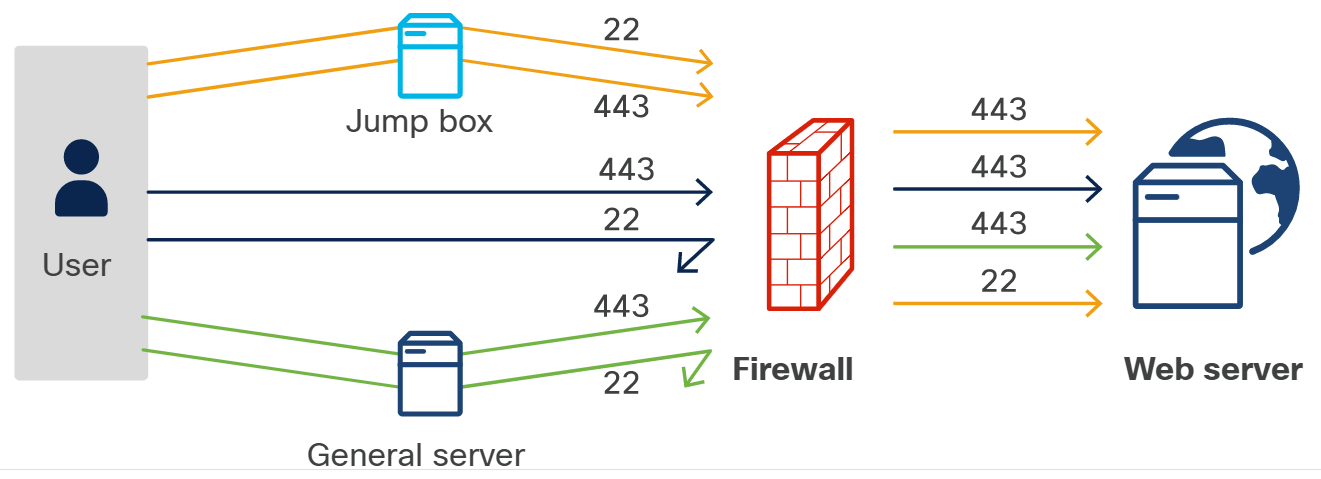
443from users. - Allow TCP port
22only from a jump box. - Allow database traffic only from the application tier.
A jump box is an intermediate system that administrators connect through before reaching sensitive hosts.
Load Balancers
A load balancer receives client requests and distributes them across multiple servers.
For more information, please see LoadBalancers page.
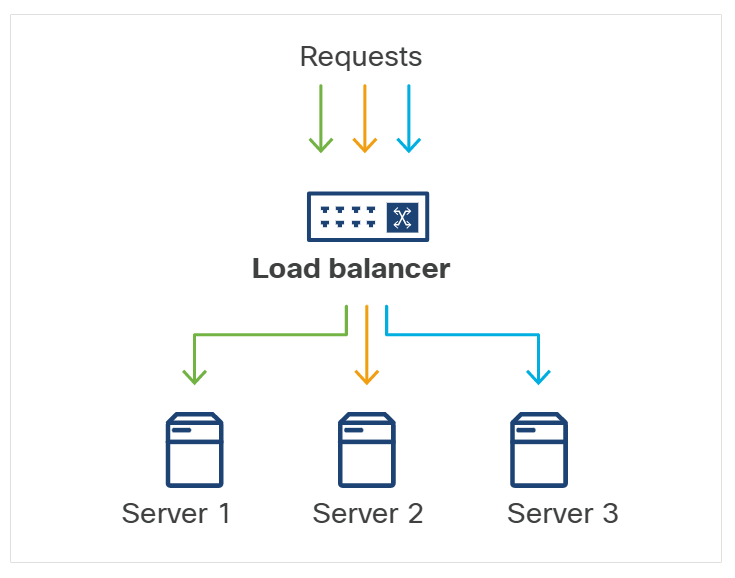
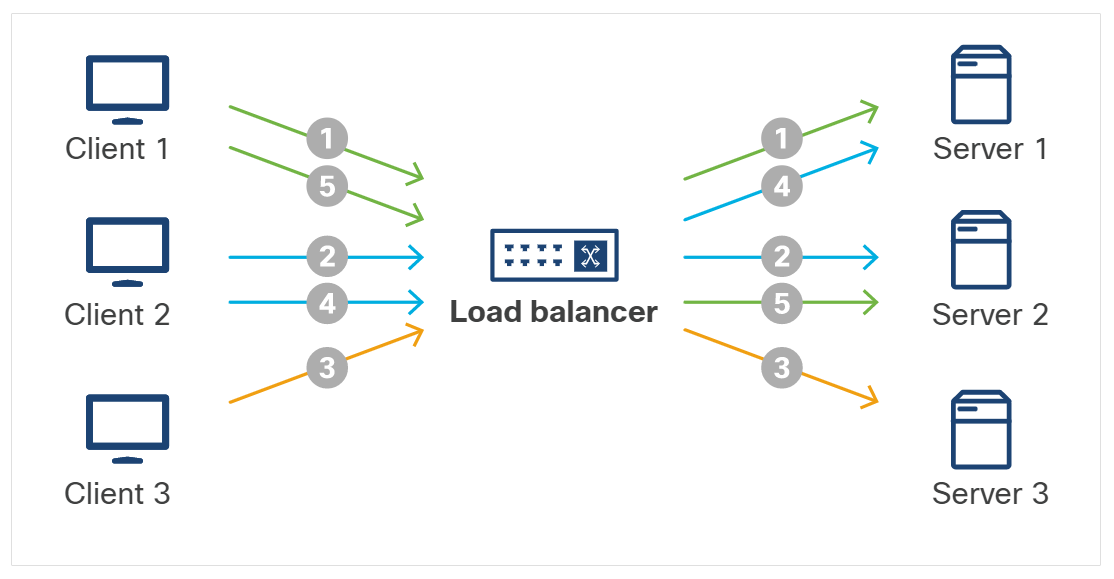
Common load-balancing behaviors include:
| Method | Description |
|---|---|
| Persistent session | Keeps a user tied to the server that owns their session state. |
| Round robin | Sends each request to the next server in the list. |
| Least connections | Sends new traffic to the server with the fewest active sessions. |
| IP hash | Uses a hash of the client IP to choose a consistent backend. |
Load balancers also support release strategies such as blue-green and canary deployment by shifting traffic between old and new application versions.
DNS
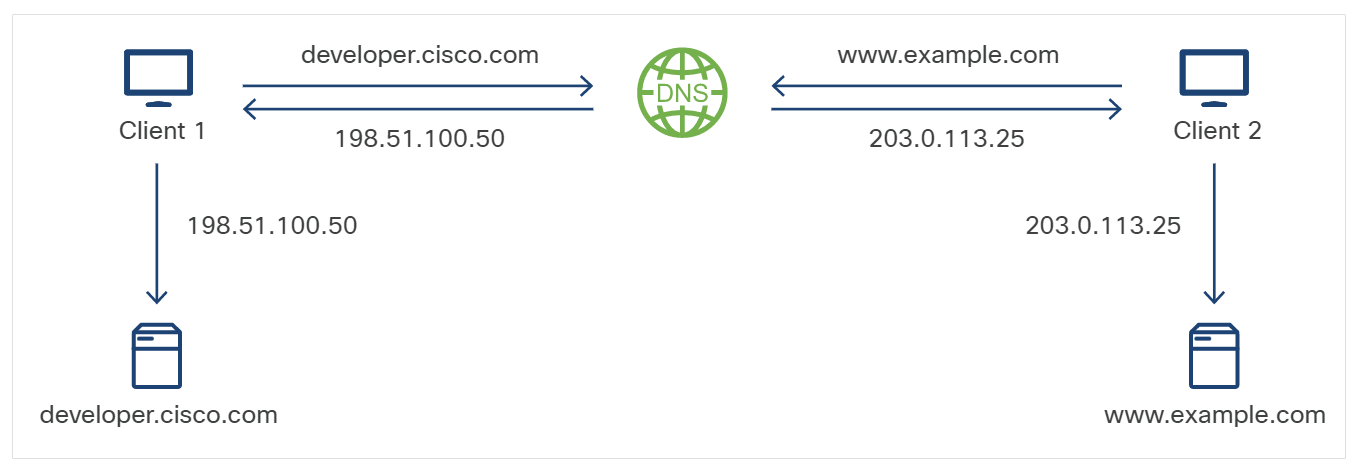
DNS maps human-readable names to routable IP addresses. In deployments, DNS can point applications to different resources without changing application code.
For more information, please see Domain Name System DNS page.
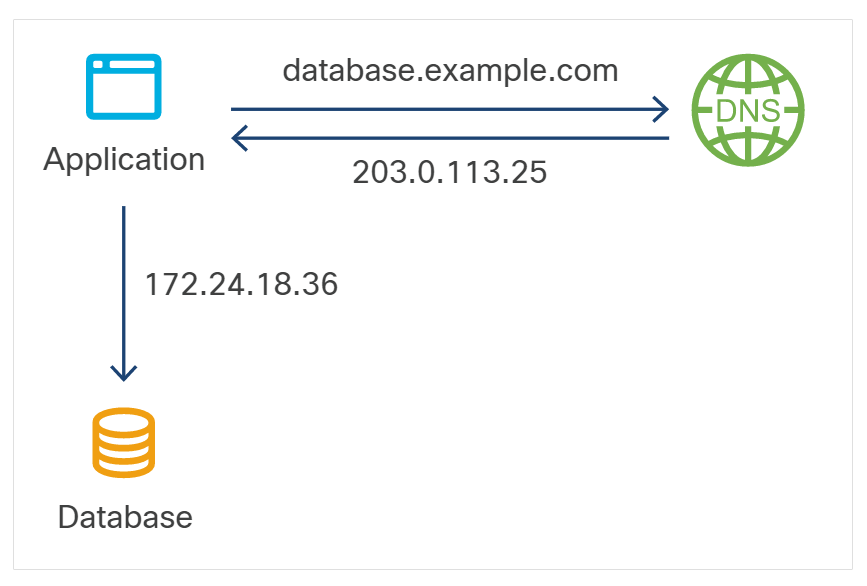
Example:
- Production
database.example.comresolves to the production database. - Development
database.example.comcan resolve to a development database when the development environment uses its own DNS server. - The application code still uses the same hostname.
Note: DNS can help shift traffic, but DNS caching and propagation delay make it less precise than a load balancer for fast rollbacks.
Reverse Proxies
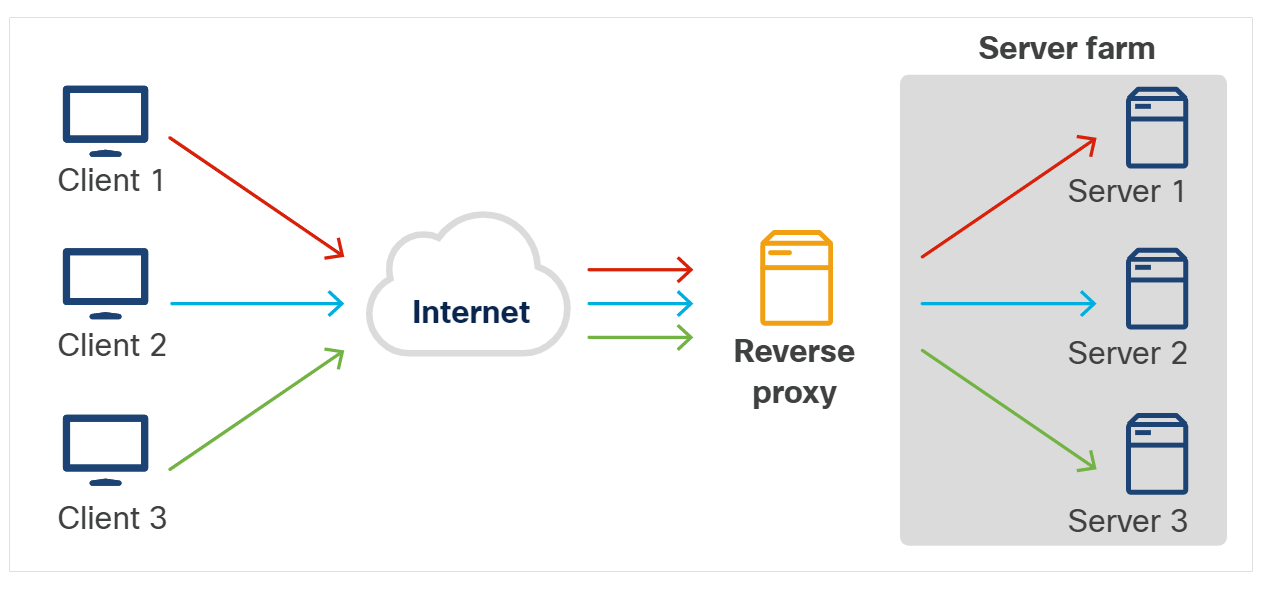
A forward proxy makes many clients appear as one client. A reverse proxy makes many internal servers appear behind one public endpoint.
For more information, please see Proxy Servers page.
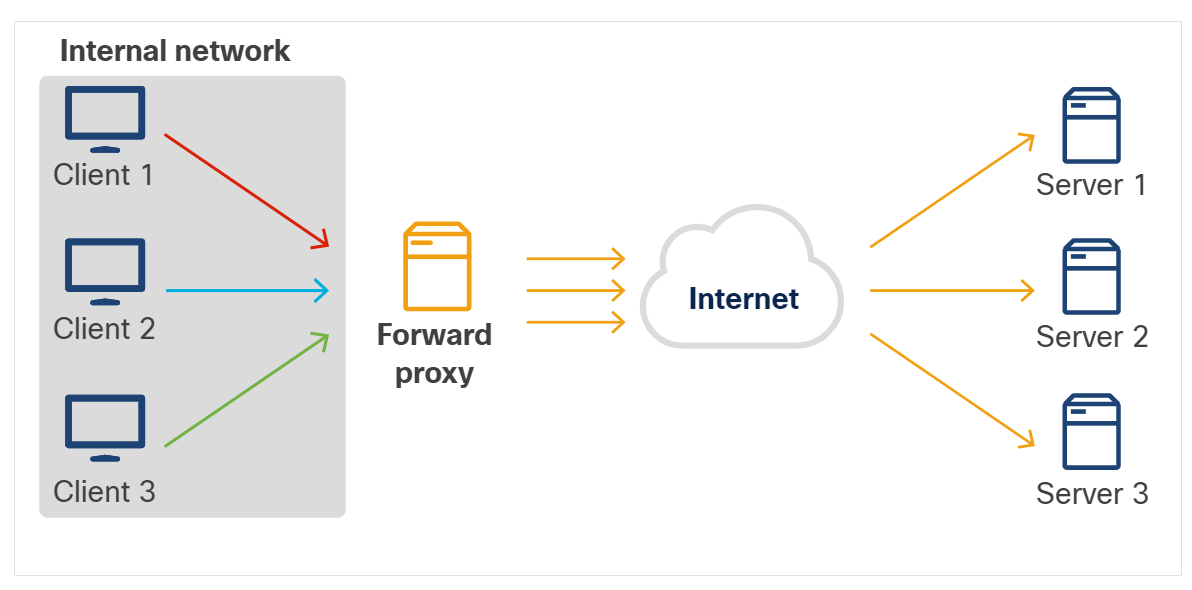
Reverse proxies can route requests, terminate TLS, apply filtering, and hide internal server details from users.