Deployment Environments and Models
Overview
Application deployment is more than copying code to a server. A deployed application needs a place to run, a workflow for testing changes, and infrastructure that can be operated, monitored, scaled, and secured.
Developers usually work across several environments before code reaches users:
| Environment | Purpose |
|---|---|
| Development | Where developers write code and run local or lightweight tests. |
| Testing | Where automated and shared tests validate expected behavior. |
| Staging | A production-like environment for final acceptance testing. |
| Production | The live environment used by end users. |
Deployment Models
Deployment models describe the compute layer where applications run.
| Model | Description | Good Fit |
|---|---|---|
| Bare metal | Software runs directly on a physical machine. | Specialized hardware, high performance, and strict control. |
| VM | Software runs in a virtual machine managed by a hypervisor. | Isolation, legacy workloads, and reusable machine images. |
| Container | Software runs in an isolated process that shares the host kernel. | Portable services, fast startup, and cloud native apps. |
| Serverless | Code runs on provider-managed infrastructure when an event triggers it. | Event-driven workloads and intermittent usage. |
For more information about containers, please see From VMs to Containers page.
Bare Metal
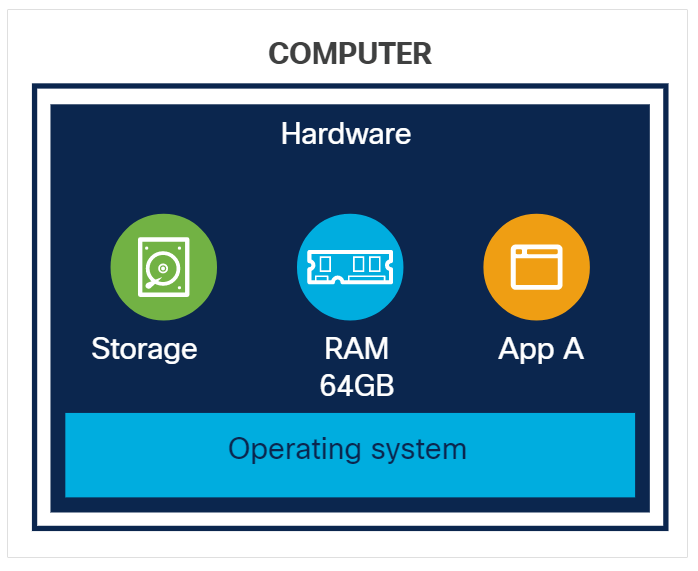
Bare metal deployment installs software directly on a physical server.
- Applications can access hardware and operating system resources directly.
- Isolation between workloads is weaker than virtual machines or containers.
- Scaling usually requires physical hardware changes or new servers.
Virtual Machines
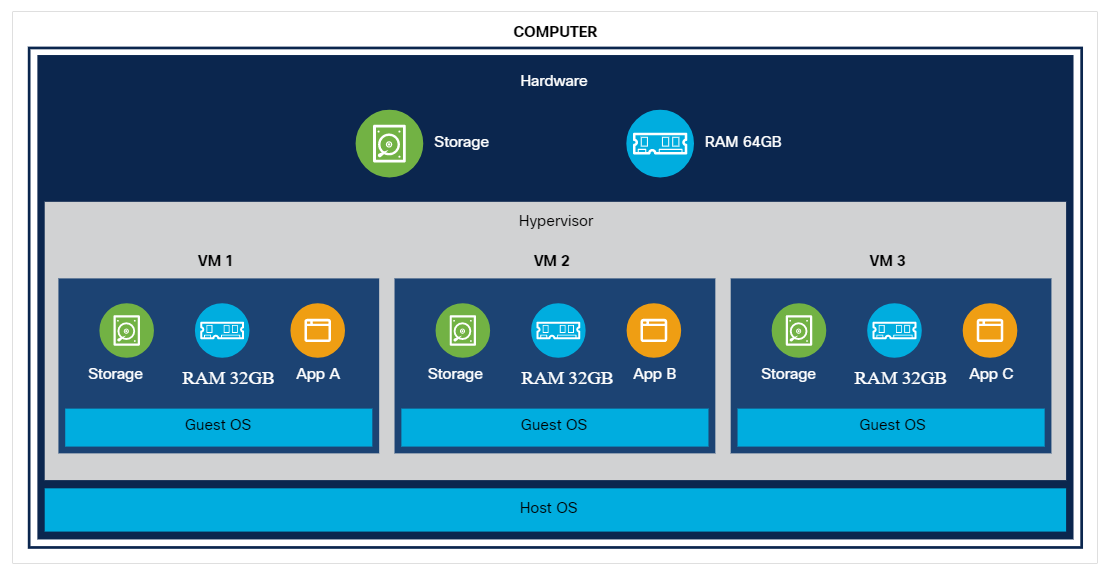
A virtual machine behaves like a separate computer running on a host machine. A hypervisor provides the virtual CPU, memory, storage, and network interfaces.
- Each VM can run its own guest operating system.
- VM images and snapshots make environments easier to reproduce.
- Overcommitting CPU or memory can cause performance issues if workloads spike.
Containers
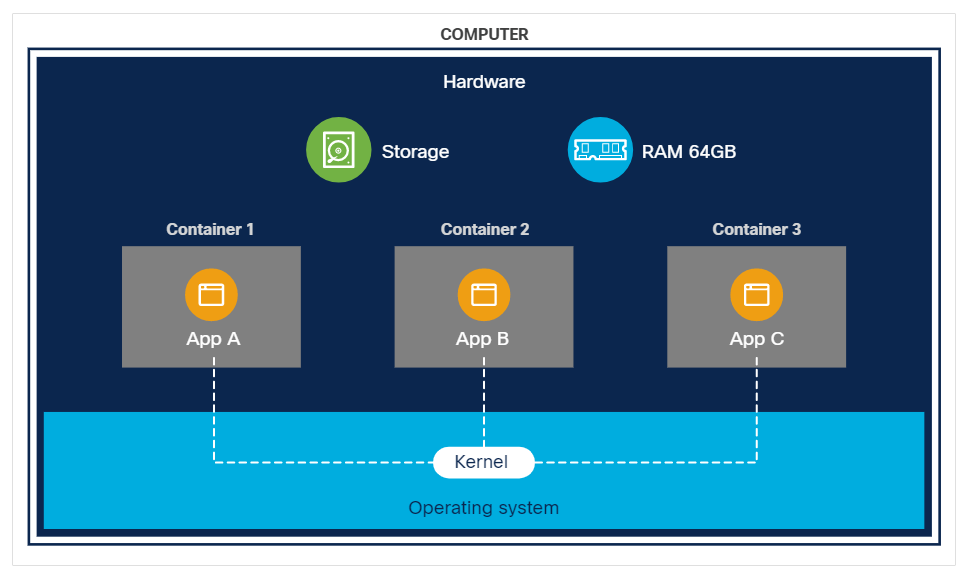
Containers package an application with the libraries and runtime files it needs, while sharing the host operating system kernel.
- Containers start faster than full VMs.
- Each application can carry its own dependency versions.
- Container orchestration platforms can schedule, scale, and replace containers.
Serverless
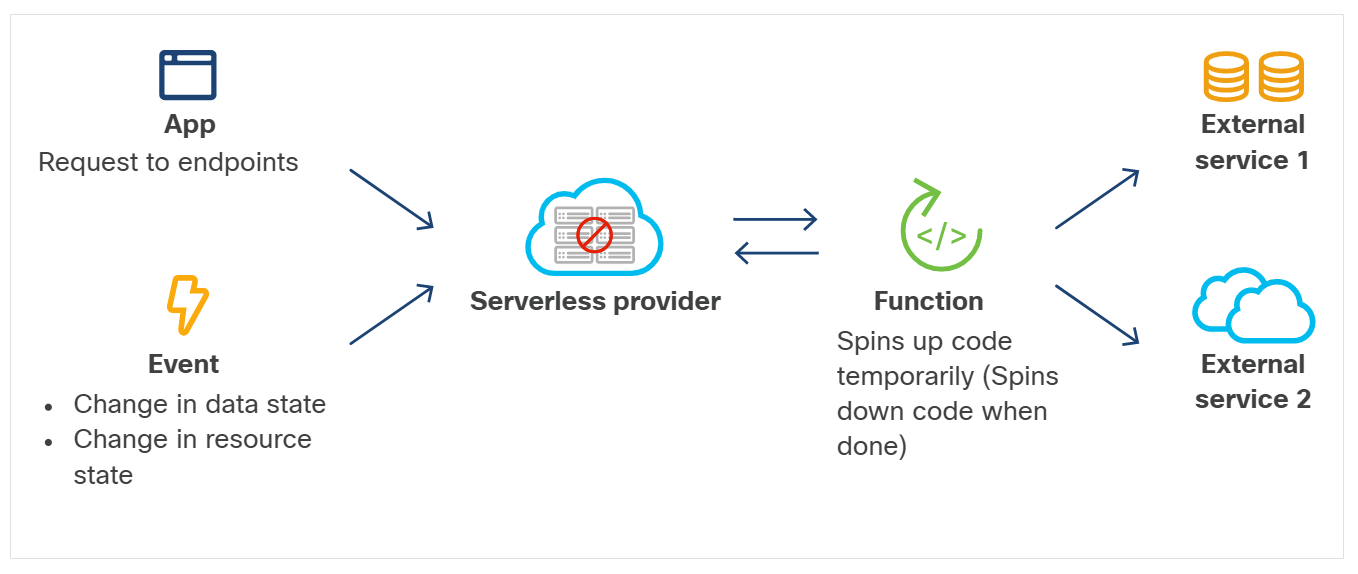
Serverless computing still uses servers, but the cloud provider manages the servers for the developer. The application is invoked when needed, runs for a short period, and scales based on demand.
- Costs are usually tied to actual execution.
- Idle functions do not need to remain running.
- Developers give up direct control over the host environment.
For more information, please see Serverless page.
Infrastructure Types
Infrastructure types describe where the compute, storage, and network resources are owned and operated.
| Type | Description |
|---|---|
| On-premises | Infrastructure runs in an organization-controlled facility. |
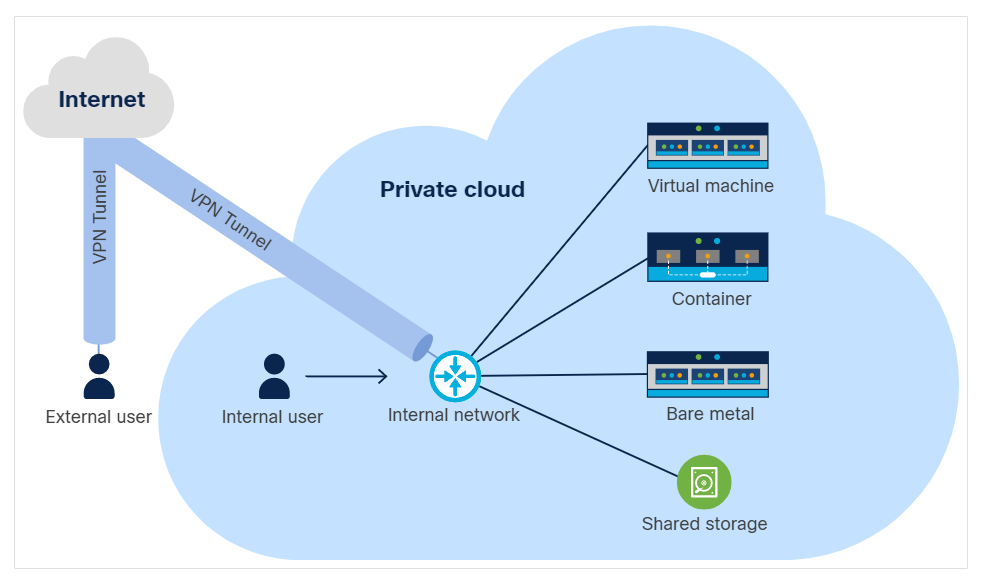
| Private cloud | Cloud-like self-service resources run under one organization's control. |
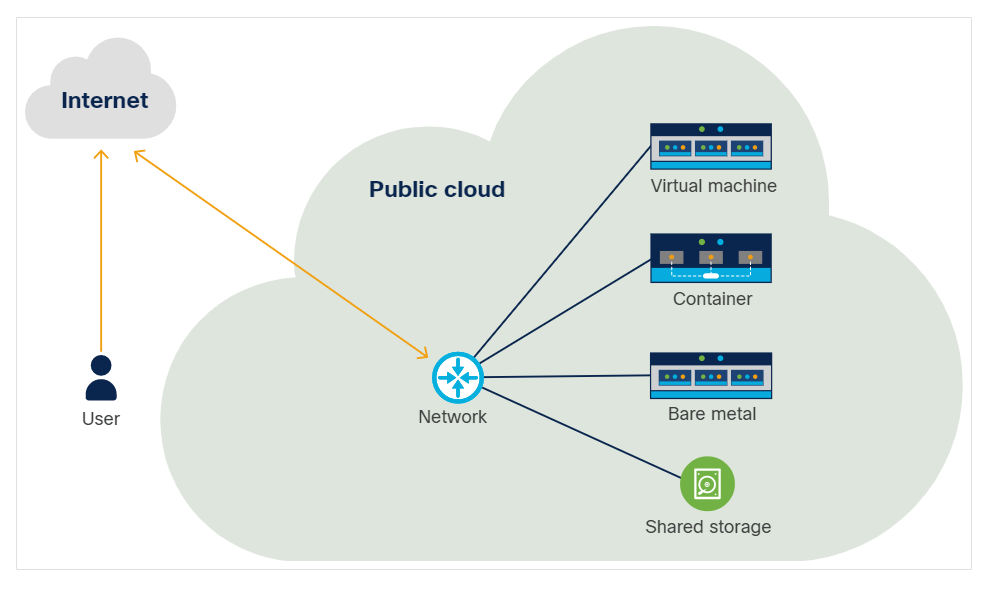
| Public cloud | A provider operates the cloud and customers consume resources as services. |
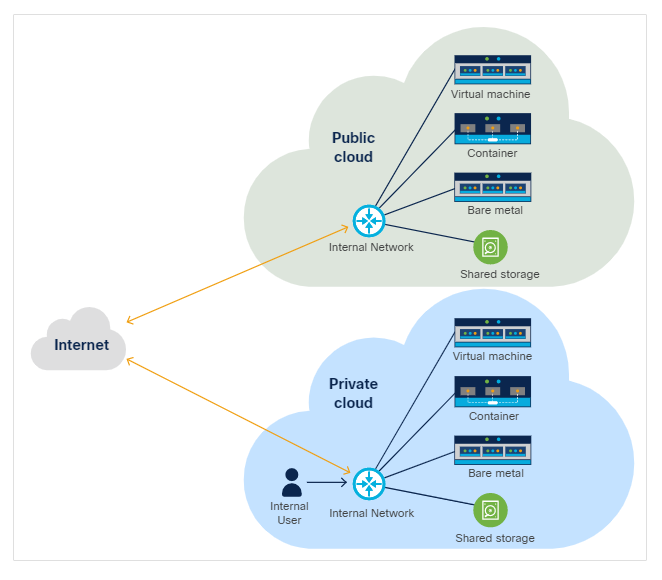
| Hybrid cloud | A single application or platform uses both private and public resources. |
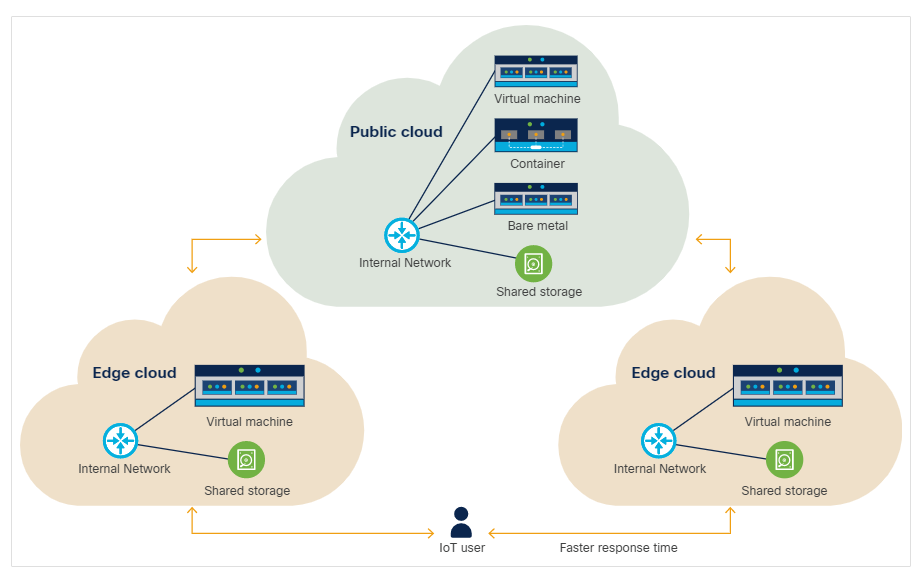
| Edge cloud | Compute runs closer to users or devices to reduce latency and bandwidth. |
For more information, please see Cloud Deployment Models page.
Cloud Examples
Private cloud gives the organization more control over placement, compliance, and hardware usage.
Public cloud reduces hardware ownership work and makes scaling easier, but workloads may share provider infrastructure with other customers.
Hybrid cloud connects private and public environments. It is often used when an application needs public scale but must keep some data or services under private control.
Edge cloud places compute close to users, stores, sensors, mobile devices, or industrial systems. It helps when latency, bandwidth, or disconnected operation matters.