Networking
Overview
This page outlines common network setups for VirtualBox VMs, from simple single-adapter configurations to multi-adapter lab environments.
Single Adapter
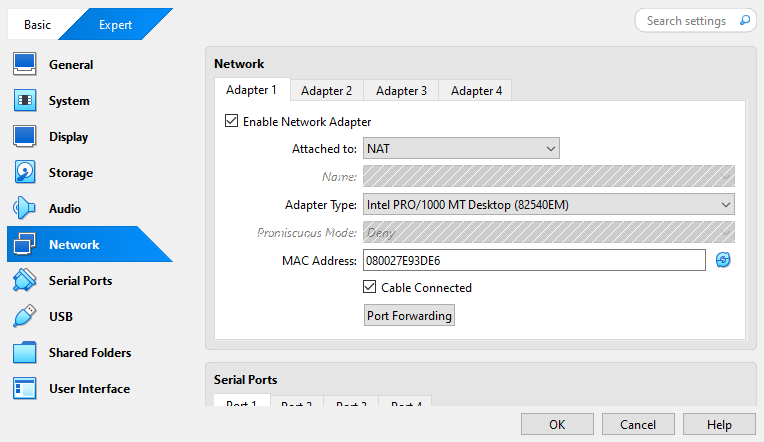
NAT
Use a single NAT adapter if your VM only needs internet access.
| Setting | Value |
|---|---|
| Network Adapter | Enabled |
| Attached To | NAT |
| Promiscuous Mode | Deny (default) |
Notes:
- Default adapter for internet access.
- Simple setup with DHCP enabled by default.
- VM cannot be accessed by other devices on the host network.
- Promiscuous mode usually not needed.
Bridged Adapter
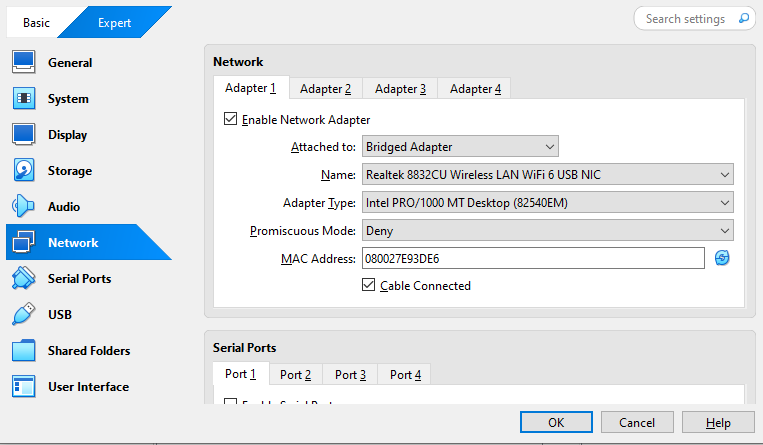
Use a single Bridged adapter if your VM needs to be on the same network as your host.
| Setting | Value |
|---|---|
| Network Adapter | Enabled |
| Attached To | Bridged Adapter |
| Promiscuous Mode | Deny (default) |
Notes:
- Connects VM directly to the host’s local network (LAN).
- Provides internet access and local network access
- Allows VM to talk with other devices on the same network.
- DHCP enabled automatically, but you can set a static I.
- Promiscuous mode only needed for advanced network testing.
Host-Only Adapter
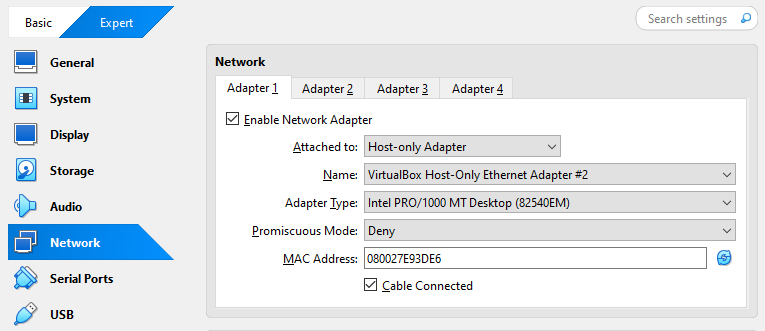
Use a single Host-Only adapter if your VM only needs to communicate with the host or other VMs on a private network.
| Setting | Value |
|---|---|
| Network Adapter | Enabled |
| Attached To | Host-Only Adapter |
| Promiscuous Mode | Deny |
Notes:
- No internet access is provided.
- Allows VM-host communication.
- Useful for isolated setups or internal VM communication.
- VMs can share same Host-Only network for internal testing.
- DHCP can be enabled or use static IPs.
Internal Network
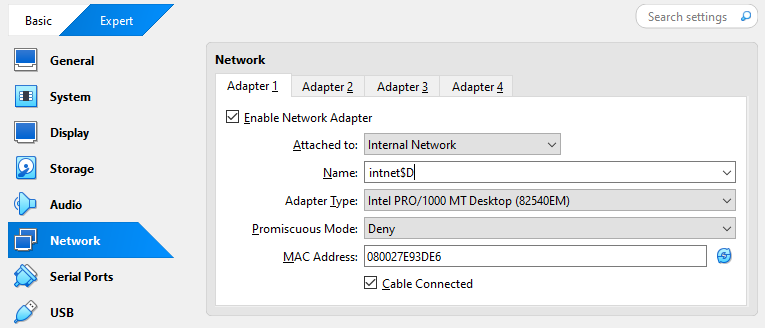
Use an Internal Network adapter when you want a completely isolated network between VMs.
| Setting | Value |
|---|---|
| Network Adapter | Enabled |
| Attached To | Internal Network |
| Promiscuous Mode | Deny (default) |
Notes:
- Only VMs on the same internal network can communicate.
- No host or internet access.
- Useful for isolated multi-VM networks or private lab segments.
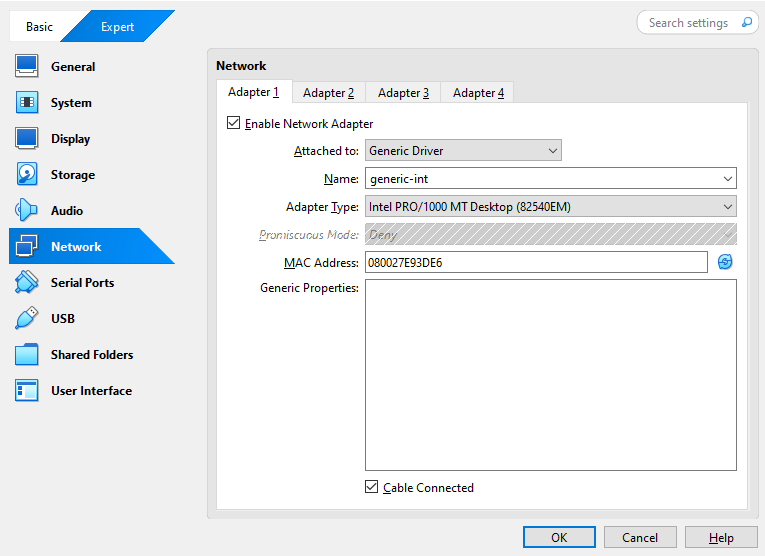
Generic Driver
Some guest OS types may support a Generic Driver adapter for specialized networking setups.
| Setting | Value |
|---|---|
| Network Adapter | Enabled |
| Attached To | Generic Driver |
| Promiscuous Mode | Deny (default) |
Notes:
- Rarely used; typically for experimental or unsupported OS networking.
- Consult VirtualBox documentation if using this option.
Cloud Network (Experimental)
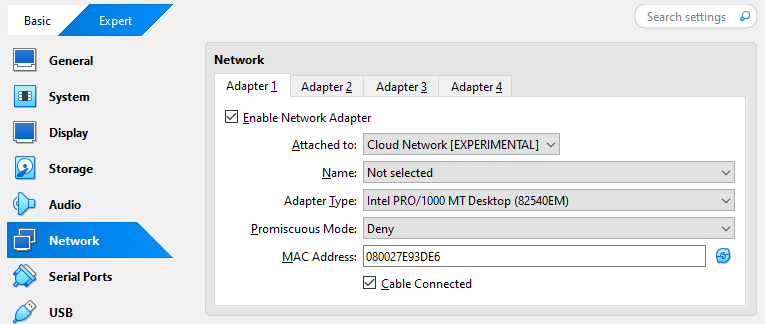
Experimental network mode designed for cloud lab simulations.
| Setting | Value |
|---|---|
| Network Adapter | Enabled |
| Attached To | Cloud Network |
| Promiscuous Mode | Deny (default) |
Notes:
- May be used for labs simulating cloud provider networks.
- Behavior may change between VirtualBox versions.
- Internet and host connectivity depend on network configuration.
Multiple Adapters
Bridged Adapter + Host-Only
Use multiple adapters for VMs that need both internet access and internal lab networking. Common in multi-VM labs or when testing services.
-
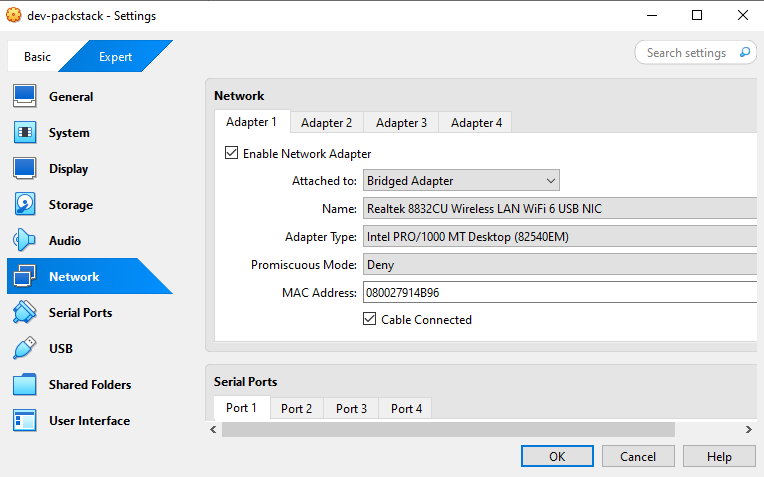
Adapter 1: Bridged Adapter (Internet Access)
This adapter provides external connectivity for package installation and general internet access.
Setting Value Network Adapter Enabled Attached To Bridged Adapter Promiscuous Mode Deny (default) Notes:
- Used for updates or package installs.
- DHCP enabled by default.
- Keep default NAT settings for stability.
-
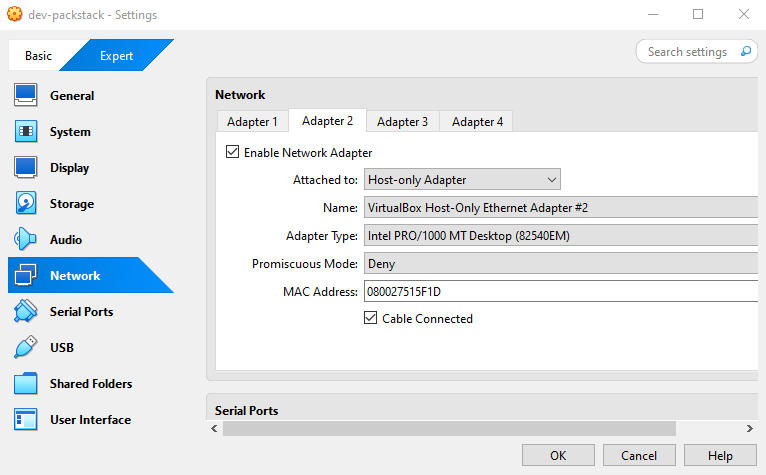
Adapter 2: Host-Only (Internal Lab Network)
This adapter allows the VM to communicate internally with the host or other VMs.
Setting Value Network Adapter Enabled Attached To Host-Only Adapter Promiscuous Mode Deny Notes:
- Enables VM-host and VM-VM communication.
- No internet access required.
- Useful for internal services, testing, or isolated lab.
Bridged Adapter + NAT
This setup can be used for advanced networking tests, like when you to isolate certain traffic.
| Adapter | Type | Notes |
|---|---|---|
| Adapter 1 | Bridged | LAN + internet access |
| Adapter 2 | NAT | Isolated internet traffic for testing |
Notes:
- Less common than NAT + Host-Only or Bridged + Host-Only.
- Useful for firewall or network behavior testing.
NAT + Host-Only
Use this combination when the VM needs internet access via NAT and internal communication with the host.
| Adapter | Type | Notes |
|---|---|---|
| Adapter 1 | NAT | Internet access, DHCP enabled |
| Adapter 2 | Host-Only | Internal communication, no internet |
Notes:
- Simplifies lab networking without exposing VM to LAN.
- Useful for multi-VM labs where internet and host communication are needed.
NAT Network + Host-Only
Use this setup for multi-VM labs where VMs need internet via a shared NAT network and host-only access:
| Adapter | Type | Notes |
|---|---|---|
| Adapter 1 | NAT Network | Multiple VMs share private NAT internet |
| Adapter 2 | Host-Only | VM-host internal communication |
Notes:
- NAT Network is different from NAT
- Enables multiple VMs to communicate internally and access internet.
- Good for labs simulating multiple interconnected servers.
Multiple Host-Only Adapters
Use multiple Host-Only adapters when testing multi-segment internal networks:
| Adapter | Type | Notes |
|---|---|---|
| Adapter 1 | Host-Only 1 | VM-host network A |
| Adapter 2 | Host-Only 2 | VM-host or VM network B |
Notes:
- Useful for complex lab setups AND isolated networks
- Can be used to test routing between VM segments.
- No internet access unless combined with NAT or Bridged adapter.