Authentication
Securing API access
APIs must be protected once they are exposed so only the right users can access and modify data.
- Protect sensitive data
- Control who can access APIs
- Prevent unauthorized changes
Without security, anyone could call your API and access or modify important data. This is why every API must enforce access control.
Authentication vs Authorization
Two core concepts control access to APIs.
| Concept | Purpose | Description |
|---|---|---|
| Authentication | Verifies identity | Checks if a user is really who they claim to be, usually using credentials like username and password. |
| Authorization | Controls access rights | Happens after authentication and determines what the user is allowed to do, such as accessing specific features or resources. |
Example: Weather API access
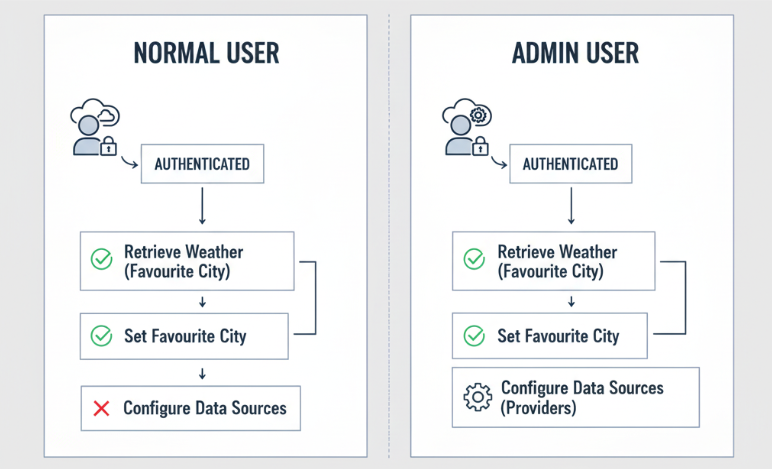
Consider a simple weather app that calls a Weather API to retrieve data for specific cities.
- Users can view weather data
- Users can set preferences
- Admins can change system settings
Regular users can retrieve weather data and set their favorite city. Admins have additional permissions, like configuring where the app gets its data. This shows how authorization limits actions even after authentication.
Using OAuth
OAuth is a common way to secure APIs.
- Handles authentication and authorization
- Uses trusted identity providers
- Avoids sharing sensitive credentials
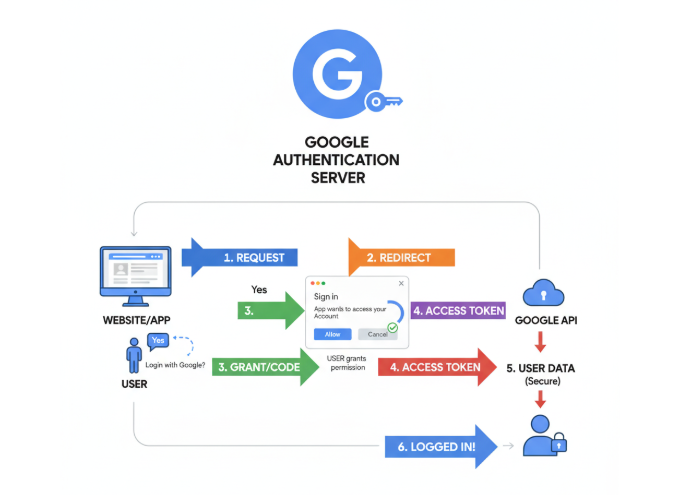
OAuth allows users to log in using providers like Google or Facebook.
Instead of sharing passwords, the provider confirms the user’s identity to the application. This improves security and reduces risk when accessing APIs.
API Keys in Azure Functions
API keys provide a simpler way to secure endpoints.
- Uses a secret key for access
- Does not require user identity
- Denies requests without a valid key
In the example below, the variable function_key is required to call the API endpoint.
curl https://api.example.com/data?code=function_key
If the correct key is not included, the request is rejected.
Expected result:
200 OK              # if key is valid
401 Unauthorized    # if key is missing or invalid
API keys act as a simple gate, but they do not verify who the caller is. This makes them easier to use but less secure than full authentication.
API Key Scopes
Different keys provide different levels of access.
| Key Type | Scope | Description |
|---|---|---|
| Function key | Single endpoint | Works only for one specific function and limits access to that endpoint. |
| Host key | All endpoints | Works across the entire application like a master key and provides broader access, so it must be handled carefully. |
APIM Security
Authentication
API Management provides stronger security options like integrating with identity providers.
- Supports OAuth and modern protocols
- Centralizes access control
It can connect to identity systems like Microsoft Entra ID to authenticate users securely.
This approach is more complex but provides better protection compared to API keys. It ensures that only verified users can access APIs.
Authorization
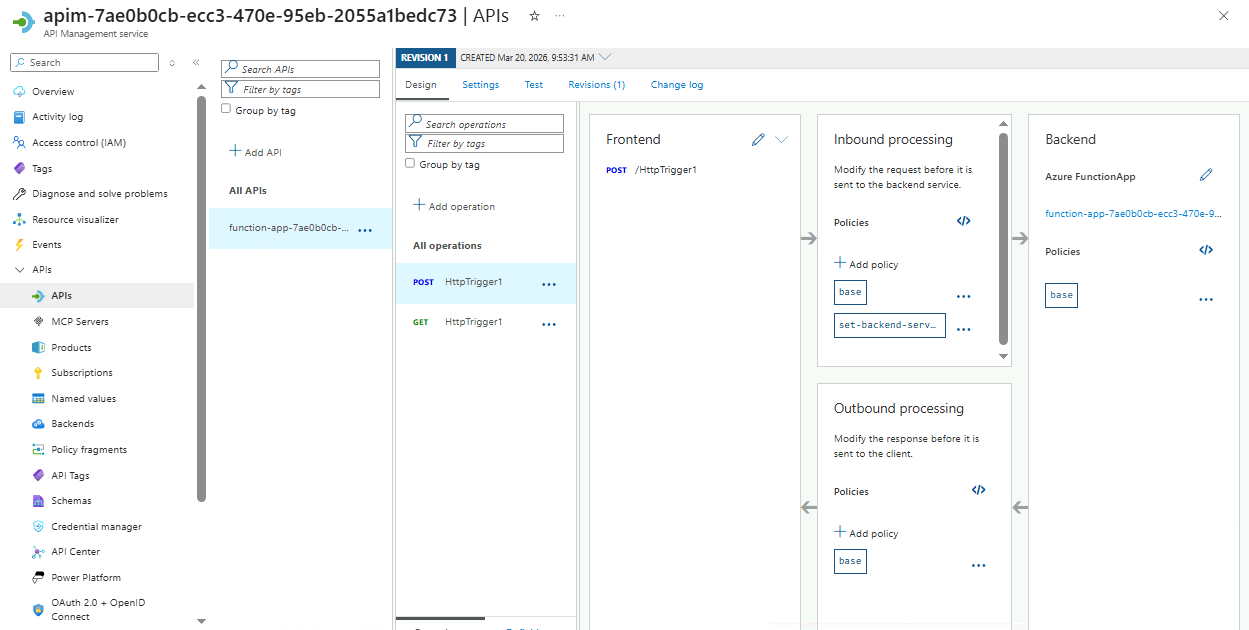
Authorization is implemented through policies in API Management that define rules for granting or restricting access to API endpoints.
- Restrict access by role
- Control access per endpoint
- Apply centralized rules
Policies define who can call specific APIs and under what conditions.
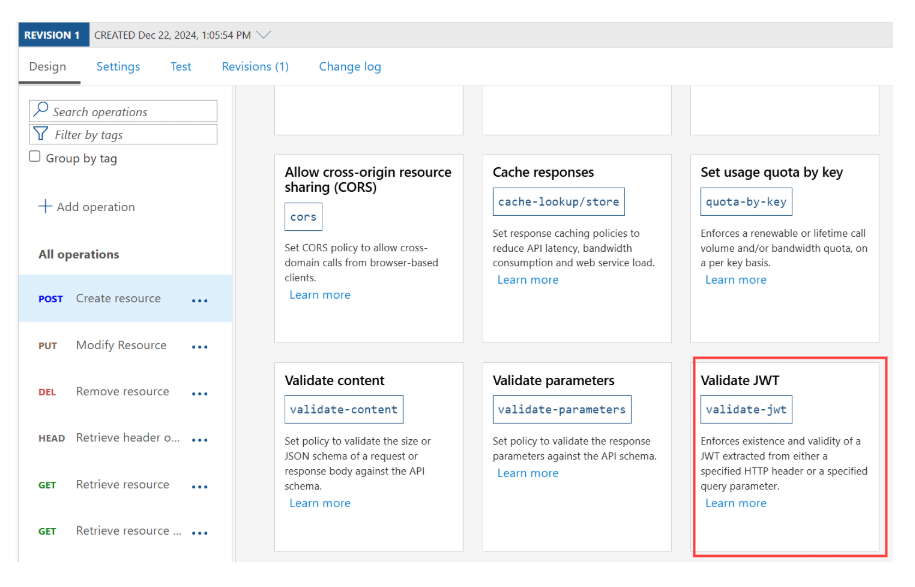
For example, only admin users can access certain endpoints, while regular users have limited access. This ensures consistent and secure API behavior across the system.
Below is an example of an APIM instance showing where API policies can be configured.