Authorization
APIM Policies
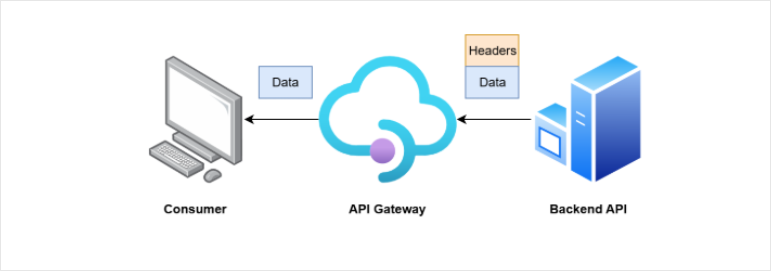
Authorization in API Management is handled through policies that define rules for granting or restricting access to API endpoints. These policies run at the gateway level, which allows you to control API behavior in one place without modifying backend code. This makes it easier to enforce access rules and adapt to new requirements without rewriting backend services.
- Control access and security
- Transform requests and responses
- Apply rules without backend changes
Policies act as rules applied to API traffic that controls how requests and responses are handled.
- Defined using XML
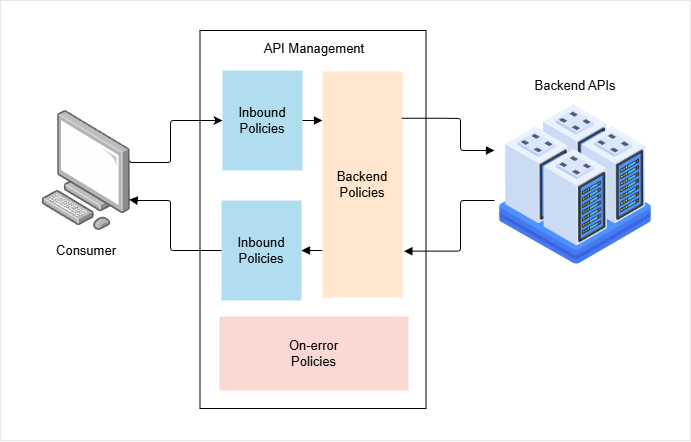
- Applied in a request and response pipeline
- Executed at different stages
Policies are written in simple XML and run as part of a pipeline. You can modify requests before they reach the backend and responses before they return to the client. This keeps API behavior flexible and centralized.
Backward Compatibility
Policies help maintain compatibility between API versions to support older versions ot legacy versions.
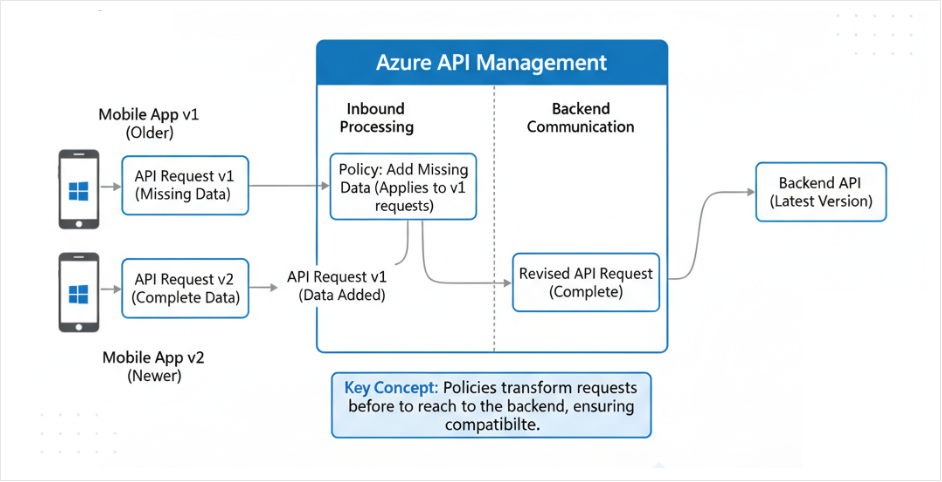
If a newer API version requires extra data, older apps may fail. Policies can add the missing data before sending the request to the backend. This allows older and newer clients to work together without changing the backend.
Policy Scopes
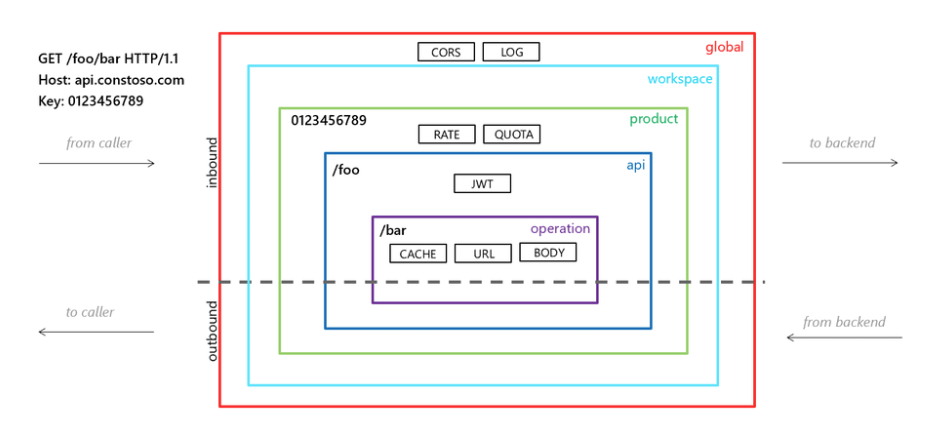
Policies can be applied at different levels.
| Scope | Applies to | Description |
|---|---|---|
| Global | All APIs | Enforces organization-wide rules like security. |
| API | Specific API | Manages behavior for a particular API, such as versioning. |
| Operation | Specific endpoint | Provides fine-grained control, like caching a single endpoint. |
Inbound Policies
When a request arrives from a client, APIM evaluates inbound policies first.
- Validate incoming requests
- Modify request data
- Block invalid or malicious traffic
These policies can fix request data for compatibility or reject bad requests early. This prevents invalid or harmful data from reaching the backend, keeping services safe and stable.
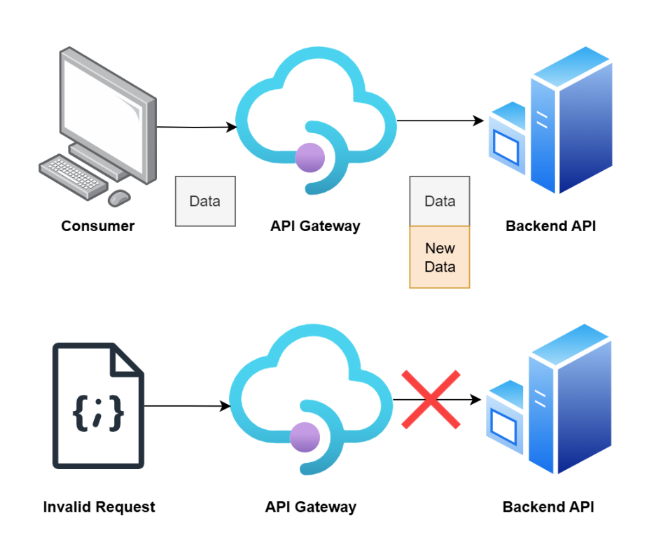
Inbound policies also handle security and traffic control.
- Validate JWT tokens
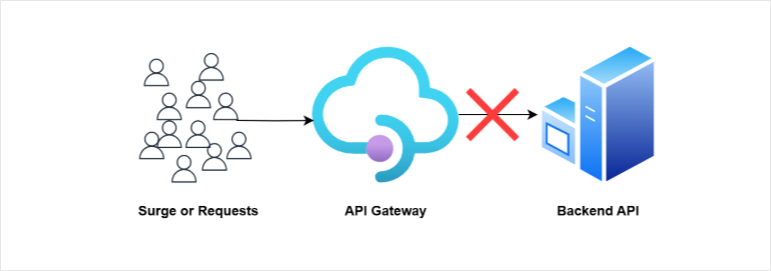
- Limit request rates
- Enforce usage quotas
A JWT acts like a digital identity sent with a request. The validate-jwt policy checks if it is valid, not expired, and issued by a trusted provider.
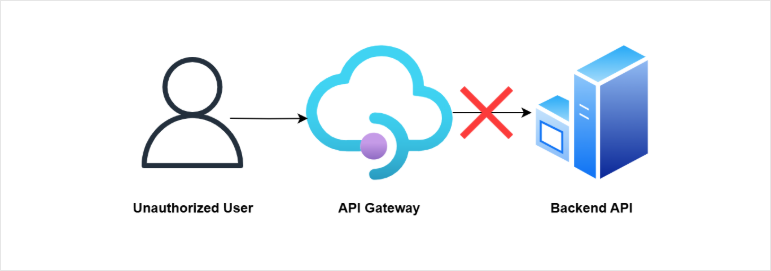
Rate limiting and quotas control how often clients can call the API. This prevents abuse and protects backend systems from overload.
Example: Validating JWT Token
An API in API Management can be secured by validating a JWT before the request reaches the backend.
- API has GET and POST endpoints
- Policies are applied on specific endpoints
- Inbound processing is used for validation
In this example, we have two existing APIs in API Management that are mapped to an Azure Function backend.
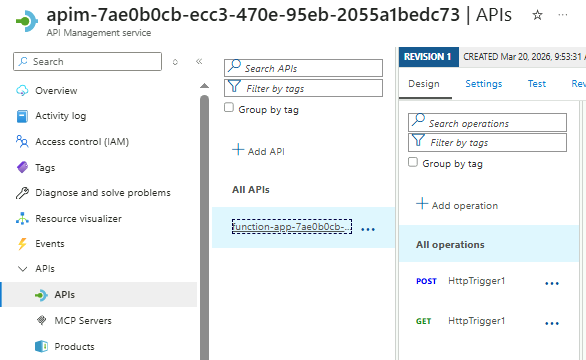
APIM acts as the gateway, and all requests to the two API endpoints below are forwarded to the Azure Function after passing through the configured policies.
POSTHTTP EndpointGETHTTP Endpoint
Selecting the POST endpoint shows different stages like:
- Frontend
- Inbound processing
- Backend
- Outbound processing
To enforce security, a policy can be added in the inbound processing stage so requests are checked before reaching the backend.
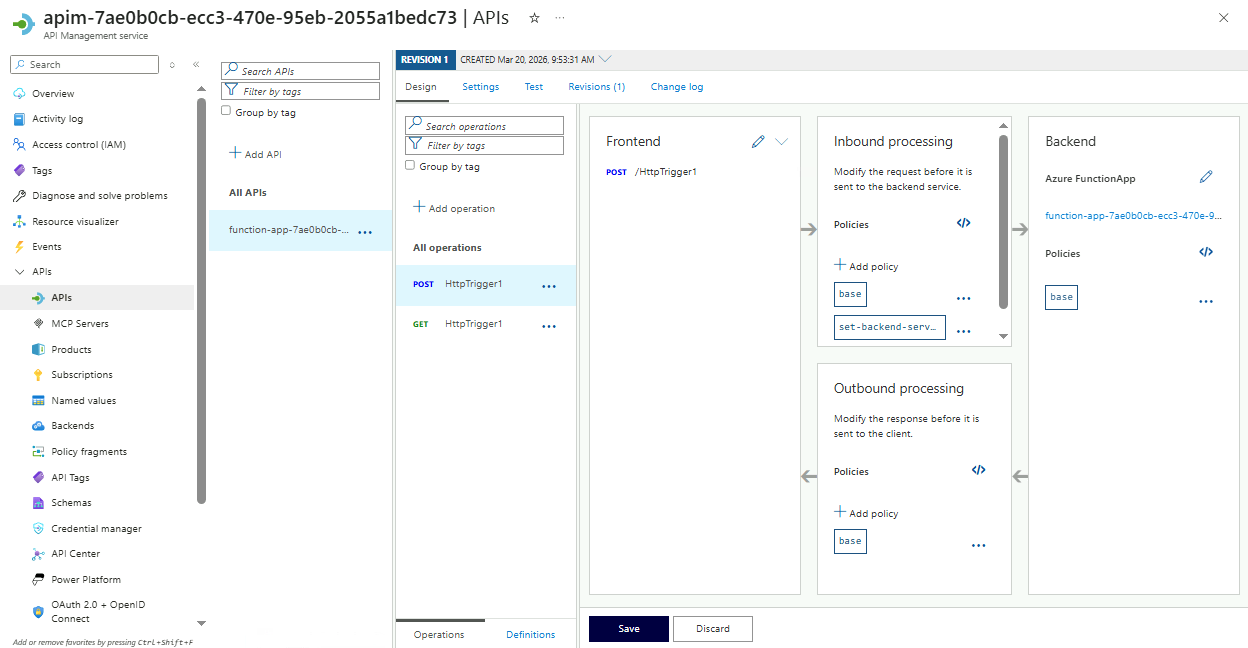
To add an inbound policy, simply click Add policy in Inbound processing.
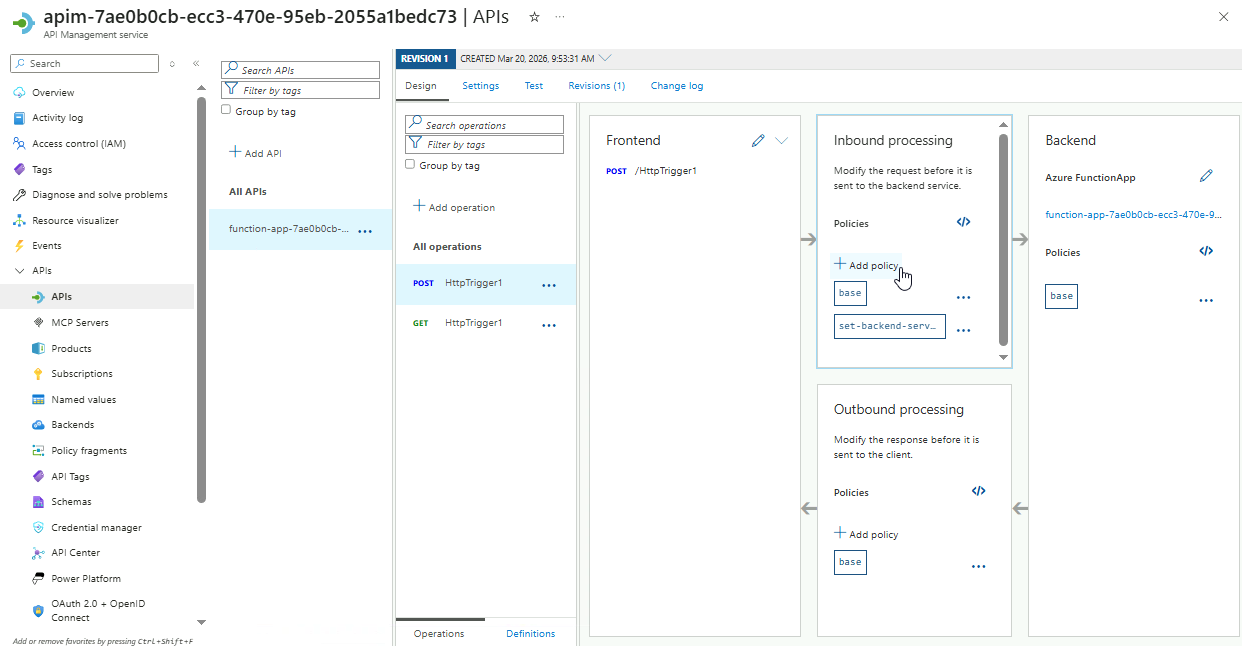
It will return all the available inbound policies. Scroll down to the bottom and select the Validate JWT option.
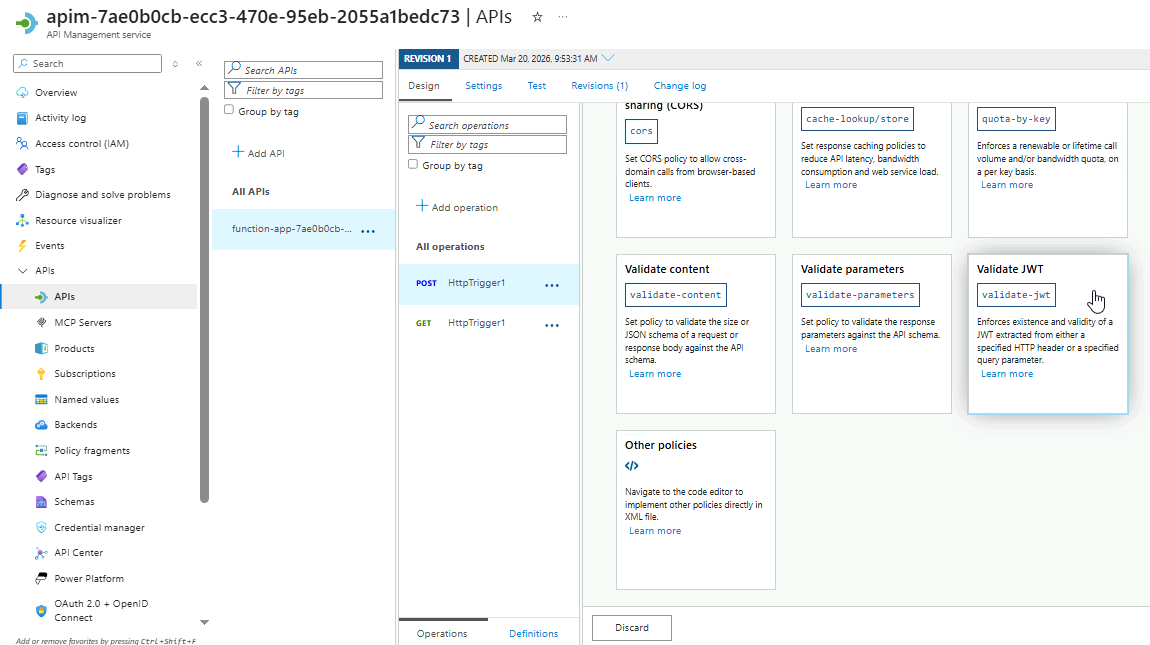
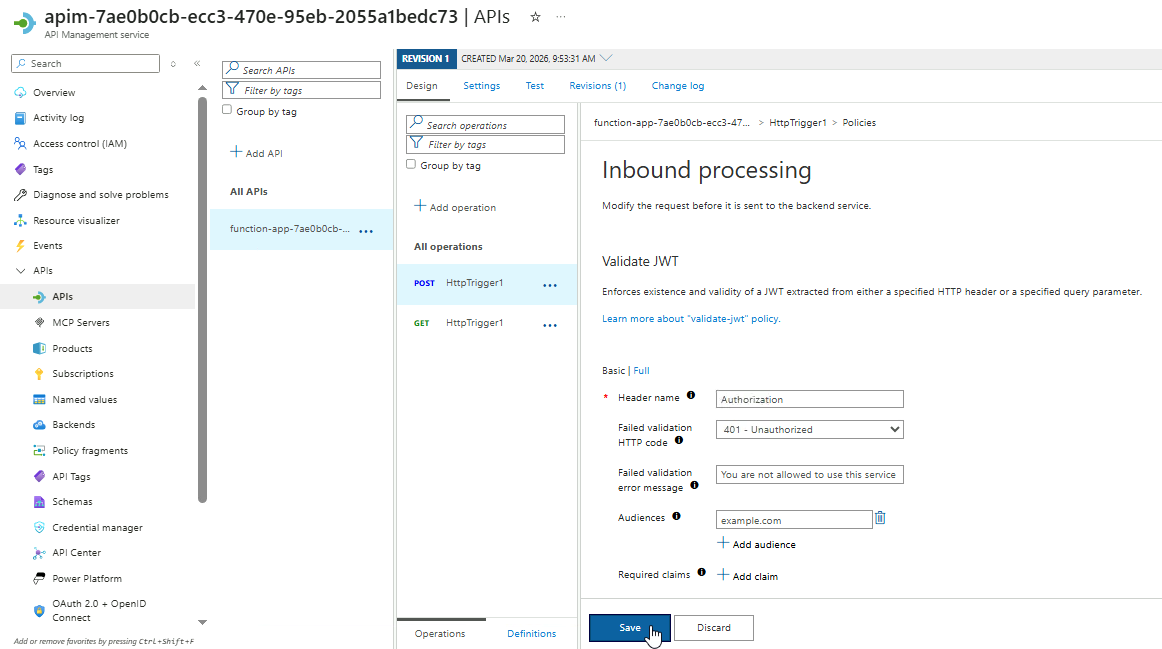
Next, configure the policy as shown below:
| Setting | Value |
|---|---|
| Header name | Authorization |
| Failed validation HTTP code | 401 - Unauthorized |
| Failed validation error message | You are not allowed to use this service |
| Audiences | example.com |
The Authorization header is used because it is the standard way to send JWT tokens in API requests. This ensures all incoming requests include a valid token.
Click Save.
To test the policy, go to the Test tab, select the endpoint, enter the request payload below, and then click Send.
{
    "name": "your name"
}
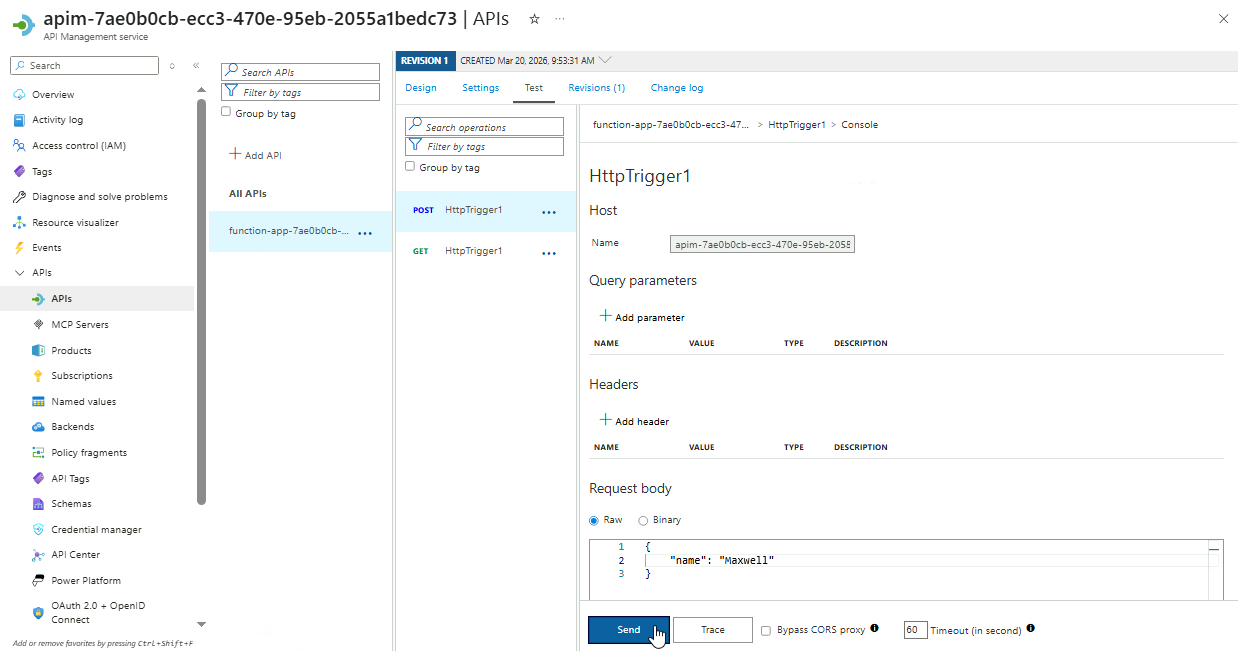
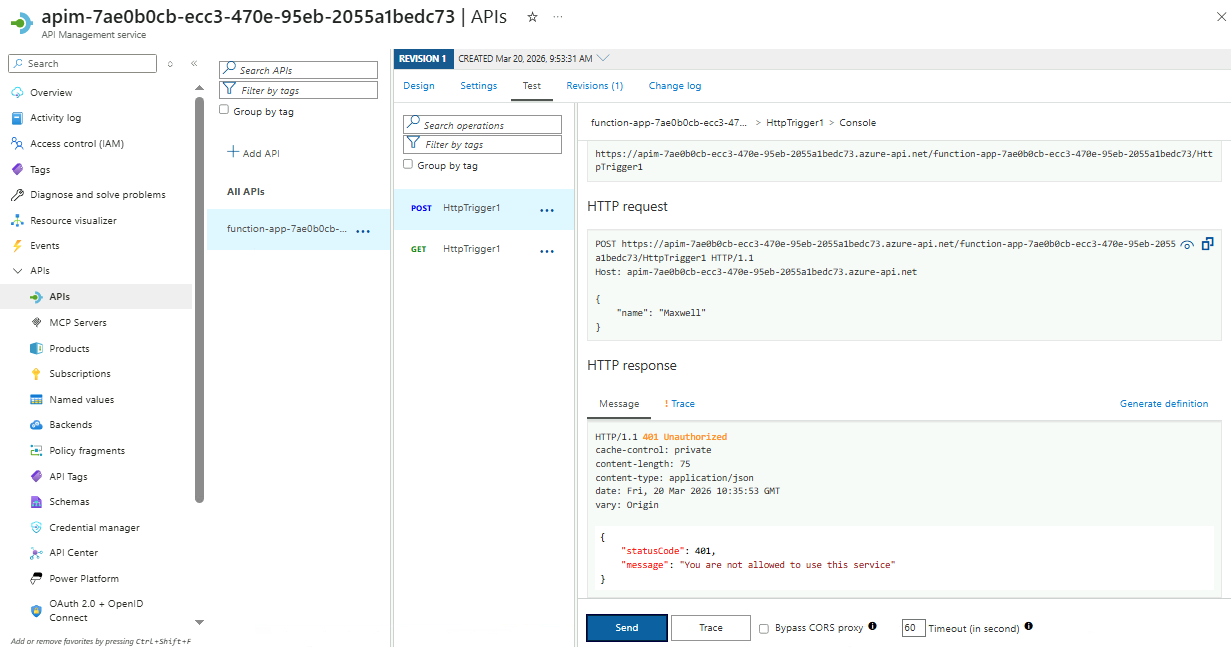
After sending the request, scroll down to the HTTP response section to see the result.
{
    "statusCode": 401,
    "message": "You are not allowed to use this service"
}
Since no valid JWT is included, the request is rejected with a 401 response. This confirms that only requests with a valid token issued by an identity provider can access the API.
Outbound policies
After passing through to the backend, outbound policies allow us to adjust just before they are returned to the client/
- Remove sensitive data
- Add headers or caching rules
- Transform response formats
For example, they can remove unnecessary fields, add caching instructions, or convert formats like XML to JSON. This ensures the response matches what the client expects while keeping the backend unchanged.