Lifecycle & Observability
API Versioning
Versioning lets you release new updates while keeping the current API available.
| Type | Purpose |
|---|---|
| Versions | Handle breaking changes |
| Revisions | Handle minor fixes or improvements |
In Azure API Management (APIM), versions live in a "version set," and revisions let you safely update an API and mark it as "current" when ready.
Version Signposting
APIM provides different ways for clients to specify which API version to use.
| Versioning method | How it works | Example |
|---|---|---|
| URL path versioning | Includes the version in the URL path | /v2/orders |
| Header versioning | Specifies the version in request headers | Api-Version: 2 |
| Query-string versioning | Adds the version as a query parameter | ?api-version=2 |
Make sure to choose one versioning strategy for all APIs in a version set to keep usage consistent and predictable.
Canary Releases
A canary release tests updates with a small audience before a full rollout.
- Create a new revision and test it privately
- Expose it to a limited group or pilot users
- Use a revision-specific URL if needed
- Roll forward when ready or roll back instantly if issues arise
Application Insights
Application Insights helps you monitor your app in real time. It collects telemetry automatically and works across all platforms and languages. It can be used to track availability and trigger alerts to notify your team when something goes wrong.
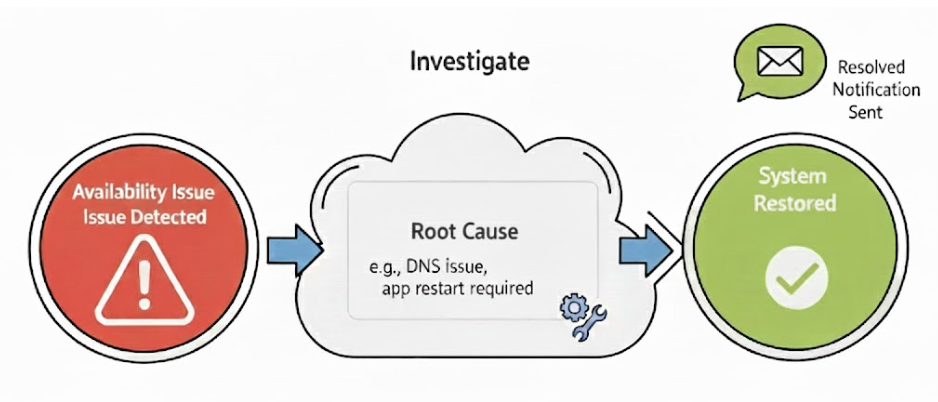
Telemetry is data your applications send to Application Insights to describe what’s happening. There are three main types:
| Telemetry type | Description |
|---|---|
| Logging | Records events in human-readable format with severity levels (info, warning, error) |
| Tracing | Connects multiple logs for a full request journey using correlation IDs |
| Metrics | Measures system performance like counts, averages, and latency over time |
It also provides a dashboard where you can pin charts, set alert rules to notify teams via Email, and configure thresholds like SLAs to trigger alerts before users notice issues.
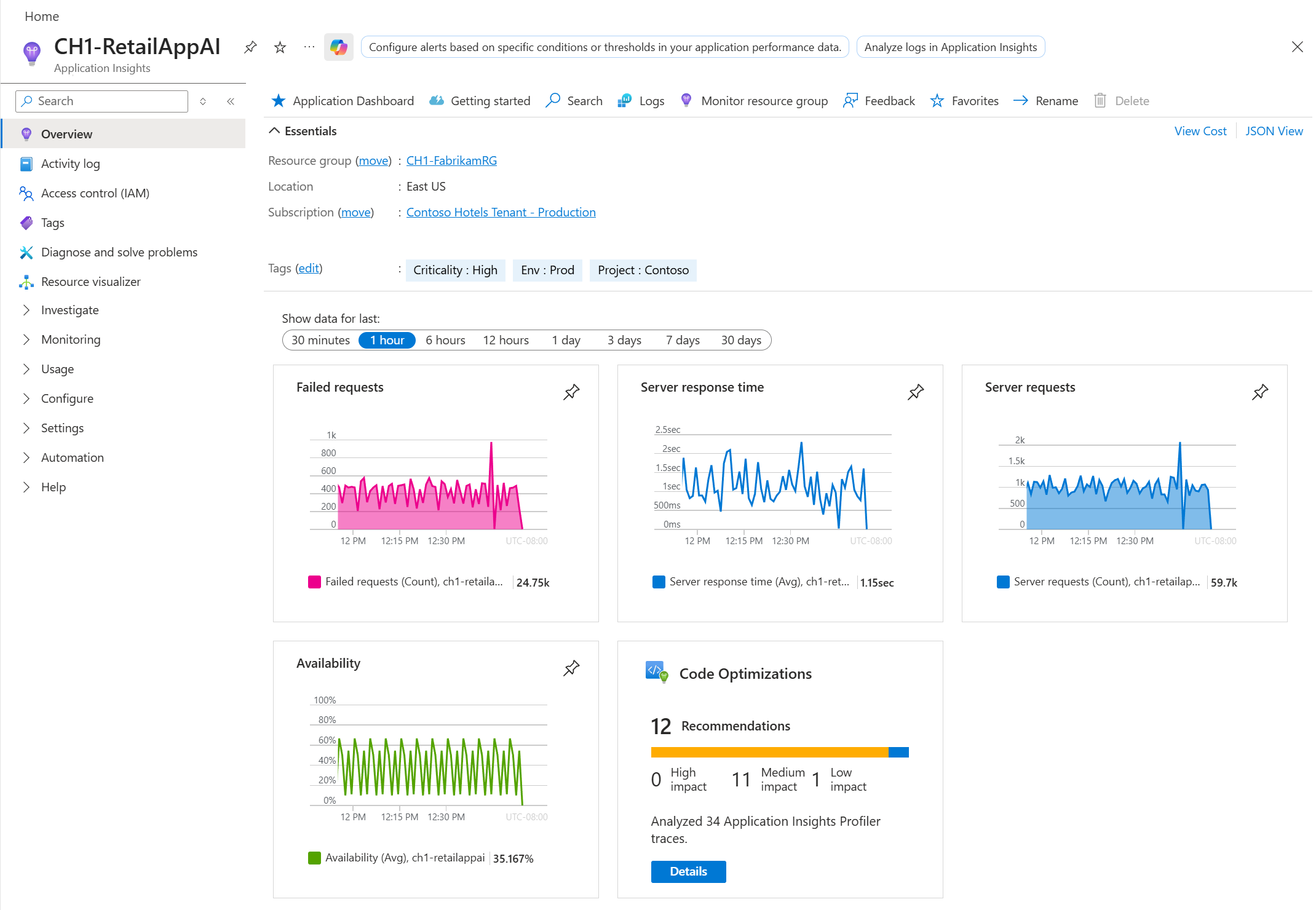
You can also use Kusto Query Language (KQL) investigate and analyze telemetry data.
- Query logs to find root causes of alerts
- Save queries for repeated troubleshooting
- Confirm fixes by checking metrics and logs
For more information, please see Application Insights and Log Analytics.
Azure Resource Manager
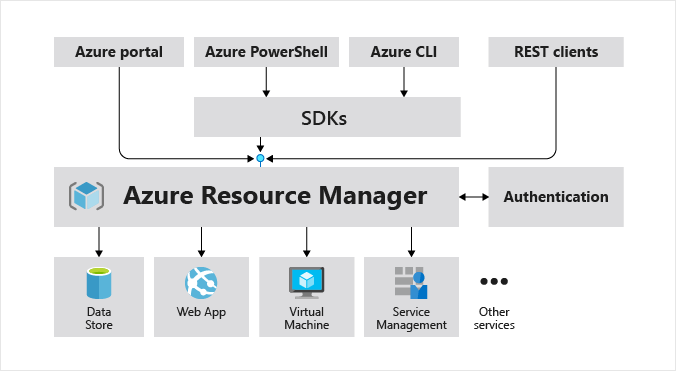
Azure Resource Manager (ARM) is the deployment engine in Azure that manages how resources are created, updated, and organized. It uses ARM templates to define what resources to deploy and how they should be configured.
ARM templates can be generated from existing services to replicate configurations elsewhere. In the Azure Portal, use the Automation script or Export template option on an API Management instance. This produces a JSON template and a parameters file containing:
- Service settings
- APIs and policies
- Connected resources
You can modify names or configurations and redeploy to different environments, and it ensures consistent setups across dev, test, and production.
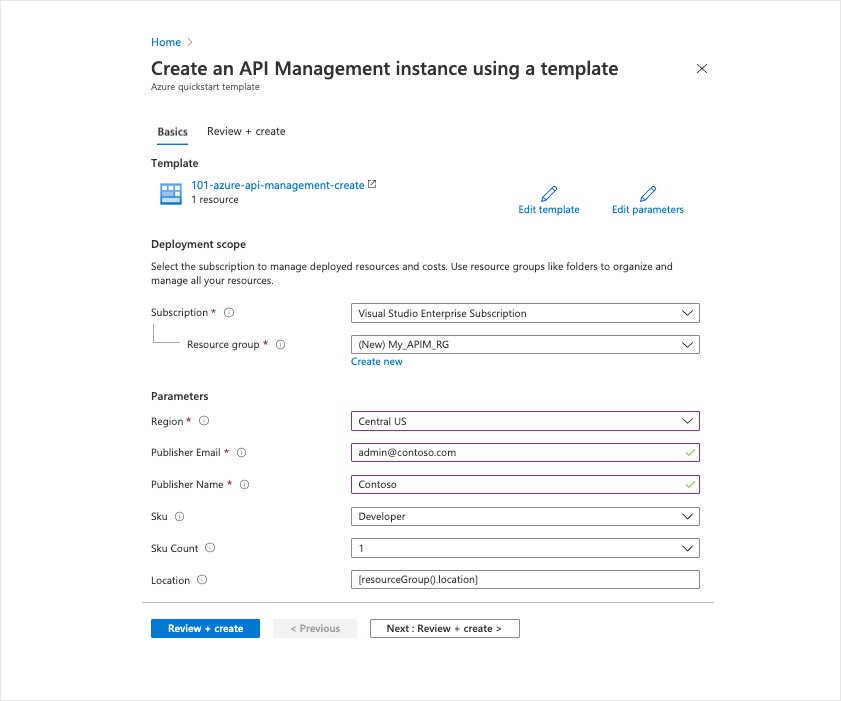
ARM templates follow a structured JSON format. The main sections include:
| Section | Description |
|---|---|
| Resources | Lists everything to build, including API Management services and child resources like APIs, products, and policies. Each item includes a type, API version, and properties. |
| Other sections | Make the template flexible and maintainable |
Parameters and variables make templates reusable and easier to manage:
| Type | Purpose |
|---|---|
| Parameters | Values provided at deployment, like APIM name, location, or SKU |
| Variables | Computed helpers to build resource IDs, environment names, or reduce duplication |
Outputs are optional but useful values returned after deployment:
- Provide information like gateway URLs or resource IDs
- Can be used by other scripts to chain deployments
Outputs provide important information for the next step in your automation.