MCP Tools
Overview
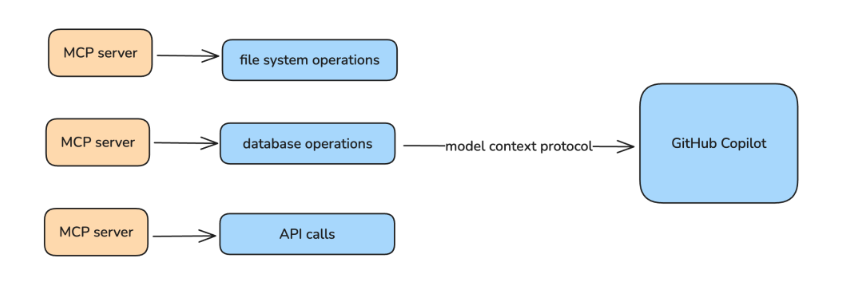
Model Context Protocol, or MCP, lets GitHub Copilot work with systems outside the editor.
- It connects Copilot to external tools
- It uses a standard way to expose those tools
- It is commonly used through MCP servers
With MCP, Copilot can inspect data, call services, and support actions that would otherwise need separate integrations.
How MCP Works
In VS Code, the editor acts as the MCP client. Copilot sends a request through that client to an MCP server, and the server sends the result back into chat.
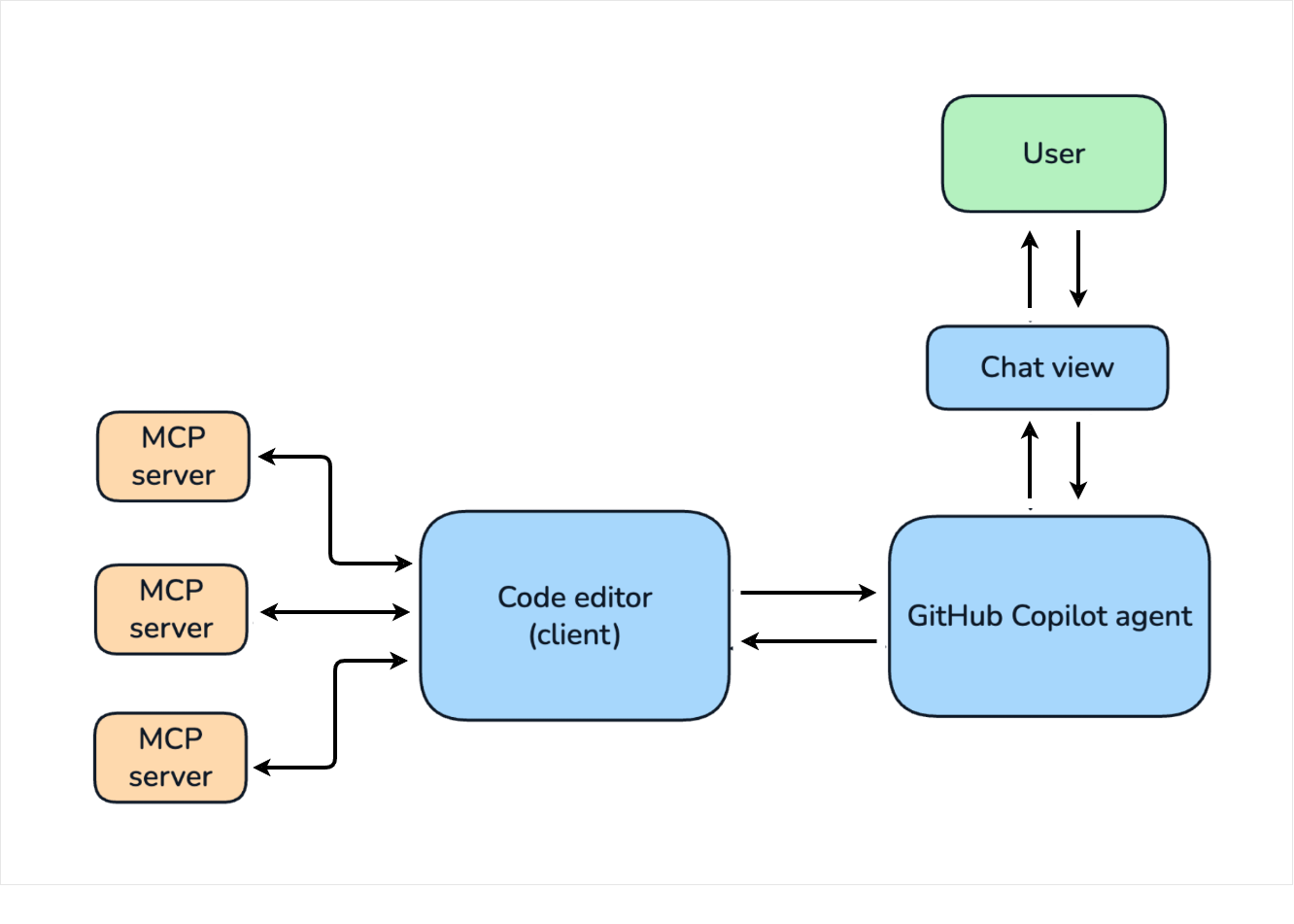
Copilot does not need a custom connection for every service because MCP provides a common bridge between the chat experience and the external tool.
Security Considerations
MCP servers can do more than read information. Some tools can change files, update databases, or trigger actions in external systems, so they should be used carefully.
- Review what a tool is about to do.
- Use servers from trusted sources.
- Be cautious with tools that can make changes.
- Confirm sensitive actions before proceeding.
The practical rule is simple: MCP is powerful, and that power requires judgment. Install only the servers you trust, and pay attention to the actions a tool may perform before you approve it.