Hyperparameter Tuning with GitHub Actions
Overview
Hyperparameter tuning improves model performance by testing different parameter combinations. It is usually one of the first steps in model optimization because it helps identify the most effective setup for training (See Hyperparameter Tuning for more details).
This process can be automated using GitHub Actions and DVC pipelines, which provide a structured and reproducible way to run experiments. Branch-based rules can then be used to separate tuning and training into independent workflows so experimentation stays isolated from final training.
The two branches can be configured as:
tuning/*
training/*
In this setup, the branches are used to control when tuning or training pipelines run. Each branch represents a specific stage of the workflow, so the system can decide what to execute automatically.
tuning/*branch triggers hyperparameter searchtraining/*branch triggers full model training
After tuning completes, a pull request is automatically created to merge the tuning branch into the training branch, which allows the best hyperparameters to be reviewed before they are used for training.
Conditional Execution
We can use conditional logic in GitHub Actions to decide whether to run tuning or training jobs. This is based on the branch name of the current workflow run.
In the example below, the tuning job runs only when the branch starts with tuning/.
jobs:
  tuning:
    if: startsWith(github.head_ref, 'tuning/')
    steps:
      - name: Hyperparameter Tuning
        run: dvc repro -f tuning
The if condition checks github.head_ref, which represents the source branch of the pull request, and it controls whether the tuning step executes.
jobs:
  training:
    if: startsWith(github.head_ref, 'training/')
    steps:
      - name: Model Training
        run: dvc repro training
  tuning:
    ...
Similarly, the training job can be set to run only on branches that start with training/, which ensures that tuning and training workflows are kept separate.
Workflow Permissions Setup
GitHub Actions needs permission to create pull requests when tuning completes.
To enable this, go to Repository Settings ➔ Actions ➔ General, and scroll down to set workflow permissions to "Read and write permissions".
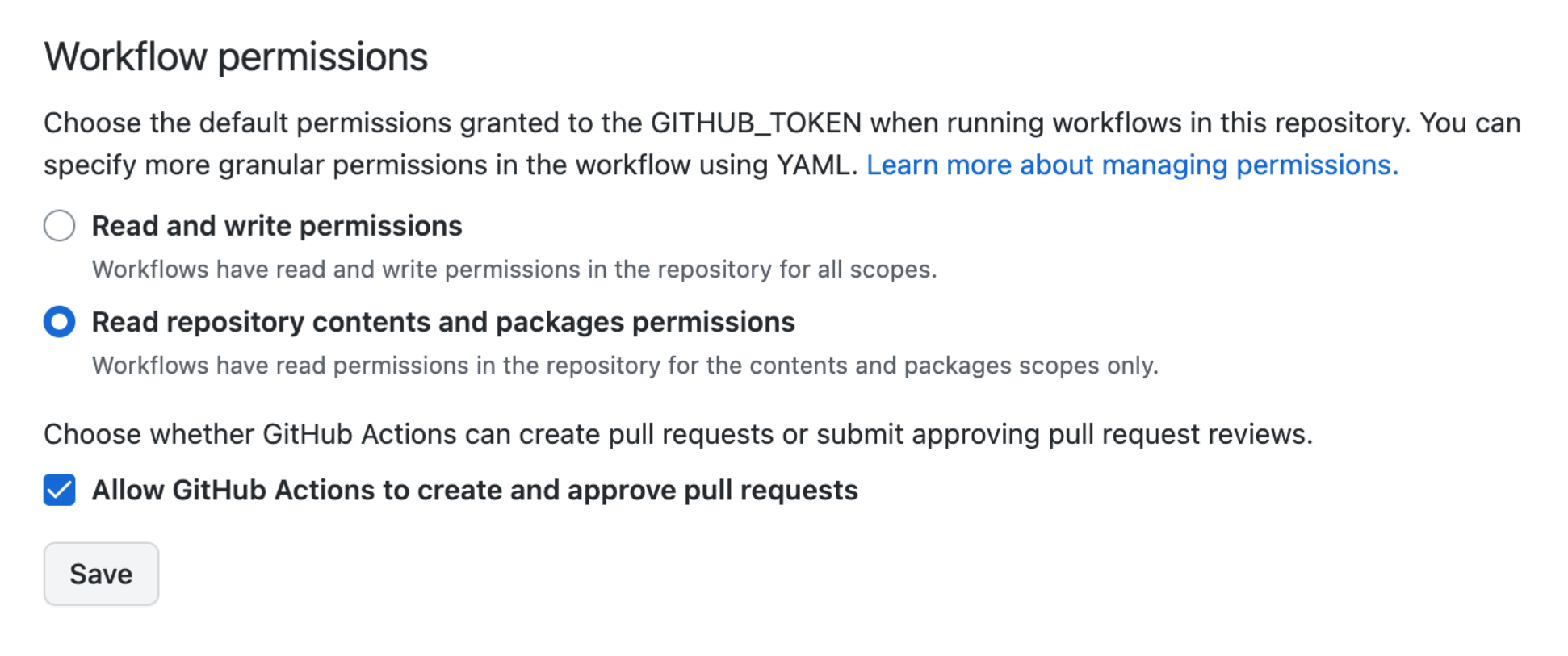
This setup is required so the pipeline can automatically open a PR after tuning finishes, which keeps the workflow fully automated.
Hyperparameter Tuning Job Execution
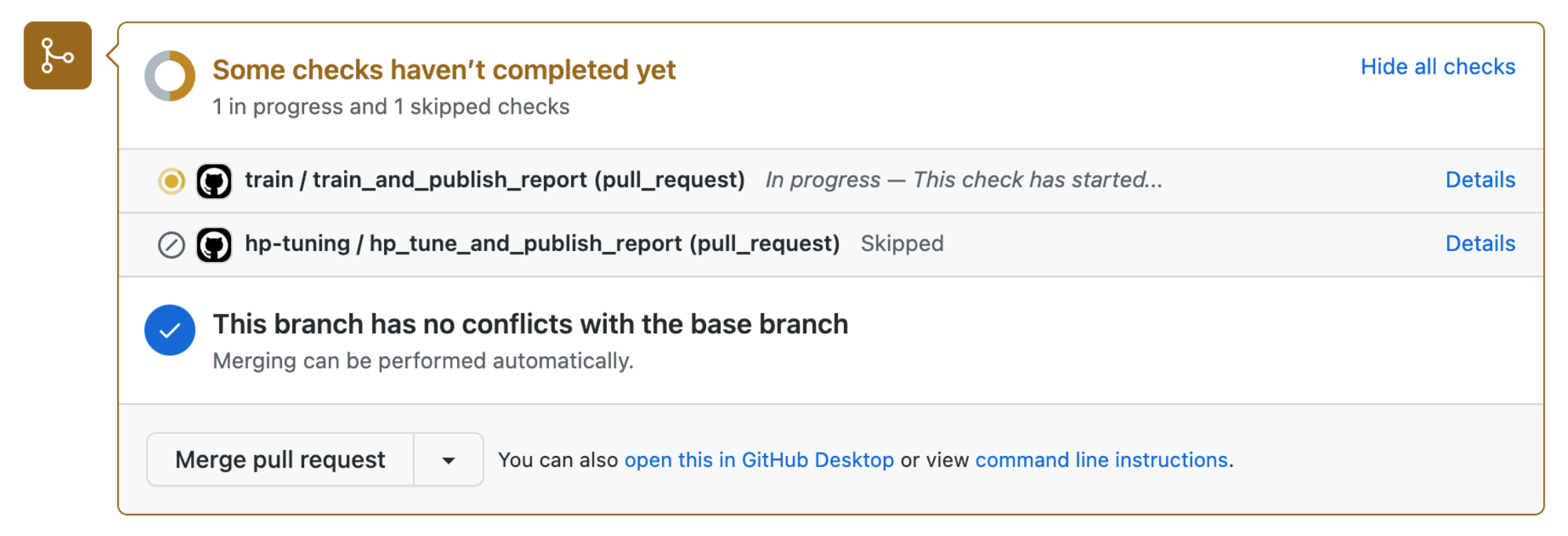
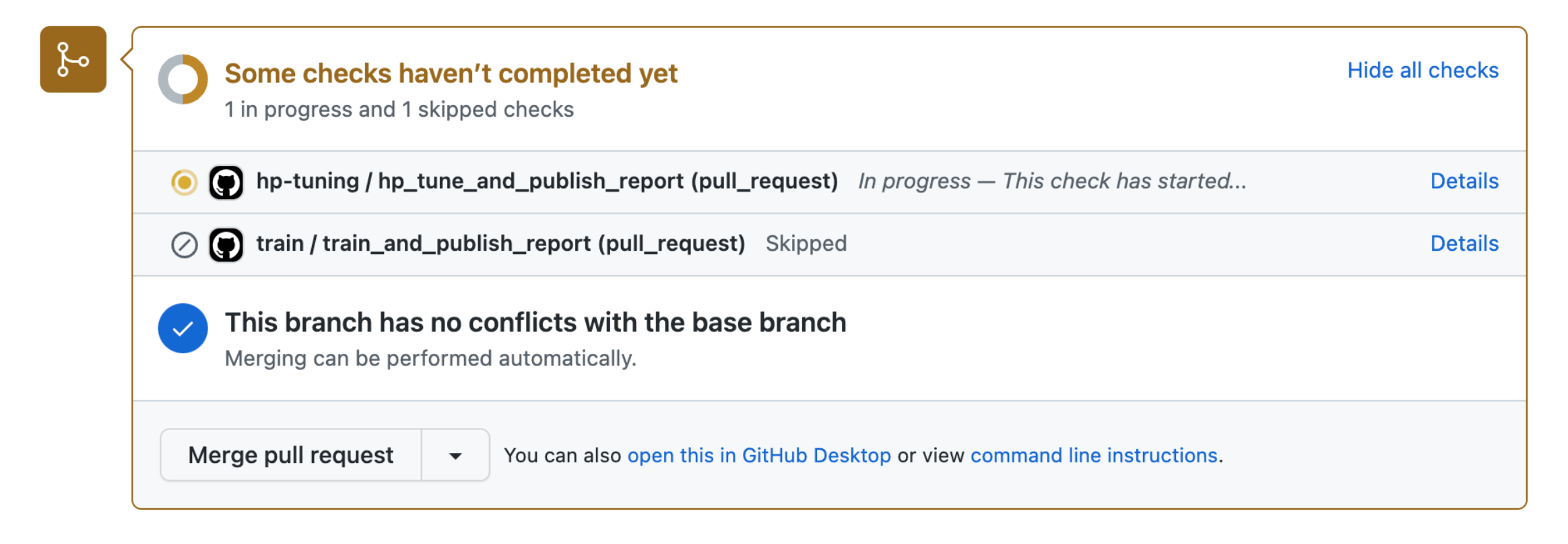
When a tuning branch is pushed, the tuning workflow runs automatically. Training workflows are skipped because their branch conditions do not match.
- Tuning workflow is triggered on
tuning/*branches - Results are generated after tuning completes
This ensures only the intended stage runs for each branch, which keeps execution clean and predictable.
After tuning completes, the workflow outputs a markdown table. This table is posted back into the pull request as a comment using CML tools.
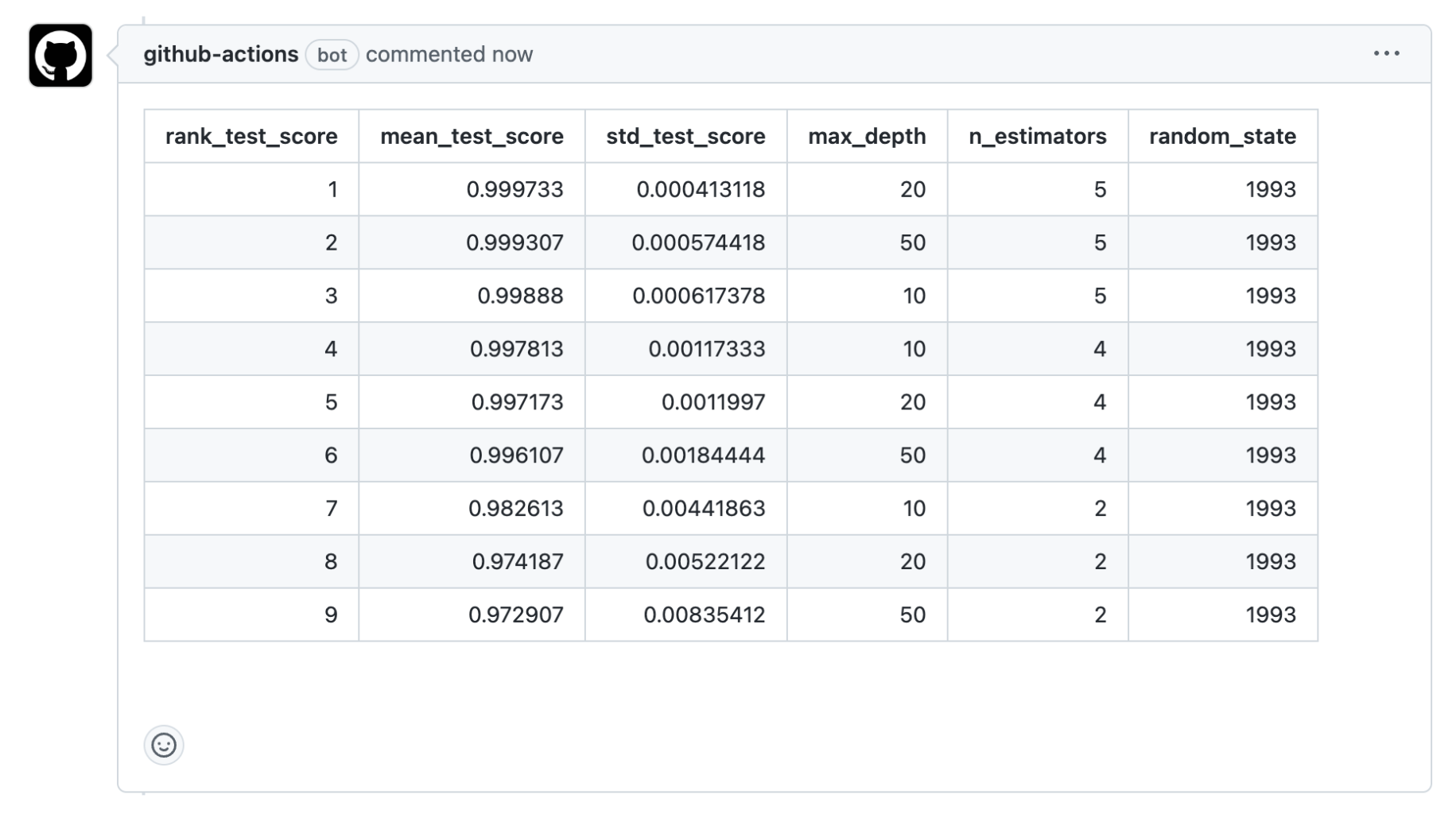
This gives immediate visibility into which hyperparameter configurations performed best, so decisions can be made without leaving the pull request.
Creating a Training PR From Tuning Output
We can further automate the workflow by having the tuning job generate a new pull request for training once it finishes. This PR carries the best hyperparameter configuration forward into the training stage.
The pipeline is configured to create a training branch based on the tuning commit, and this branch is used to open the training pull request.
steps:
- name: Create training branch
  env:
    GITHUB_TOKEN: ${{ secrets.GITHUB_TOKEN }}
  run: |
    # Create a new branch for training
    export TRAIN_BRANCH=training/$(git rev-parse --short "${{ github.sha }}")
    # Create a pull request for training
    cml pr create \
      --title "Training with best hyperparameters" \
      --user-email hp-bot@cicd.ai \
      --user-name "Hyperparameter Bot" \
      --body "This PR contains the best hyperparameters from tuning." \
      --branch $TRAIN_BRANCH \
      --target-branch main \
      --file best_params.yaml
After hyperparameter tuning completes, the pipeline creates the training branch using the selected best hyperparameters and the configuration file is updated with the optimized parameters before the pull request is automatically opened for review.
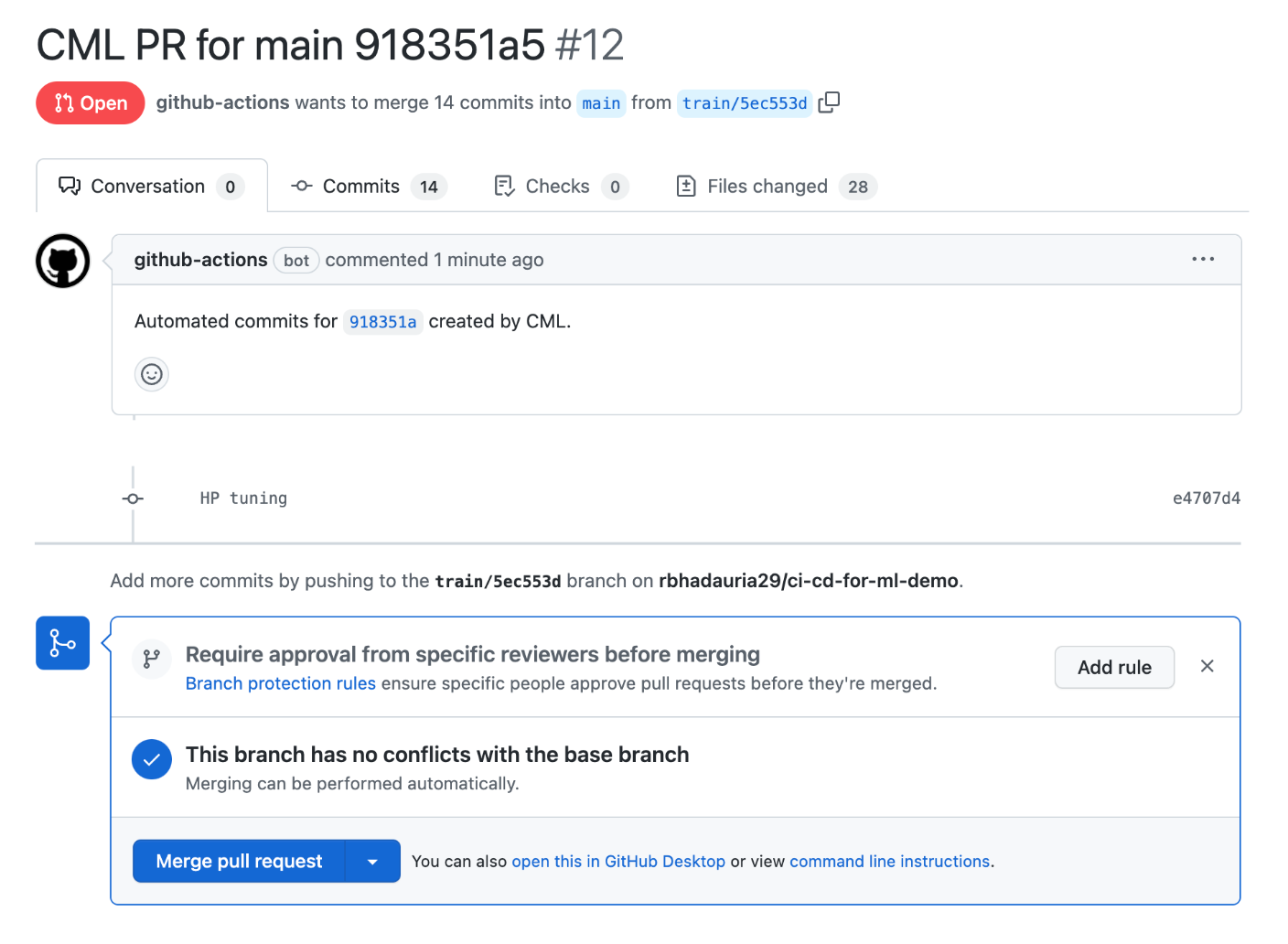
The git diff output can then be used to verify that the best hyperparameters have been correctly applied in the training branch.
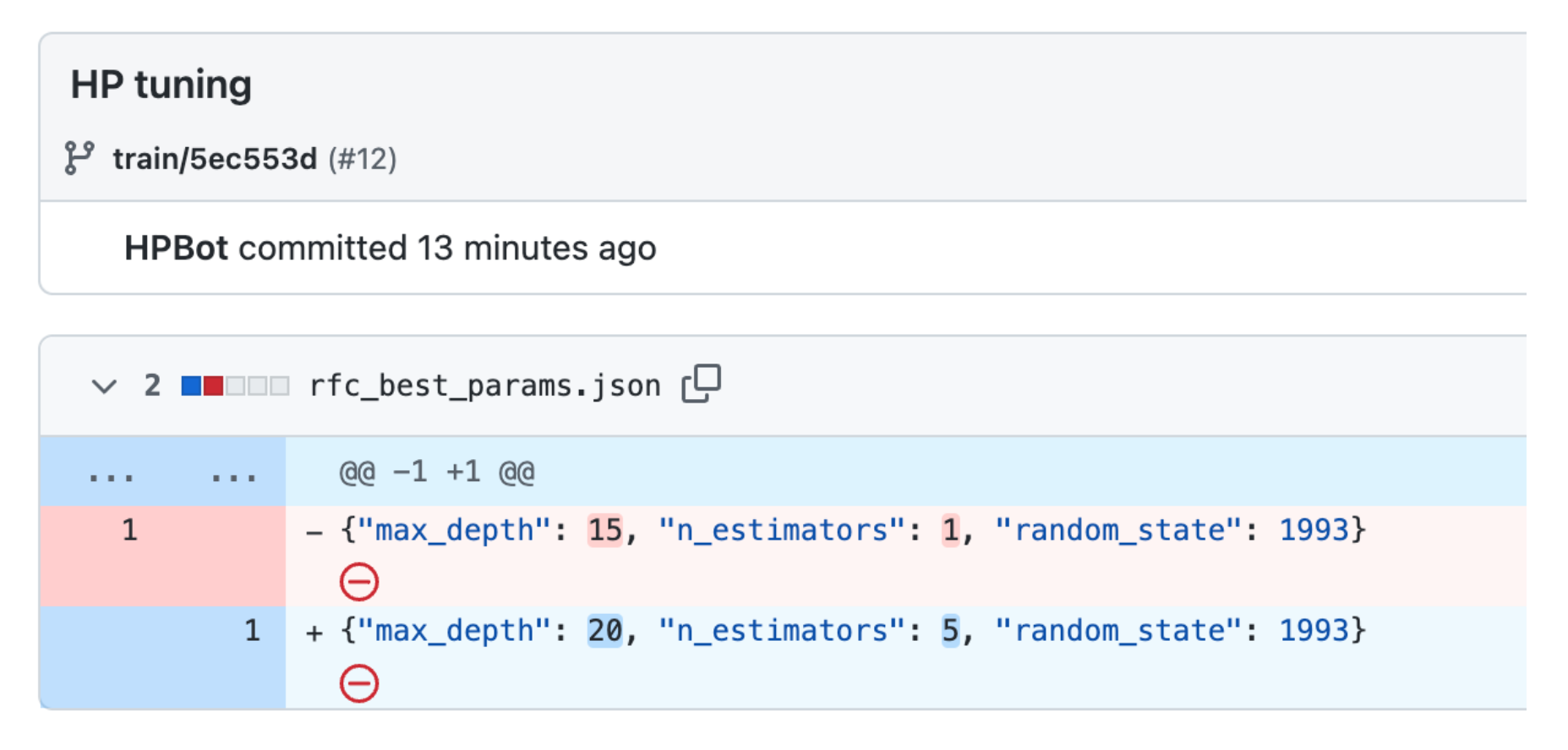
This step connects experimentation to final model training in a controlled way, so only validated configurations move forward.
Manual Training Trigger
Training can also be started manually after reviewing the results of a hyperparameter tuning run. The manual approach ensures that training only runs after explicit validation of the tuning results.
| Flow type | Who creates train/* branch | When training starts |
|---|---|---|
| Manual trigger | You (local machine) | After you push commit |
| Automated PR | GitHub Actions (CI) | When PR is created |
In this flow, you inspect the tuning output first and then decide whether to proceed with training. If approved, you can:
-
Create a
train/*branch locally and checkout to it:git checkout -b train/1a23bcd45 -
Use an empty commit to trigger the pipeline:
git commit --allow-empty -m "Trigger training pipeline" -
Push the branch to the repository:
git push origin train/1a23bcd45
Once the training branch is triggered, the training pipeline runs using the selected hyperparameters, with the tuning steps being skipped.
- Metrics and evaluation are generated
- Results can be compared across experiments
This completes the workflow cycle from tuning to training while keeping both stages clearly separated and easy to manage.