Agent Frameworks
Overview
AI agents can be built using plain Python, prompts, tools, and API calls. This is a great way to understand how agents work behind the scenes.
A typical agent workflow looks like this:
- The model receives instructions
- The model decides what to do
- The application runs tools when needed
- Tool results are returned to the model
- The final response is returned to the user
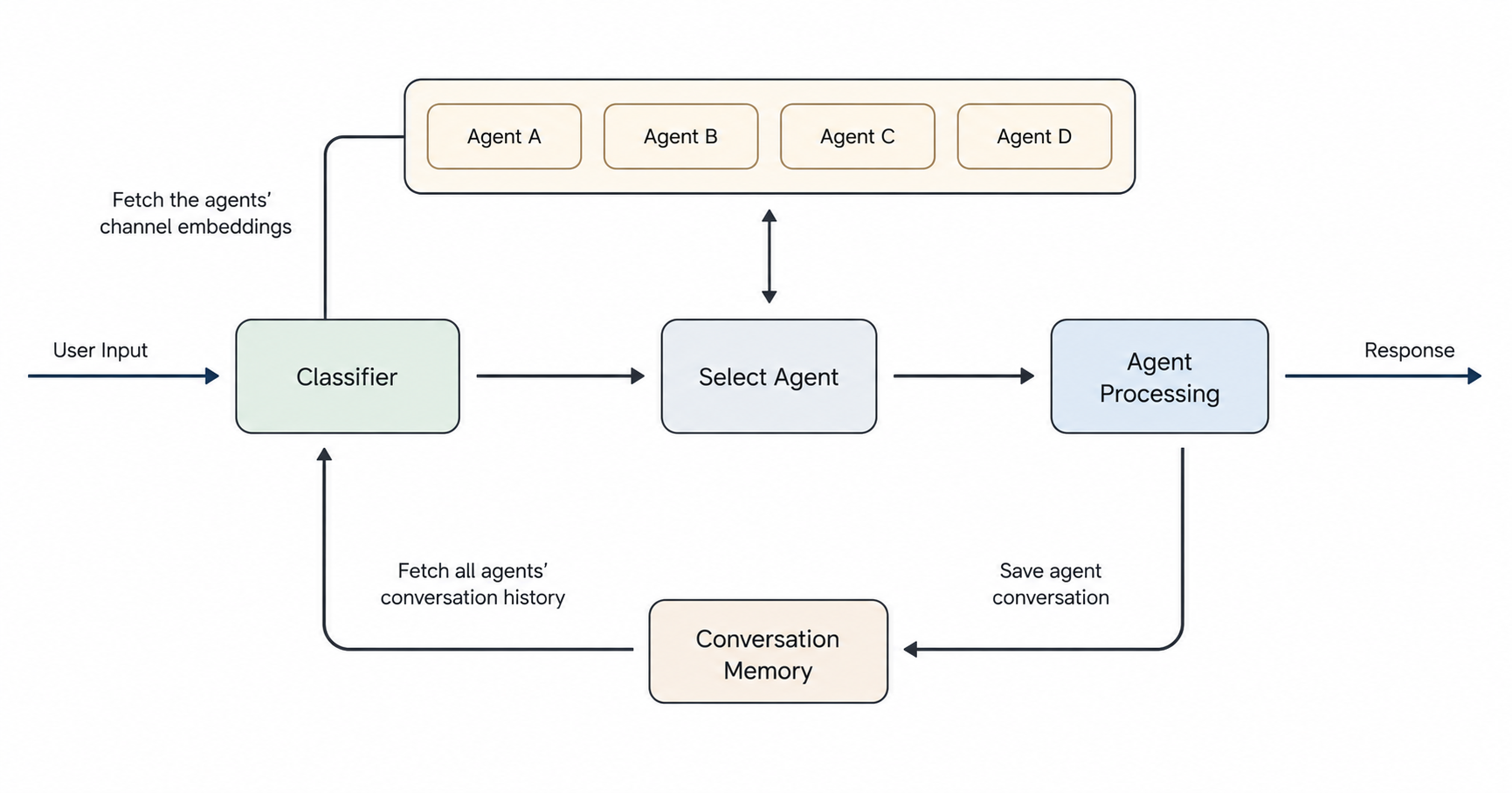
As workflows become larger, the amount of orchestration code also grows. Instead of building everything yourself, you can use agent frameworks.
These frameworks provide common building blocks that make it easier to create and manage AI workflows.
- Reduce boilerplate code
- Organize agents and tasks
- Connect tools to agents
- Manage multi-step workflows
- Pass results between tasks
Build vs Framework
There is always a tradeoff between building from scratch and using a framework.
| Approach | Benefit | Tradeoff |
|---|---|---|
| Build from scratch | More control and easier to understand deeply. | More code to write and maintain. |
| Use a framework | Faster setup and more built-in features. | Less control and more framework-specific learning. |
For small workflows, building from scratch may be simpler.
For larger workflows, a framework can help reduce repeated work.
Using Frameworks
Frameworks are useful when the workflow has many moving parts.
For example, a research workflow may have multiple agents:
- One agent plans the research
- One agent searches the web
- One agent summarizes the results
- One agent creates the final report
A framework can help organize these agents so you do not need to manually wire every step yourself.
Common agent frameworks:
| Framework | Purpose |
|---|---|
| CrewAI | Helps build workflows using crews, agents, and tasks. |
| LangGraph | Helps build graph-based agent workflows with more control. |
| LangChain | Provides tools and abstractions for LLM applications. |
| OpenAI SDK | Helps build applications directly with OpenAI models. |
| Google SDKs | Helps build applications with Google models and services. |
These tools solve similar problems, but they do it in different ways.
CrewAI
CrewAI is an agent framework that organizes work using crews, agents, and tasks.
- A crew is a group of agents
- An agent has a role and goal
- A task describes what the agent should do
- Tools can be added to agents
- The framework manages how tasks run
CrewAI can be easier to start with because the structure is simple and close to how people usually describe teamwork.
LangGraph and LangChain
LangGraph and LangChain are another set of known tools for building LLM applications.
| Framework | Notes |
|---|---|
| LangGraph | Provides more control and configuration options for complex workflows, but can be harder to learn initially. |
| LangChain | Provides utilities for working with models, prompts, tools, and data sources. |
These tools are useful, but they may add more complexity than needed for small workflows.
Examples
Using a Manual Workflow
In the example below, the workflow is just a basic Python function. It shows the idea of passing a task through simple steps.
## app.py
def research_workflow(topic):
    plan = f"Create a research plan for: {topic}"
    search = f"Search the web for: {topic}"
    report = f"Write a short report about: {topic}"

    return {
        "plan": plan,
        "search": search,
        "report": report,
    }


result = research_workflow("AI agents")

print(result["plan"])
print(result["search"])
print(result["report"])
Run the file with Python.
python app.py
Output:
Create a research plan for: AI agents
Search the web for: AI agents
Write a short report about: AI agents
This is not a real AI agent yet, but it shows the basic workflow shape. Each step has a clear responsibility.
This is a simple example to illustrate the workflow.
In a real application, you would replace the string outputs with actual calls to language models and tools.
To see this in action, you can check out some of my workflow projects here: Building AI Workflows.
Using Multi-Agents
In the example below, each agent is represented as a Python dictionary. This keeps the example simple while showing how agents can have different roles.
agents = [
    {
        "name": "Research Planner",
        "role": "Create a research plan",
    },
    {
        "name": "Web Searcher",
        "role": "Find useful information",
    },
    {
        "name": "Report Writer",
        "role": "Summarize the findings",
    },
]

for agent in agents:
    print(f"{agent['name']}: {agent['role']}")
Run the file with Python.
python agents.py
Expected output:
Research Planner: Create a research plan
Web Searcher: Find useful information
Report Writer: Summarize the findings
This is the same idea used by agent frameworks. The framework gives these agents more structure and handles more of the workflow logic for you.