Workflow
Coding Workflow
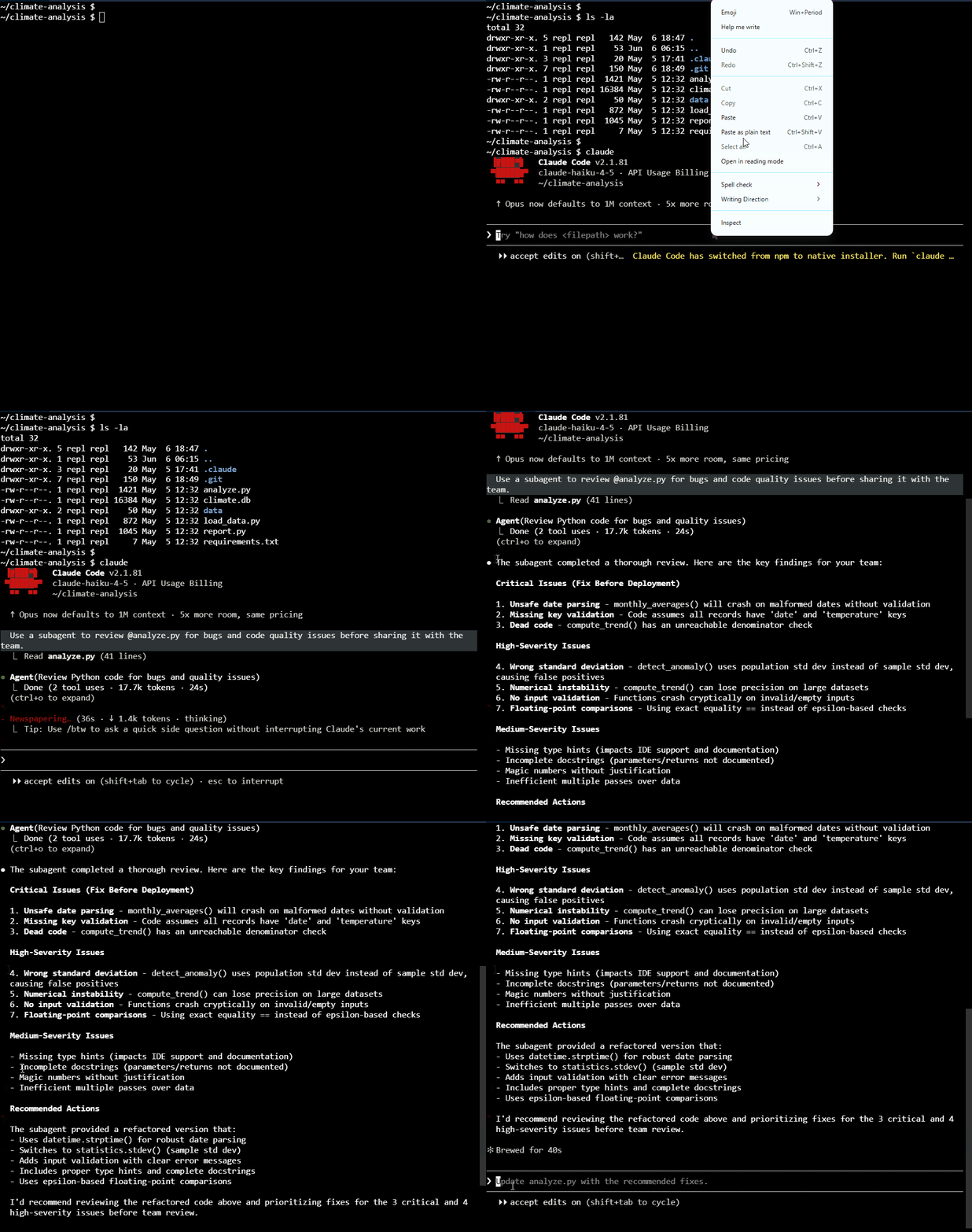
This simple workflow helps guide Claude through the task step by step.
- Initialize the project
- Explore the codebase
- Plan before coding
- Review the plan
- Write code after review
- Commit and test the changes
- Iterate as needed
This approach helps ensure the output aligns with existing structure instead of introducing random or conflicting changes.
Planning
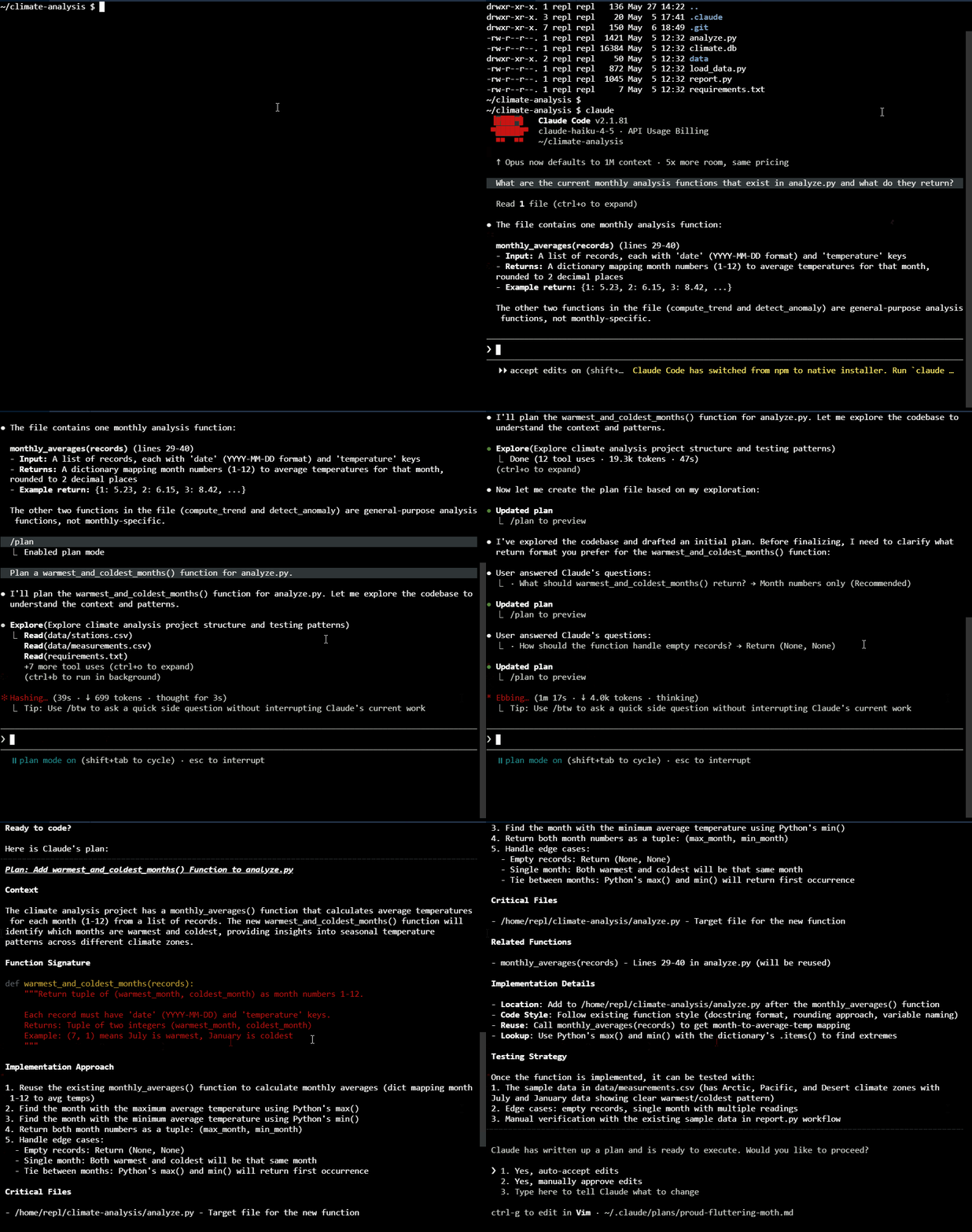
Plan mode allows the AI to research your files and suggest a strategy without modifying your project yet. This is the best stage to correct any mistakes before the development work begins.
To switch to plan mode, use the shortcut Shift + Tab or type:
claude
If you skip planning, Claude may generate code immediately without understanding the full context. This can result to a working solution that does not match the project design
Coding and Testing
Once you approve the plan, the development phase begins. To help the AI implement the plan correctly, provide the right validation tools. This ensures that the AI can fix errors automatically and guarantees that the new features work correctly.
- Set up a test suite for constant validation
- Create a configuration file to save permanent solutions
- Let the AI run tests to verify its own work
Undoing Changes
Using Git
Git helps you go back to an older version of your code when something goes wrong.
Notes:
- Commit small changes often
- Review AI-generated changes with
git diff - Revert unwanted changes safely
- Avoid mixing too many AI changes in one commit
Commands:
-
To check which files were changed:
git status -
To see the exact changes made in the files:
git diff -
To restore a file back to the last committed version:
git restore <file-name> -
To restore all uncommitted file changes:
git restore .
Using Claude Code Rewind
Claude Code also has two rewind features for undoing changes from the current session.
-
Using the
Esckey- Press
Esctwice - Choose the snapshot to restore
- Press
-
Using the
/rewindcommand- Check Git after rewinding
- This can help, but it should not replace Git.
/rewind
When you use rewind, it will show you the available restore points from the current session.
After using rewind, make sure to check the files again with Git.
Then verify:
git status
If Git still shows modified files, the rewind did not fully undo the change.
Use both Git and Claude Code rewind, but trust Git more.
Git is the main safety net Rewind is useful for quick session recovery
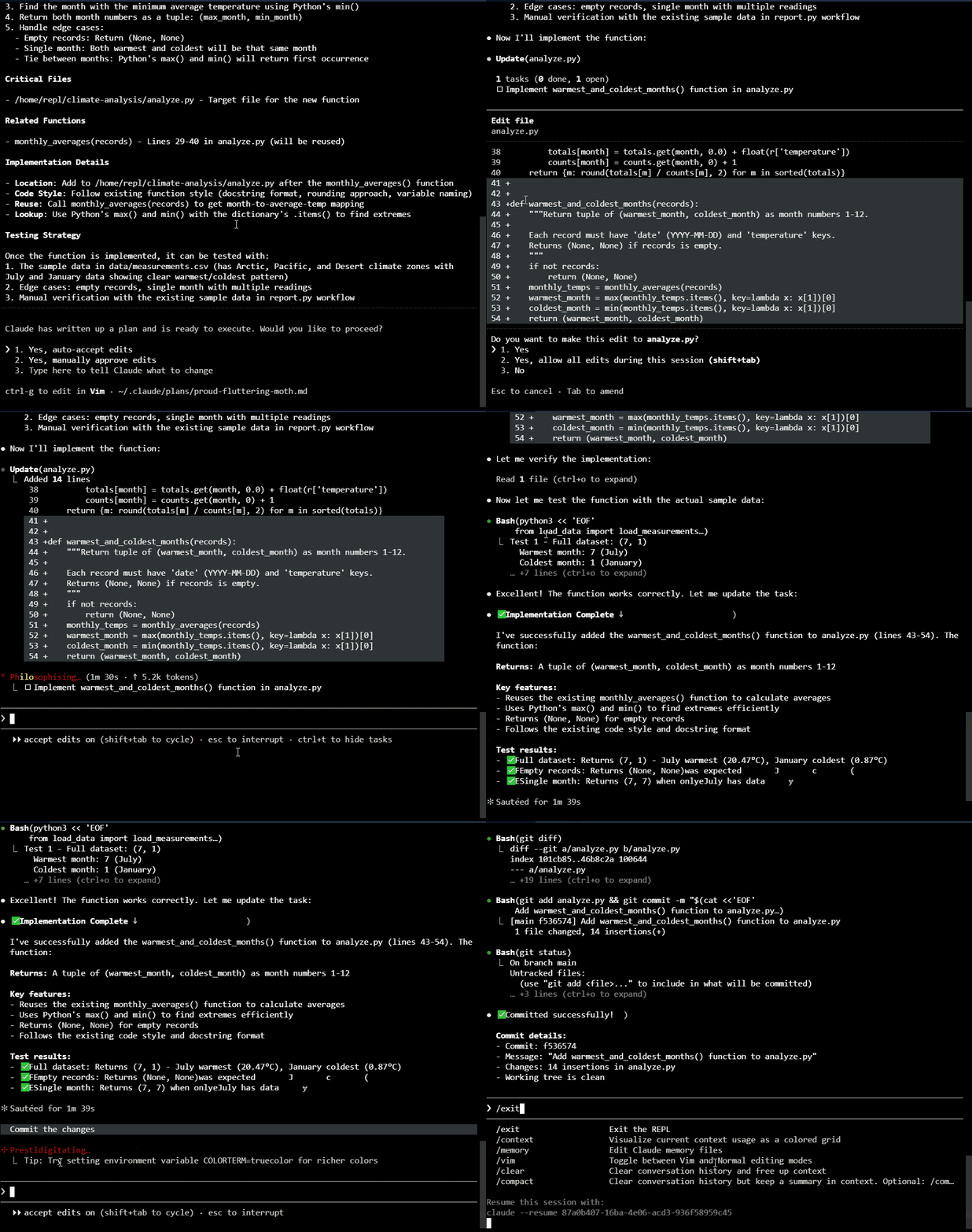
Reviewing and Committing
The final phase focuses on checking the quality of the work and saving your progress.
Before you commit the changes, you can run a subagent reviewer to check the files. The subagent can give a fresh perspective and removes any bias from the main coding session.