AI-assisted Software Testing
Overview
AI can speed up software testing by helping identify gaps in a codebase and improving overall test coverage. It is especially useful when working with large systems or codebases that are new or unfamiliar.
This page covers how AI supports different aspects of software testing and quality, including:
- Software quality assessment
- Coverage analysis
- Runtime safety
- Running security checks
- Dependency management
- Automated testing with CI
Example Codebase
For this page, we will use a simple task tracking system as an example to see how AI can help improve testing.
See the scripts here: Github
Project structure:
project/
├── initial
│   ├── app.py
│   ├── task_store.py
task_store.py contains the main class that manages tasks. It stores tasks in a list and provides basic operations. This file represents the “data layer” of the system and is intentionally simple so testing issues are easy to observe.
## task_store.py
class TaskStore:
    def __init__(self):
        self.tasks = []

    def add_task(self, task_id, name, done=False):
        self.tasks.append({
            "id": task_id,
            "name": name,
            "done": done
        })

    def get_task(self, task_id):
        for task in self.tasks:
            if task["id"] == task_id:
                return task
        return None

    def mark_done(self, task_id):
        for task in self.tasks:
            if task["id"] == task_id:
                task["done"] = True
                return True
        return False
app.py uses TaskStore to simulate a small workflow. This acts as the “runner” that exercises the system. It adds tasks, retrieves them, and marks them as done.
## app.py
from task_store import TaskStore

def run_app():
    store = TaskStore()

    for i in range(1000):
        store.add_task(i, f"Task {i}")

    store.get_task(10)
    store.mark_done(10)

    return store

if __name__ == "__main__":
    run_app()
    print("App finished")
Run the app:
python3 initial/app.py
Output:
App finished
Even though output is simple, the system does a lot of work under the hood. It inserts 1000 tasks, retrieves one, and marks it as done. This creates many potential paths and edge cases that may not be fully tested.
Testing Maturity
We can use AI to evaluate testing quality using a simple scoring system. This makes the output structured and easy to act on.
- Critical paths get a score
- Edge cases are measured
- Automation level is assessed
Sample prompt:
You are a senior QA Engineer.
Evaluate the testing quality of this codebase and identify the high-risk areas. Score them based on a 0-5 scale:
- Coverage of critical paths
- Handling of edge cases
- Regression protection
- CICD automation
Lastly, identify the test types currently present and any major gaps in the testing strategy.
The model reviews the code and assigns scores for each area, which helps reveal where testing is weak or incomplete.
Sample output:
Testing Quality Scores:

* Coverage of critical paths — 1 / 5
* Handling of edge cases — 0 / 5
* Regression protection — 0 / 5
* CI/CD automation — 0 / 5

Test Types Currently Present:

* Manual execution (script-based smoke testing)

Major Gaps in Testing Strategy:

* No automated test suite (no pytest/unittest)
* No assertions or validation checks
* No edge case or failure testing
* No regression protection
* No CI/CD pipeline integration
Based on this, we can see that critical paths are barely tested, edge cases are not tested at all, and there is no automation or regression protection. This gives us a clear starting point for improving the testing strategy.
Coverage Analysis
Coverage tools show which parts of the code were actually executed during tests. This helps identify hidden gaps where code runs in production but is never validated.
Install the coverage tool:
pip install coverage
In the example below, we measure execution coverage:
coverage run initial/app.py
coverage report -m
After running the tool, we get a report similar to this:
Name                    Stmts   Miss  Cover   Missing
-----------------------------------------------------
initial/app.py             11      0   100%
initial/task_store.py      16      2    88%   16, 23
-----------------------------------------------------
TOTAL                      27      2    93%
This shows that the app.py is fully covered, but task_store.py has some missing lines. Specifically, lines 16 and 23 are not executed during tests, which means those paths are not validated.
Building a Test Strategy
Different types of testing can be combined to fully protect the system.
| Test Type | Purpose / Description |
|---|---|
| Exploratory testing | Finds unexpected behavior |
| Functional testing | Checks expected outputs |
| Regression testing | Protects existing features |
| Automated testing | Ensures fast feedback |
Generating a Test Suite
A test suite is a collection of structured tests that verify system behavior over time. AI can generate these tests step by step based on the code. Using the coverage report, we can focus on areas with low coverage to maximize impact.
Sample prompt:
You are a senior software engineer with expertise in testing and quality assurance.
Generate unit and integration tests for this codebase. They should include:
- Normal cases
- Edge cases
- Error cases
- Clear assertions
List each generated tests in a table format and provide a one-line description for each.
The model generates tests that cover normal operations, edge cases, and error conditions. In my case, it generated a new script.
UPDATE: During this lab, I have updated the codebase. To keep the original files, I created another folder called "optimized" which contains the updated code. The "initial" folder contains the original code.
project/
|
├── initial
│   ├── app.py
│   └── task_store.py
|
├── optimized
│   ├── app.py
│   └── task_store.py
|
└── tests
    └── test_task_store.py   ← NEW FILE (all tests go here)
See the scripts here: Github
The test summary table:
| Test Name | Type | Description |
|---|---|---|
| test_add_task | Unit test | Checks if a task is added correctly |
| test_get_task_missing | Unit test | Ensures missing task returns None |
| test_mark_done | Unit test | Validates task status updates to done |
| test_mark_done_missing_task | Unit test | Ensures safe handling of invalid task IDs |
| test_get_task_not_found | Unit test | Confirms missing task lookup safely returns None |
| test_mark_done_not_found | Unit test | Confirms marking a non-existent task returns False |
| test_main | Unit test | Ensures application entrypoint executes without errors and returns success |
| test_run_app_integration | Integration test | Verifies full workflow from add → update → done |
| test_run_app_large | Integration test | Checks system behavior through full application workflow |
| test_process_tasks | Integration test | Validates batch processing flow using process_tasks function |
Before running the test, make sure you have pytest installed:
pip install pytest
Run the tests with coverage (this runs the tests on the code in the "optimized" folder):
PYTHONPATH=optimized coverage run -m pytest -vv tests/test_task_store.py
Output:
========================================  test session starts ============================================================================

platform linux -- Python 3.10.4, pytest-9.0.3, pluggy-1.6.0 -- /usr/bin/python3
cachedir: .pytest_cache
rootdir: /mnt/c/Git/joeden/assets/scripts/051-AI-Assisted-Testing
collected 10 items

tests/test_task_store.py::test_add_task PASSED                                                                                                                        [ 10%]
tests/test_task_store.py::test_get_task_missing PASSED                                                                                                                [ 20%]
tests/test_task_store.py::test_mark_done PASSED                                                                                                                       [ 30%]
tests/test_task_store.py::test_mark_done_missing_task PASSED                                                                                                          [ 40%]
tests/test_task_store.py::test_get_task_not_found PASSED                                                                                                              [ 50%]
tests/test_task_store.py::test_mark_done_not_found PASSED                                                                                                             [ 60%]
tests/test_task_store.py::test_main PASSED                                                                                                                            [ 70%]
tests/test_task_store.py::test_run_app_integration PASSED                                                                                                             [ 80%]
tests/test_task_store.py::test_run_app_large PASSED                                                                                                                   [ 90%]
tests/test_task_store.py::test_process_tasks PASSED                                                                                                                   [100%]

========================================  10 passed in 0.51s =============================================================================
This confirms that all generated tests are passing and the system behaves as expected under the tested conditions.
Improving Coverage Results
After adding tests, coverage is re-run to measure how much of the code is executed by the test suite. Since tests were executed with coverage enabled, the report can be generated directly.
coverage report -m
Output:
Name                       Stmts   Miss  Cover   Missing
--------------------------------------------------------
optimized/app.py              21      1    95%   34
optimized/task_store.py       13      0   100%
tests/test_task_store.py      54      0   100%
--------------------------------------------------------
TOTAL                         88      1    99%
The results show that task_store.py is fully covered, and most of app.py is also covered by tests. Only one line remains untested.
If we review the optimized/app.py file, the missing line is the script entrypoint:
if __name__ == "__main__":
    main()
This block is not executed during testing because the module is imported by pytest instead of being run directly. As a result, it is commonly excluded from coverage unless explicitly tested through script execution.
In practice, this is expected behavior, and coverage close to 100% usually indicates that the actual application logic is fully tested even if small entrypoint sections remain unexecuted.
Adding Runtime Protections
Even after improving performance and testing, the system still assumes that all input is valid. AI can help identify missing validation and add runtime protections to make the application more robust.
Sample prompt:
You are a senior software engineer with expertise in writing robust and secure code. Your task is to add runtime protections to the system to handle custom input safely.
- Validate all input parameters for type, required fields, and value
- Add clear error messages for invalid input
- Verify schemas where applicable, never assume upstream data is clean
- Provide safe defaults and fallback behavior instead of undefined states
In my case, the model added input validation to the TaskStore class before storing the task.
Note: The code updated with the runtime protections are stored in the "runtime-protection" folder.
project/
|
├── initial
│   ├── app.py
│   └── task_store.py
|
├── optimized
│   ├── app.py
│   └── task_store.py
|
├── runtime-protection
│   ├── app.py
│   └── task_store.py
|
└── tests
    └── test_task_store.py
    └── test_runtime_protections.py   ← NEW FILE (tests for runtime protections)
Before: The optimized task_store.py in optimized/task_store.py had no input validation, so any type of data could be added as a task.
    def add_task(self, task_id, name):
        self.tasks[task_id] = {
            "id": task_id,
            "name": name,
            "done": False
        }

    def get_task(self, task_id):
        return self.tasks.get(task_id)

    def mark_done(self, task_id):
        if task_id in self.tasks:
            self.tasks[task_id]["done"] = True
            return True
        return False
After: The updated task_store.py in runtime-protection/task_store.py now includes input validations.
    def add_task(self, task_id, name):
        if not isinstance(task_id, int):
            raise ValueError("task_id must be an integer")

        if not isinstance(name, str):
            raise ValueError("name must be a string")

        if not name.strip():
            raise ValueError("name cannot be empty")

        self.tasks[task_id] = {
            "id": task_id,
            "name": name,
            "done": False
        }

    def get_task(self, task_id):
        if not isinstance(task_id, int):
            raise ValueError("task_id must be an integer")

        return self.tasks.get(task_id)

    def mark_done(self, task_id):
        if not isinstance(task_id, int):
            raise ValueError("task_id must be an integer")

        if task_id in self.tasks:
            self.tasks[task_id]["done"] = True
            return True

        return False
The updated version prevents invalid data from entering the system and provides clear error messages when incorrect input is supplied.
To test the new runtime protections, we can run specific tests that check for invalid input handling. For this example, I've created to test script test_runtime_protections.py under the "tests" folder.
PYTHONPATH=runtime-protection pytest -vv tests/test_runtime_protections.py
Output:
======================================== test session starts ==================================================================================platform linux -- Python 3.10.4, pytest-9.0.3, pluggy-1.6.0 -- /usr/bin/python3
cachedir: .pytest_cache
rootdir: /mnt/c/Git/joeden/assets/scripts/051-AI-Assisted-Testing
collected 5 items

tests/test_runtime_protections.py::test_add_task_invalid_id PASSED                                                                                                                [ 20%]
tests/test_runtime_protections.py::test_add_task_invalid_name_type PASSED                                                                                                         [ 40%]
tests/test_runtime_protections.py::test_add_task_empty_name PASSED                                                                                                                [ 60%]
tests/test_runtime_protections.py::test_get_task_invalid_id PASSED                                                                                                                [ 80%]
tests/test_runtime_protections.py::test_mark_done_invalid_id PASSED                                                                                                               [100%]

======================================== 5 passed in 0.18s ===================================================================================
This shows that all tests for the runtime protections are passing, which confirms that the new input validations are working as intended and the system is now more robust against invalid input.
Automating Tests with CI
Finally, tests should run automatically whenever code changes. AI can help generate a simple CI setup for this.
Sample prompt:
Create a minimal CI configuration that runs all tests automatically whenever code changes are pushed. The CI should:
- Trigger on every push and pull request to the repository
- Install dependencies
- Use Python 3.8 or higher
- Run all test suites and report results clearly
For this Github repository, the AI model generated a Github Actions workflow file (.github/workflows/tests.yml) that runs tests on every push and pull request. The workflow installs dependencies, sets up Python, and executes the test suite with coverage.
Note 1: The tests in the CI workflow are run on the "runtime-protection" version of the code to ensure that all new protections are validated in the automated pipeline.
Note 2: In actual implementation, you may want to run CI on specific branches instead of all branches to avoid unnecessary runs. Below is an example of a more targeted CI trigger configuration.
name: Python Tests

on:
  push:
    branches:
      - main
      - develop
      - "feature/**"

  pull_request:
    branches:
      - main
      - develop
In our case, we'll just keep it simple and trigger on all pushes and pull requests for lab purposes.
To trigger CI properly on a pull request, we must first create a new branch from our repo.
git checkout -b ci-test
Confirm that the new branch is created and that you are on the new branch:
git branch
Output:
* ci-test
  master
Create an empty commit:
git commit --allow-empty -m "Trigger CI pipeline"
Push branch:
git push origin ci-test
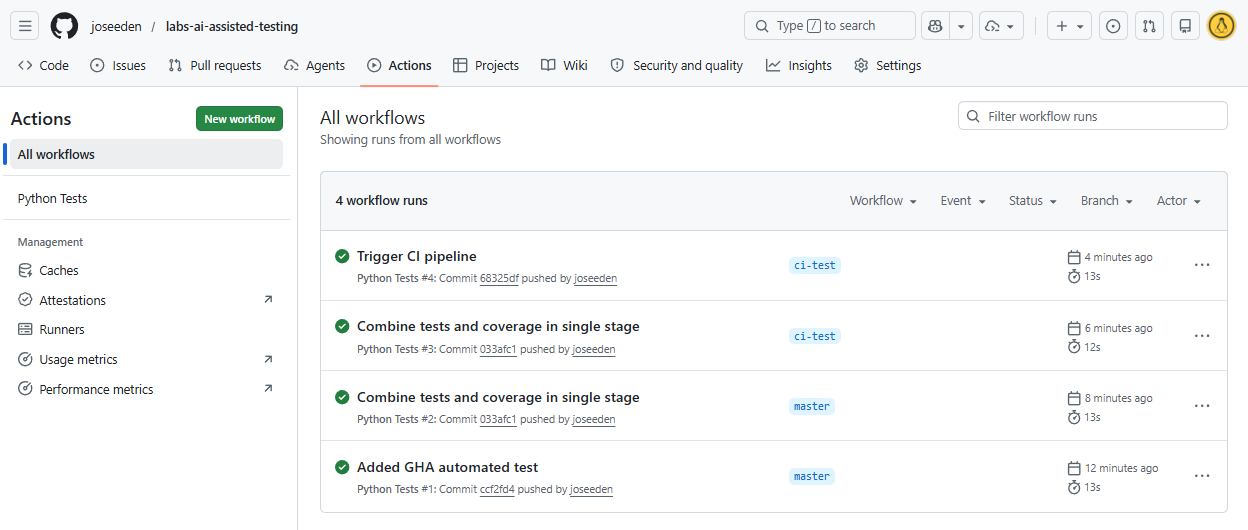
Checking the Actions tab in Github, we should see the workflows are triggered on every push in all branches.
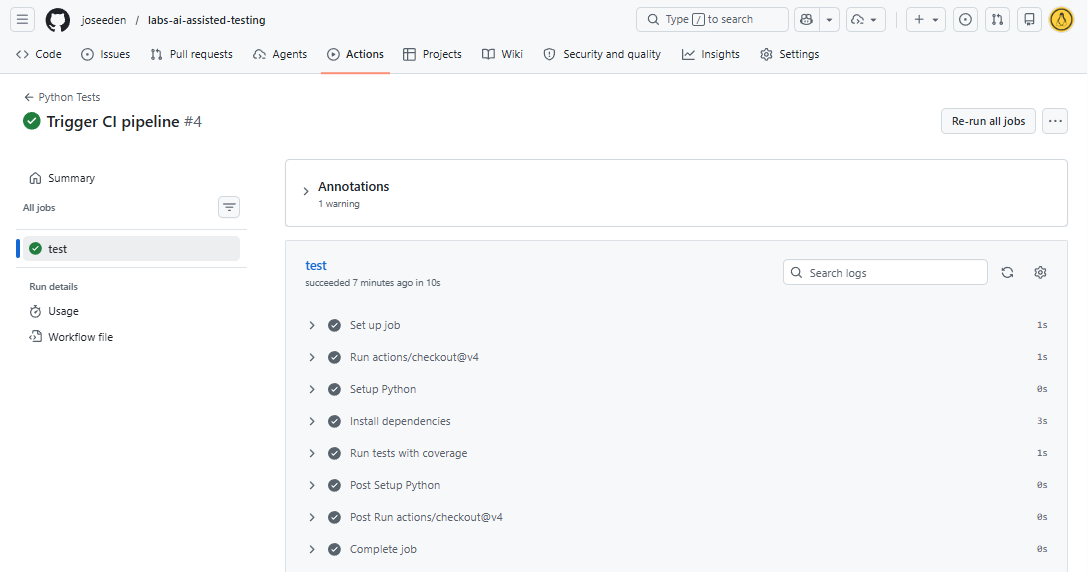
We can click into the workflow to see the stages of the pipeline.
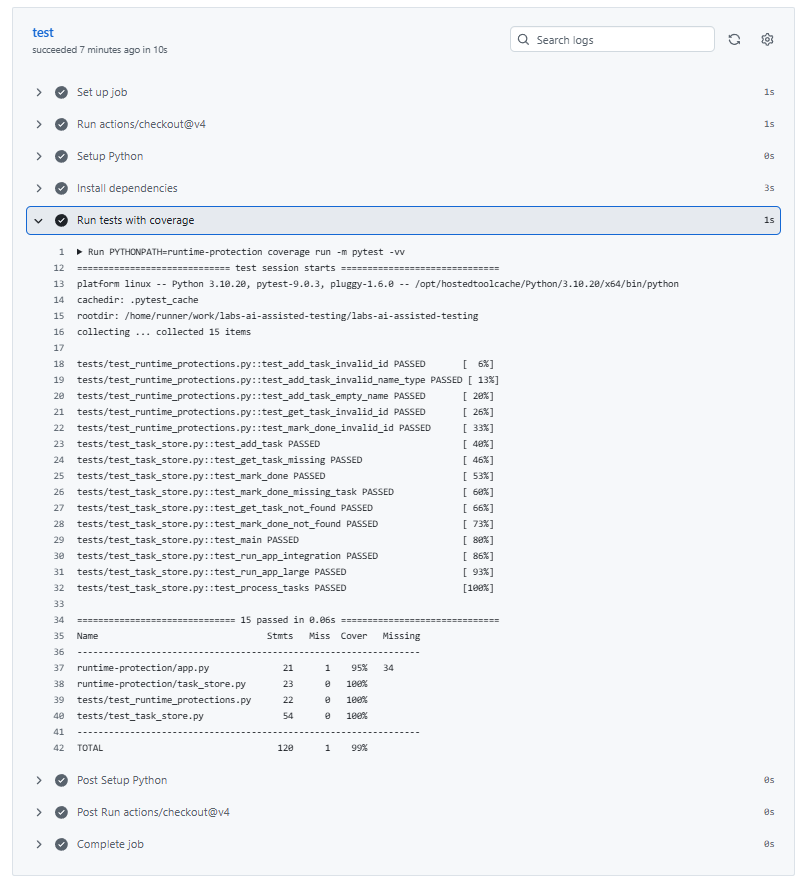
Expanding the test stage will show the details of the test runs and their results.
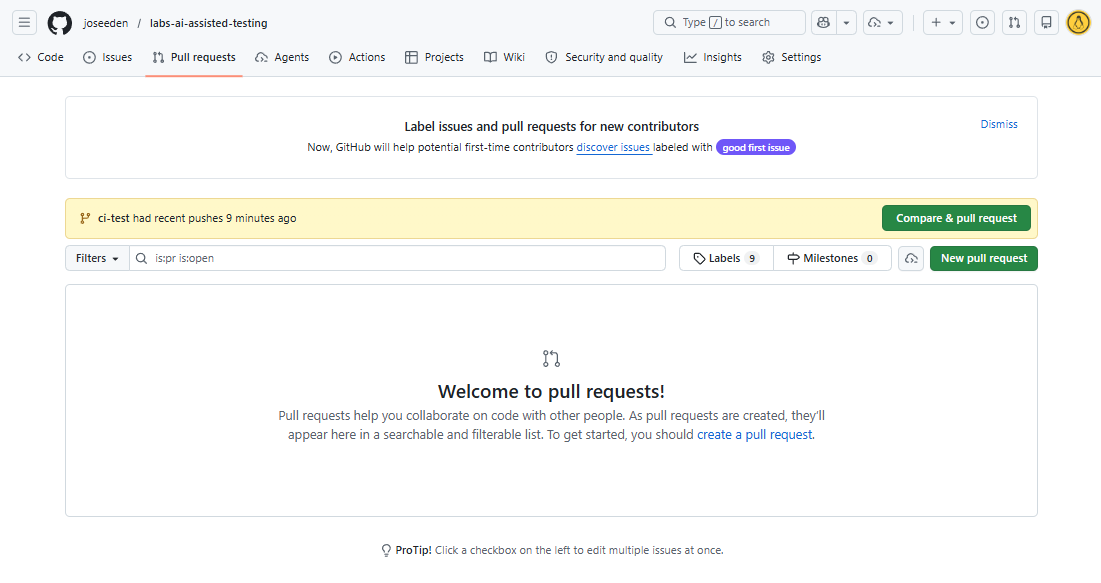
If we go to the Pull requests tab, we should see a notification that the ci-test branch has recent changes.
Click Compare & pull request to create a new pull request.
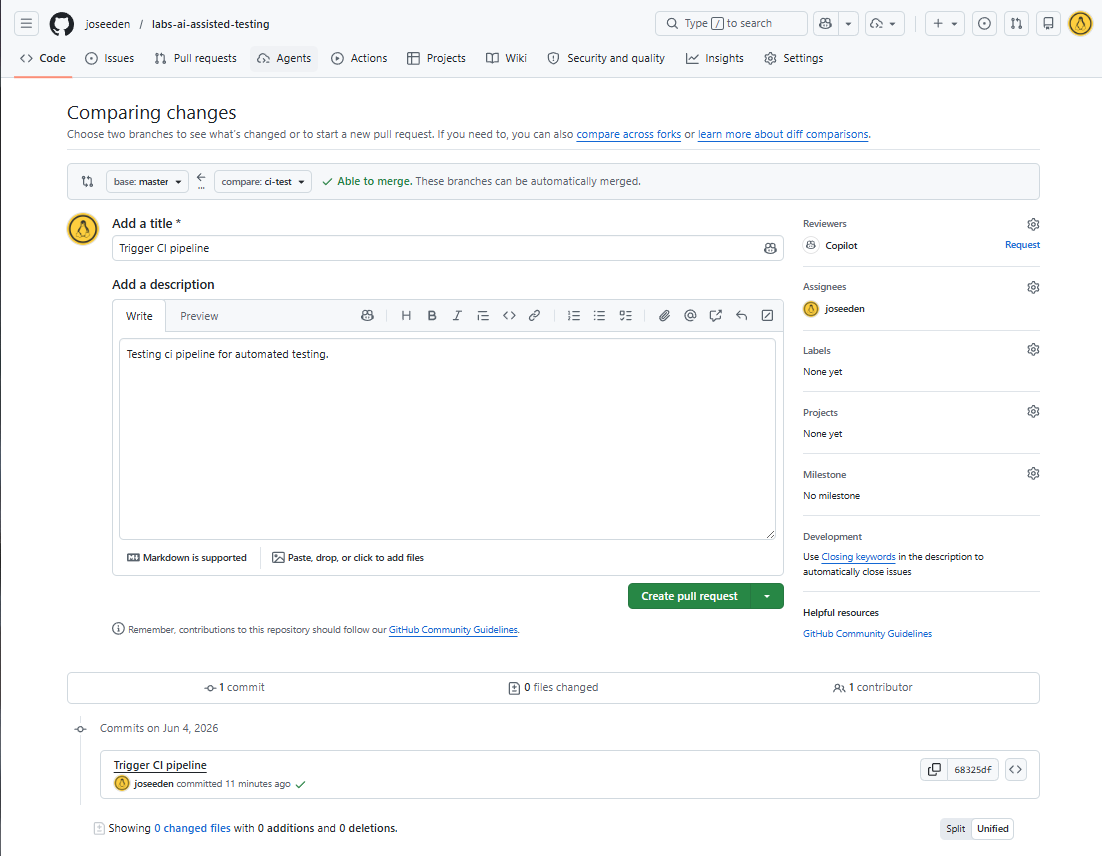
Provide a title and description for the pull request, then click Create pull request.
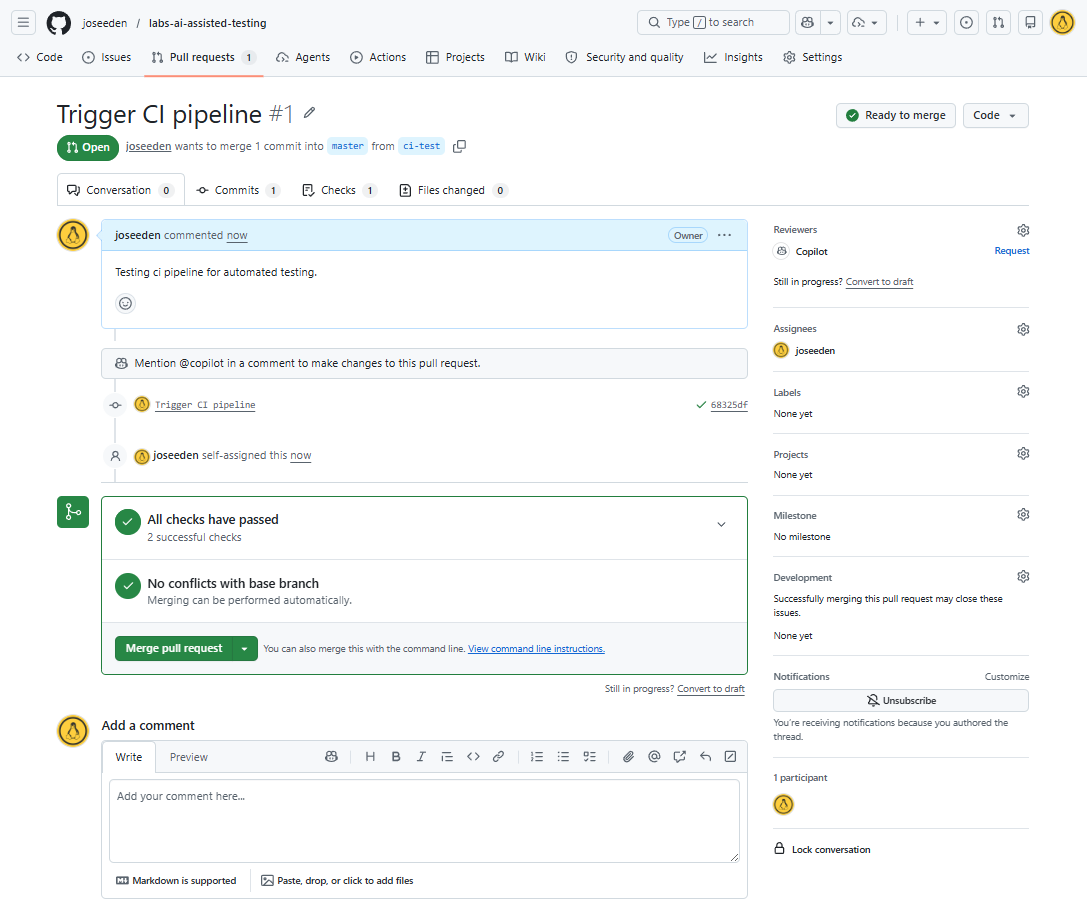
After creating the pull request, we can see that the CI workflow is triggered again for the pull request.
If all the tests pass, we will see a green checkmark next to the workflow in the pull request, which indicates that the code changes are validated by the test suite.
Click Merge pull request to merge the changes into the main branch.
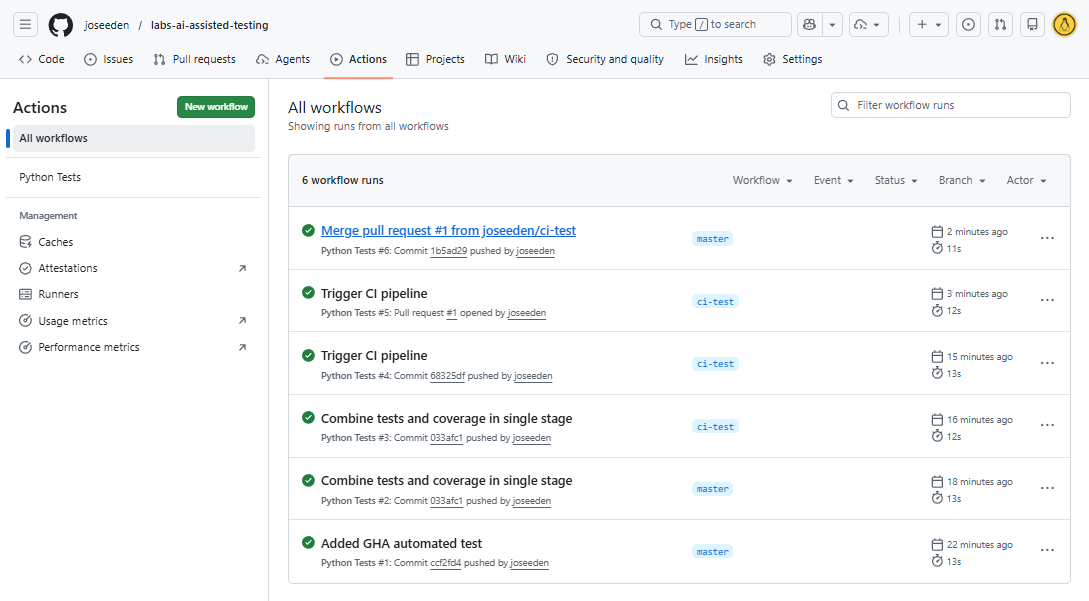
The new workflow run will be triggered on the main branch after the merge, which we can see in the Actions tab.
Managing Dependencies
Modern applications rely on libraries, and those libraries often depend on other libraries. This creates a chain where issues can exist even if the main project looks safe.
There are two types of dependencies to consider:
- Direct dependencies are the libraries you install yourself
- Transitive dependencies are the hidden libraries pulled in by those dependencies
These hidden dependencies can still contain security problems. Because of this, dependency trees need to be checked regularly using dependency scanning tools to catch issues early.
To detect these issues, we use dependency auditing tools like pip-audit.
pip-audit
This command will scan the environment and report any vulnerable packages, including transitive dependencies.
pip-audit will be used later in the From Testing to Security section to automate dependency checks in CI.
In addition to vulnerabilities, we also need to consider how actively dependencies are maintained. Outdated or abandoned packages can pose long-term risks.
Another tool we can use is pip-licenses, which generates a report of all installed packages and their license information. This helps us identify any risky or unmaintained dependencies.
To use pip-licenses, install it first:
pip install pip-licenses
Run:
pip-licenses --format=json --with-urls --output-file=licenses.json
Once we have the licenses.json file, we can ask the AI model to analyze this file to identify any dependencies that may be risky or outdated.
Sample prompt:
Attached are the dependency details from
licenses.json.Please analyze this data to identify any dependencies that are potentially risky, unmaintained, or have known vulnerabilities.
Summarized the findings in a short table with the following columns:
- Dependency Name
- Version
- License Type
- Risk Level for commercial users (Low, Medium, High)
Flag unusual license types or dependencies that have not been updated in over a year, or missing license information.
Finally, provide safer alternatives for any high-risk dependencies identified.
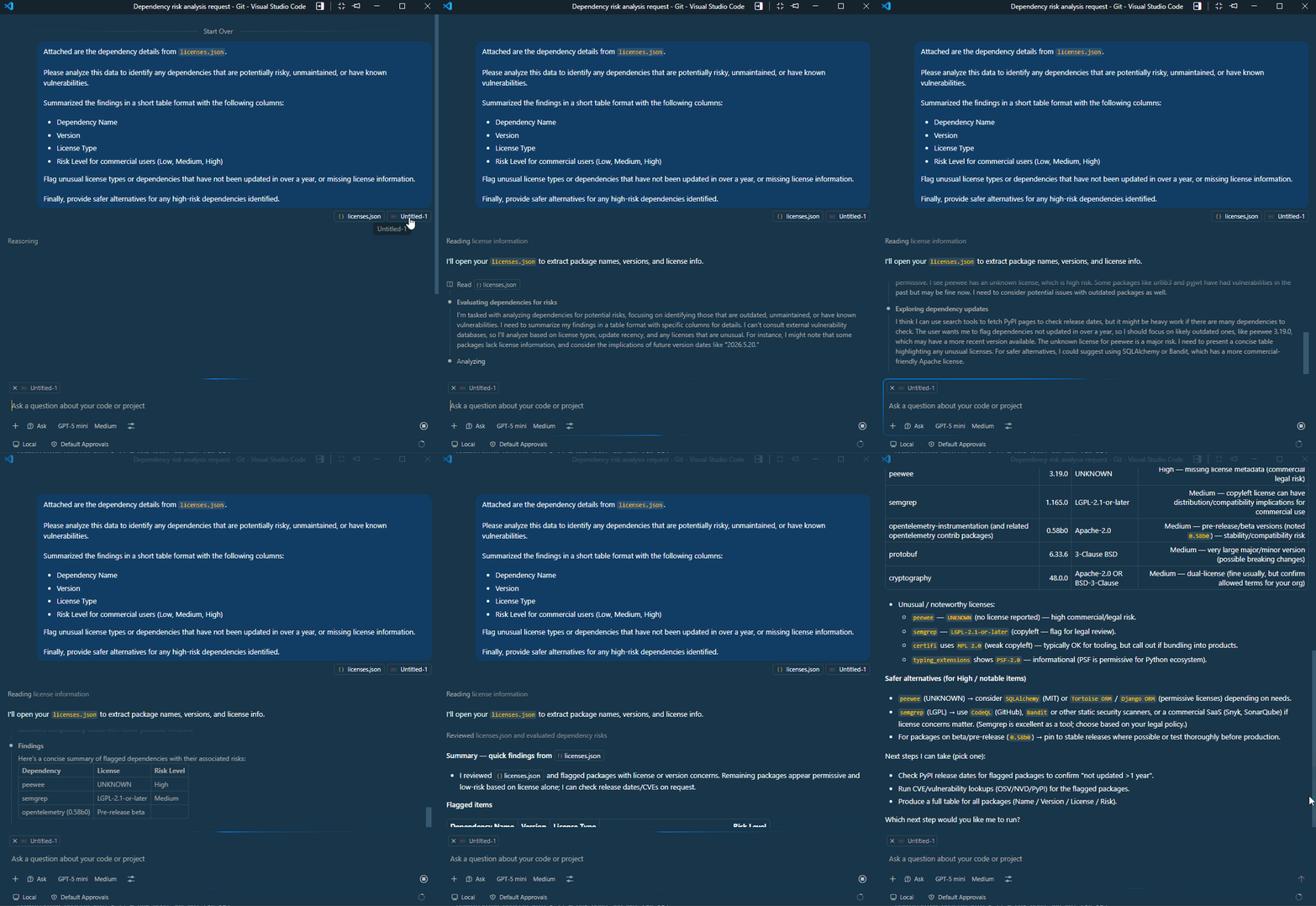
After analyzing dependency reports, AI can suggest safer or more modern alternatives for risky packages.
For example, if a package is unmaintained, AI can recommend an actively supported equivalent and highlight migration considerations.
From Testing to Security
A well-tested system can still be insecure, so testing alone is not enough. Security-first development adds a layer that focuses on preventing vulnerabilities before deployment.
With AI-assisted security reviews, we can ask the model to act like an application security engineer and evaluate risks using known vulnerability frameworks.
Sample prompt:
You are an application security engineer. Review this codebase and identify common vulnerabilities and security risks based on CWE Top 25 Most Dangerous Software Weaknesses.
For each finding, include:
- Location in code
- Description of the issue
- Severity level (High, Medium, Low)
- Minimal proof of concept input to trigger the issue
- Suggested remediation steps
Print the results in a table format.
The AI returns a prioritized list of issues that can be used as a checklist for further validation.
Note: The table format may not be perfectly rendered in this markdown, but the idea is to have a structured output that clearly identifies each issue.
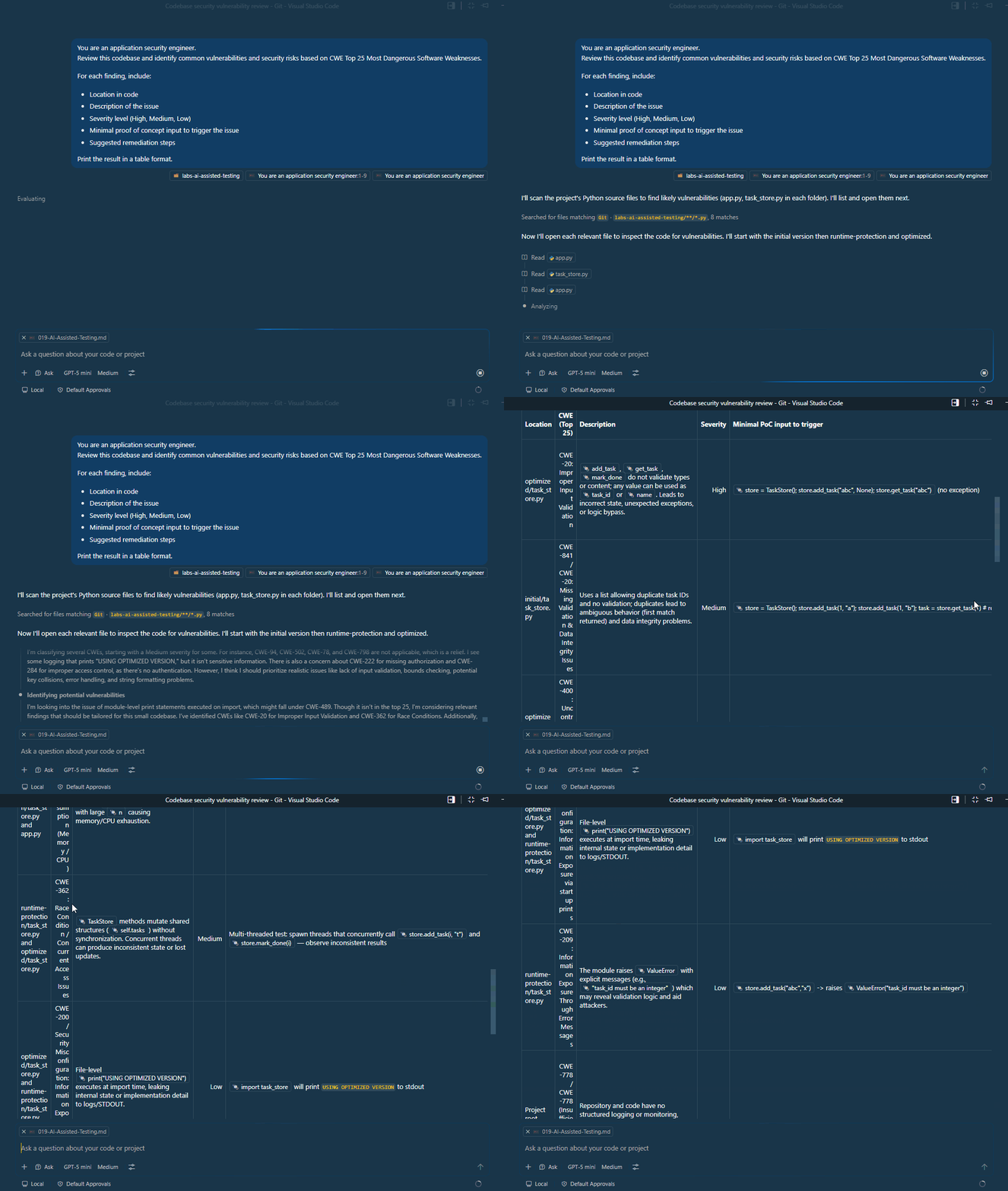
To ensure the issues are not only theoretical, we need to validate the AI findings using real security scanning tools.
| Tool | Purpose |
|---|---|
| Pip-audit | Checks dependency vulnerabilities |
| Semgrep | Detects insecure code patterns |
Install both tools:
pip install pip-audit semgrep
Run pip-audit inside your project environment:
pip-audit
Sample output:
Found 15 known vulnerabilities in 3 packages
Name       Version ID               Fix Versions
---------- ------- ---------------- ------------
pip        22.0.2  PYSEC-2023-228   23.3
pip        22.0.2  PYSEC-2023-228   23.3
pip        22.0.2  CVE-2025-8869    25.3
pip        22.0.2  CVE-2026-1703    26.0
pip        22.0.2  CVE-2026-3219    26.1
pip        22.0.2  CVE-2026-6357    26.1
pyjwt      2.12.1  PYSEC-2026-179   2.13.0
pyjwt      2.12.1  PYSEC-2026-175   2.13.0
pyjwt      2.12.1  PYSEC-2026-177   2.13.0
pyjwt      2.12.1  PYSEC-2026-178   2.13.0
setuptools 59.6.0  PYSEC-2022-43012 65.5.1
setuptools 59.6.0  PYSEC-2022-43012 65.5.1
setuptools 59.6.0  PYSEC-2025-49    78.1.1
setuptools 59.6.0  PYSEC-2025-49    78.1.1
setuptools 59.6.0  CVE-2024-6345    70.0.0
Next, use semgrep to analyze your codebase:
semgrep scan
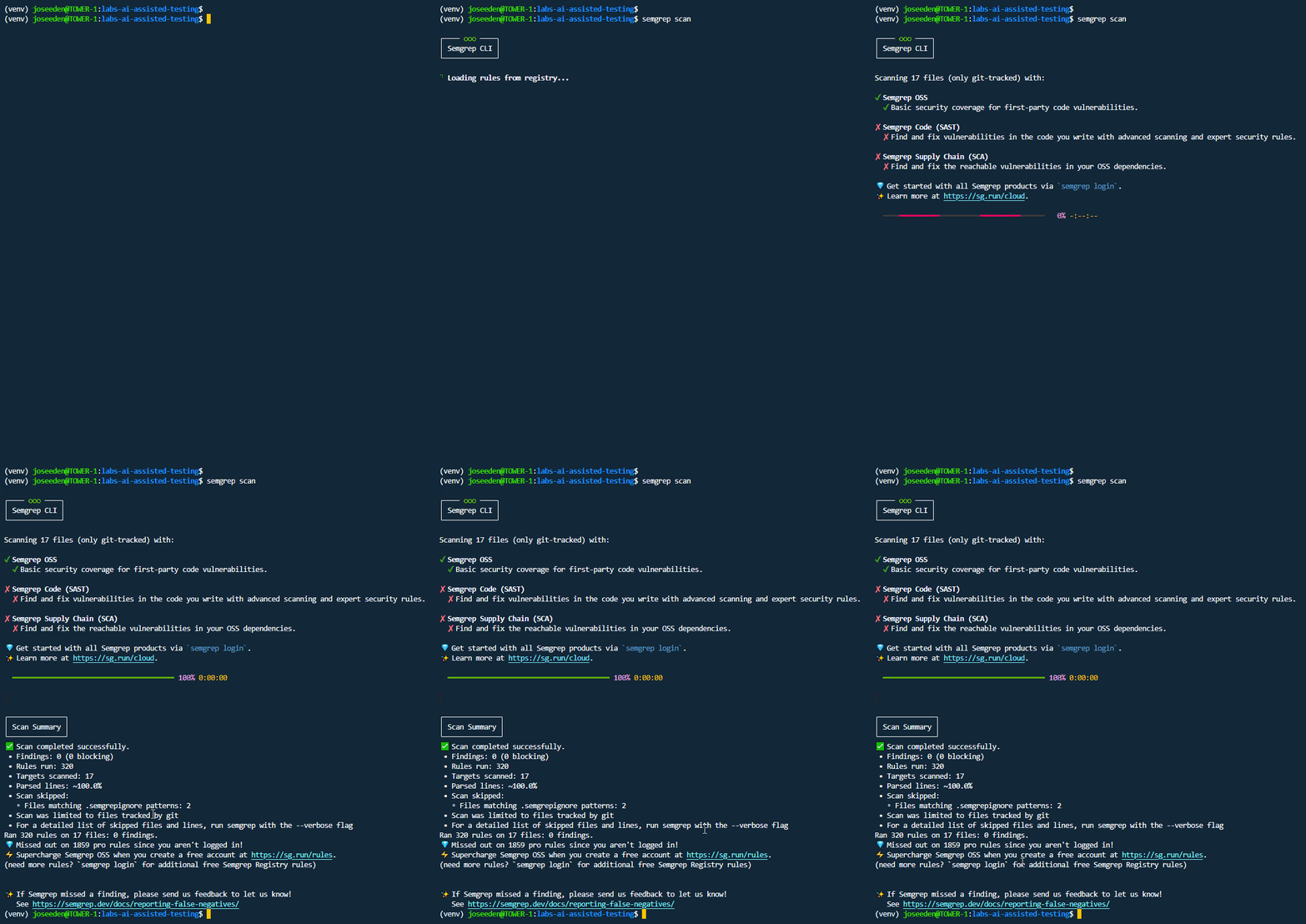
To save the results in a file, you can use the --json flag (use -f json for pip-audit):
semgrep scan --json > semgrep_results.json

pip-audit -f json > pip_audit_results.json
Since scanner outputs can be large and complex, AI can help interpret the results by summarizing them and grouping issues by severity and effort required to fix.
Sample prompt:
Attached are the scan outputs. Interpret the results and classify findings by effort and severity, and use their official naming and classification where applicable.
Group the findings into:
- Quick fixes (low effort, high impact)
- Medium effort
- Long-term improvements (high effort, high impact)
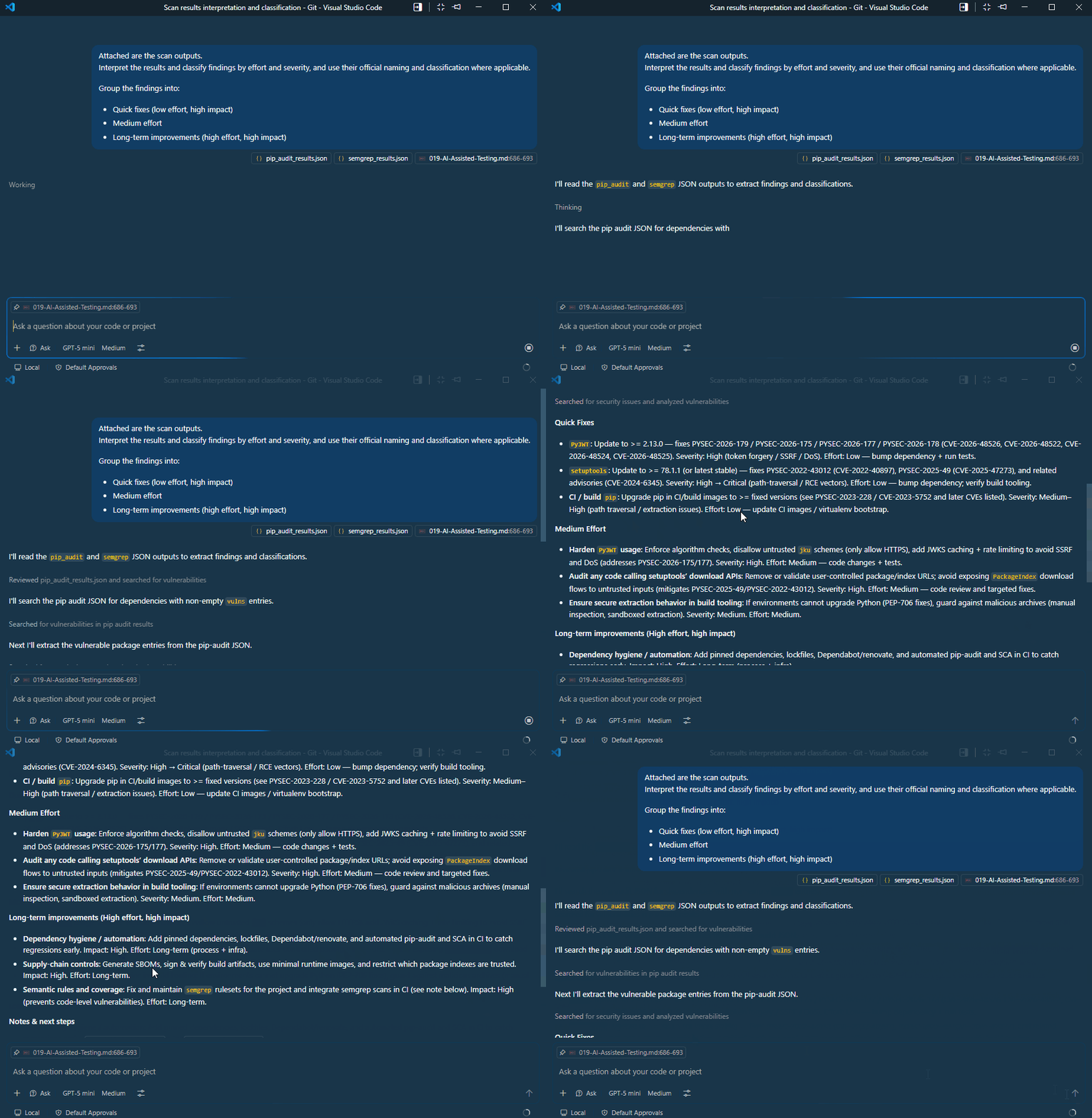
Once issues are identified, the next step is to apply secure coding practices. This ensures fixes address the root cause instead of applying temporary patches.
Automating Security Checks
Security checks should run automatically to prevent regressions. This is done by integrating validation tools into CI pipelines.
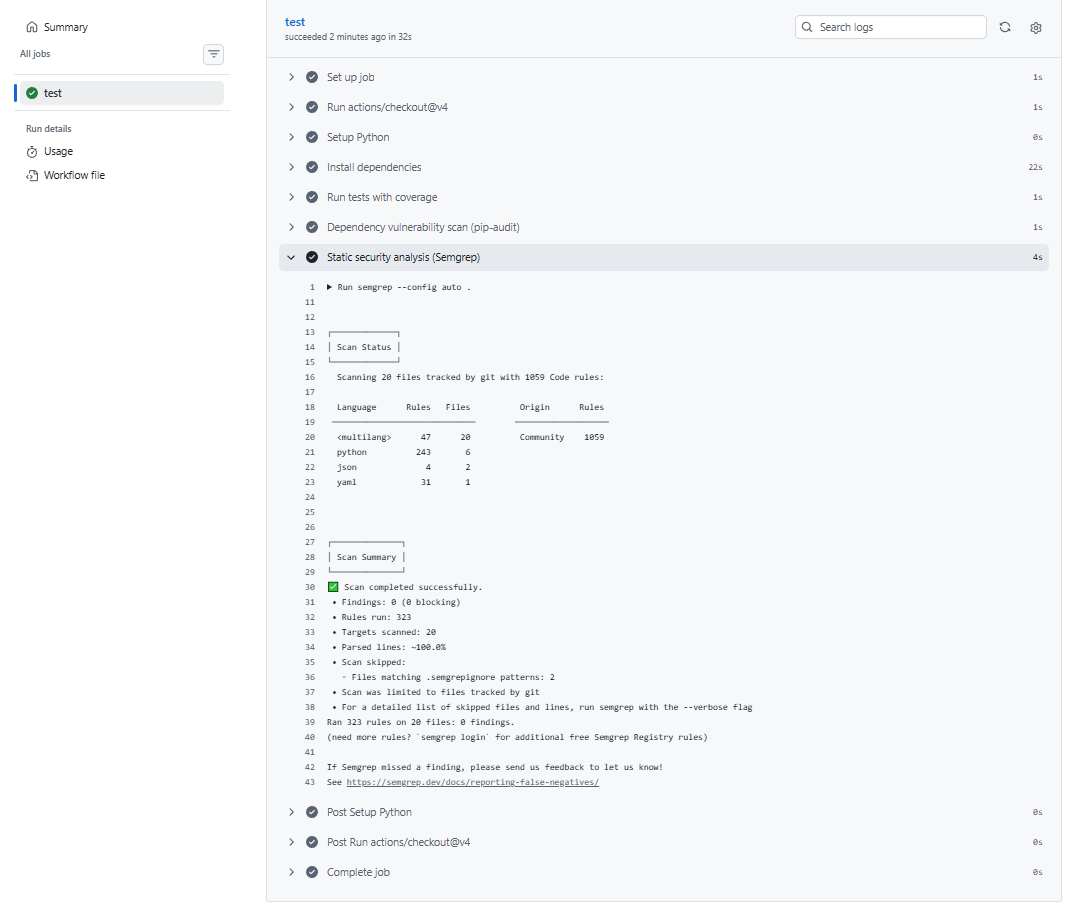
In this example, I've modified the existing .github/workflows/tests.yml to include security scanning steps. The updated workflow runs both pip-audit and semgrep as part of the CI process.
Since we know that our codebase has known vulnerabilities, the build should fail, which indicates that the CI security gate is working as intended.
- Vulnerable dependency = block merge
- Security issue = pipeline failure
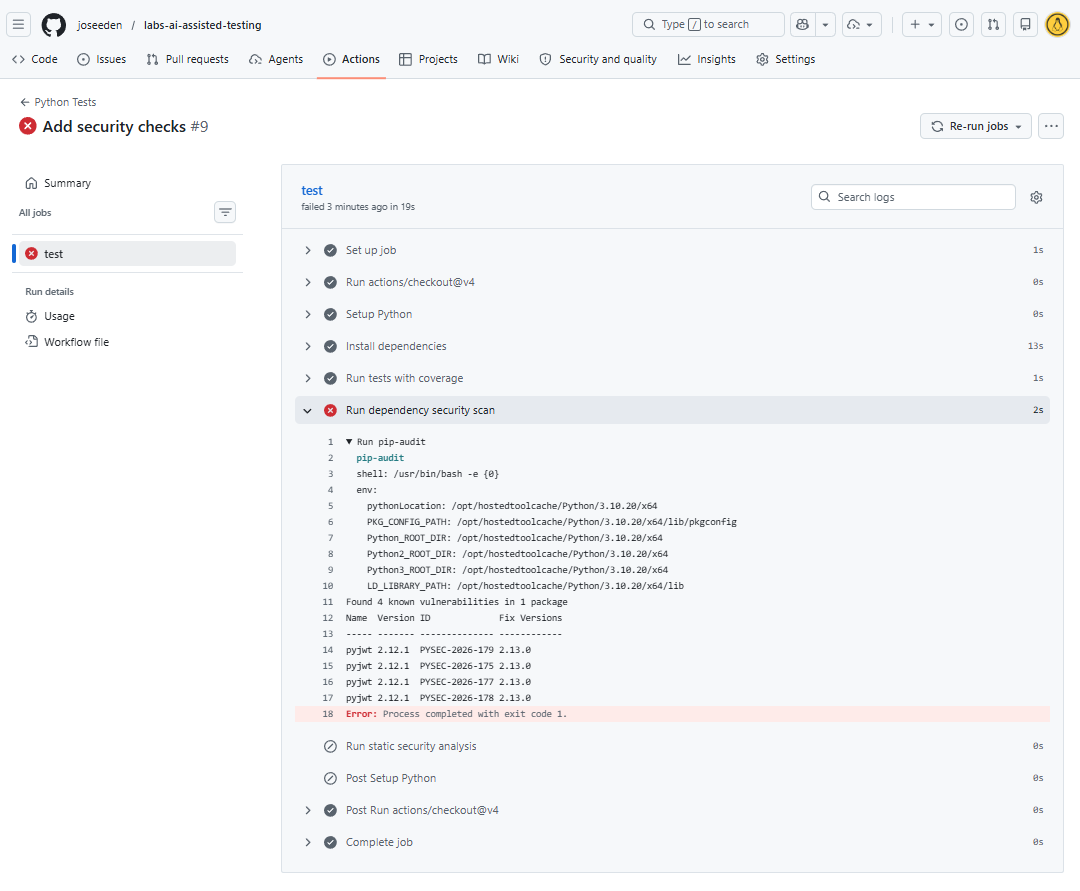
To fix this, you can simply create a requirements.txt file with the software dependencies and their versions.
## requirements.txt
pytest
coverage
pip-audit
pyjwt==2.13.0
Then update the workflow file to install dependencies from requirements.txt before running the security scans.
  - name: Install dependencies
    run: |
        python -m pip install --upgrade pip
        pip install -r requirements.txt
        pip install pipx
        pipx install semgrep
EDIT: Dependency installation fails when semgrep is included in the requirements.txt file. This is because it requres a native binary called semgrep-core which is not is not available in the GitHub runner environment during pip install. As a workaround, it is installed separately using pipx.
Once the changes are pushed, the CI pipeline will run again. This time, it should pass the dependency audit since we have updated the vulnerable package versions.
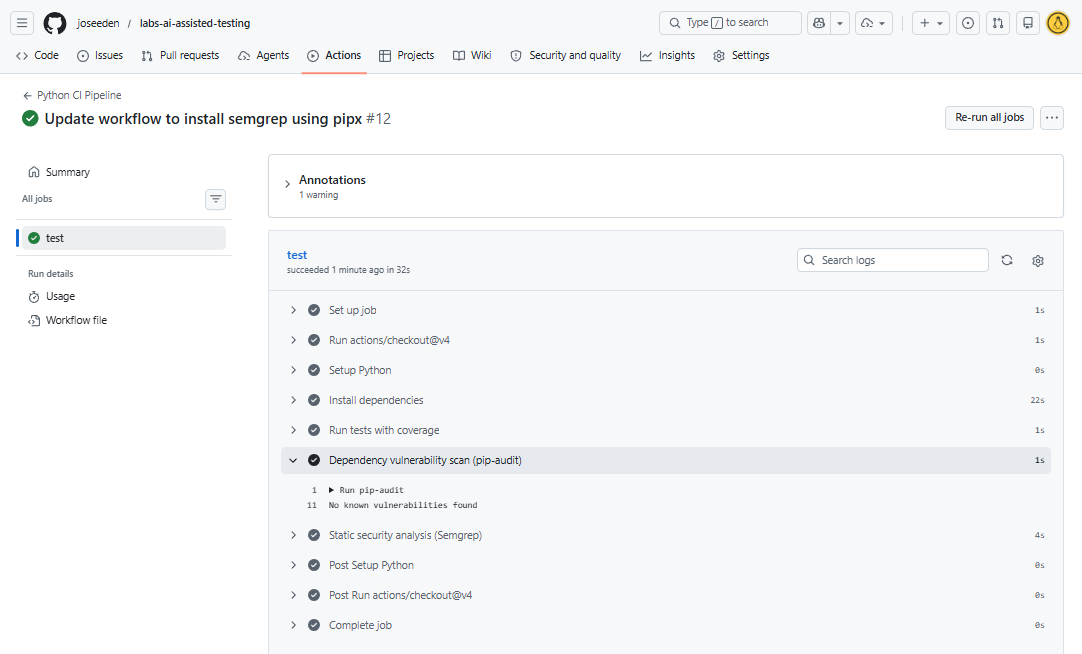
The static security scan with semgrep reports any code patterns that match known vulnerabilities. If any critical issues are found, the build will fail, which prevents merging insecure code into the main branch.