Data Recovery
Time Travel
Time Travel provides access to past data versions within a retention period. It supports data recovery and historical checks without backups.

Retention is controlled by DATA_RETENTION_TIME_IN_DAYS. It can be set at different levels, where the lowest level overrides higher levels.
- Table level
- Schema level
- Database level
- Account level
In this example, the following SQL sets a 7-day retention period for a table.
ALTER TABLE sales_data
SET DATA_RETENTION_TIME_IN_DAYS = 7;
This keeps historical versions available for Time Travel queries.
Notes on Editions:
- Standard Edition usually supports 1 day of history
- Enterprise and higher editions can support up to 90 days for eligible objects
Timestamp And Offset
Snowflake supports moving through historical data using fixed timestamps or time offsets.
-
AT TIMESTAMPtargets a specific point in time.Example below queries
sales_dataat a fixed timestamp.SELECT *FROM sales_dataAT (TIMESTAMP => '2026-05-20 10:00:00'); -
AT OFFSETmoves backward from the current time using a duration.Example below queries data from one hour ago.
SELECT *FROM sales_dataAT (OFFSET => -3600);
This allows you to access data as it existed at specific moments or relative times without needing to restore tables.
Statement And Undrop
Snowflake supports recovery before specific statements and restoration of dropped objects.
-
BEFORE(STATEMENT => ...)returns data as it existed before a specific query.SELECT *FROM sales_dataBEFORE(STATEMENT => '01a12345-0000-1111-2222-abcdef123456'); -
UNDROPrestores a dropped object if it is still within the recovery window.UNDROP TABLE sales_data;
Fail-safe
After Time Travel ends, data remains in Fail-safe for 7 additional days. It cannot be queried directly during this period, but Snowflake Support can recover it if needed. Storage costs still apply while data is in Fail-safe.

Data lifecycle stages in Snowflake:
- Live Data
- Time Travel
- Fail-safe
- Gone (Permanent Deletion)
Fail-safe acts as a final recovery stage before permanent removal.
Zero-Copy Cloning
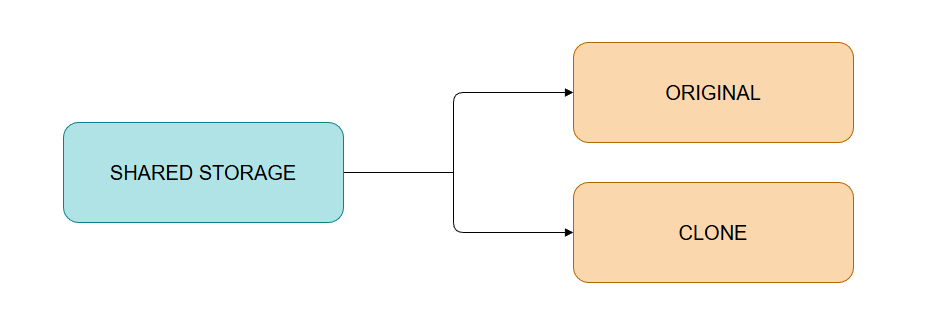
Zero-copy cloning creates a copy of a database object without duplicating storage at creation time. This works for tables, schemas, and databases.
Example below creates a clone of a table.
CREATE TABLE subscriptions_backup
    CLONE subscriptions;
Both objects share storage initially, and storage only splits when changes are made. After that point, each object becomes independent, so changes in one do not affect the other. This makes it useful for safe testing and schema changes.