Table Types and Views
Overview
Snowflake tables come in three main types that balance protection and cost.
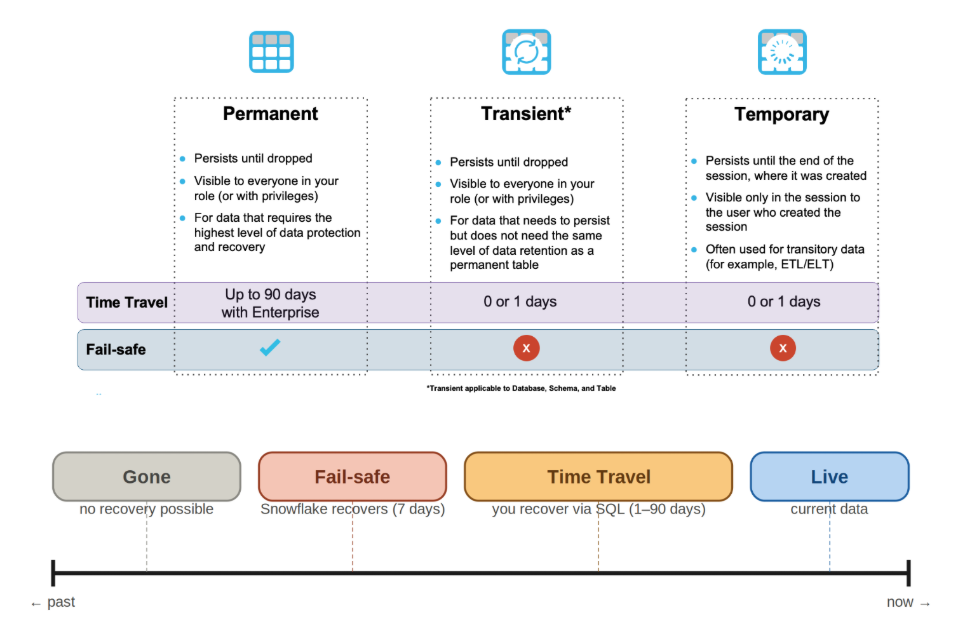
Table Types
Each table type controls how long data is kept and how recovery works.
| Table Type | Features | Use Case |
|---|---|---|
| Permanent |
| Used for critical production data that must be fully recoverable |
| Transient |
| Used for staging and intermediate processing |
| Temporary |
| Used for quick calculations and temporary work within a session |
Permanent tables are safest, transient tables are cheaper, and temporary tables are the most lightweight.
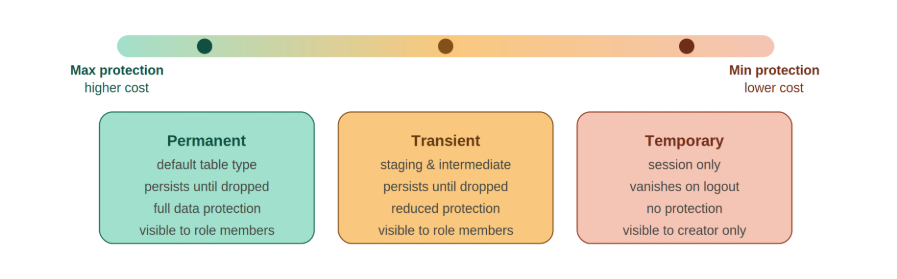
Specialized Table Types
Snowflake also provides advanced table types for specific workloads where standard tables are not enough for the use case.
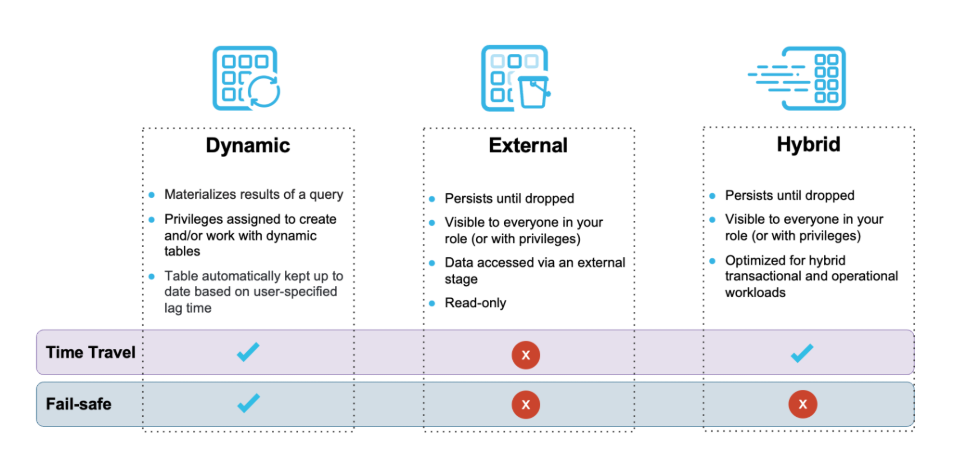
Each specialized table type solves a different problem.
| Table Type | Features | Use Case |
|---|---|---|
| Dynamic Tables |
| Used when you need continuously updated results without scheduling pipelines |
| External Tables |
| Used when data already exists in S3, GCS, or Azure and should not be loaded |
| Hybrid Tables |
| Used when applications need fast writes and analytics on the same data |
Apache Iceberg Tables
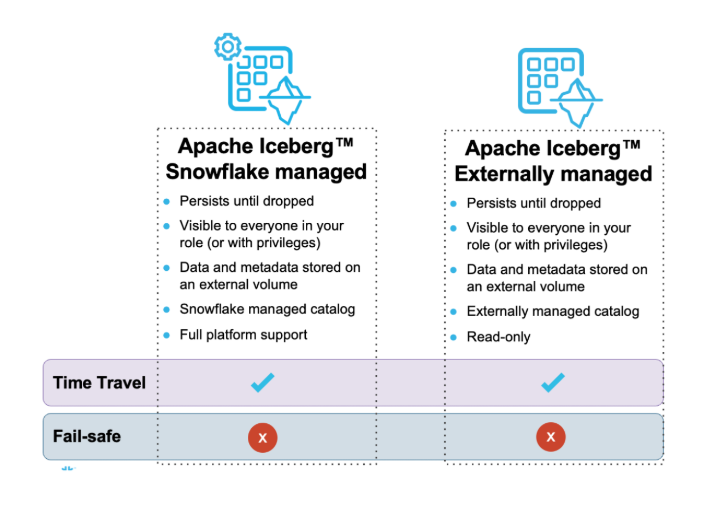
Iceberg tables allow multiple systems to share the same data.
- Works with multiple engines like Spark and Trino
- Avoids data duplication and supports Snowflake integration
- Time Travel is supported, but Fail-safe is not available.
Two catalog options exist:
- Snowflake-managed catalog
- External catalog like AWS Glue
Iceberg is useful when Snowflake is part of a larger data lake ecosystem.
Time Travel and Fail-safe
Snowflake provides these two recovery features depending on table type and edition.
| Feature | Description | Use |
|---|---|---|
| Time Travel |
| Used for quick rollback and historical queries when you need to restore or view past data changes. |
| Fail-safe |
| Used as a backend recovery mechanism after Time Travel expires, mainly for disaster recovery scenarios. |
Views in Snowflake
Views control how data is accessed without changing how it is stored. They help balance freshness, performance, and security depending on how the data is used or shared.
| Type | Key Behavior | Use Case |
|---|---|---|
| Standard View |
| Used when you need always-fresh results and don’t need performance optimization for repeated queries. |
| Materialized View |
| Used for frequently run queries where performance is more important than always recalculating data. |
| Secure View |
| Used when sharing data externally while protecting business logic, such as exposing calculated metrics without revealing formulas. |