GPU Options
Overview
GPUs are a core accelerator for modern AI workloads on Google Cloud.
- Speed up large-scale model training.
- Support responsive and high-throughput inference.
- Provide multiple machine families for different cost and performance goals.
Google Cloud offers GPU options that range from foundation model training clusters to cost-optimized inference platforms.
For provisioning paths and software acceleration details, see GPU Cluster Provisioning and GPU Framework Acceleration.
How GPUs Run AI Workloads
GPUs are built for parallel arithmetic, which makes them effective for tensor-heavy AI workloads.
Training AI Models
Training is the learning phase.
- The model processes large datasets.
- The framework calculates loss and gradients.
- The training loop updates model parameters repeatedly.
These steps depend on dense matrix operations, and GPUs accelerate them by running many calculations at the same time.
Running AI Models
Inference is the serving phase.
- The trained model receives new input.
- It produces predictions or generated output.
- The system returns results with low latency or high throughput.
GPUs are also important here because they can execute the required math quickly enough for real-time or large-batch serving.
Compute And Network Architecture
Large GPU deployments depend on more than the GPU chip alone.
- Intra-node links connect GPUs inside the same host.
- Host-to-host networking supports distributed training.
- Cluster topology affects latency, bandwidth, and synchronization cost.
For large jobs, Google Cloud emphasizes low-latency and high-bandwidth networking from the GPU level up through subblocks, blocks, and the wider cluster.
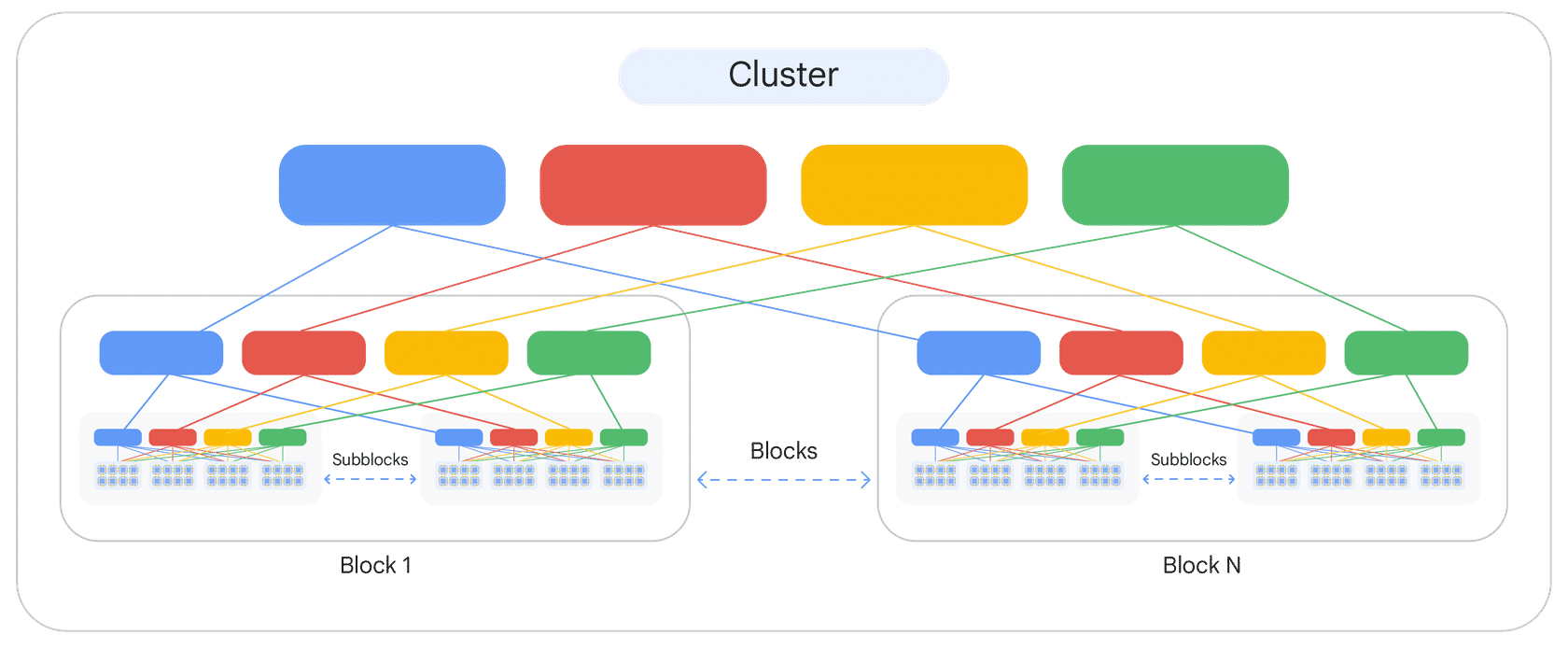
This hierarchical design matters most when model training spans many GPUs and frequent synchronization is required.
GPU Machine Families
Google Cloud groups GPU-backed VM options by performance profile and workload target. Each family is designed for specific performance needs, ranging from foundation model training to cost-effective inference.
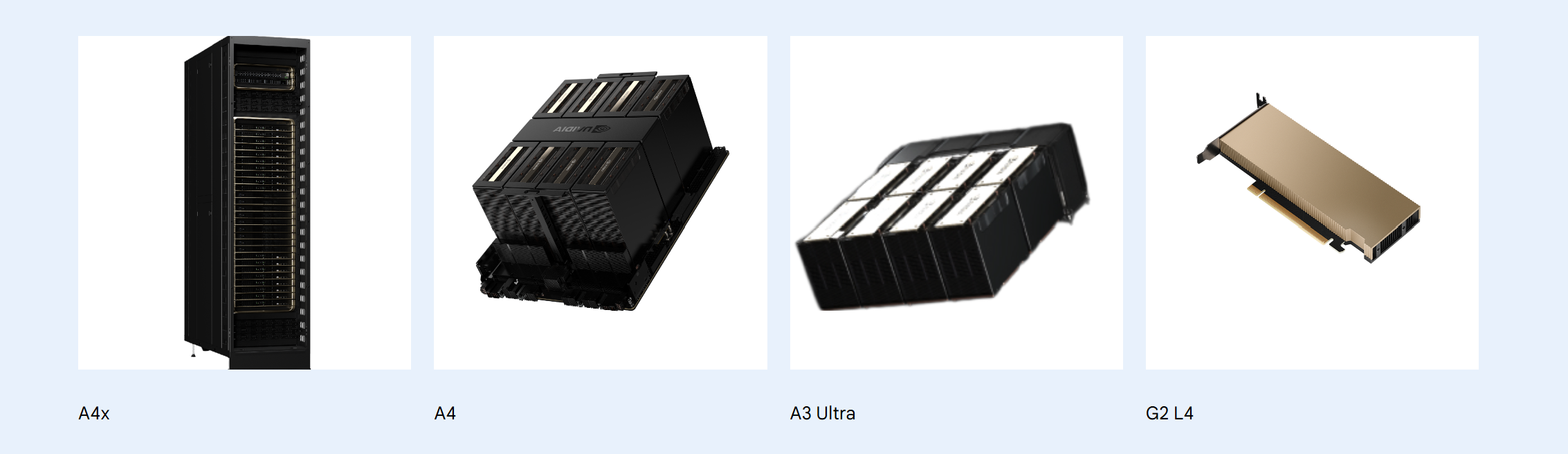
A4 Family
The A4 family is the newest high-end GPU platform for foundation model workloads.
- Built around NVIDIA B200 GPUs.
- Designed for large-scale training and model serving.
- Provides high HBM3e memory capacity and strong network bandwidth.
These machines are commonly paired with Cluster Director or Spot capacity strategies for dense deployments.
Cluster Director helps reserve closely placed machines, supports topology-aware scheduling, and improves operations across resource blocks connected by the ML network fabric.
A3 Family
The A3 family focuses on high-performance training and scale-out execution.
- Built around NVIDIA H100 and H200 GPU variants.
- Well-suited for large model training, fine-tuning, and multi-host inference.
- Offers strong GPU-to-GPU and host-to-host connectivity.
Several A3 variants target slightly different needs.
| Instance | Description |
|---|---|
| A3 Ultra | Powered by NVIDIA H200 GPUs, and optimized for foundation model training and serving. |
| A3 Mega | Uses NVIDIA H100 80 GB GPUs, and is a strong fit for large model training and multi-host inference with schedulers such as GKE or Slurm. |
| A3 High | Uses NVIDIA H100 80 GB GPUs, and is well-suited for large model inference and fine-tuning. |
| A3 Edge | Designed for serving workloads, and available in limited regions. |
A2 Family
The A2 family provides a versatile option for both demanding training and high-throughput inference.
- Powered by NVIDIA A100 GPUs.
- Balances compute capacity and GPU memory.
- Fits many production AI workloads that do not need the newest GPU generation.
Google Cloud offers two main A2 variants.
| Instance | Description |
|---|---|
| A2 Ultra | Equipped with NVIDIA A100 80 GB GPUs. |
| A2 High | Equipped with NVIDIA A100 40 GB GPUs. |
The A2 family also supports compact placement policies, which help place VMs closer together within an availability zone. This improves latency and bandwidth for tightly coupled distributed workloads.
Note: For A2 Ultra limitations and current platform details, refer to the Google Cloud accelerator-optimized machine family documentation.
G2 Family
The G2 family is optimized for cost-effective inference.
- Uses NVIDIA L4 GPUs.
- Targets efficient model serving.
- Can also support lighter AI and graphics-oriented workloads.
This family is a practical choice when you need faster predictions at scale without paying for top-tier training-focused infrastructure.
N1 Plus GPU
N1 with attached GPUs is the more flexible general-purpose option.
- Lets you combine general-purpose N1 compute with attached NVIDIA GPUs.
- Supports older GPU choices such as T4, V100, P100, and P4.
- Helps when you need a specific CPU and GPU balance or legacy accelerator support.
This path is useful when an accelerator-optimized A-series or G-series VM is not the best fit for the workload.
For a broader comparison, see the Compute Engine GPU documentation.
Using GPU Options
In practice, most teams use accelerator-optimized VMs with attached GPUs.
- A4, A3, and A2 target higher-performance AI workloads.
- G2 targets inference efficiency.
- N1 with GPUs provides compatibility and flexibility for older accelerator combinations.
Choosing between them usually depends on model size, training scale, latency goals, scheduler requirements, and budget.
Google Distributed Cloud (GDC) and some NVIDIA software offerings are out of scope for this course.
However, they can be useful follow-on topics when you want a broader view of AI infrastructure and model deployment options.
Recommended GPUs By Workload Type
Use workload type as the starting point when choosing a GPU machine family.
| Workload Type | Recommended Machine Type / Series |
|---|---|
| Pre-training models | A4, A3 Ultra, A3 Mega, A3 High, and A2 |
| Fine-tuning models | A4, A3 Ultra, A3 Mega, A3 High, and A2 |
| Serving inference | A4, A3 Ultra, A3 Mega, A3 High, A2, and G2 |
| Graphics-intensive workloads | G2, and N1 with T4 |
| High performance computing | Any accelerator-optimized machine series. The best choice depends on how much computation is offloaded to the GPU. |
Provisioning platform choice and framework optimization also affect overall results, especially for distributed training and multi-accelerator portability.