TPU Deployment Architecture
Overview
Cloud TPU workloads can be run through direct VM management or managed platforms. Both approaches use the same underlying TPU VM architecture.
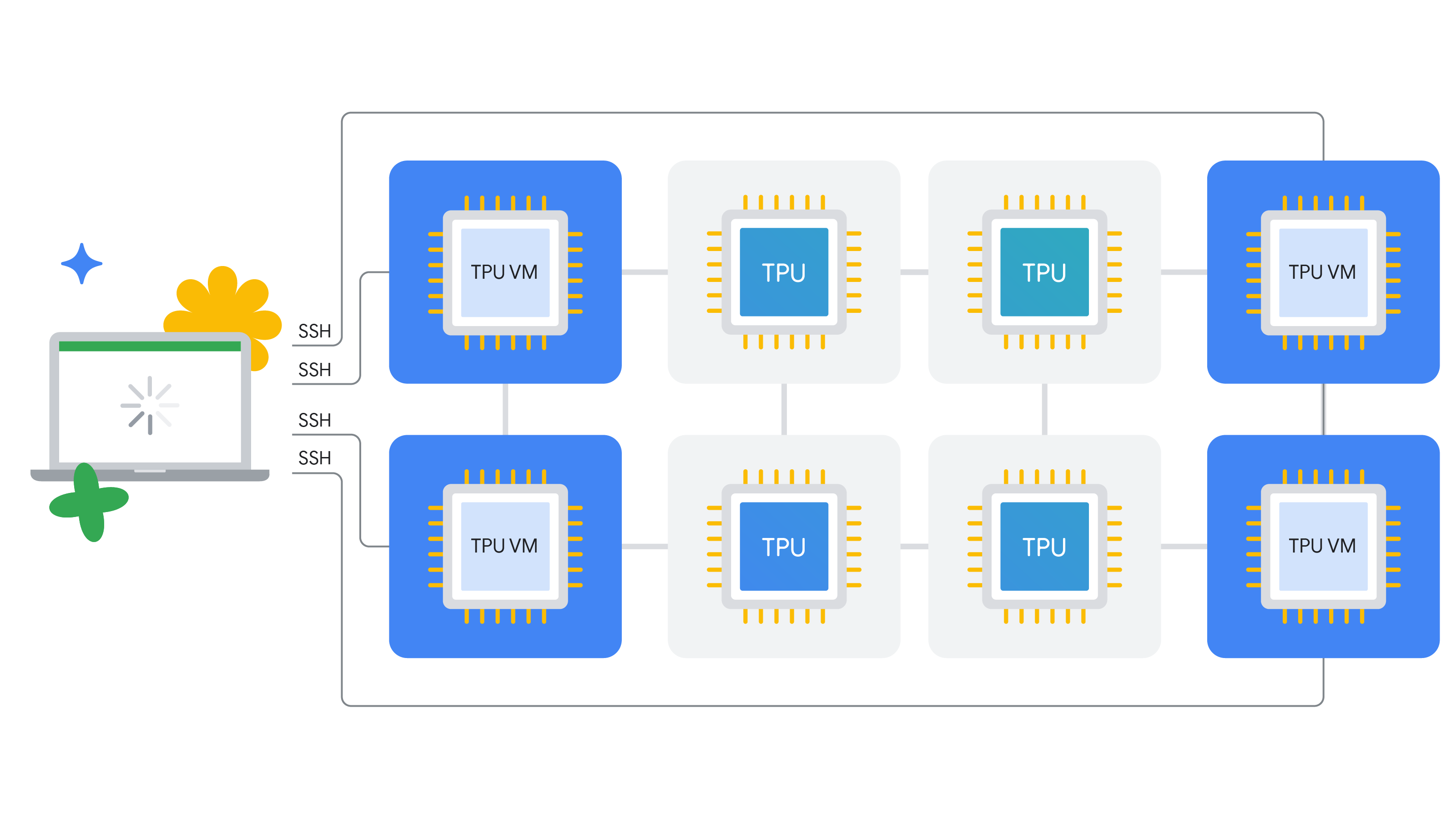
Direct vs. Managed Workloads
Direct
Direct mode gives you hands-on control of TPU VMs.
- You launch and manage TPU VMs yourself.
- You control runtime setup, scheduling, and operations.
- You can tune the environment for specific workload needs.
This path is best when customization and low-level control are top priorities.
Managed services
Managed services simplify TPU operations through higher-level Google Cloud platforms.
- You use services like Agent Platform, GKE, and Vertex AI.
- You reduce infrastructure overhead and manual operations.
- You speed up model lifecycle workflows from build to deployment.
This path is best when you want operational simplicity and faster delivery.
Managed service options
| Service | Description |
|---|---|
| Agent Platform | A managed, end-to-end ML platform for data preparation, training, and deployment. |
| GKE | A Kubernetes platform for orchestrating containerized ML workloads at scale. |
No matter which path you choose, the workload still runs on the same underlying TPU VM architecture.
Scaling Workloads
Cloud TPU supports different workload footprints based on model size and operational goals.
Single-Host Workload
Single-host mode keeps the workload on one TPU VM for simple execution.
- Runs on one TPU VM.
- Good for smaller models and early experimentation.
- Limited to one host's accelerator capacity.
Multi-Host Workload
Multi-host mode spreads the workload across multiple TPU VMs for higher scale.
- Distributes execution across multiple TPU VMs.
- Required for very large models and high parallelism.
- Provides much faster training for demanding jobs.
Sub-Host Workload
Sub-host mode allocates only part of a TPU VM when full capacity is not required.
- Uses part of a TPU VM instead of all chips.
- Useful for development and smaller jobs.
- Improves resource efficiency for light workloads.