Using Subagents
Overview
GitHub Copilot subagents help break complex tasks into smaller, focused pieces. Instead of relying on a single agent to handle everything, you can delegate specific subtasks to different agents that work together toward the overall goal.
This approach is especially useful for multi-step workflows or tasks spanning different domains. A single agent can struggle to manage all the details at once, and its limited context window may be quickly exhausted on larger tasks.
By using subagents, each part of the problem is handled in a more targeted way, improving clarity, efficiency, and overall results.
Example: Fix Vulnerabilities from a Security Review
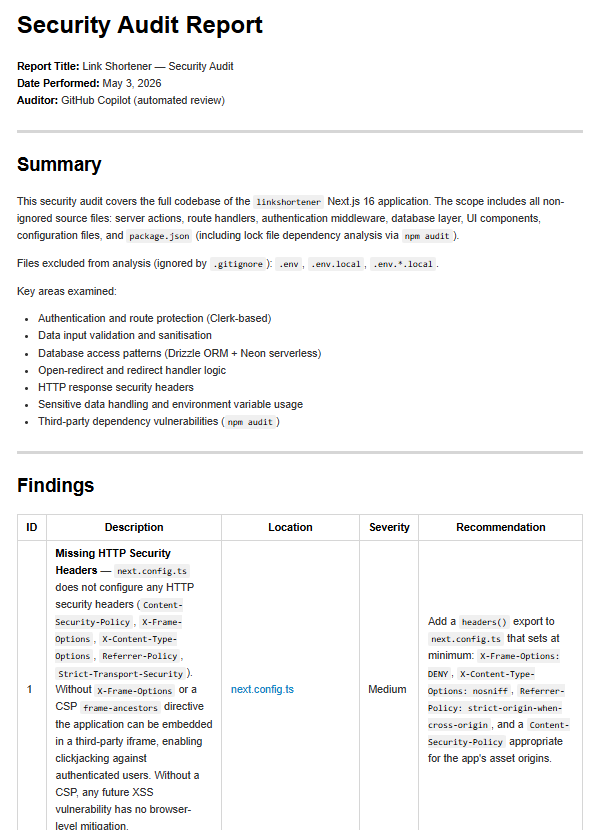
As example, we'll use the generated security report from the security-review.prompt.md (see Detect Insecure Code with Copilot Chat) The report contains a list of identified vulnerabilities, each with a description, location, severity, and recommendation for fixing the issue.
See the report here: linkshortener-using-nextjs/security-report
Screenshot:
Create Subagent Prompt
To keep things simple, we opened the project repo in VS Code and then created a new prompt file called security-fix.prompt.md in .github/prompts/.
See the prompt file here: linkshortener-using-nextjs/.github/prompts
Running the Prompt
Open a new conversation in Copilot Chat and type:
/security-fix
The agent will automatically read the correct prompt file and understand the task. It (main agent) will read the security report, identify the vulnerabilities, and then prompt the user to select which vulnerability to fix first.
Choosing some of the vulnerabilities to fix:
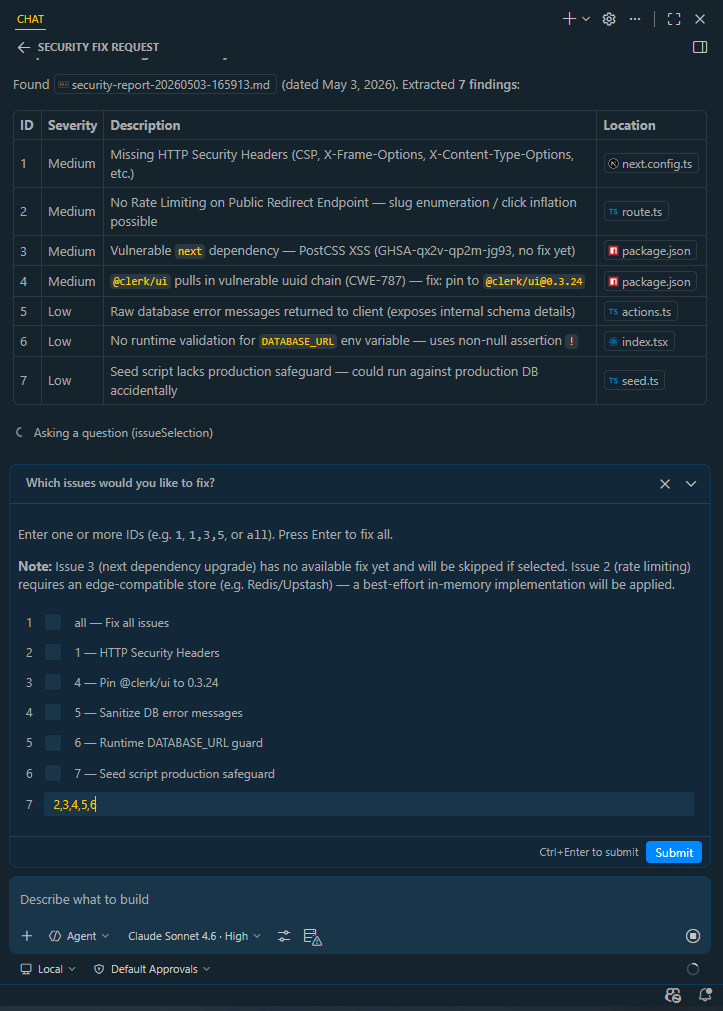
Once the user selects a vulnerability (or all vulnerabilities), the main agent will delegate the task of fixing that specific issue to a subagent.
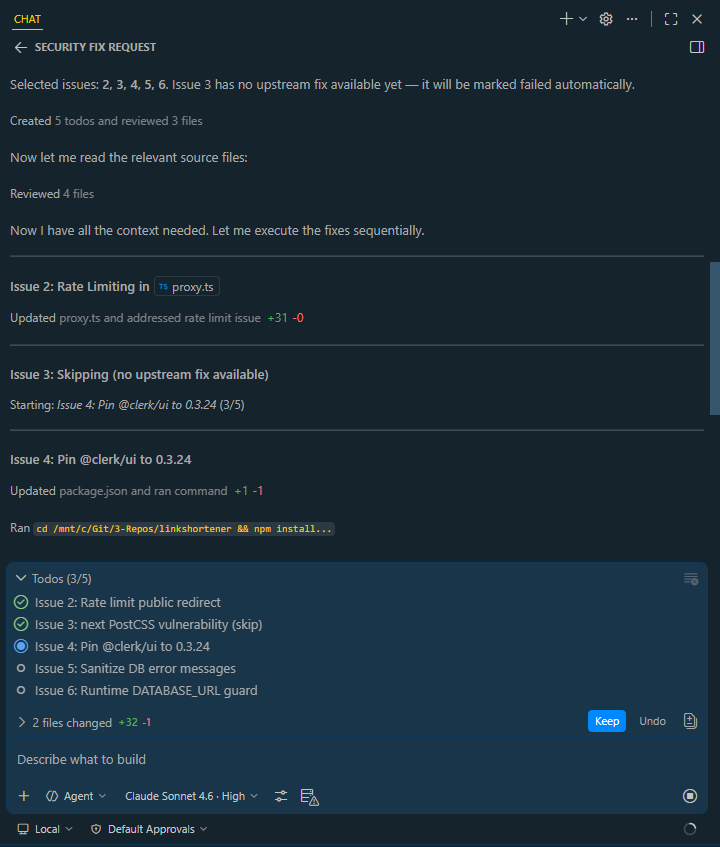
Once its done, the subagent will apply the fix to the codebase and then report back to the main agent with the results. The main agent will print out the results of the fix, including any changes made to the codebase and any remaining vulnerabilities that still need to be addressed.
In this case, one of the fix failed because the newest versionof Next.js is not yet available on npm, so the subagent was not able to update the dependency.
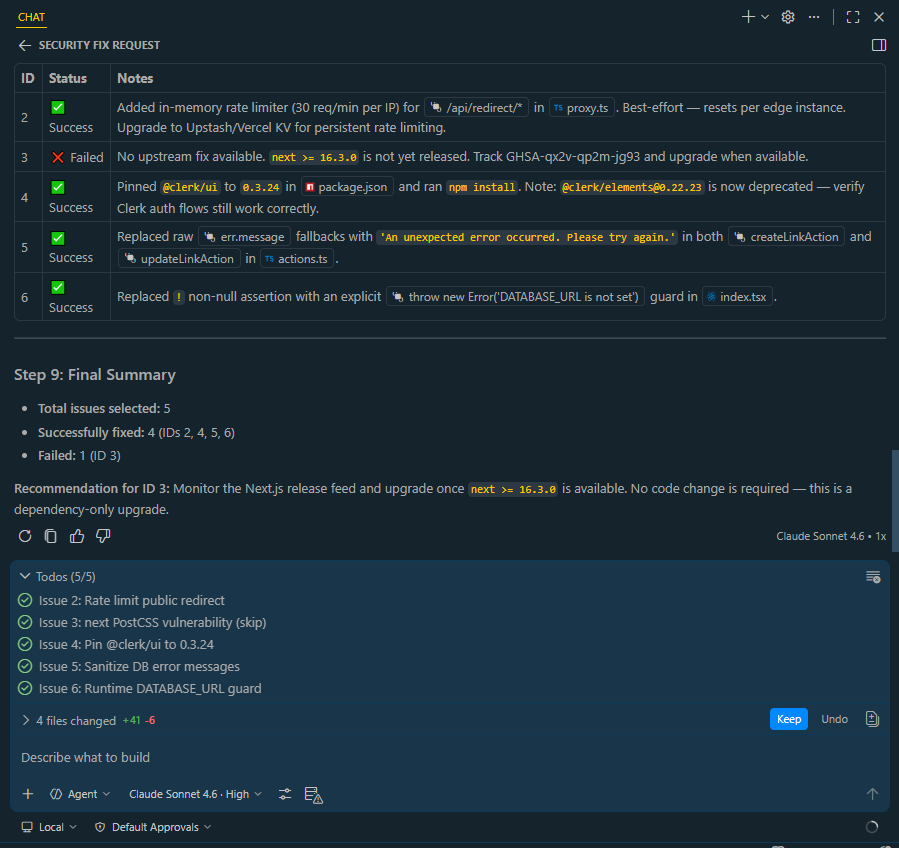
As best practice, you can run the prompt multiple times to fix each vulnerability one by one, or you can select all vulnerabilities at once and let the subagents handle them in parallel. Additionally, make sure to run the development server and test the application after each fix to ensure that everything is working correctly and that no new issues have been introduced.
npm run dev