Detect Insecure Code with Copilot Chat
Overview
We can use GitHub Copilot Chat to spot potential security issues in our code. By asking it to review the code for vulnerabilities, it can highlight risky areas and suggest improvements.
Create Prompt File
To start, we can create a prompt file that includes the code we want to review. This file will serve as the "input" for Copilot Chat when we ask it to analyze our code for security issues.
For testing, I used the codebase for the Link Shortener project. After opening the project in VS Code, I created a new file called security-review.prompt.md in .github/prompts/.
See the prompt file here: linkshortener-using-nextjs/.github/prompts
Run the Prompt
With the prompt file created, we can now run it in Copilot Chat. To do this, open Copilot Chat in VS Code and in the chat input, type:
/security-review
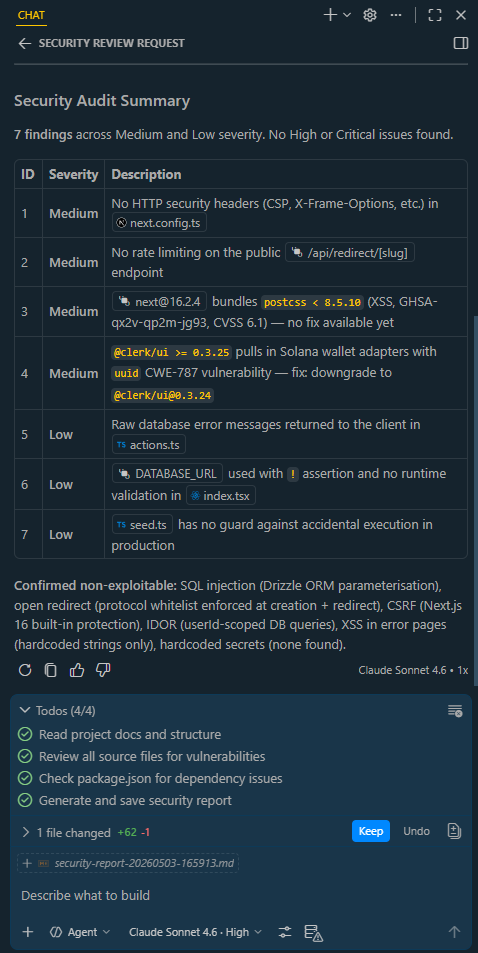
The agent will automatically read the prompt file, analyze the codebase for security issues, and generate a markdown report with its findings. The report will be saved as security-report-<timestamp>.md in the security-reports directory at the root of the project directory.
See the report here: linkshortener-using-nextjs/security-report
Here's a sample screenshot of the vulnerabilities found by the agent: