Structured Output
Overview
Structured output allows you to make a model return data in a predefined JSON format instead of normal text.
- Useful for automation
- Makes output easier to process
This is especially useful when the model output will be consumed by another application, script, API, or workflow instead of being read directly by a person.
Using JSON
JSON (JavaScript Object Notation) is a text-based format used to store and exchange structured data.
- Commonly used by APIs
- Easy to parse in code
In the example below, the model is asked to summarize financial data from a document. The output is free-form text:
The company generated $1,000,000 in revenue and $250,000 in operating income during 2025.
This is easy for a person to read but may be harder for another application to process. We can enable Structured Output to make the model return the same information in a structured JSON format.
{
  "year": "2025",
  "revenue": 1000000,
  "operating_income": 250000
}
This format is easier to use in programs, APIs, databases, and automation workflows.
JSON Schema
A JSON Schema defines the structure that the model should follow.
- Defines expected fields
- Defines data types
- Guides model output
- Improves consistency
For example, a financial report schema could look like this:
{
  "title": "Financial Data",
  "type": "object",
  "properties": {
    "year": {
      "type": "string",
      "description": "The year of the report"
    },
    "revenue": {
      "type": "integer",
      "description": "Total revenue for the year"
    },
    "operating_income": {
      "type": "integer",
      "description": "Operating income for the year"
    }
  }
}
The descriptions help the model understand what information belongs in each field.
Using Structured Output
Structured Output can be enabled from the model settings.
- Enable Structured Output
- Provide a JSON Schema
- Send a prompt
- Receive JSON response
In the example below, the model is prompted to extract the names and phone numbers from a document.
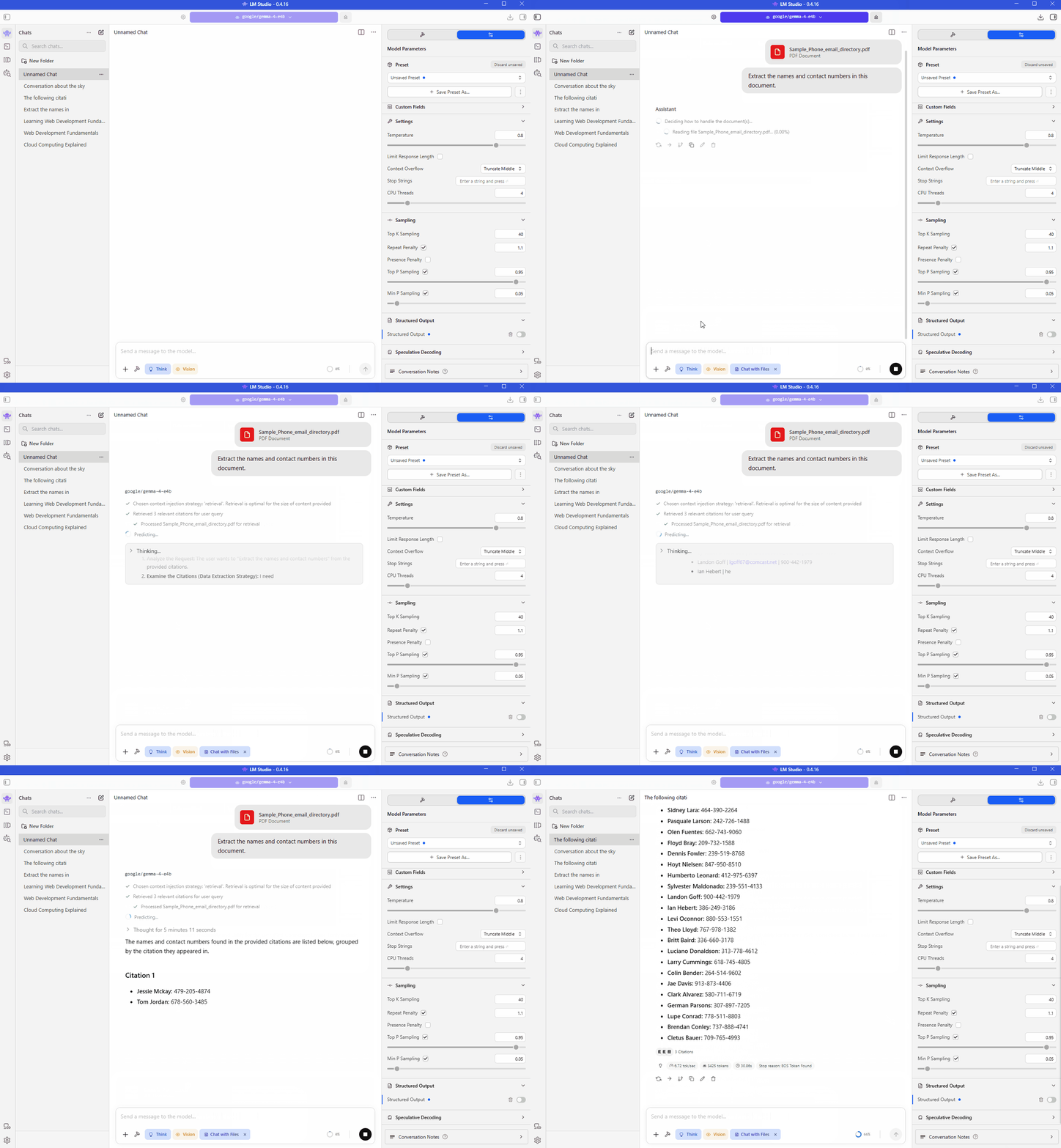
With Structured Output enabled, the model is provided with the following JSON schema:
{
  "$id": "https://example.com/person.schema.json",
  "$schema": "https://json-schema.org/draft/2020-12/schema",
  "title": "Person",
  "type": "object",
  "properties": {
    "firstName": {
      "type": "string",
      "description": "The person's first name."
    },
    "lastName": {
      "type": "string",
      "description": "The person's last name."
    },
    "numbers": {
      "description": "Phone numbers of the person.",
      "type": "array",
      "items": {
        "type": "string"
      }
    }
  }
}
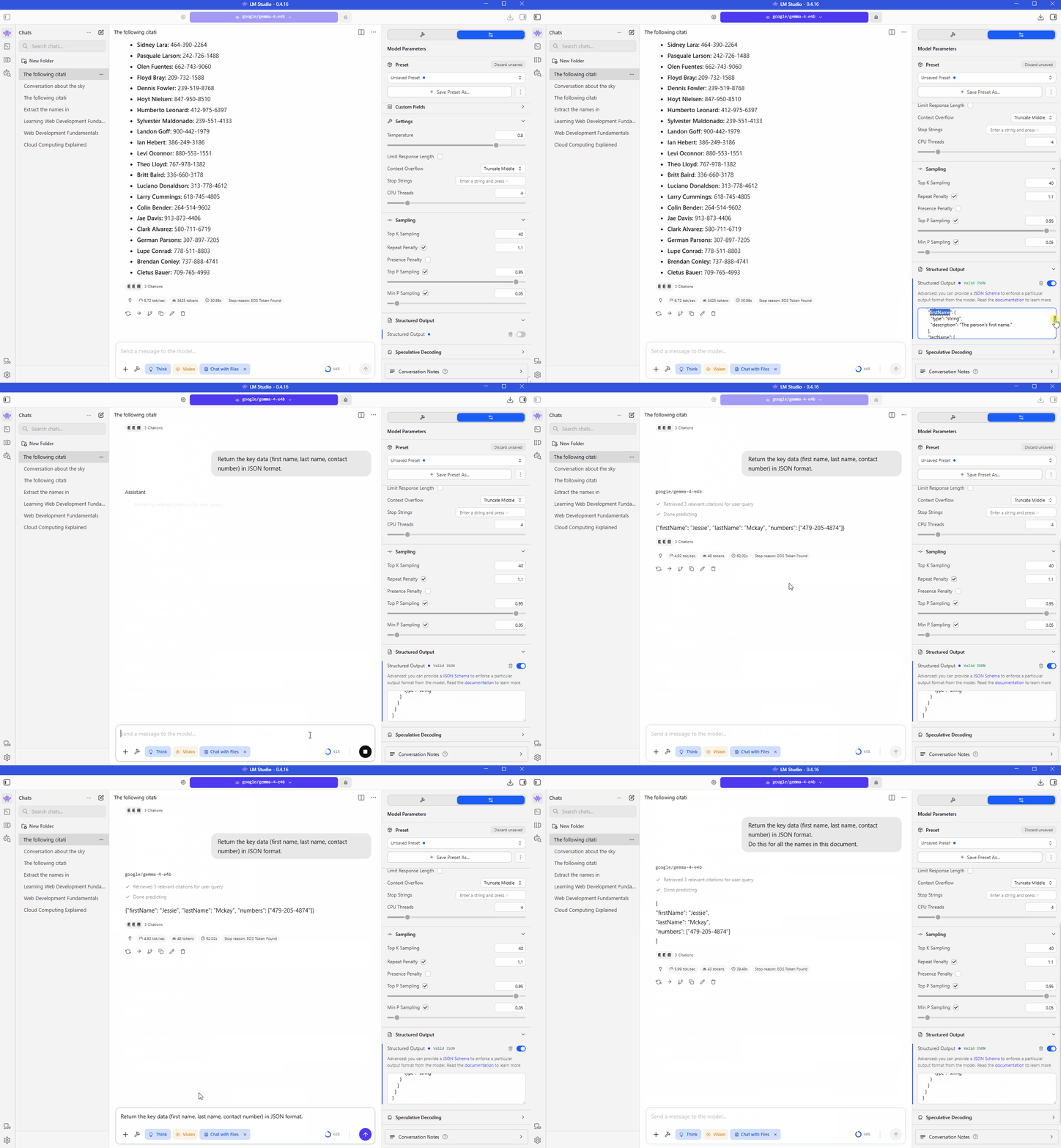
It then returns the output in JSON format instead of free-form text.
Structured Output Is Not a Guarantee
As seen in the example above, the model does return JSON, but it does return the full JSON object as expected.
The model can still make mistakes, such as:
- Fields can be missing
- Values can be incorrect
- Output may not fully match schema
- Depends on model quality
A schema strongly encourages the model to follow a format, but the model can still make mistakes.
Always validate important outputs before using them in production systems.
Write Better Prompts
Structured Output works best when the prompt and schema work together.
- Specify the required fields
- Ask for JSON explicitly
- Keep instructions clear
- Match the schema fields
For example:
Return the key data(first name, last name, contact numbers) in JSON format.
Do this for all the names in this document.
This is usually more reliable than simply saying:
Summarize the document.
The clearer the prompt, the more likely the model will follow the schema correctly.