Two tier Design Part 1 Package Management
Overview
This lab begins the two-tier application build by managing operating system packages across the target hosts.
Diagram:
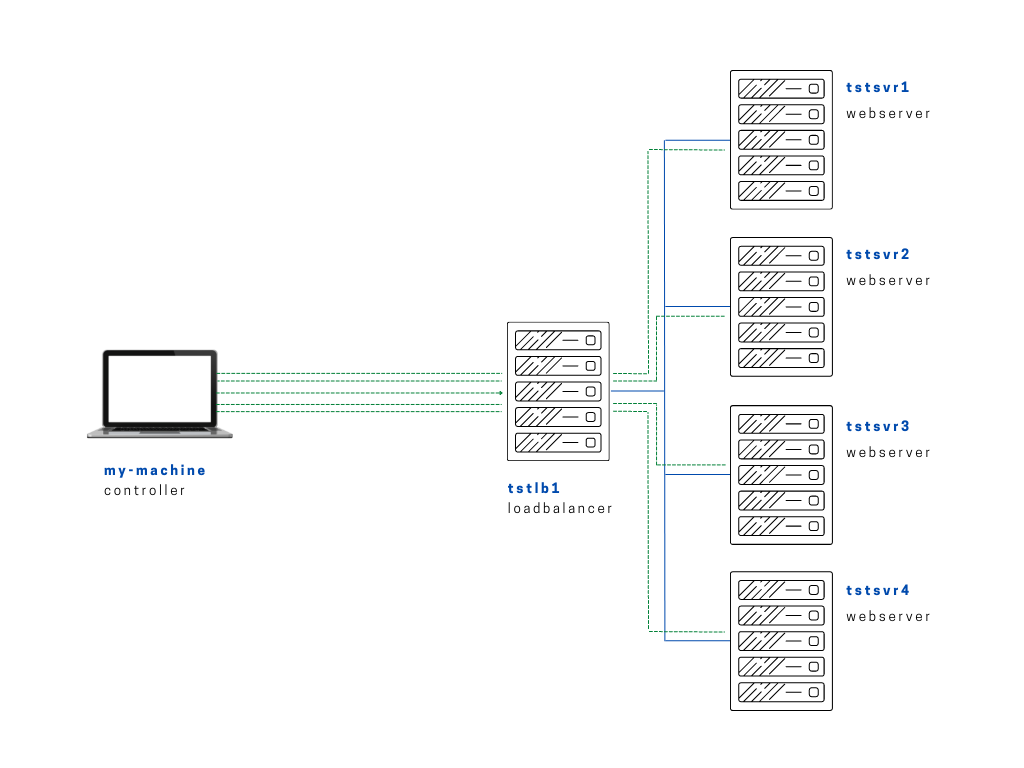
This particular lab will be divided into phases:
- Part 1: Package Management
- Part 2: Install Services
- Part 3: Upload application to Web Servers
- Part 4: Configure the Load Balancer
For the first one, we're updating all the packages in our servers using yum.
package-update.yml
# package-update.yml using yum
---

- name: Update packages on the servers using yum
  hosts: webservers:loadbalancers
  tasks:
    - name: Update packages using yum
      yum:
        name: '*'
        state: latest
When we try to run it, we see an error.
$ ansible-playbook playbooks/package-update.yml
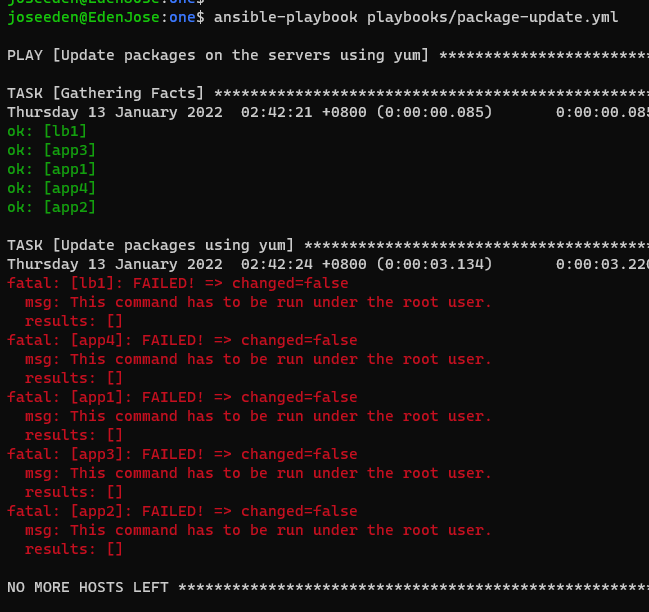
Notice that when our playbook fails, it creates a duplicate file appended with retry. This is Ansible's way of telling us that the run wasn't succesful. This means that for every failed run, it will create duplicate files which could accumulate quickly. This can be disabled though the ansible.cfg file, which is discussed in the Adding more on the ansible.cfg section.

This means the actions can only be done by the root user. To do this, we edit the playbook. "become: true" means become the root user when running the tasks.
package-update.yml
# package-update.yml using yum
---

- name: Update packages on the servers using yum
  become: true
  hosts: webservers:loadbalancers
  tasks:
    - name: Update packages using yum
      yum:
        name: '*'
        state: latest
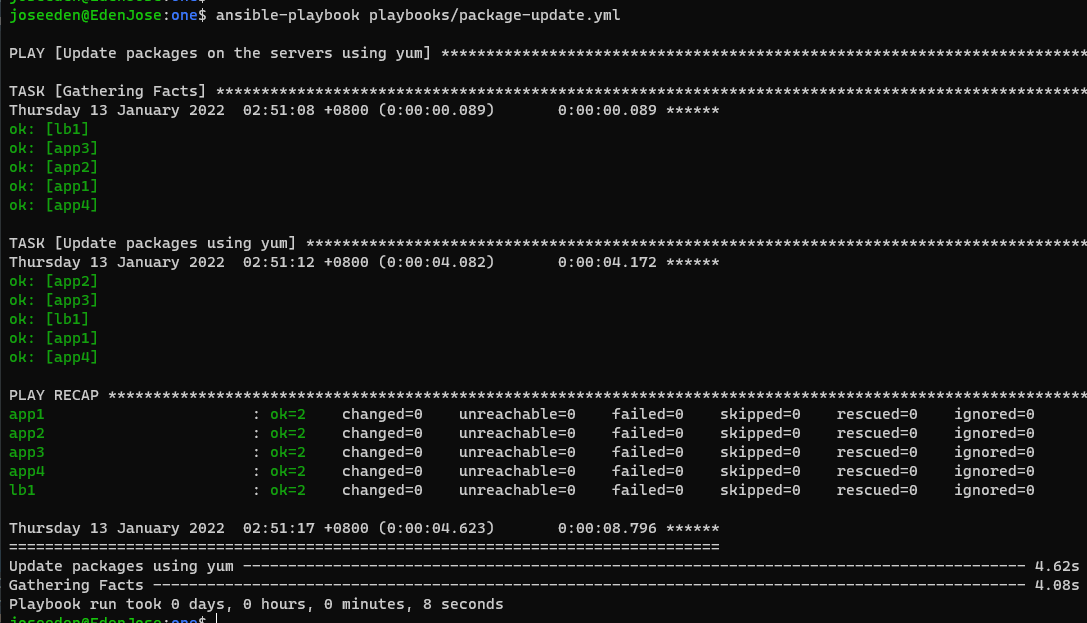
When we run the playbook again, it succeeds this time.