Two tier Design Part 4 Configure the LoadBalancer
Overview
This lab configures the load balancer so it can proxy traffic across the backend web servers.
Diagram:
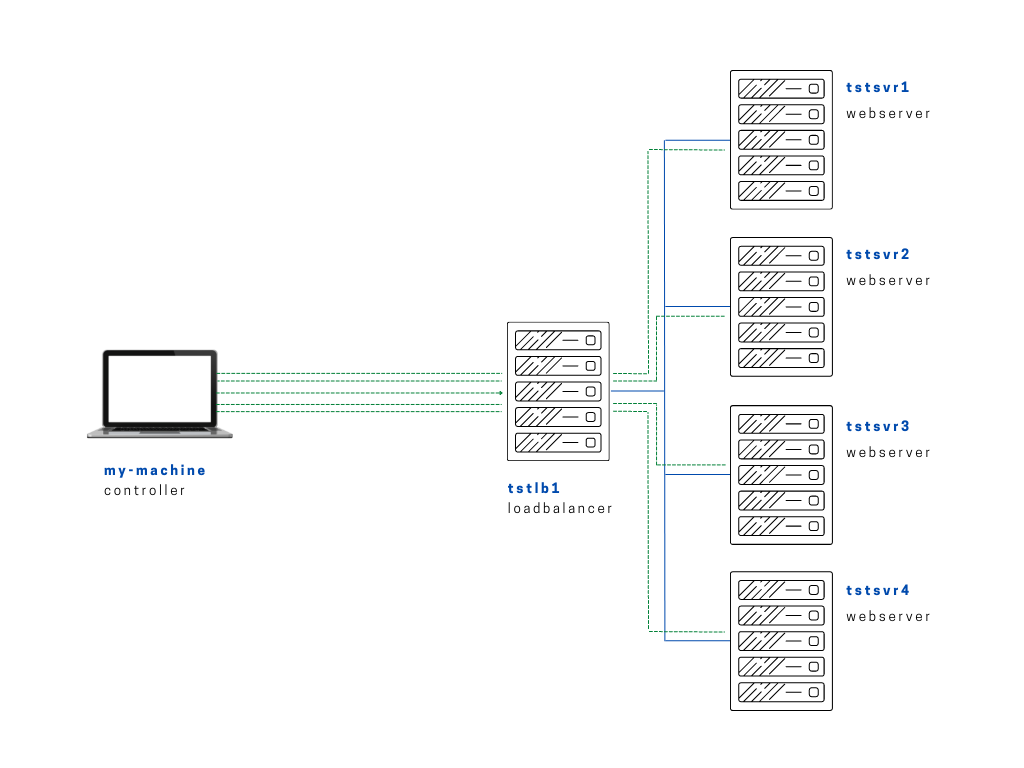
Here we're configuring the loadbalancer with all the IP addresses of the web servers, which will then be used by the loadbalancer to proxy the requests coming in.
Instead of creating a static template which will specify the webserver. we can create a separate file that make use of the looping mechanism of Ansible. The playbook will then pull the IPs of webservers from this file.
The real beenfit of this is if we need to decommision a server or add more to scale, we don't to touch the template anymore. Instead, we modify the separate file.
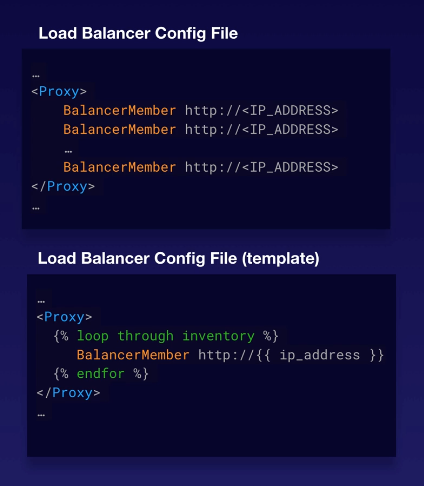
In our files folder, we'll create lbconfig.j2. The load balancer template is stored with the project files.
lbconfig.j2
# lbconfig.j2
#---------------------------------------------------------------------
# Configures the webservers
#---------------------------------------------------------------------
# Format:

# ProxyRequests off
# <Proxy balancer://webcluster >
#	BalancerMember http://<webserver1-ip>
#	BalancerMember http://<webserver2-ip>
#	BalancerMember http://<webserver3-ip>
#	BalancerMember http://<webserver4-ip>
# <Proxy>
#
# However, the problem with this is that we need to update this each
# time we add, remove servers, or even just change IP addresses.
# This is a static approach, and we want it to be more dynamic.
#
# To do this, we create a for loop that is wrapped in {% for condition %}
# And end the loop with a {% endfor %}
# Inside this loop, we define the expression for the webservers.
#
# Instead of defining each one by one,
# we specify a single 'BalancerMember' which will loop through the
# "hostvars" which was created during the gathering facts stage.
# During this stage, Ansible gathers the information on our inventory file.
# The information is then placed in the "hostvars" in a dictionary format.
#
# From the dictionary, the "hosts" and their corresponding IPs are pulled.
# The IPs are defined by the "ansible_host" which we previously specified
# in the inventory file.
#
# This way, the balance members are dynamically generated.
#
#---------------------------------------------------------------------
# Actual Config:

ProxyRequests off
<Proxy balancer://webcluster >
  {% for hosts in groups['webservers'] %}
    BalancerMember http://{{hostvars[hosts]['ansible_host']}}
  {% endfor %}
    ProxySet lbmethod=byrequests
</Proxy>

# Optional
<Location /balancer-manager>
  SetHandler balancer-manager
</Location>

ProxyPass /balancer-manager !
ProxyPass / balancer://webcluster/
The next step would now be is to upload the Jinja file (j2) to the loadbalancer. In the playbooks directory, we'll create a playbook that uploads the template.
setup-lb.yml
# setup-lb.yml
---

- name: Copy app file onto webservers
  become: true
  hosts: loadbalancers
  tasks:

    - name: Creating the template
      template:
        src: ~/proj-ansible/one/files/lbconfig.j2
        dest: /etc/httpd/conf.d/lb.conf
        owner: bin
        group: wheel
        mode: 644

    - name: Restart Apache
      service:
        name: httpd
        state: restarted
I encountered two errors here when trying this lab:
- Proxy error
- (13)Permission denied: AH00957: HTTP: attempt to connect to failed
I've documented the steps I took for this errors in the Errors Encountered section.
After resolving the errors and running the playbook for the sixth or seventh time, it now succeeded.
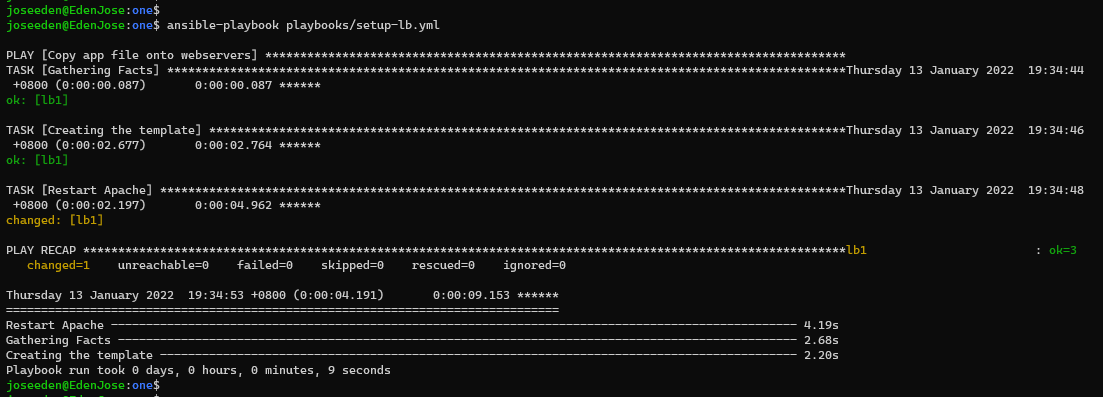
Pasting the LB's public IP to my web browser,

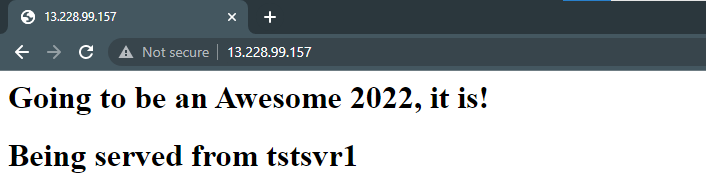
Now, we're not able to know if the request is being rotated betwee the webservers with each refresh, so we modified the index.php, and ran the setup-app.yml and again.
<?php
 $hostname = gethostname();
 echo "<h1>Going to be an Awesome 2022, it is!</h1>";
 echo "<h1>Being served from $hostname</h1>";
?>
Ran the playbook again,
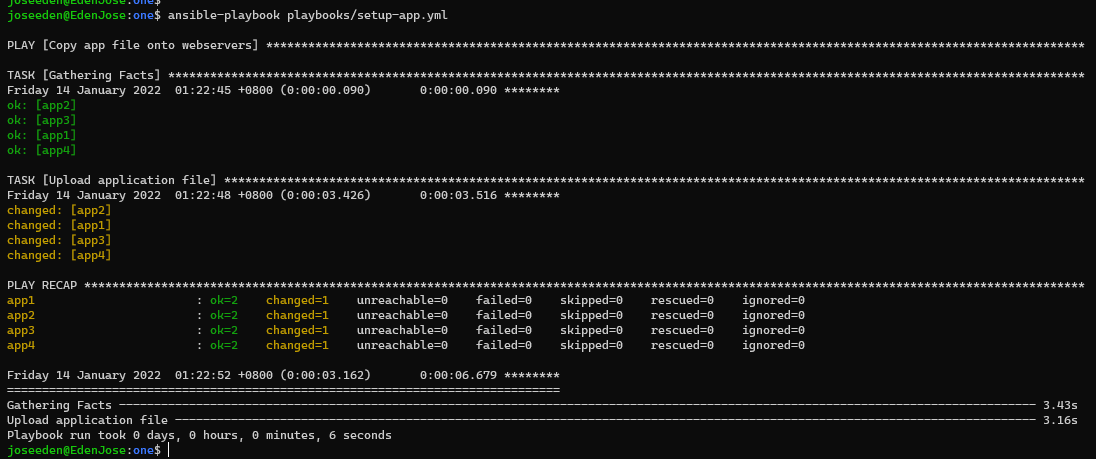
Then checked on the browser. Refresh a couple of times to see the hostname changing.
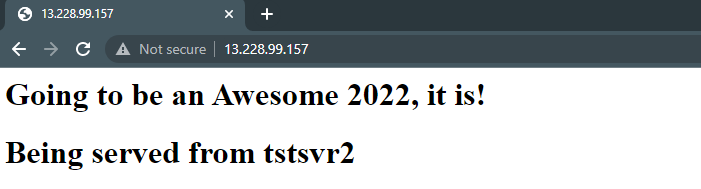
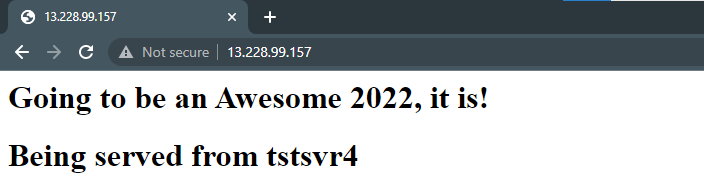
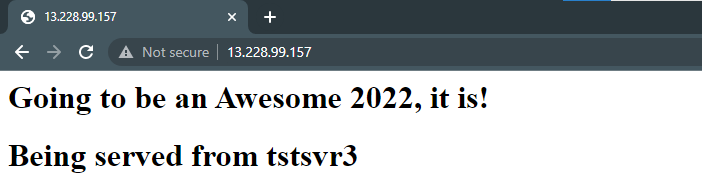
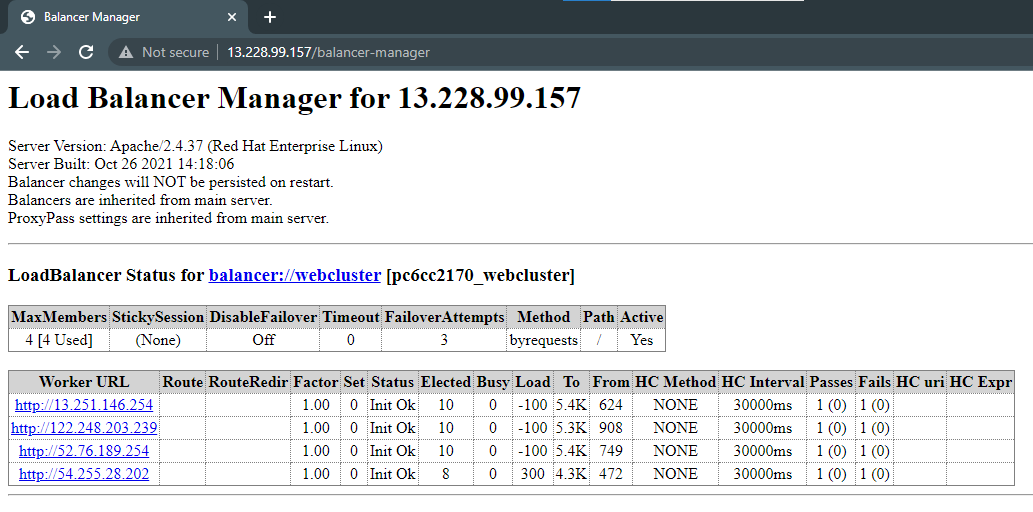
We can also see a status of the servers by adding 'balancer-manager' at the end of the IP.