Two tier Design Part 6 Using Prompts
Overview
This lab adds runtime prompts to a playbook so the operator can confirm actions before Ansible proceeds.
Diagram:
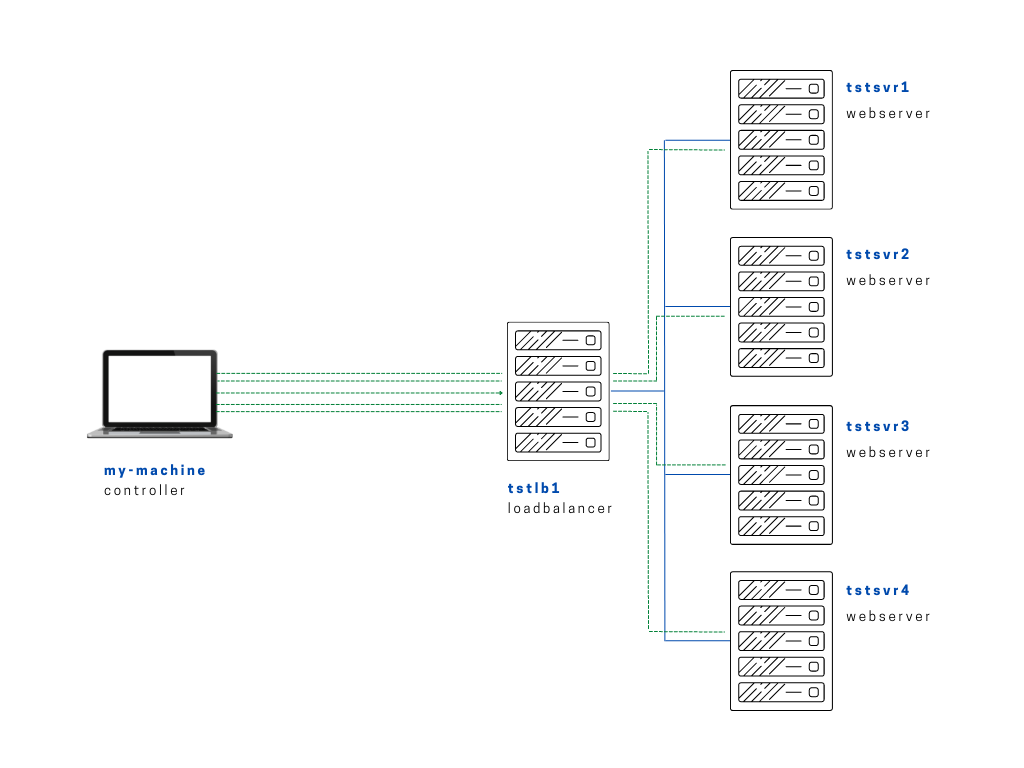
In this lab, we'll modify the flow by asking the user to answer a yes-no question before proceeding with running the playbook. To do this, we'll use vars_prompt and prompt.
We'll create a copy of setup-app-regvars.yml and name it setup-app-prompts.yml.
Notice that the two "prompts" will store in two separate variables which then be used in the first two tasks. In the first two tasks, we specify that the task will only be ran if the variables or if the user entered "yes"
setup-app-prompts.yml
# setup-app-regvars.yml
---

- name: Copy app file onto webservers
  become: true
  hosts: webservers

  vars:
    path_to_app: "/var/www/html"

  vars_prompt:
    - name: "upload_var"
      prompt: "Upload the index.php file?"
    - name: "create_var"
      prompt: "Create the info.php page?"

  tasks:

    - name: Upload application file
      when: upload_var == 'yes'
      copy:
        src: ~/proj-ansible-1/one/files/index.php
        dest: "{{ path_to_app }}"
        mode: 0755

    - name: Create simple info page
      when: upload_var == 'yes'
      copy:
        dest: "{{ path_to_app }}/info.php"
        content: "<h1> Info about our webserver: {{ ansible_hostname }} </h1>"

    - name: See directory contents
      command: ls -la {{ path_to_app }}
      register: dir_contents

    - name: Use debug module to print out contents
      debug:
        msg: "{{ dir_contents }}"
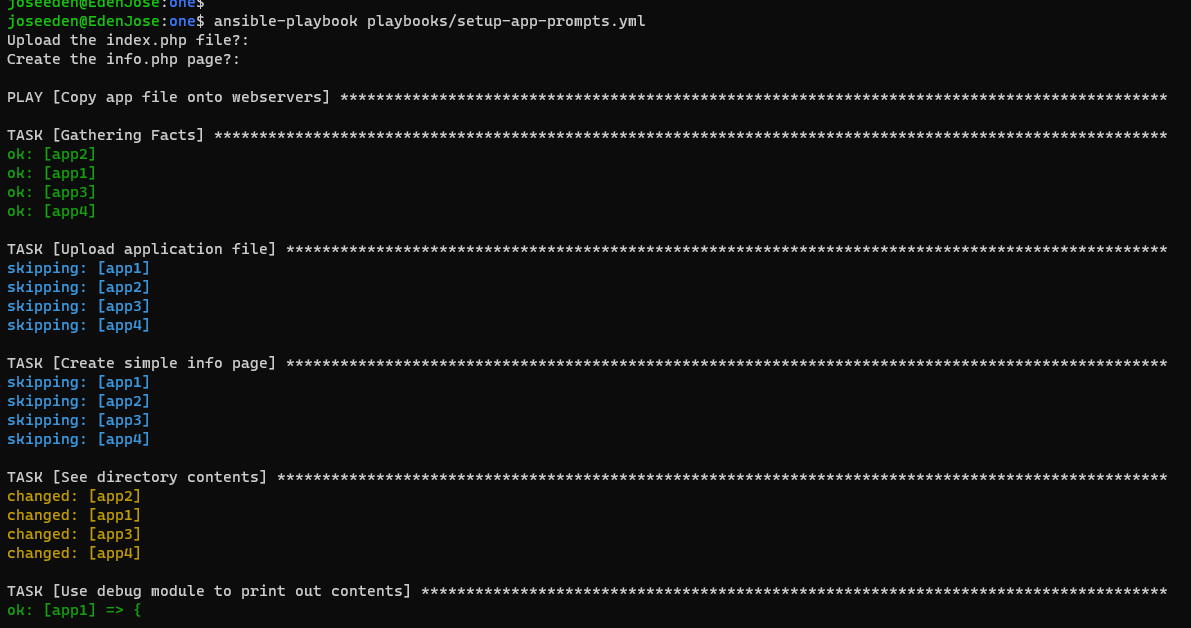
When we run the playbook, we'll be asked with the two questions. If we enter 'yes', the first two tasks are ran. Otherwise, they are skipped.
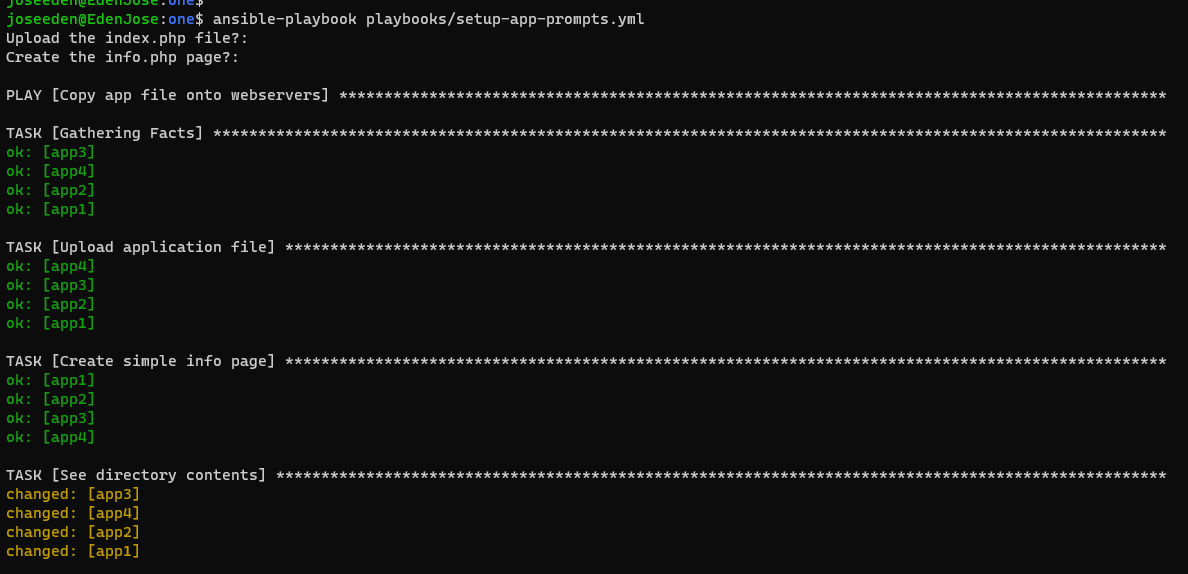
Let's see what it will return if we enter 'no' to both prompts.