Creating Users with Passwords stored in Ansible Vault
Overview
This lab combines user creation with Ansible Vault so account passwords can be managed without storing plaintext secrets.
Diagram:
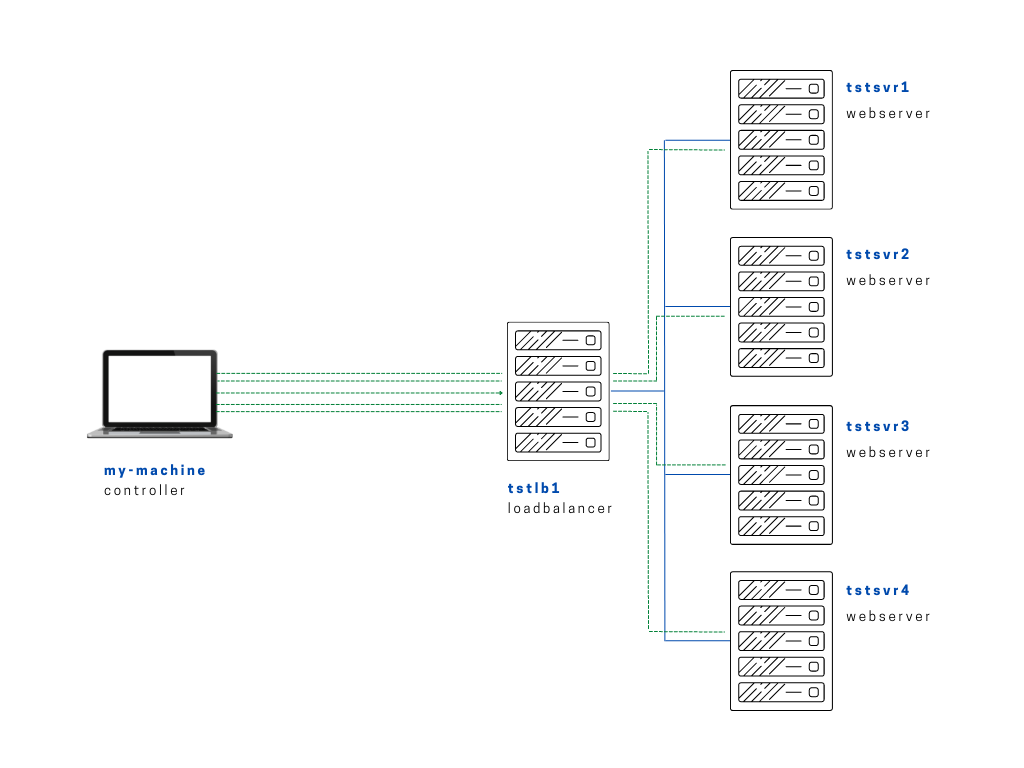
We'll also still be using the same files in project one from the first 10 labs. To recap, here are some important files that we'll need:
ansible.cfg
 [defaults]
# E: variables for my personal lab
inventory = ~/proj-ansible-1/one/inventories/edendev.inv
remote_user = eden
private_key_file = ~/.ssh/id_rsa
host_key_checking = False
retry_files_enabled = False
timeout = 24
gather_facts = smart

#ansible_managed = "# This file is managed by Ansible, all local changes will be lost !"
#allow_world_readable_tmpfiles = True
#precedence = all_plugins_play, all_inventory, groups_plugins_play, groups_inventory, all_plugins_inventory, groups_plugins_inventory
#any_errors_fatal = True
#timeout = 24

[privilege_escalation]
#become_method = sudo
#become=True
#become_user=root
#become_ask_pass=False

[paramiko_connection]
#record_host_keys = False

[ssh_connection]
scp_if_ssh = True
pipelining = True
inventories/edendev.inv
[webservers]
app1    ansible_host=13.251.146.254
app2    ansible_host=122.248.203.239
app3    ansible_host=52.76.189.254
app4    ansible_host=54.255.28.202

[loadbalancers]
lb1     ansible_host=13.228.99.157

[local]
localhost   ansible_connection=local
symlink in root directory pointing to projects folder
$ ls -la | grep "\->"
lrwxrwxrwx  1 joseeden joseeden    70 Jan 14 23:03 proj-ansible-1 -> /mnt/c/Users/Eden Jose/4-Projects
tree-output of Project One
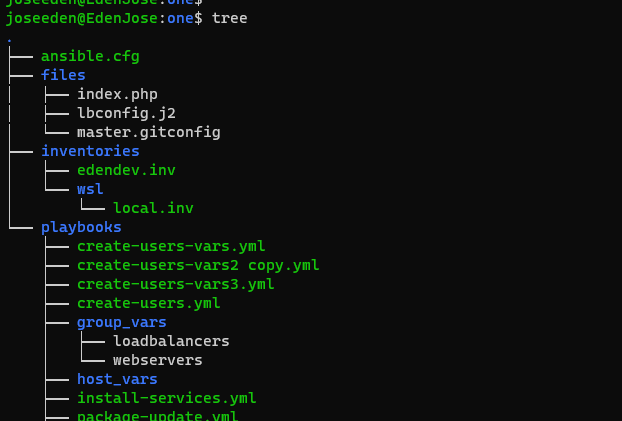
Similar with the previous two labs before it, we'll be creating a playbook that creates users in the webservers. But this time, we'll put the passwords in a secrets file. This file will be created using the ansible-vault command.
Inside our files folder, let's create the secrets file.
$ cat > files/secrets
secret_password: admin123
We'll encrypt it using ansible-vault. It will prompt to enter a password twice. If we try to display the contents of the secrets file, it will now be hashed.
$ ansible-vault encrypt files/secrets
New Vault password:
Confirm New Vault password:
Encryption successful
$ cat files/secrets
$ANSIBLE_VAULT;1.1;AES256
65613666663866366462623337336535393932623332303861363830336265303462623061323631
3463626665303334666664636631383066383332616235610a663738626564633038653330343066
65626366316665666464626433393164373464653832366332643461363339353538396466623864
3530393661656338340a343133393633386563663930396437396261313561643162643765393938
63306130346535613939373961303064623838373362623032626335336436373763
We'll now use the password in the secrets file as a password for the users that will create in the webservers. These user variables are specified in the playbooks/group_vars/webservers file. We'll also specify the user to be testeden-5
$ vim playbooks/group_vars/webservers

# Variables for the webservers group
#---------------------------------------

    username:
        testeden-5:
            uname: testeden-5
            description: ansible-created-user-5
            password: "{{ secret_password }}"
We'll create a copy of the playbook from the previous lab and rename it to create-users-vars4.yml. We'll add a play that loads the encrypted file and after it, a play that uses the debug module.
create-users-vars4.yml
# create-users-vars4.yml
---

- name: Create users on the webservers
  hosts: webservers
  become: true
  tasks:

  - name: Loads the encrypted file
    include_vars:
      file: ~/proj-ansible-1/one/files/secrets

  - name: Display the encrypted variable
    debug:
      msg: " {{ secret_password }}"

  - name: Create the users
    user:
      name: "{{ username['testeden-5']['uname']}}"
      comment: "{{ username['testeden-5']['description'] }}"
      password: "{{ username['testeden-5']['password'] }}"
      state: present
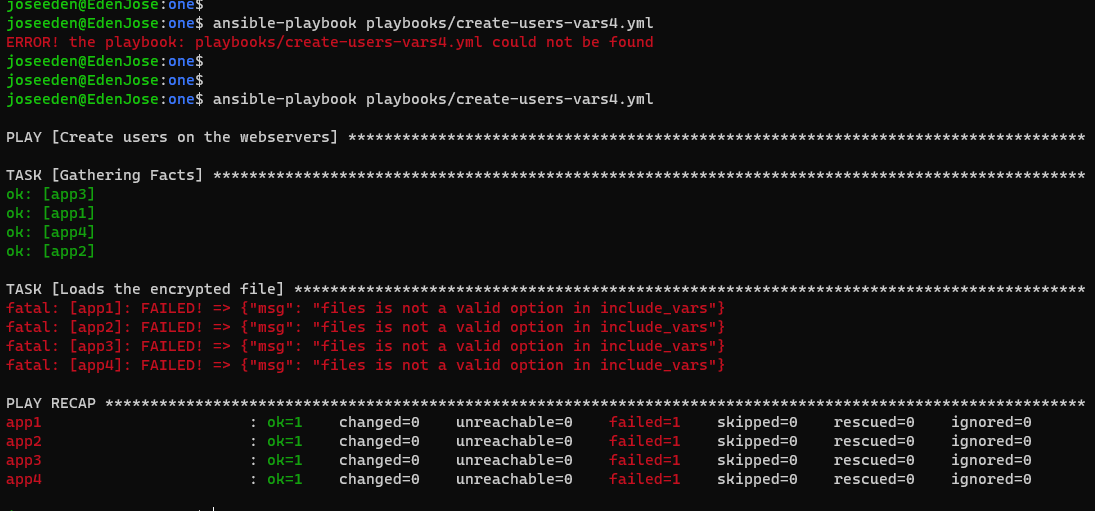
Running the playbook without using any parameter will return an error. This is because we need to be prompted to supply the password.
$ ansible-playbook playbooks/create-users-vars4.yml
The correct way would be:
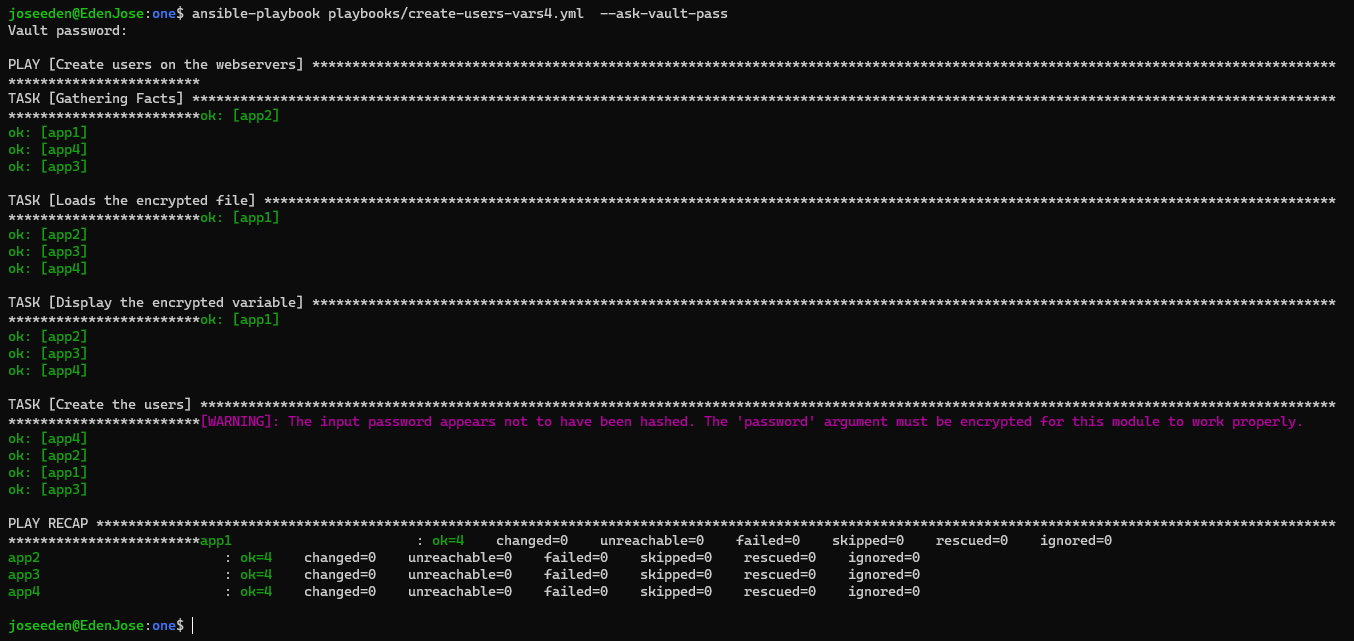
$ ansible-playbook playbooks/create-users-vars4.yml --ask-vault-pass
Now, we see a problem when the playbook is run. The debug clearly shows that the password is returned as an output. To prevent this, we add the no_log property and set it to true.
create-users-vars4.yml
# create-users-vars4.yml
---

- name: Create users on the webservers
  hosts: webservers
  become: true
  tasks:

  - name: Loads the encrypted file
    include_vars:
      file: ~/proj-ansible-1/one/files/secrets

  - name: Display the encrypted variable
    debug:
      msg: " {{ secret_password }}"
    no_log: true

  - name: Create the users
    user:
      name: "{{ username['testeden-5']['uname']}}"
      comment: "{{ username['testeden-5']['description'] }}"
      password: "{{ username['testeden-5']['password'] }}"
      state: present
Running the playbook again, we now see that the passwords are now hidden from the output.
Now to make sure the users were really created, let's login again to two of the four webservers and check.