Installing gitconfig Role from Ansible Galaxy
Overview
This lab installs and applies a Git configuration role to manage Git settings on target hosts.
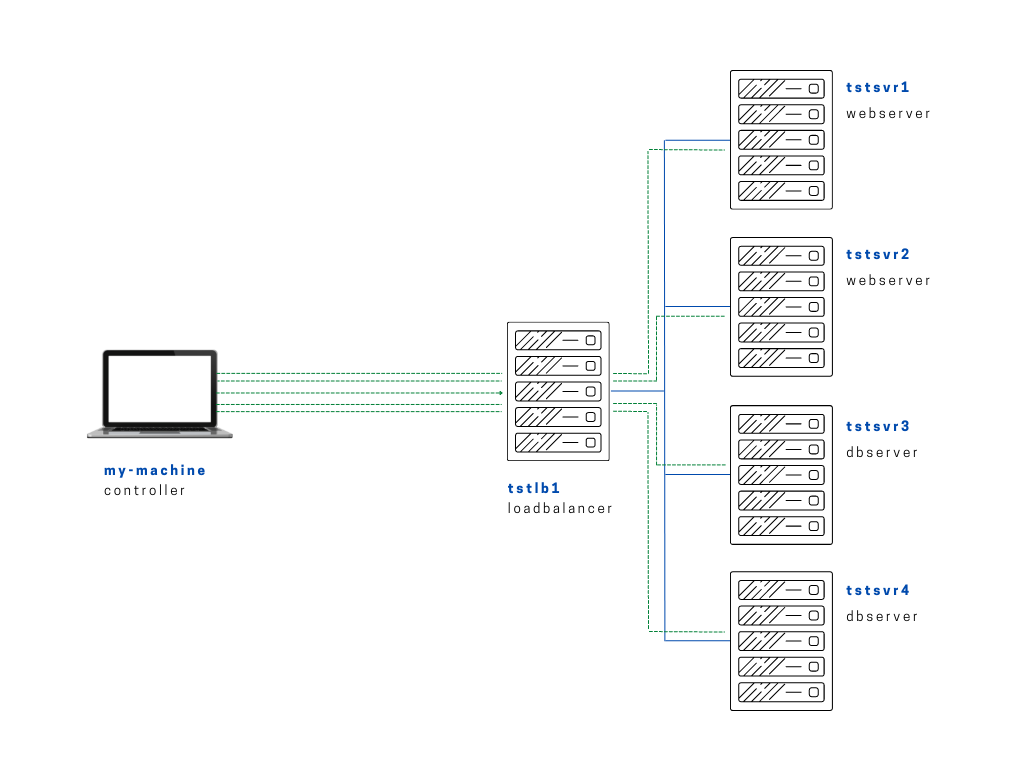
Diagram:
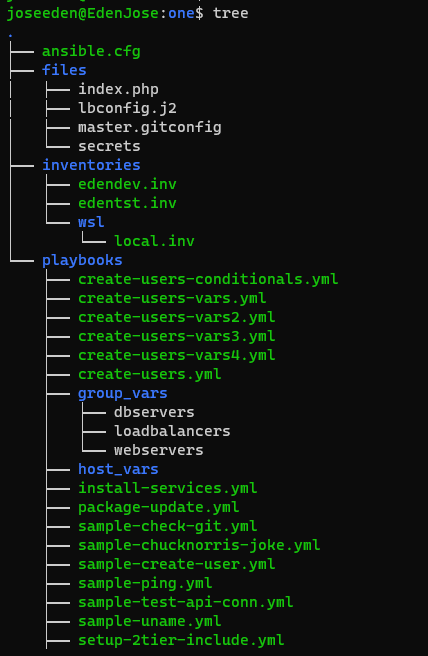
The tree-structure of our Project One currently looks like this. Don't worry if you see that there's already a lot of files in the directory. These are the files from the previous labs in this series. The only ones we'll really really need are also provided below.
Project One
ansible.cfg
 [defaults]
# E: variables for my personal lab
inventory = ~/proj-ansible-1/one/inventories/edendev.inv
remote_user = eden
private_key_file = ~/.ssh/id_rsa
host_key_checking = False
retry_files_enabled = False
timeout = 24
gather_facts = smart

#ansible_managed = "# This file is managed by Ansible, all local changes will be lost !"
#allow_world_readable_tmpfiles = True
#precedence = all_plugins_play, all_inventory, groups_plugins_play, groups_inventory, all_plugins_inventory, groups_plugins_inventory
#any_errors_fatal = True
#timeout = 24

[privilege_escalation]
#become_method = sudo
#become=True
#become_user=root
#become_ask_pass=False

[paramiko_connection]
#record_host_keys = False

[ssh_connection]
scp_if_ssh = True
pipelining = True
symlink in root directory pointing to projects folder
$ ls -la | grep "\->"
lrwxrwxrwx  1 joseeden joseeden    70 Jan 14 23:03 proj-ansible-1 -> /mnt/c/Users/Eden Jose/4-Projects
For this lab, we'll have two webservers and two dbservers. Recall that we used a default edendev.inv inventory file for the previous labs. We'll be using a different inventory file for this lab and instead of changing the ansible.cfg, we'll just specify this new inventory file when we run the playbook.
edentst.inv
# edentst.inv

[webservers]
app1    ansible_host=13.251.146.254
app2    ansible_host=122.248.203.239

[dbservers]
db1    ansible_host=52.76.189.254
db2    ansible_host=54.255.28.202

[loadbalancers]
lb1     ansible_host=13.228.99.157

[local]
localhost   ansible_connection=local
As a sample role, we'll use this gitconfig role that you can check out in the Ansible Galaxy site. It's source code can also be viewed from its github repo. This role can be used to configure the git on the managed nodes.
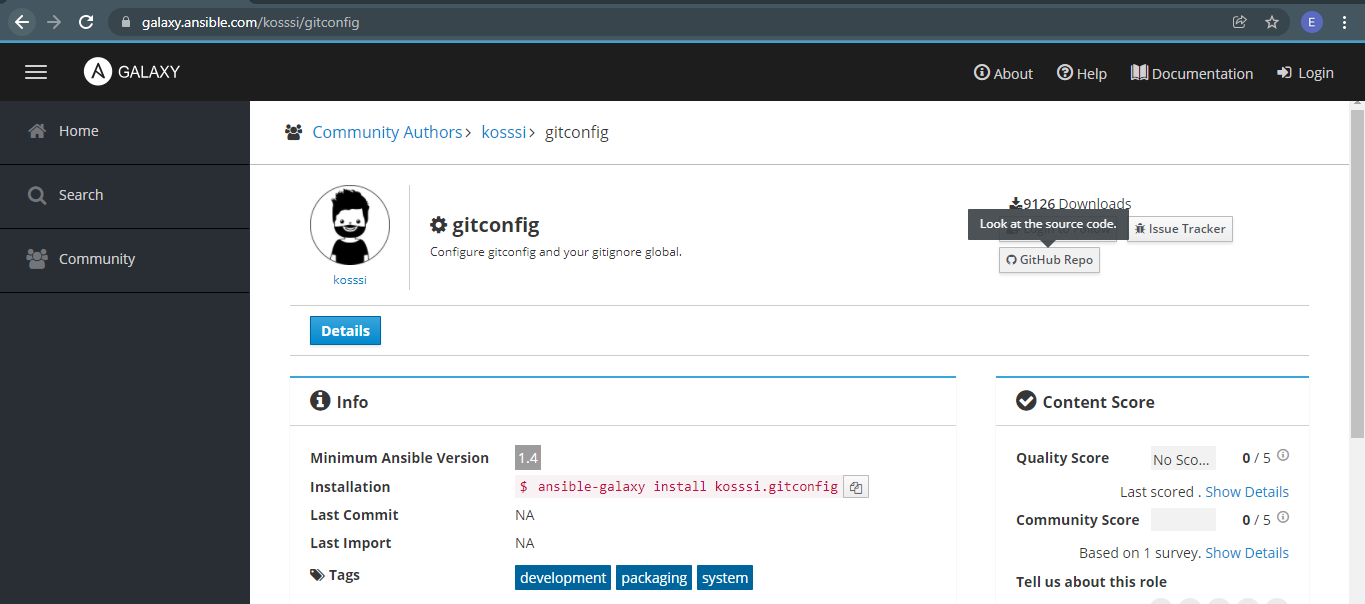
Going back to our controller machine, we can view a summary of the role from the command line as well.
kosssi.gitconfig
$ ansible-galaxy role info kosssi.gitconfig

Role: kosssi.gitconfig
        description: Configure gitconfig and your gitignore global.
        active: True
        commit:
        commit_message:
        commit_url:
        company:
        created: 2014-07-24T01:12:00.803808Z
        download_count: 9125
        forks_count: 0
        github_branch: master
        github_repo: ansible-role-gitconfig
        github_user: kosssi
        id: 1162
        imported: None
        is_valid: True
        issue_tracker_url: https://github.com/kosssi/ansible-role-gitconfig/issues
        license: license MIT
        min_ansible_version: 1.4
        modified: 2018-06-20T15:14:18.259009Z
        open_issues_count: 0
        path: ('/home/joseeden/.ansible/roles', '/usr/share/ansible/roles', '/etc/ansible/roles')
        role_type: ANS
        stargazers_count: 12
        travis_status_url:
To install it,
$ ansible-galaxy role install kosssi.gitconfig

- downloading role 'gitconfig', owned by kosssi
- downloading role from https://github.com/kosssi/ansible-role-gitconfig/archive/v1.0.1.tar.gz
- extracting kosssi.gitconfig to /home/joseeden/.ansible/roles/kosssi.gitconfig
- kosssi.gitconfig (v1.0.1) was installed successfully
The role directory can be found in the ~/.ansible/roles/ directory.
$ ls .ansible/roles/
kosssi.gitconfig

$ tree .ansible/roles/kosssi.gitconfig/
.ansible/roles/kosssi.gitconfig/
├── LICENSE
├── README.md
├── defaults
│   └── main.yml
├── meta
│   └── main.yml
├── tasks
│   ├── config.yml
│   ├── ignore.yml
│   └── main.yml
├── templates
│   ├── gitconfig.j2
│   └── gitignore.j2
└── tests
    ├── Makefile
    ├── Vagrantfile
    ├── inventory
    └── playbook.yml

5 directories, 13 files
To ensure that all our roles are stored in one place for practice, we'll copy this to our Project One folder, specifically under the roles folder.
one$ cp -r ~/.ansible/roles/kosssi.gitconfig/ roles/
As a recap, the tasks in a playbook are broken down into reusable piece and are place inside the role's task folder.
$ ls tasks/
config.yml  ignore.yml  main.yml
$ cat tasks/main.yml
---

- include: config.yml
- include: ignore.yml
The main.yml is the main overview of the tasks and is usually where the other tasks are being called. In the example below, it is calling the two other tasks, config.yml and ignore.yml.
config.yml
---

- name: Configure .gitconfig file
  template:
    src=gitconfig.j2
    dest=~/.gitconfig
  when: git_config
ignore.yml
---

- name: Add all gitignore files
  template:
    src=gitignore.j2
    dest="{{ git_config.core.excludesfile }}"
  when: git_ignore and git_config.core is defined and git_config.core.excludesfile is defined
Note that we modified the config.yml to reflect the correct path of the Jinja2 template that will be deployed onto app1. We've also changed the destination filename to jsmith.gitconfig.
config.yml
---

- name: Configure .gitconfig file
  template:
    src: ../templates/gitconfig.j2
    dest: ~/jsmith.gitconfig
  when: git_config
In addition to this, we also have the defaults/main.yml where we can configure the username and email.
---

git_config:
  user:
    name: John Smith
    email: john.smith@hotmail.com
Now, to incorporate it into our playbook. We'll create a new playbook, role-gitconfig.yml. We'll only run it on one of the webservers.
# role-gitconfig.yml
#------------------------------------------
# Here we're using the role installed from Ansible Galaxy.

- name: Use the gitconfig test role
  hosts: app1
  roles:
  - roles/kosssi.gitconfig
Now when we try to run it, we'll notice that it will return an error: "AnsibleUndefinedVariable: 'dict object' has no attribute 'iteritems'"}
$ ansible-playbook playbooks/role-gitconfig.yml -i inventories/edentst.inv
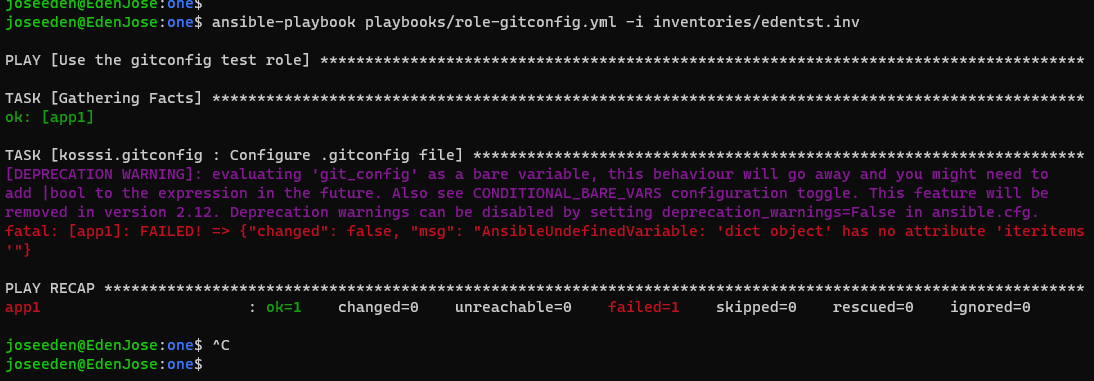
A quick google search shows us this,
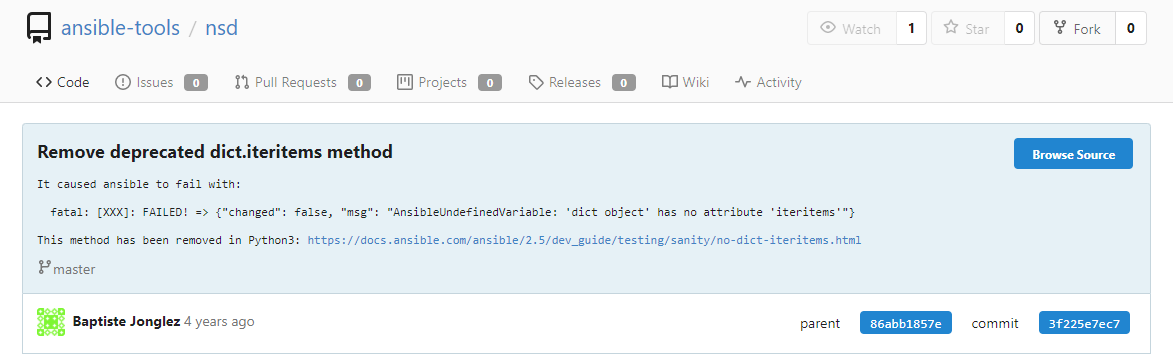
Following the Ansible documentation:
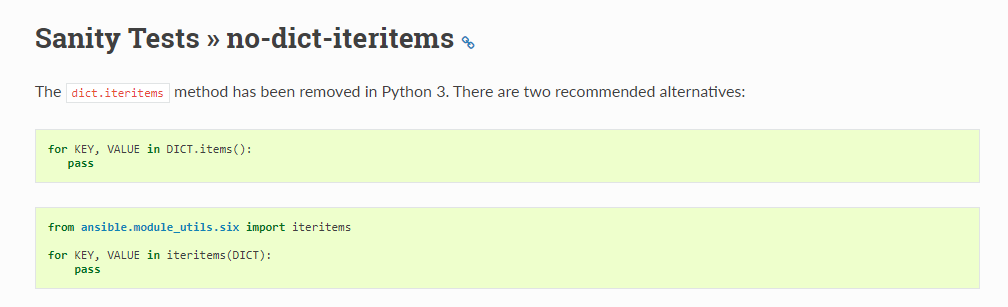
After searching for the deprecated iteritem, we learn that it was defined in the templates/gitconfig.j2 file.
{% for section, values in git_config.iteritems() %}
[{{ section }}]
{% for key, value in values.iteritems() %}
    {{ key }} = {{ value }}
{% endfor %}
{% endfor %}
We now modify it to use the new method,
{% for section, values in git_config.items() %}
[{{ section }}]
{% for key, value in values.items() %}
    {{ key }} = {{ value }}
    pass
{% endfor %}
{% endfor %}
Running the playbook once again, we see that a change has occured on app1.
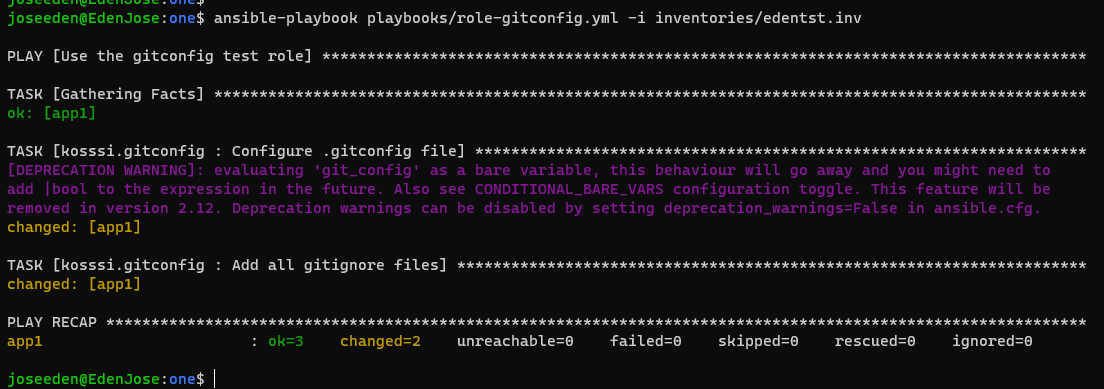
Logging in to app1 (tstsvr1), we see that the config file has been created.
$ ssh eden@tstsvr1
The hostname for this system is: app1:172.31.2.181
Last login: Mon Jan 17 13:16:30 2022 from 180.190.61.45
[eden@tstsvr1 ~]$
[eden@tstsvr1 ~]$ ll
total 4
-rw-rw-r--. 1 eden eden 625 Jan 17 13:23 jsmith.gitconfig
Cleaning Up Now that we're done with this lab, we can remove the role from our machine. Note that the original role is in the default ~/.ansible/roles folder and the one we used is in our Project One folder.
We will need to specify both path when we remove the role.
$ ansible-galaxy role remove ~/.ansible/roles/kosssi.gitconfig
- successfully removed /home/joseeden/.ansible/roles/kosssi.gitconfig
$ ansible-galaxy role remove ~/proj-ansible-1/one/roles/kosssi.gitconfig
- successfully removed /home/joseeden/proj-ansible-1/one/roles/kosssi.gitconfig
Noice! YOu're now ready for another role! See you in the next lab!