Creating Users
Overview
This lab automates Linux user creation across managed hosts with an Ansible playbook.
Diagram:
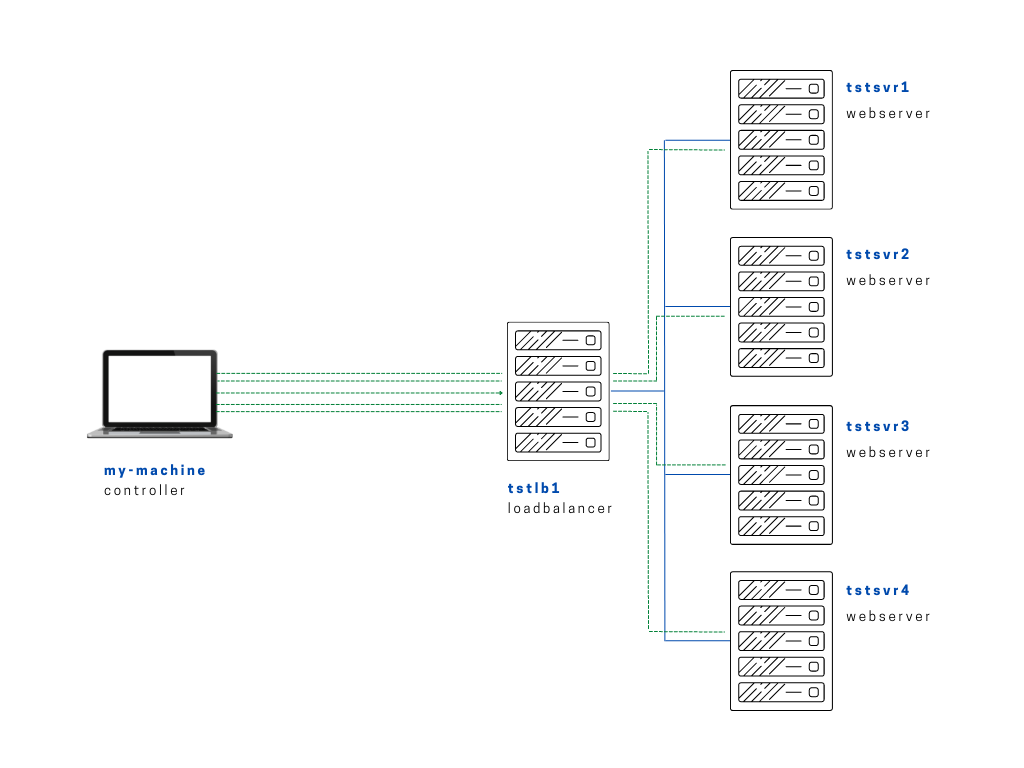
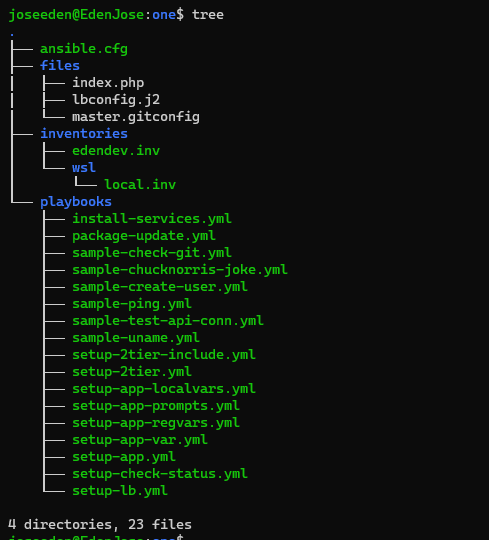
We'll be using the same project one that we used from the first 10 labs. To recap, here is a tree-output of our project one:
Project One in tree-output
ansible.cfg
 [defaults]
# E: variables for my personal lab
inventory = ~/proj-ansible-1/one/inventories/edendev.inv
remote_user = eden
private_key_file = ~/.ssh/id_rsa
host_key_checking = False
retry_files_enabled = False
timeout = 24
gather_facts = smart

#ansible_managed = "# This file is managed by Ansible, all local changes will be lost !"
#allow_world_readable_tmpfiles = True
#precedence = all_plugins_play, all_inventory, groups_plugins_play, groups_inventory, all_plugins_inventory, groups_plugins_inventory
#any_errors_fatal = True
#timeout = 24

[privilege_escalation]
#become_method = sudo
#become=True
#become_user=root
#become_ask_pass=False

[paramiko_connection]
#record_host_keys = False

[ssh_connection]
scp_if_ssh = True
pipelining = True
inventories/edendev.inv
[webservers]
app1    ansible_host=13.251.146.254
app2    ansible_host=122.248.203.239
app3    ansible_host=52.76.189.254
app4    ansible_host=54.255.28.202

[loadbalancers]
lb1     ansible_host=13.228.99.157

[local]
localhost   ansible_connection=local
symlink in root directory pointing to projects folder
$ ls -la | grep "\->"
lrwxrwxrwx  1 joseeden joseeden    70 Jan 14 23:03 proj-ansible-1 -> /mnt/c/Users/Eden Jose/4-Projects
In this lab, we'll create a simple playbook that we'll create users on the webservers.
# create-users.yml
---

- name: Create users on the webservers
  hosts: webservers
  become: true
  tasks:
  - name: Create the users
    user:
      name: testeden-1
      state: present
      comment: ansible-created-user-1
Running the playbook.
$ ansible-playbook playbooks/create-users.yml
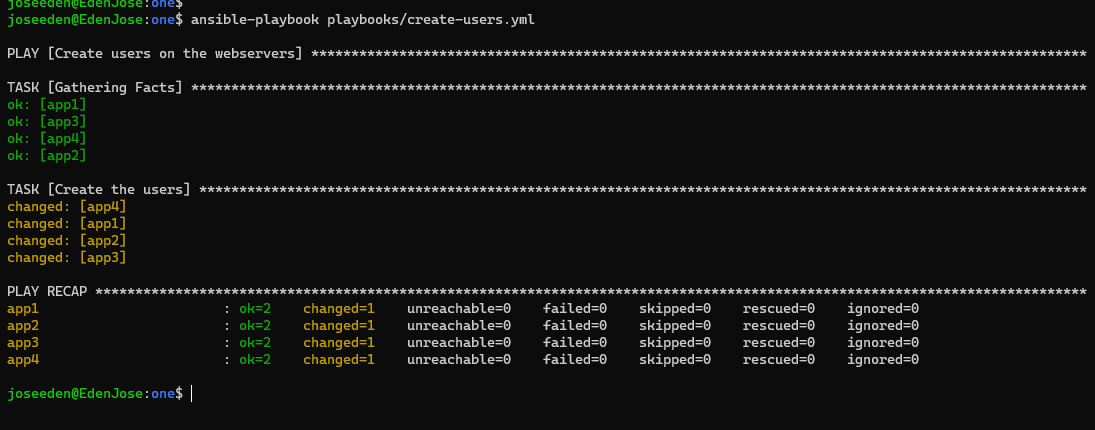
Since that was an easy one, let's try incorporating variables in our playbook. Let's create a copy of the playbook and renamed it to create-users-var.yml.
# create-users-vars.yml
---

- name: Create users on the webservers
  hosts: webservers
  become: true
  vars:
    username: testeden-1
  tasks:
  - name: Create the users
    user:
      name: {{ username }}
      state: present
      comment: ansible-created-user-1
Running the playbook.
$ ansible-playbook playbooks/create-users-vars.yml
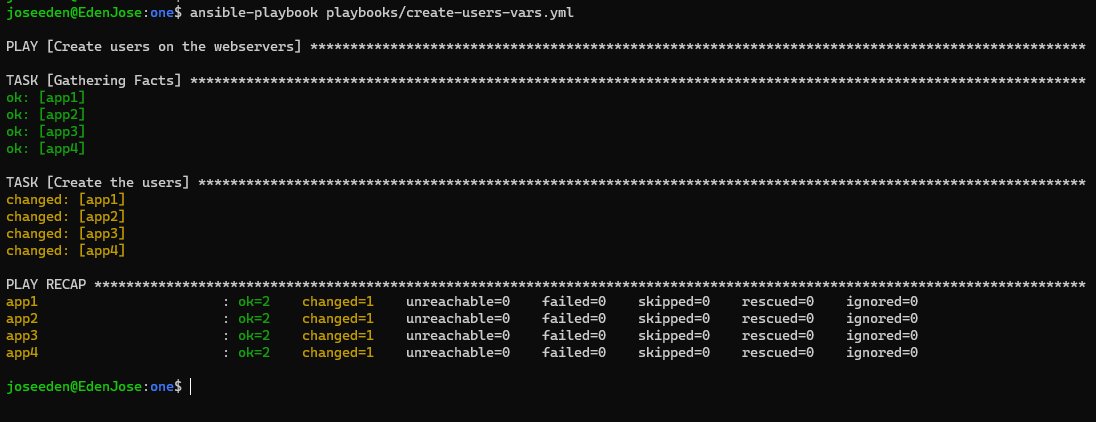
Now to make sure the users were really created, let's login to two of the four webservers and check.
joseeden@EdenJose:one$ ssh eden@tstsvr1
Last login: Fri Jan 14 16:58:04 2022 from 1.2.3.4
[eden@tstsvr1 ~]$
[eden@tstsvr1 ~]$ tail -2 /etc/passwd
testeden-1:x:1001:1001:ansible-created-user-1:/home/testeden-1:/bin/bash
testeden-2:x:1002:1002:ansible-created-user-2:/home/testeden-2:/bin/bash
joseeden@EdenJose:one$ ssh eden@tstsvr4
Last login: Fri Jan 14 16:58:04 2022 from 1.2.3.4
[eden@tstsvr4 ~]$
[eden@tstsvr4 ~]$ tail -2 /etc/passwd
testeden-1:x:1001:1001:ansible-created-user-1:/home/testeden-1:/bin/bash
testeden-2:x:1002:1002:ansible-created-user-2:/home/testeden-2:/bin/bash
Taking it up a notch, we'll also put the comment section into a variable. We'll add more values for the username as well. Let's create a copy of the playbook and renamed it to create-users-vars2.yml.
# create-users-vars2.yml
---

- name: Create users on the webservers
  hosts: webservers
  become: true
  vars:
    username:
      testeden-3:
        uname: testeden-3
        description: ansible-created-user-3
  tasks:
  - name: Create the users
    user:
      name: "{{ username['testeden-3']['uname']}}"
      state: present
      comment: "{{ username['testeden-3']['description'] }}"
Running the playbook.
$ ansible-playbook playbooks/create-users-vars2.yml
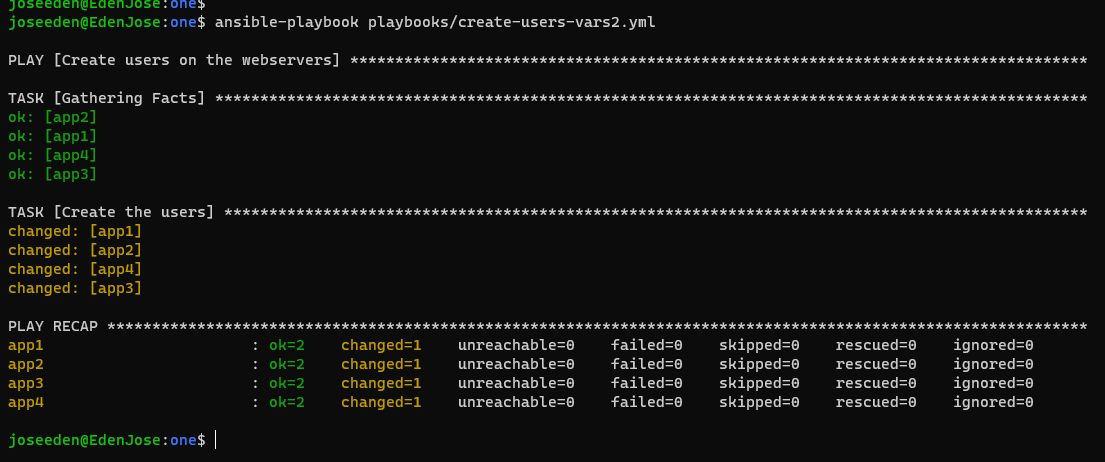
Now to make sure the users were really created, let's login again to two of the four webservers and check.
$ ssh eden@tstsvr2
Last login: Fri Jan 14 22:39:00 2022 from 1.2.3.4
[eden@tstsvr2 ~]$
[eden@tstsvr2 ~]$ tail -3 /etc/passwd
testeden-1:x:1001:1001:ansible-created-user-1:/home/testeden-1:/bin/bash
testeden-2:x:1002:1002:ansible-created-user-2:/home/testeden-2:/bin/bash
testeden-3:x:1003:1003:ansible-created-user-3:/home/testeden-3:/bin/bash
$ ssh eden@tstsvr3
Last login: Fri Jan 14 16:58:04 2022 from 1.2.3.4
[eden@tstsvr3 ~]$
[eden@tstsvr3 ~]$ tail -3 /etc/passwd
testeden-1:x:1001:1001:ansible-created-user-1:/home/testeden-1:/bin/bash
testeden-2:x:1002:1002:ansible-created-user-2:/home/testeden-2:/bin/bash
testeden-3:x:1003:1003:ansible-created-user-3:/home/testeden-3:/bin/bash