Creating Users using Ansible Roles
Overview
This lab moves the user-management workflow into an Ansible role for better reuse and structure.
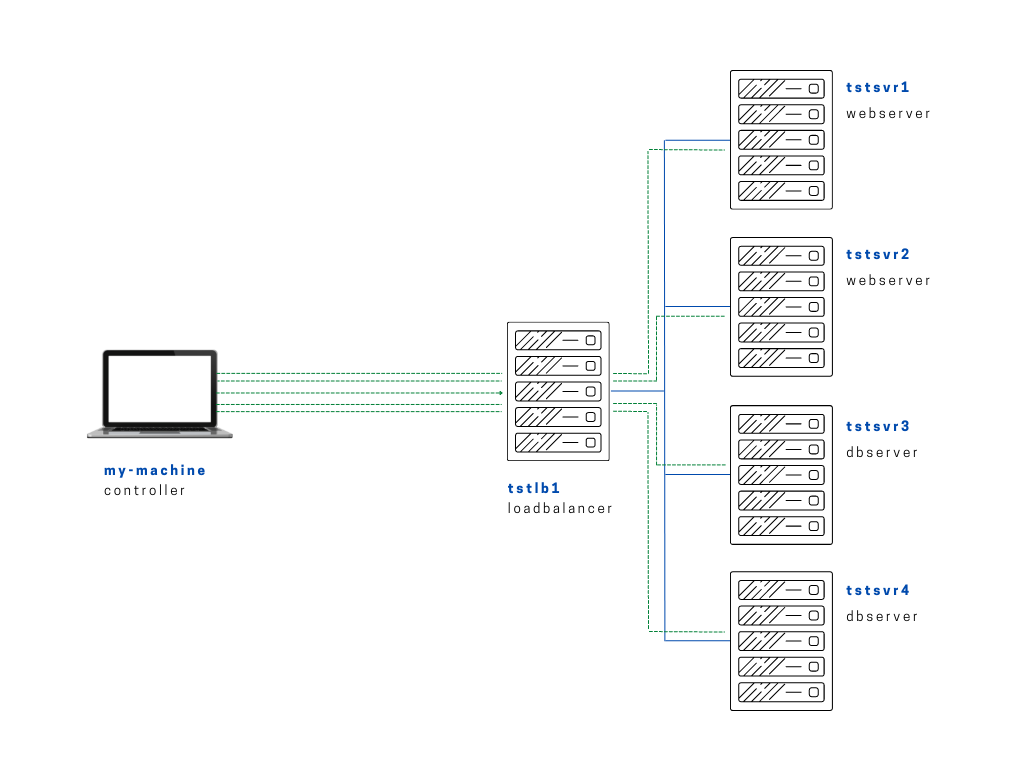
Diagram:
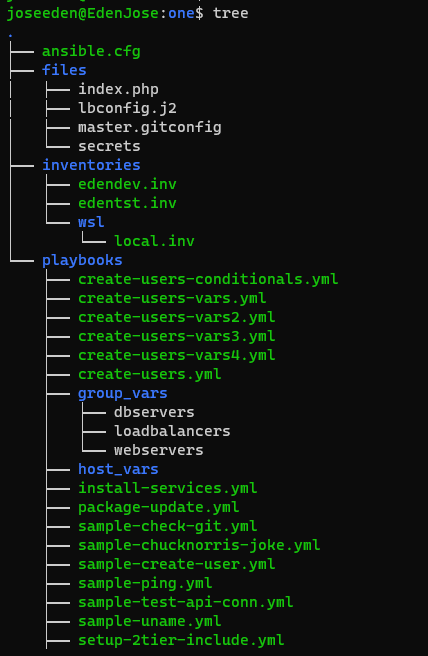
The tree-structure of our Project One currently looks like this. Don't worry if you see that there's already a lot of files in the directory. These are the files from the previous labs in this series. The only ones we'll really really need are also provided below.
Project One
ansible.cfg
 [defaults]
# E: variables for my personal lab
inventory = ~/proj-ansible-1/one/inventories/edendev.inv
remote_user = eden
private_key_file = ~/.ssh/id_rsa
host_key_checking = False
retry_files_enabled = False
timeout = 24
gather_facts = smart

#ansible_managed = "# This file is managed by Ansible, all local changes will be lost !"
#allow_world_readable_tmpfiles = True
#precedence = all_plugins_play, all_inventory, groups_plugins_play, groups_inventory, all_plugins_inventory, groups_plugins_inventory
#any_errors_fatal = True
#timeout = 24

[privilege_escalation]
#become_method = sudo
#become=True
#become_user=root
#become_ask_pass=False

[paramiko_connection]
#record_host_keys = False

[ssh_connection]
scp_if_ssh = True
pipelining = True
symlink in root directory pointing to projects folder
$ ls -la | grep "\->"
lrwxrwxrwx  1 joseeden joseeden    70 Jan 14 23:03 proj-ansible-1 -> /mnt/c/Users/Eden Jose/4-Projects
For this lab, we'll have two webservers and two dbservers. Recall that we used a default edendev.inv inventory file for the previous labs. We'll be using a different inventory file for this lab and instead of changing the ansible.cfg, we'll just specify this new inventory file when we run the playbook.
edentst.inv
# edentst.inv

[webservers]
app1    ansible_host=13.251.146.254
app2    ansible_host=122.248.203.239

[dbservers]
db1    ansible_host=52.76.189.254
db2    ansible_host=54.255.28.202

[loadbalancers]
lb1     ansible_host=13.228.99.157

[local]
localhost   ansible_connection=local
The goal of this lab is to tranform the playbook we used in one of our previous labs. This playbook creates users for the webservers group and the dbservers group.
As a recap, here's the original create-users-conditionals.yml playbook:
create-users-conditionals.yml
# create-users-conditionals.yml
---

- name: Create users on the webservers
  hosts: all:!localhost
  become: true

  vars:
    web_users:
      - tstmember
      - tstadmin
      - tstdeveloper

  tasks:
  # Iterate on the web_users list defined above
  - name: Create the webserver users
    user:
      name: "{{ item }}"
      state: present
    loop: "{{ web_users }}"
    when: "'webservers' in group_names"

  # Iterate on the db_users list defined in the group_vars/dbservers file
  - name: Create the database users
    user:
      name: "{{ item }}"
      state: present
    loop: "{{ db_users }}"
    when: "'dbservers' in group_names"
We'll create a roles directory inside our Project One folder and then initialize the users role directory structure inside of it. To do it, we use the ansible-galaxy tool.
What this does is it creates a "skeleton directory" where we can simply place the "pieces" once we break down the playbook into reusable bits.
one$ mkdir roles
one$ cd roles
roles$
roles$ ansible-galaxy init users
- Role users was created successfully

roles$ ls
users
roles$ cd users/
users$ tree
.
├── README.md
├── defaults
│   └── main.yml
├── files
├── handlers
│   └── main.yml
├── meta
│   └── main.yml
├── tasks
│   └── main.yml
├── templates
├── tests
│   ├── inventory
│   └── test.yml
└── vars
    └── main.yml

8 directories, 8 files
Next step is to break down our playbook into pieces. Let's first create a copy of the playbook and rename it to create-users-conditionals-vars-roles.yml.
We'll remove the vars and put them in the vars/main.yml. Similarly, we put the tasks in the tasks/main.yml.
---
# vars file for users
    web_users:
      - tstmember
      - tstadmin
      - tstdeveloper
---
# tasks file for users

    # Iterate on the web_users list defined above
    - name: Create the webserver users
      user:
        name: "{{ item }}"
        state: present
      loop: "{{ web_users }}"
      when: "'webservers' in group_names"

    # Iterate on the db_users list defined in the group_vars/dbservers file
    - name: Create the database users
      user:
        name: "{{ item }}"
        state: present
      loop: "{{ db_users }}"
      when: "'dbservers' in group_names"
Our playbook would now just look like this. Notice that we used roles to specify th path of the role to use.
# create-users-conditionals-roles.yml
---

- name: Create users on the webservers
  hosts: all:!localhost
  become: true
  roles:
  - roles/users
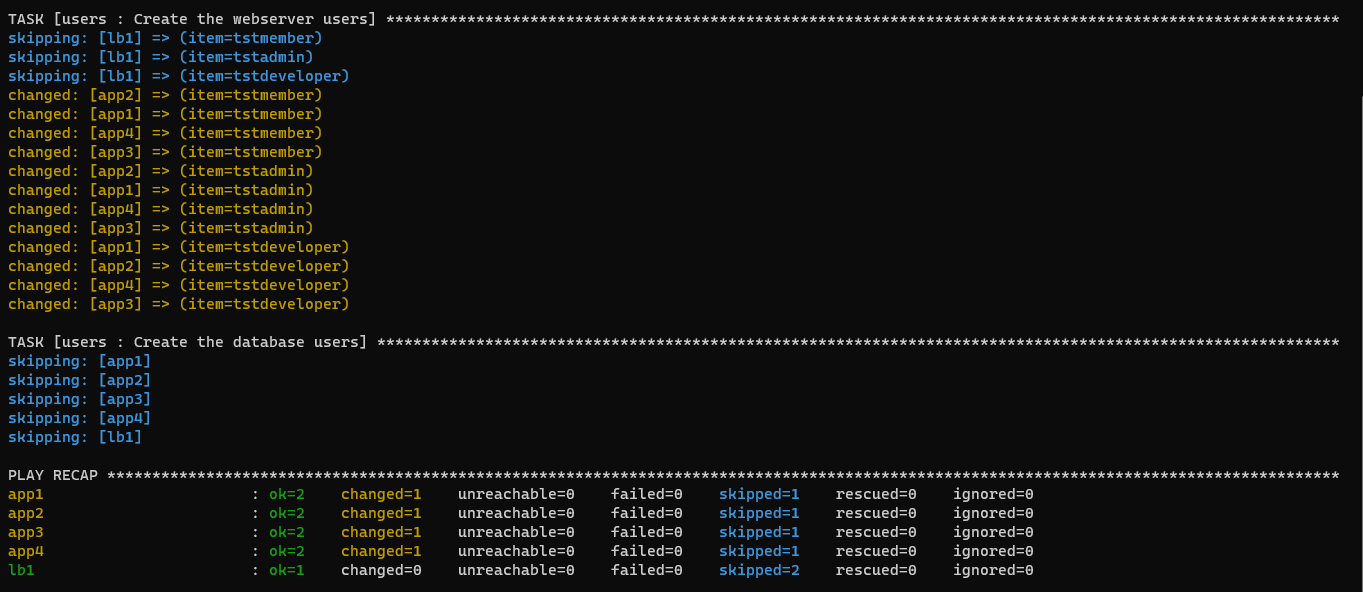
To run the playbook,
$ ansible-playbook playbooks/create-users-conditionals-vars-roles.yml -i inventories/edendev.inv