Using Jinja2 Templates to Deploy /etc/hosts file
Overview
This lab renders a Jinja2 template to manage /etc/hosts entries across the inventory.
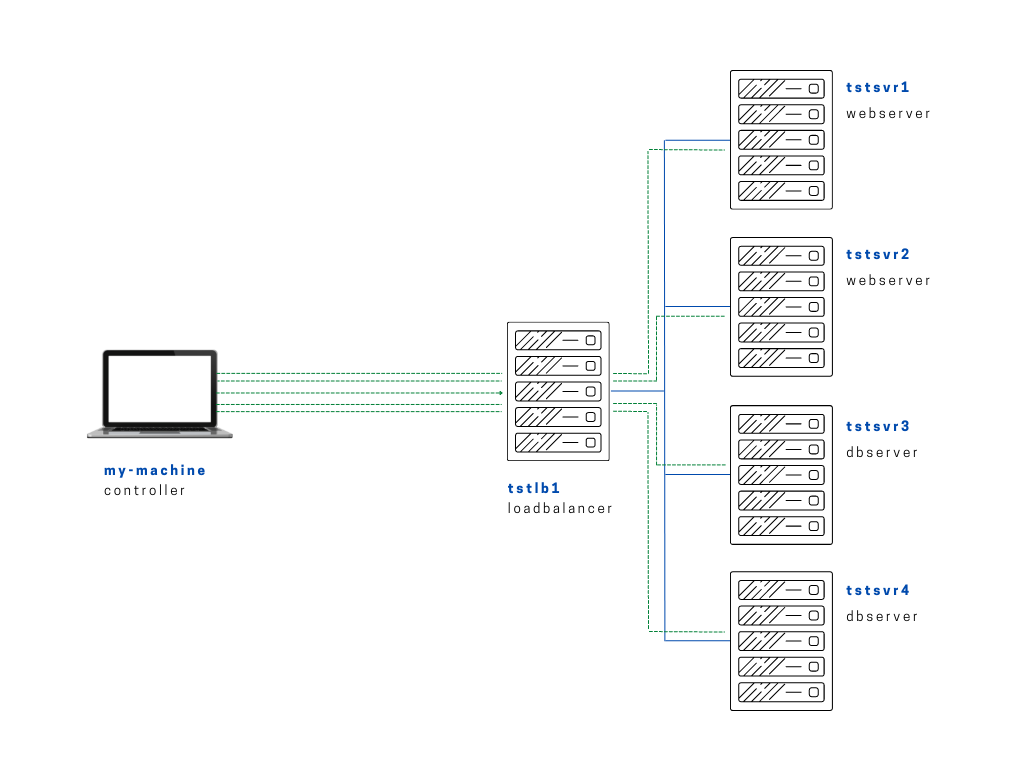
Diagram:
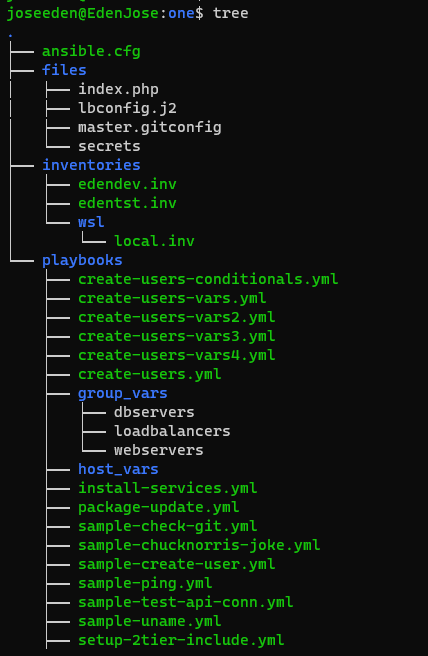
The tree-structure of our Project One currently looks like this. Don't worry if you see that there's already a lot of files in the directory. These are the files from the previous labs in this series. The only ones we'll really really need are also provided below.
Project One
ansible.cfg
 [defaults]
# E: variables for my personal lab
inventory = ~/proj-ansible-1/one/inventories/edendev.inv
remote_user = eden
private_key_file = ~/.ssh/id_rsa
host_key_checking = False
retry_files_enabled = False
timeout = 24
gather_facts = smart

#ansible_managed = "# This file is managed by Ansible, all local changes will be lost !"
#allow_world_readable_tmpfiles = True
#precedence = all_plugins_play, all_inventory, groups_plugins_play, groups_inventory, all_plugins_inventory, groups_plugins_inventory
#any_errors_fatal = True
#timeout = 24

[privilege_escalation]
#become_method = sudo
#become=True
#become_user=root
#become_ask_pass=False

[paramiko_connection]
#record_host_keys = False

[ssh_connection]
scp_if_ssh = True
pipelining = True
symlink in root directory pointing to projects folder
$ ls -la | grep "\->"
lrwxrwxrwx  1 joseeden joseeden    70 Jan 14 23:03 proj-ansible-1 -> /mnt/c/Users/Eden Jose/4-Projects
For this lab, we'll have two webservers and two dbservers. Recall that we used a default edendev.inv inventory file for the previous labs. We'll be using a different inventory file for this lab and instead of changing the ansible.cfg, we'll just specify this new inventory file when we run the playbook.
edentst.inv
# edentst.inv

[webservers]
app1    ansible_host=13.251.146.254
app2    ansible_host=122.248.203.239

[dbservers]
db1    ansible_host=52.76.189.254
db2    ansible_host=54.255.28.202

[loadbalancers]
lb1     ansible_host=13.228.99.157

[local]
localhost   ansible_connection=local
The goal of this lab is to replicate the controller's /etc/hosts file to a Jinja2 file and then deploy this file onto all the servers.
Let's start off with the files/hosts.j2 to be used.
files/hosts.j2
{# hosts.j2 #}
{# -------------------------------------------------------------------- #}
{# Lines enclosed with braces and pound-sign are considered comments #}
{# This means they are skipped when Jinja2 template is read #}
{# On the other hand, for loops are enclosed with braces and percent sign #}
{# for loops are then closed with endfor statement.
{# -------------------------------------------------------------------- #}

127.0.0.1 localhost
{% for host in groups['all'] %}
{{ hostvars[host]['ansible_default_ipv4']['address'] }} {{ hostvars[host]['ansible_fqdn'] }} {{ hostvars[host]['ansible_hostname'] }}
{% endfor %}
Next, we create the playbook that will deploy this hosts file.
deploy-jinja2-hosts
 # deploy-jinja2-hosts.yml
#-----------------------------------------
---
- name: Deploy hosts.j2 to the servers
  hosts: all
  become: true
  tasks:
  - name: Deploy hosts.j2 to the servers
    template:
      src: ../files/hosts.j2
      dest: /etc/hosts
      owner: root
      group: root
      mode: "0644"
To run the playbook,
$ ansible-playbook playbooks/deploy-jinja2-hosts.yml -i inventories/edentst.inv
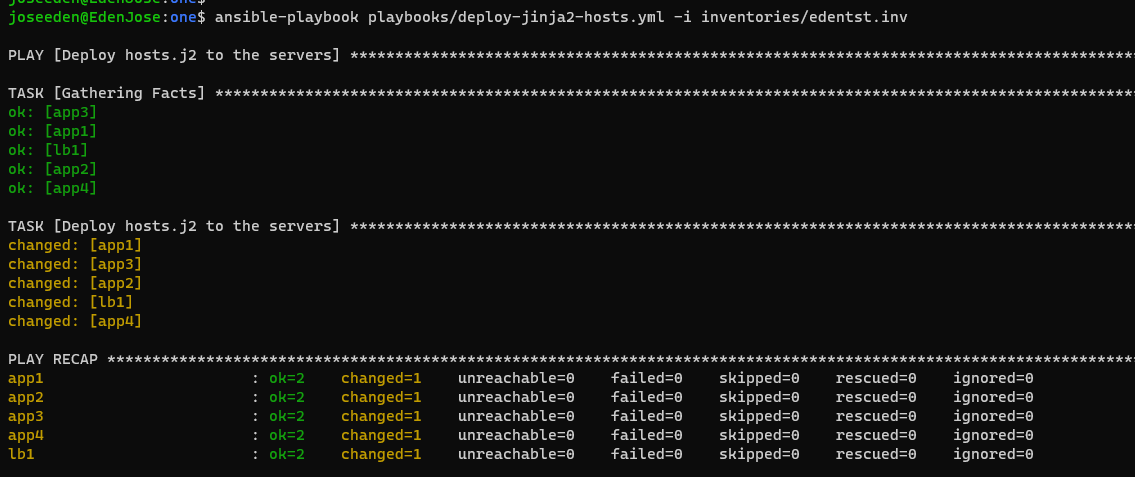
When we login to one of the webservers, wee that the /etc/hosts file is populated with the IP addresses of all the servers.
$ ssh eden@tstsvr3

The hostname for this system is: app3:172.31.11.57
Last login: Sun Jan 16 15:30:00 2022 from 1.2.3.4
[eden@tstsvr3 ~]$
[eden@tstsvr3 ~]$ vim /etc/hosts

127.0.0.1 localhost
172.31.2.181 tstsvr1 tstsvr1
172.31.0.15 tstsvr2 tstsvr2
172.31.11.57 tstsvr3 tstsvr3
172.31.1.151 tstsvr4 tstsvr4
172.31.8.141 tstlb1 tstlb1